When logging in in phpMyAdmin, the prompt: mysqli::real_connect(): the server requested authentication method unknown to the client[caching_sha2_password]
1. When logging in in phpMyAdmin, prompt: mysqli::real_connect(): The server requested authentication method unknown to the client[caching_sha2_password]. as shown in Figure 1
![在 phpMyAdmin 中登录时,提示:mysqli::real_connect(): The server requested authentication method unknown to the client [caching_sha2_password]。](https://www.shuijingwanwq.com/wp-content/uploads/2025/03/1-1.jpg)
Figure 1
mysqli::real_connect(): The server requested authentication method unknown to the client [caching_sha2_password]
mysqli::real_connect(): (HY000/2054): The server requested authentication method unknown to the client
2. Starting with MySQL 8.0, the default authentication method is changed from MYSQL_Native_password to caching_sha2_password. While this new approach is more secure, older versions of PHP (before 7.4) and some MySQL client libraries do not support it.
3. The current environment requirements are PHP 7.3.9 and MySQL 8.0. Therefore, you need to change the authentication method of the mysql user back to mysql_native_password. Edit C:\ProgramData\MySQL\MySQL Server 8.0\My.ini . In[mysqld]Add the following lines under section. as shown in Figure 2
![现在的环境要求是 PHP 7.3.9 与 MySQL 8.0。因此,需要将 MySQL 用户的认证方法改回 mysql_native_password。编辑 C:\ProgramData\MySQL\MySQL Server 8.0\my.ini .在 [mysqld] 部分下添加以下行。](https://www.shuijingwanwq.com/wp-content/uploads/2025/03/2-1.jpg)
Figure 2
[mysqld]

default_authentication_plugin=mysql_native_password
4. Restart the mysql80 service, as shown in Figure 3
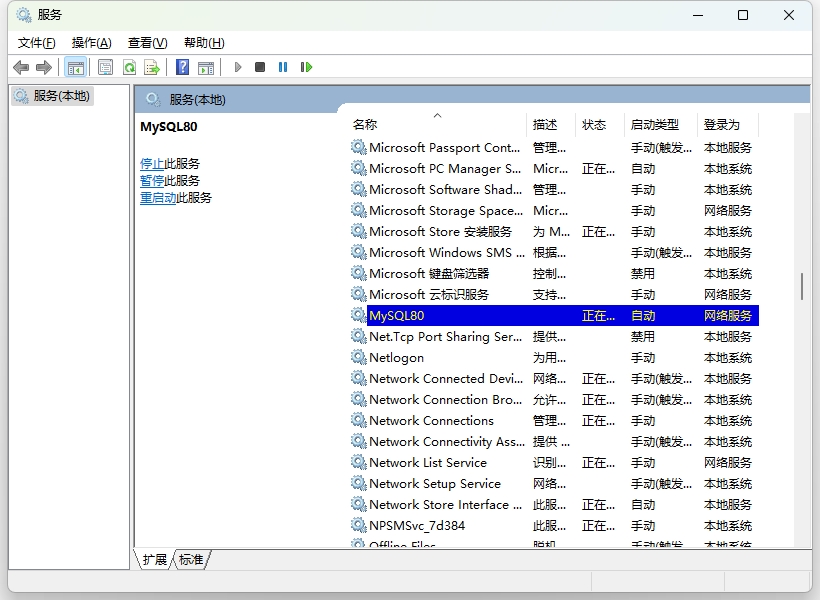
Figure 3
5. The error is still reported when logging in. It is suspected that this configuration item will only affect the newly created MySQL user, and the root user that has been created before has not been affected. Therefore, you need to manually update the root user authentication method to mysql_native_password. as shown in Figure 4
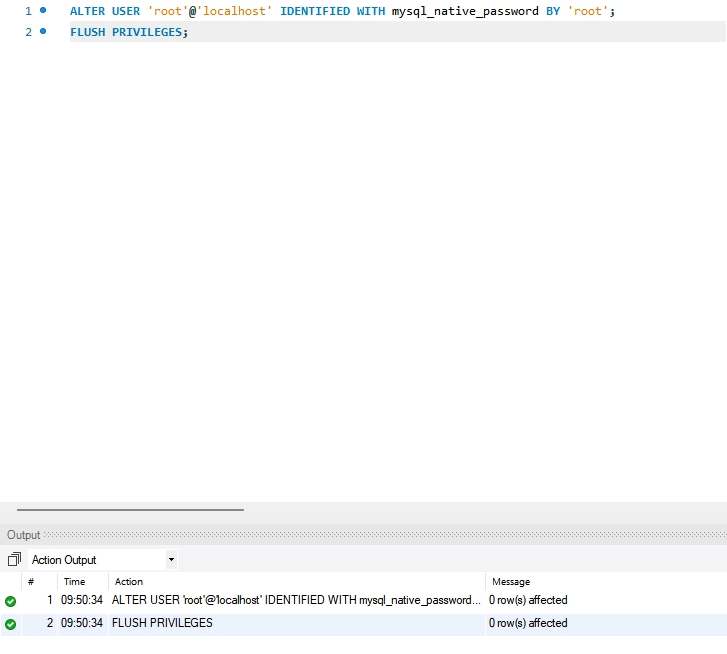
Figure 4
6. Log in again in phpmyadmin, and the login is successful. as shown in Figure 5
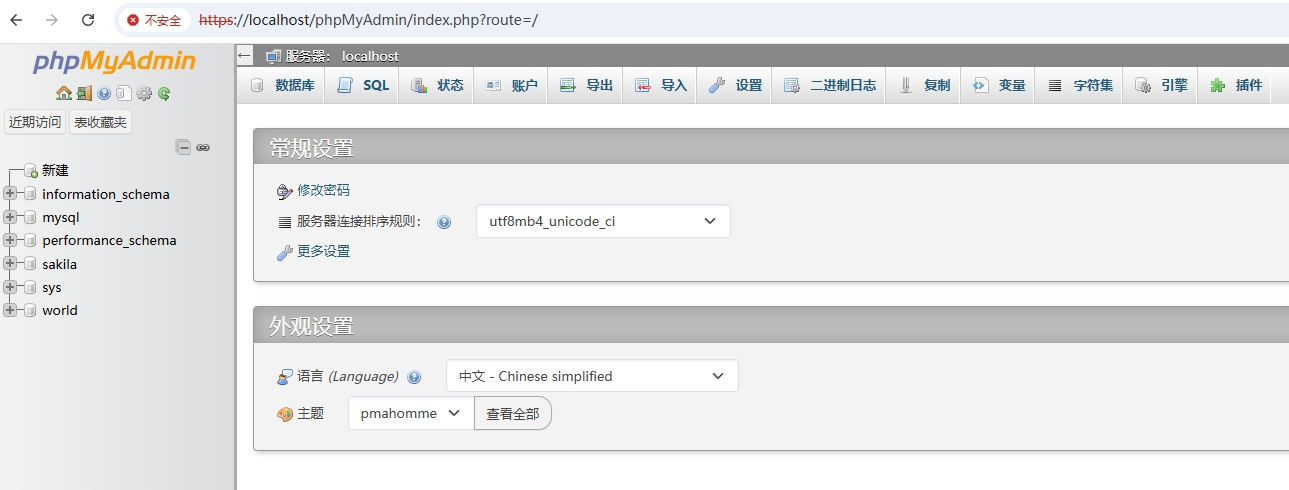
Figure 5