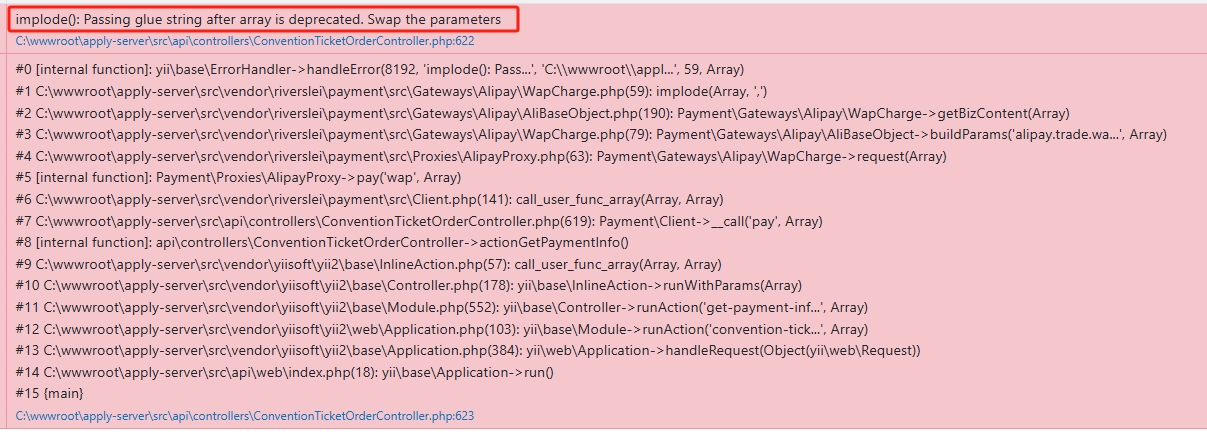
![在基于 riverslei/payment 实现支付宝退款时,报错:request get failed, msg[Invalid Arguments], sub_msg[验签出错,建议检查签名字符串或签名私钥与应用公钥是否匹配。](https://www.shuijingwanwq.com/wp-content/uploads/2025/07/1.jpg)

$ openssl pkcs8 -topk8 -inform pem -in pkcs1.pem -out pkcs8.pem -outform pem -nocrypt

wangqiang@desktop-f6ao3m2 mingw64 /c/wwwroot/apply-server/src (feature/alipay)
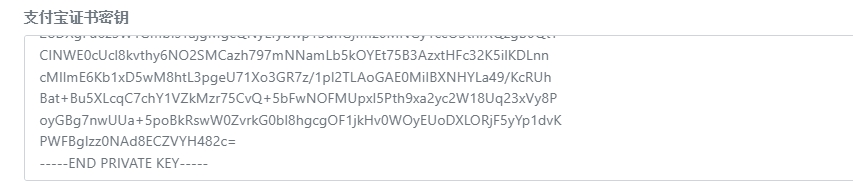
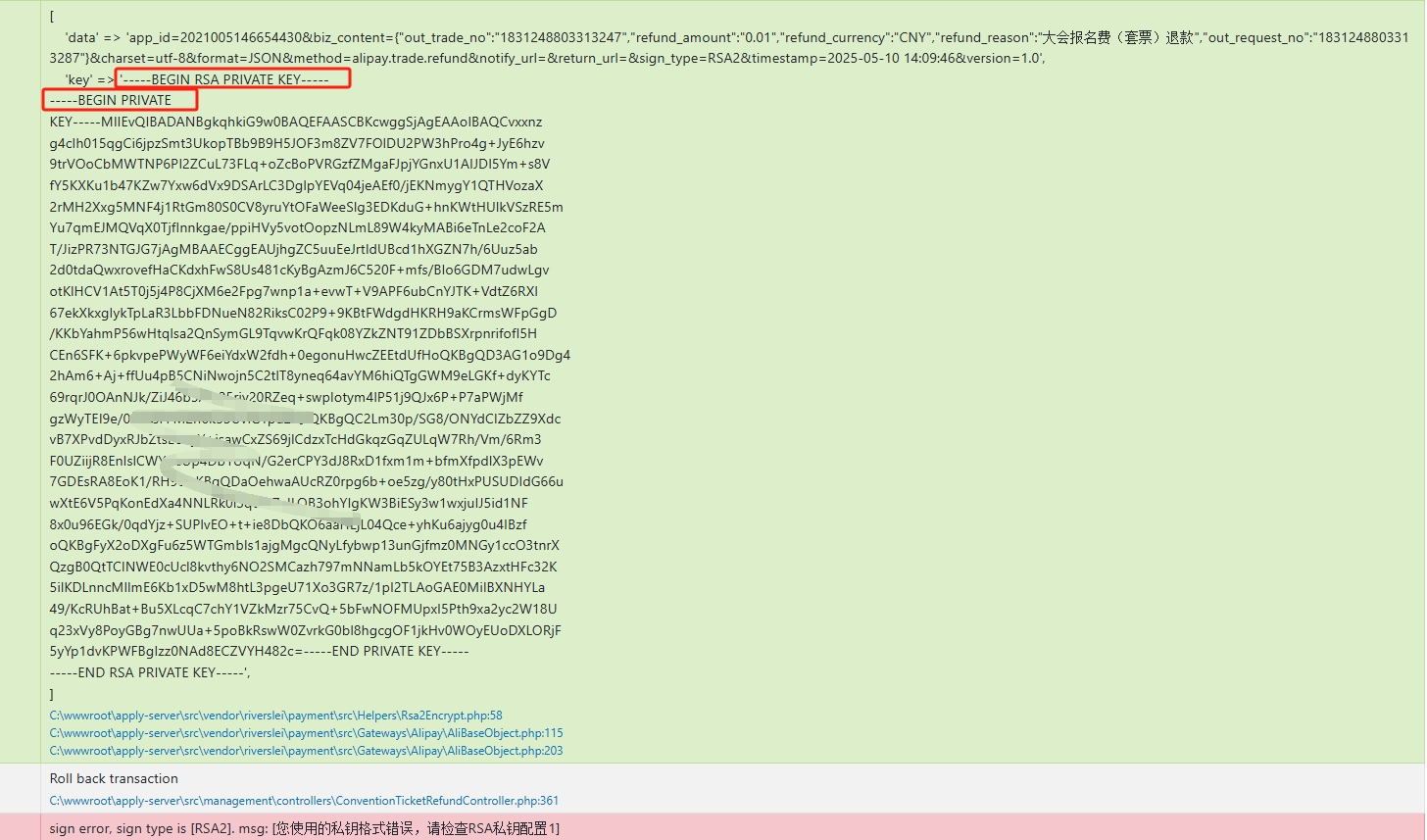
![提示有所变化,提示:sign error, sign type is [RSA2]. msg: [您使用的私钥格式错误,请检查RSA私钥配置]](https://www.shuijingwanwq.com/wp-content/uploads/2025/07/4.jpg)
    /**
     * RSA2签名, 此处秘钥是私有秘钥
     * @param string $data 签名的数组
     * @throws Exception
     * @return string
     * @author Leo
     */
    public function encrypt($data)
    {
        if ($this->key === false) {
            return '';
        }

        Yii::info(
            [
                'data' => $data,
                'key' => $this->key
            ]
        );
        $res = openssl_get_privatekey($this->key);
        if (empty($res)) {
            throw new Exception('您使用的私钥格式错误,请检查RSA私钥配置1');
        }

        openssl_sign($data, $sign, $res, OPENSSL_ALGO_SHA256);
        openssl_free_key($res);

        //base64编码
        $sign = base64_encode($sign);
        return $sign;
    }
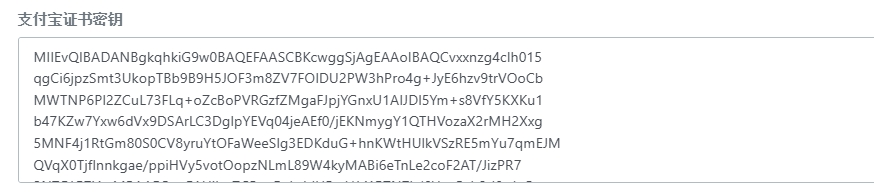
                $aliConfig = [
                    'use_sandbox' => false, // 是否使用沙盒模式
                    'app_id' => $payee->ali_app_id,
                    'sign_type' => $payee->ali_sign_type, // RSA  RSA2
                    // 支付宝公钥字符串
                    'ali_public_key' => $payee->ali_public_key,
                    // 自己生成的密钥字符串
                    'rsa_private_key' => $payee->ali_rsa_private_key,
                    'fee_type' => 'CNY', // 货币类型  当前仅支持该字段
                ];
9. Check the file Vendor/Riverslei/payment/src/helpers/strutil.php, and you will find that the RSA private key in PKCS#1 format will be automatically changed (to MieVQ… Beginning, without leading and tailing), convert to the RSA private key in the old version of PKCS#1. In the end, it is still found that the error is still reported: SUB_MSG [checking error, it is recommended to check whether the signature string or signed private key matches the application public key, and the verification string generated by the gateway is
    /**
     * 获取rsa密钥内容
     * @param string $key 传入的密钥信息, 可能是文件或者字符串
     * @param string $type
     *
     * @return string
     */
    public static function getRsaKeyValue($key, $type = 'private')
    {
        if (is_file($key)) {// 是文件
            $keyStr = @file_get_contents($key);
        } else {
            $keyStr = $key;
        }
        if (empty($keyStr)) {
            return null;
        }

        $keyStr = str_replace(PHP_EOL, '', $keyStr);
        // 为了解决用户传入的密钥格式,这里进行统一处理
        if ($type === 'private') {
            $beginStr = '-----BEGIN RSA PRIVATE KEY-----' . PHP_EOL;
            $endStr   = PHP_EOL . '-----END RSA PRIVATE KEY-----';
        } else {
            $beginStr = '-----BEGIN PUBLIC KEY-----' . PHP_EOL;
            $endStr   = PHP_EOL . '-----END PUBLIC KEY-----';
        }

        $rsaKey = $beginStr . wordwrap($keyStr, 64, "n", true) . $endStr;

        return $rsaKey;
    }
    /**
     * @param string $method
     * @param string $url
     * @param array $options
     * @return array|ResponseInterface|string|mixed
     */
    private function sendRequest(string $method, string $url, array $options = [])
    {
        Yii::info(
            [
                '$method' => $method,
                '$url' => $url,
                '$options' => $options
            ]
        );
        // return $this->unwrapResponse($this->getHttpClient($this->getBaseOptions())->{$method}($url, $options));
        return $this->unwrapResponse($this->getHttpClient($this->getBaseOptions())->{$method}($url, [
            'headers' => ['Content-Type' => 'application/x-www-form-urlencoded'],
            'body' => http_build_query($options['query'], '', '&', PHP_QUERY_RFC3986),
        ]));
    }
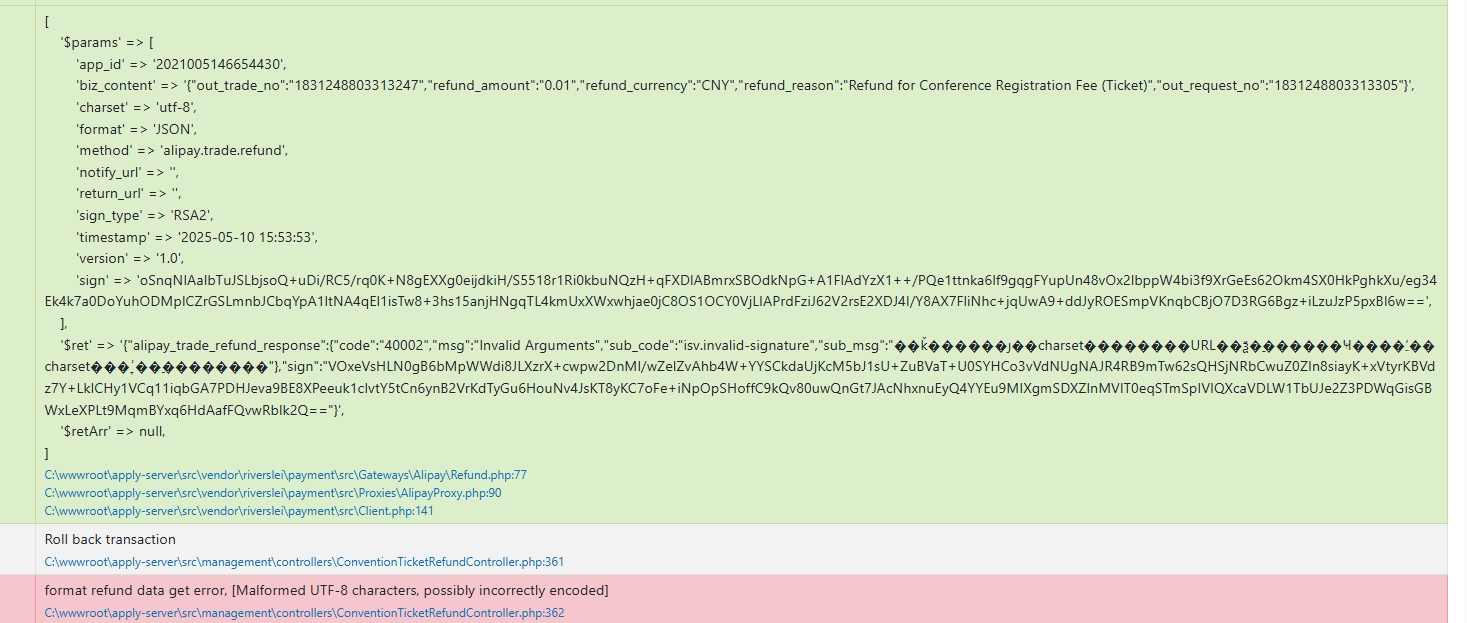
            $ret    = $this->get($this->gatewayUrl, $params);

            if (!mb_check_encoding($ret, 'UTF-8')) {
                $ret = mb_convert_encoding($ret, 'UTF-8', 'GBK');
            }
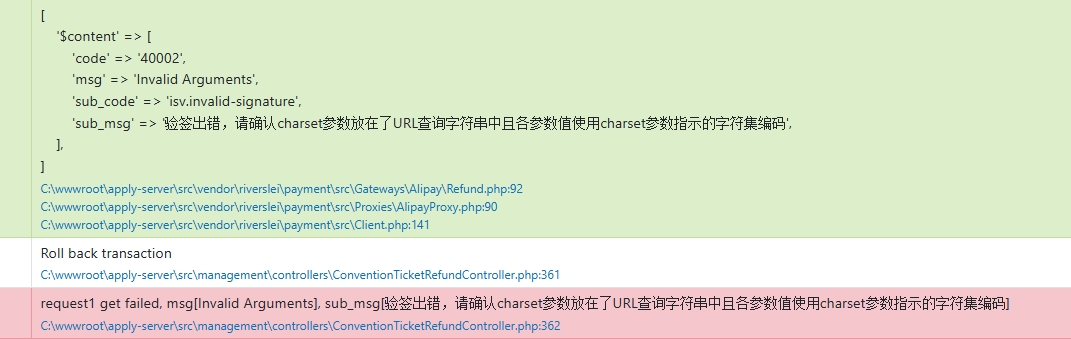
    /**
     * 获取基础数据
     * @param string $method
     * @param array $bizContent
     * @return array
     */
    private function getBaseData(string $method, array $bizContent)
    {
        $requestData = [
            'app_id'     => self::$config->get('app_id', ''),
            'method'     => $method,
            'format'     => 'JSON',
            'return_url' => self::$config->get('return_url', ''),
            'charset'    => 'utf-8',
            'sign_type'  => self::$config->get('sign_type', ''),
            'timestamp'  => date('Y-m-d H:i:s'),
            'version'    => '1.0',
            'notify_url' => self::$config->get('notify_url', ''),
            // 'app_auth_token' => '', // 暂时不用
            'biz_content' => json_encode($bizContent, JSON_UNESCAPED_UNICODE),
        ];
        return ArrayUtil::arraySort($requestData);
    }
echo html_entity_decode('app_id=2021005146654430&biz_content={"out_trade_no":"1831248803313247","refund_amount":"0.01","refund_currency":"CNY","refund_reason":"Refund for Conference Registration Fee (Ticket)","out_request_no":"1831248803313311"}&charset=utf-8&format=JSON&method=alipay.trade.refund&notify_url=https://5347-43-249-50-182.ngrok-free.app/ali-payment/notify-ticket-order/1831248803313247&sign_type=RSA2&timestamp=2025-05-10 16:39:56&version=1.0');
// 请求前的签名字符串
// app_id=2021005146654430&biz_content={"out_trade_no":"1831248803313247","refund_amount":"0.01","refund_currency":"CNY","refund_reason":"Refund for Conference Registration Fee (Ticket)","out_request_no":"1831248803313311"}&charset=utf-8&format=JSON&method=alipay.trade.refund¬ify_url=https://5347-43-249-50-182.ngrok-free.app/ali-payment/notify-ticket-order/1831248803313247&return_url=&sign_type=RSA2×tamp=2025-05-10 16:39:56&version=1.0
// 请求后报错,支付宝使用的签名字符串
// app_id=2021005146654430&biz_content={"out_trade_no":"1831248803313247","refund_amount":"0.01","refund_currency":"CNY","refund_reason":"Refund for Conference Registration Fee (Ticket)","out_request_no":"1831248803313311"}&charset=utf-8&format=JSON&method=alipay.trade.refund¬ify_url=https://5347-43-249-50-182.ngrok-free.app/ali-payment/notify-ticket-order/1831248803313247&sign_type=RSA2×tamp=2025-05-10 16:39:56&version=1.0
                $aliConfig = [
                    'use_sandbox' => false, // 是否使用沙盒模式
                    'app_id' => $payee->ali_app_id,
                    'sign_type' => $payee->ali_sign_type, // RSA  RSA2
                    // 支付宝公钥字符串
                    'ali_public_key' => $payee->ali_public_key,
                    // 自己生成的密钥字符串
                    'rsa_private_key' => $payee->ali_rsa_private_key,
                    'limit_pay' => [
                        // 'balance', // 余额
                        // 'moneyFund', // 余额宝
                        // 'debitCardExpress', // 借记卡快捷
                        // 'creditCard', // 信用卡
                        // 'creditCardExpress', // 信用卡快捷
                        // 'creditCardCartoon', // 信用卡卡通
                        // 'credit_group', // 信用支付类型(包含信用卡卡通、信用卡快捷、花呗、花呗分期)
                    ], // 用户不可用指定渠道支付当有多个渠道时用“,”分隔
                    // 与业务相关参数
                    'notify_url' => 'notify_url',
                    'return_url' => 'return_url',
                    'fee_type' => 'CNY', // 货币类型  当前仅支持该字段
                ];
$result = $client->refund($refundData);

Yii::info(
	[
		'result' => $result,
		'data' => $refundData,
	],
	'refund ali'
);

	[
    'result' => [
        'code' => '10000',
        'msg' => 'Success',
        'buyer_logon_id' => 'shu***@163.com',
        'fund_change' => 'Y',
        'gmt_refund_pay' => '2025-05-10 17:01:59',
        'out_trade_no' => '1831248803313320',
        'refund_detail_item_list' => [
            [
                'amount' => '0.01',
                'fund_channel' => 'ALIPAYACCOUNT',
            ],
        ],
        'refund_fee' => '0.01',
        'send_back_fee' => '0.01',
        'trade_no' => '2025051022001491671421159148',
        'buyer_open_id' => '067IqA-DLOIYEoiWWh1KNCyoaiY-qUzekwwoGX_3VQKI9s7',
    ],
    'data' => [
        'trade_no' => '1831248803313320',
        'refund_fee' => '0.01',
        'reason' => 'Refund for Conference Registration Fee (Ticket)',
        'refund_no' => '1831248803313321',
    ],
]
Leave a Reply