V2EX Registration Raiders: From purchasing V2EX tokens to solving the Phantom plugin stuck to go ashore
Recently I plan to join the V2EX community, but the current registration mechanism is really not very friendly to newcomers. After some research, I have compiled a complete process from purchasing tokens to smooth registration. If you are also planning to hold the token to be exempted from the invitation code to register, or you have encountered the embarrassment of ‘click not responding’ when connecting to the Phantom wallet, I hope this actual battle record can help you avoid the pit.
1. Comparison of registration plan: invitation code or token?
Before starting, let’s compare the two mainstream ways to enter V2EX at present:
To get the invitation code: This is a traditional way, and you need to find an old user to generate points. However, the invitation code of old users is very precious, and it is difficult to squat in public channels, and the social cost is extremely high.
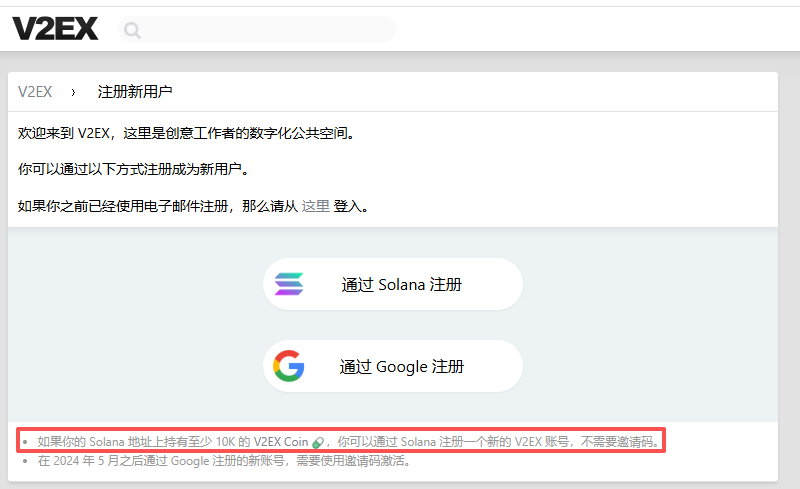
Buy V2EX Tokens: This is a new way based on the Solana chain. As long as you hold at least 10K V2EX Coin on your Solana address, you can register directly. as shown in Figure 1
For friends who have a small budget and want to quickly enter the circle, it is obviously a more controllable and more efficient solution to buy tokens directly.
2. Preparation: get SOL and transfer to Web3 wallet
The V2EX token runs on the Solana chain, so we need to prepare some SOLs as an asset and gas fee.
- Buy SOL at OKX
First register and log in to the OKX exchange to complete the authentication. In the ‘Buy Coin’ or ‘Spot Trading’ section, use fiat to buy USDT, and then convert to SOL. - Withdraw money to OKX Web3 wallet
For the convenience of follow-up operation, I recommend withdrawing SOL from an exchange account to the OKX Web3 wallet first. This is safe and ensures that you have control over the address (mnemonics).
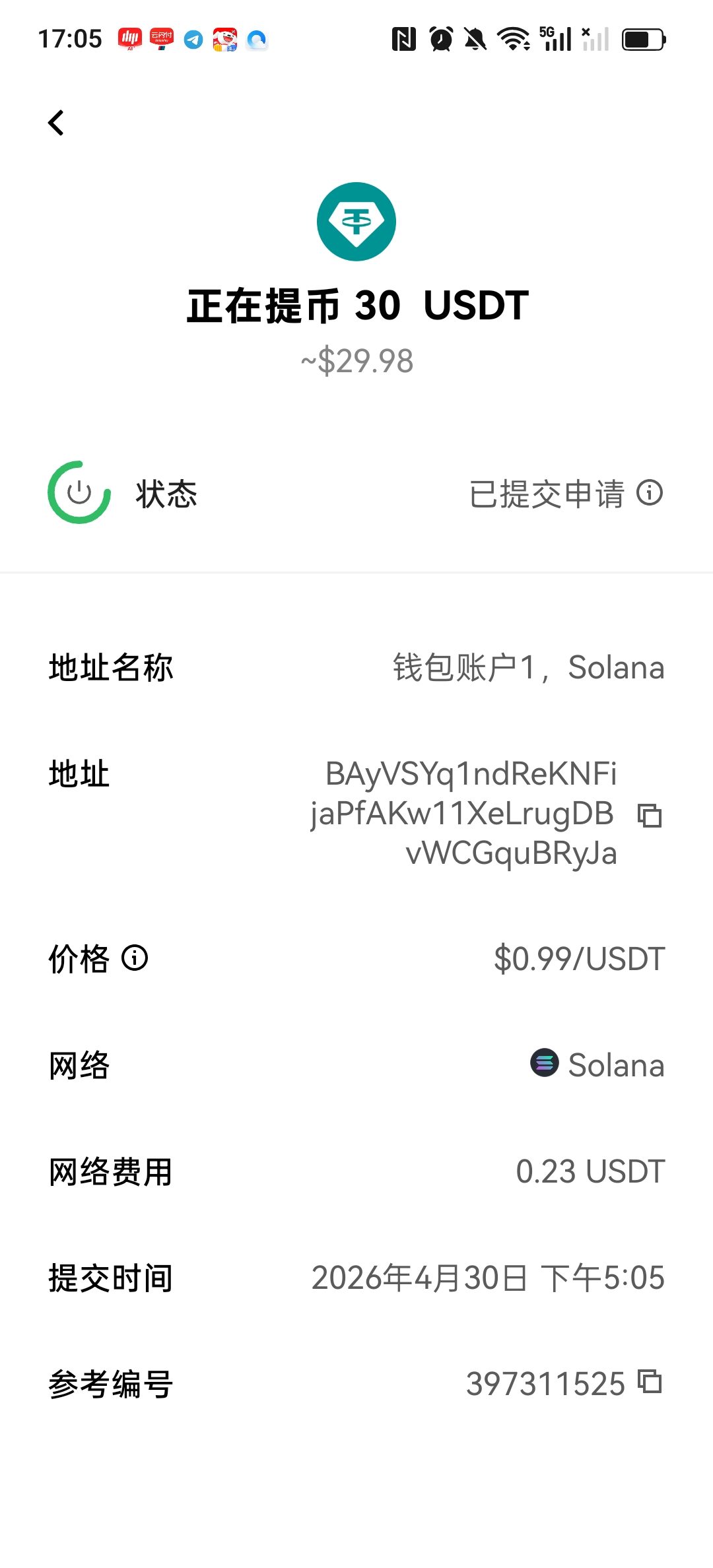
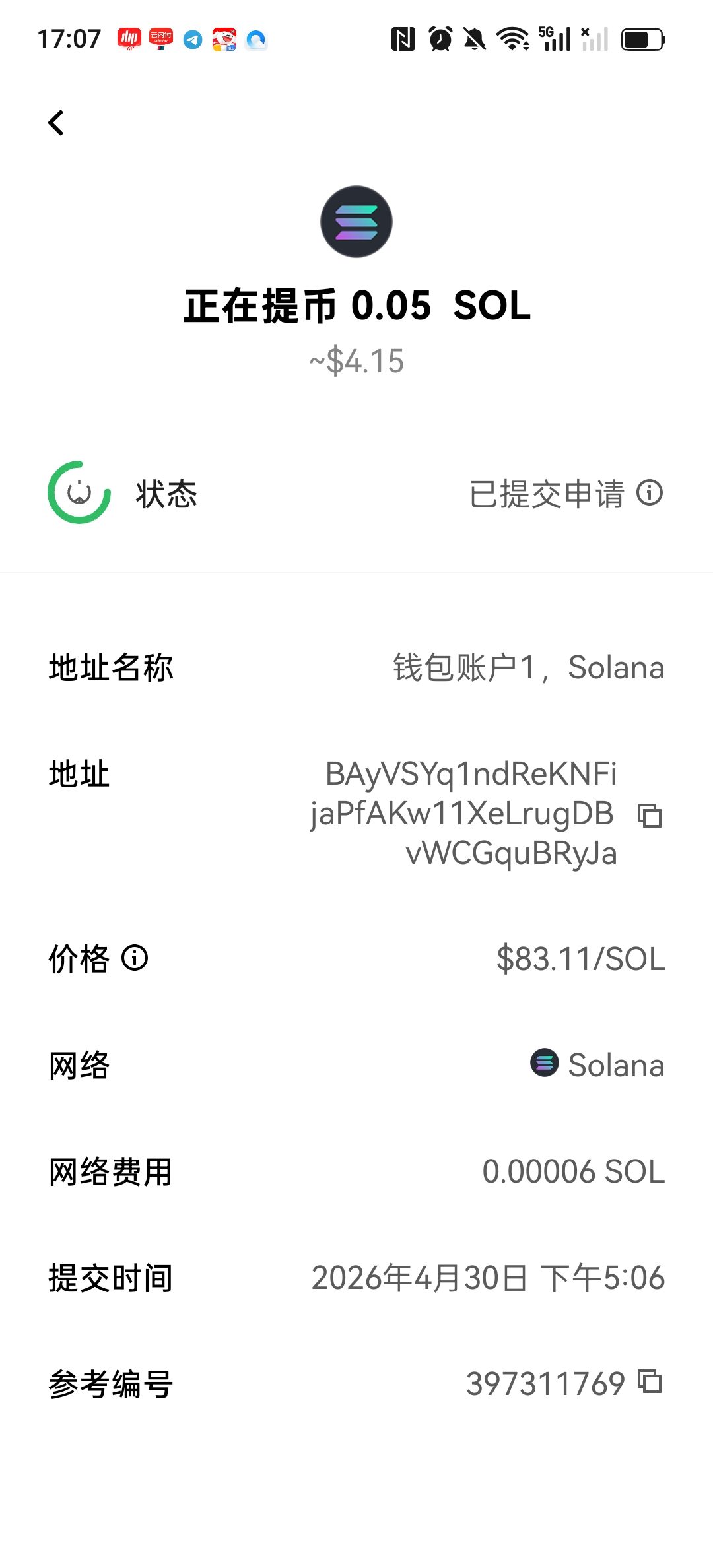
Click ‘Deposit’ on the ‘Assets’ page of the OKX app, and select USDT (30) and SOL (0.05).
Fill in the Solana address of your OKX Web3 wallet in the payment address bar (note switching network to Solana).
Special Note: The Solana chain must be selected for the withdrawal network, otherwise the assets will be lost. (As shown in Figure 2, as shown in Figure 3)
- Convert V2EX tokens in DEX
After USDT and SOL arrive at the OKX Web3 wallet, we can start redeeming. Here is a key pre-step that many newbies can easily ignore:
Switch network to Solana
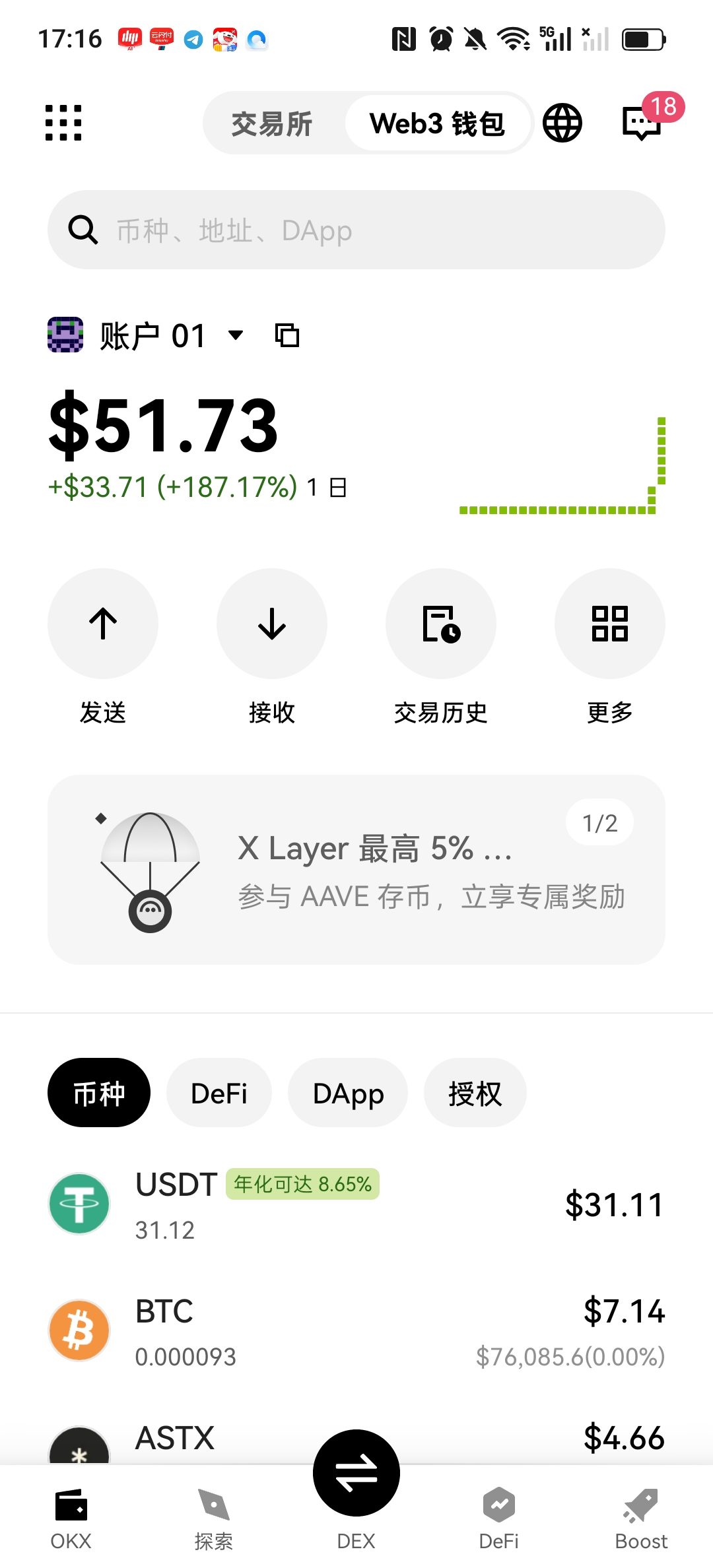
First, find the current network ID at the top of the wallet homepage (the default may be ‘all networks’), as shown in Figure 4
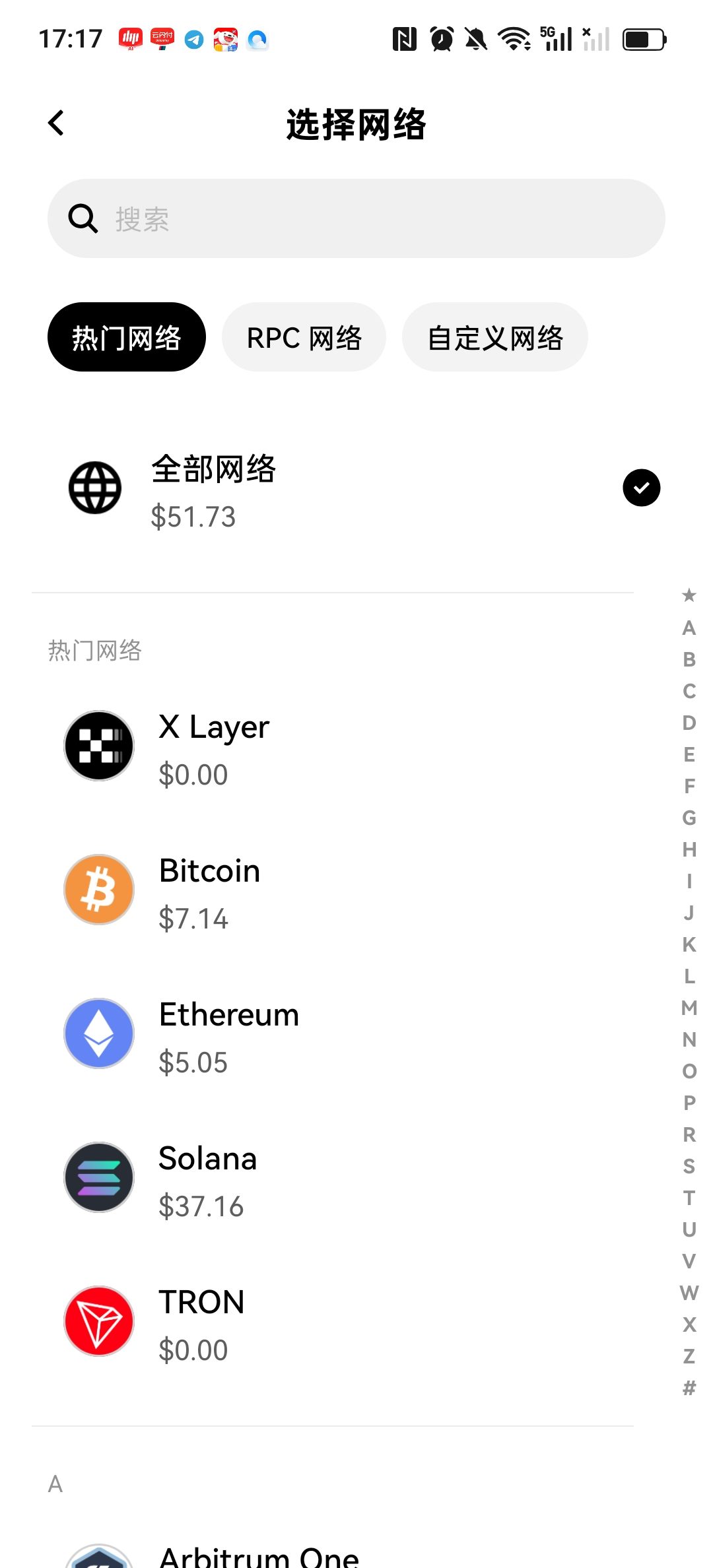
Click on it and select Solana Network in the list. (as shown in Figure 5)
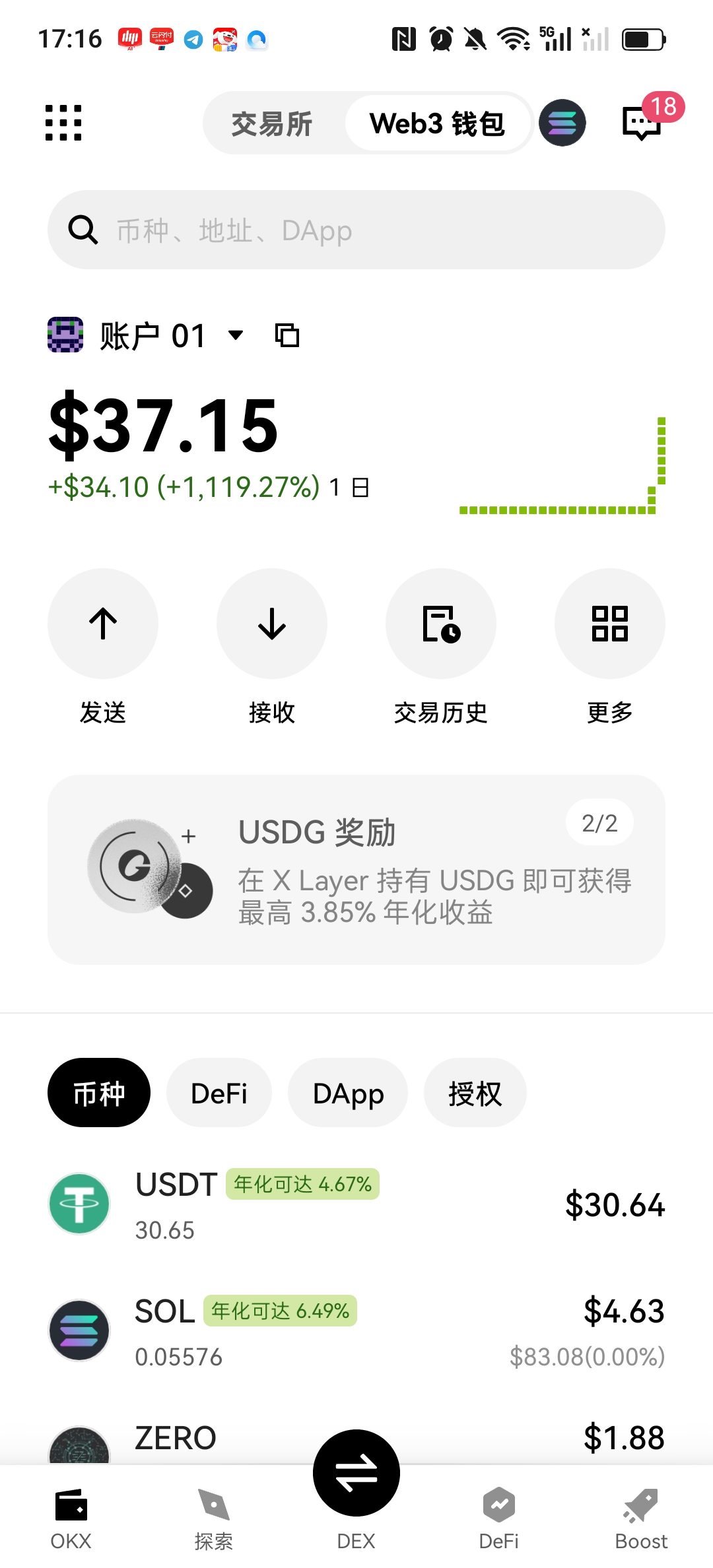
Note: This step is very important! Because your SOL assets and V2EX tokens are on the Solana chain, Dex will not recognize your assets without switching networks. as shown in Figure 6
Connect Dex to exchange
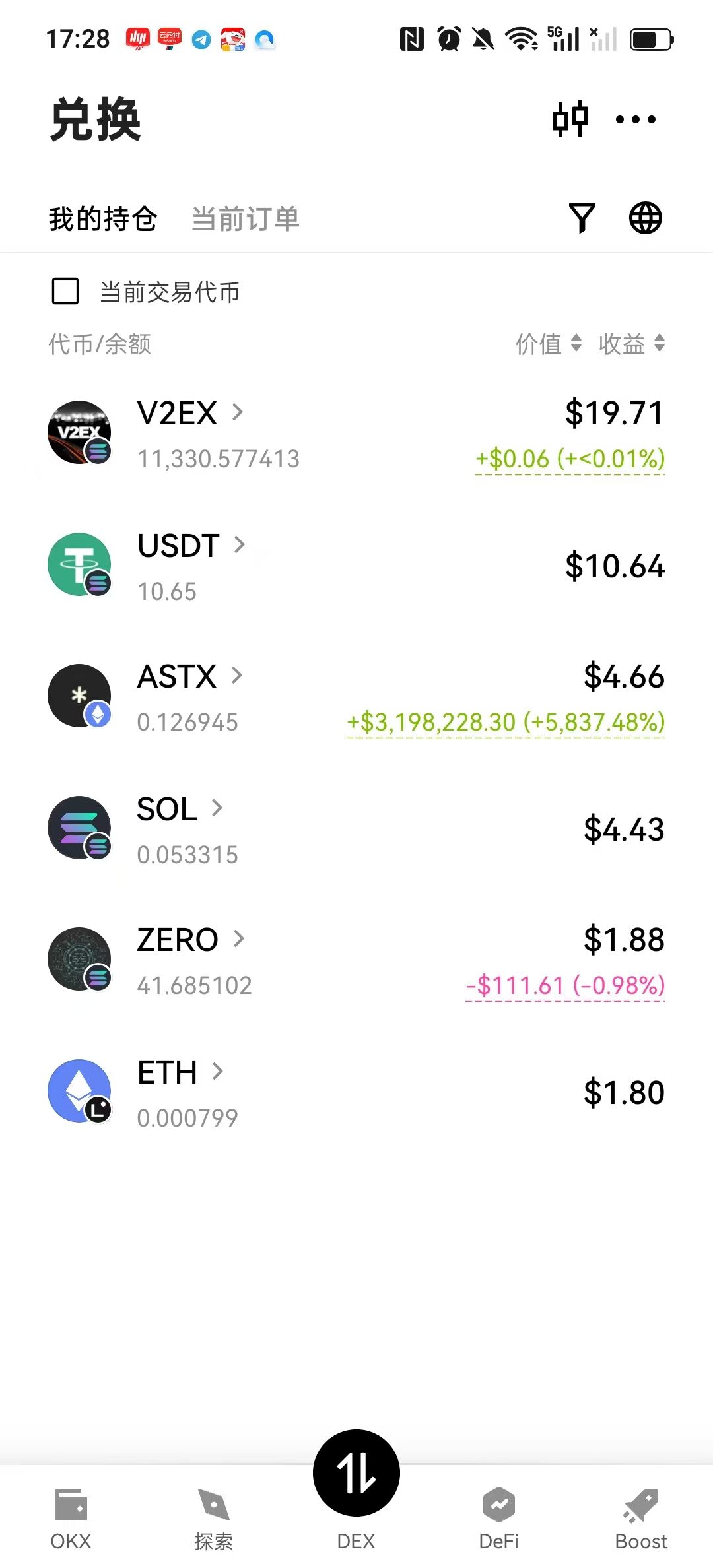
After the network switch is successful, click the ‘DEX’ portal at the bottom, in the SWAP (exchange) interface, select USDT above, search below and select V2EX token. as shown in Figure 7
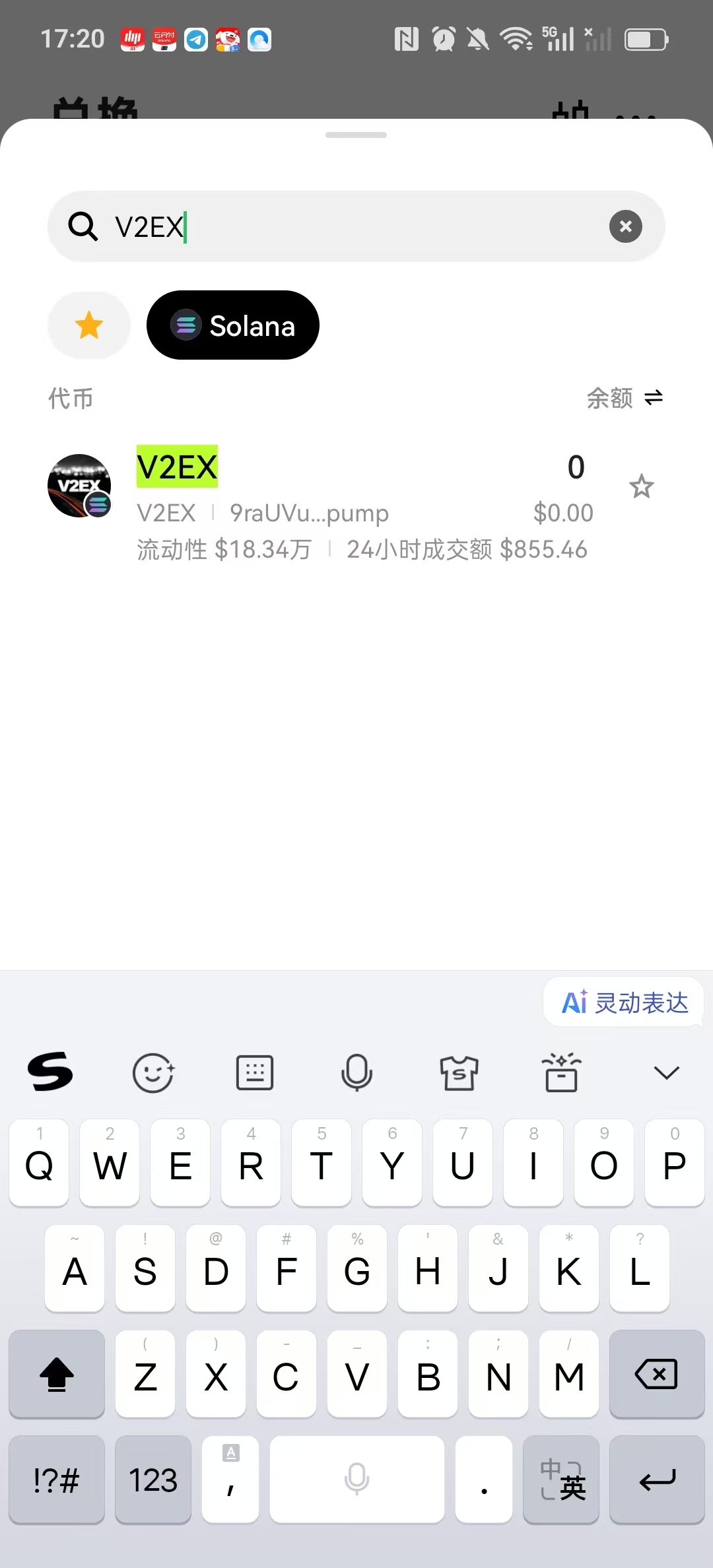
If the number of USDT entered is 20, then the number of redemptions that you want to exchange will automatically become 11330 (it is recommended to exchange a little more to ensure that the registration threshold of 10K is exceeded). as shown in Figure 8
Key step: Verify through official lead traceability
There are many counterfeit coins of the same name on the market. In order to ensure that it is safe, I have adopted the method of ‘obsessing the melon’ to confirm the authenticity:
Go back to the registration page of V2EX and read the prompt carefully: ‘If you hold at least 10K V2EX Coin…’ on your Solana address.
You will find that the ‘V2ex Coin’ is actually a hyperlink, click it, it will automatically jump to the token details page of pump.fun (the address is 9rau…pump).
Check the first and last characters: write down the beginning (9RAU) and end of the official contract address, and then click on the details to compare the contract address when selecting tokens in the Dex transaction pair. Only when the two are exactly the same is the real official token.
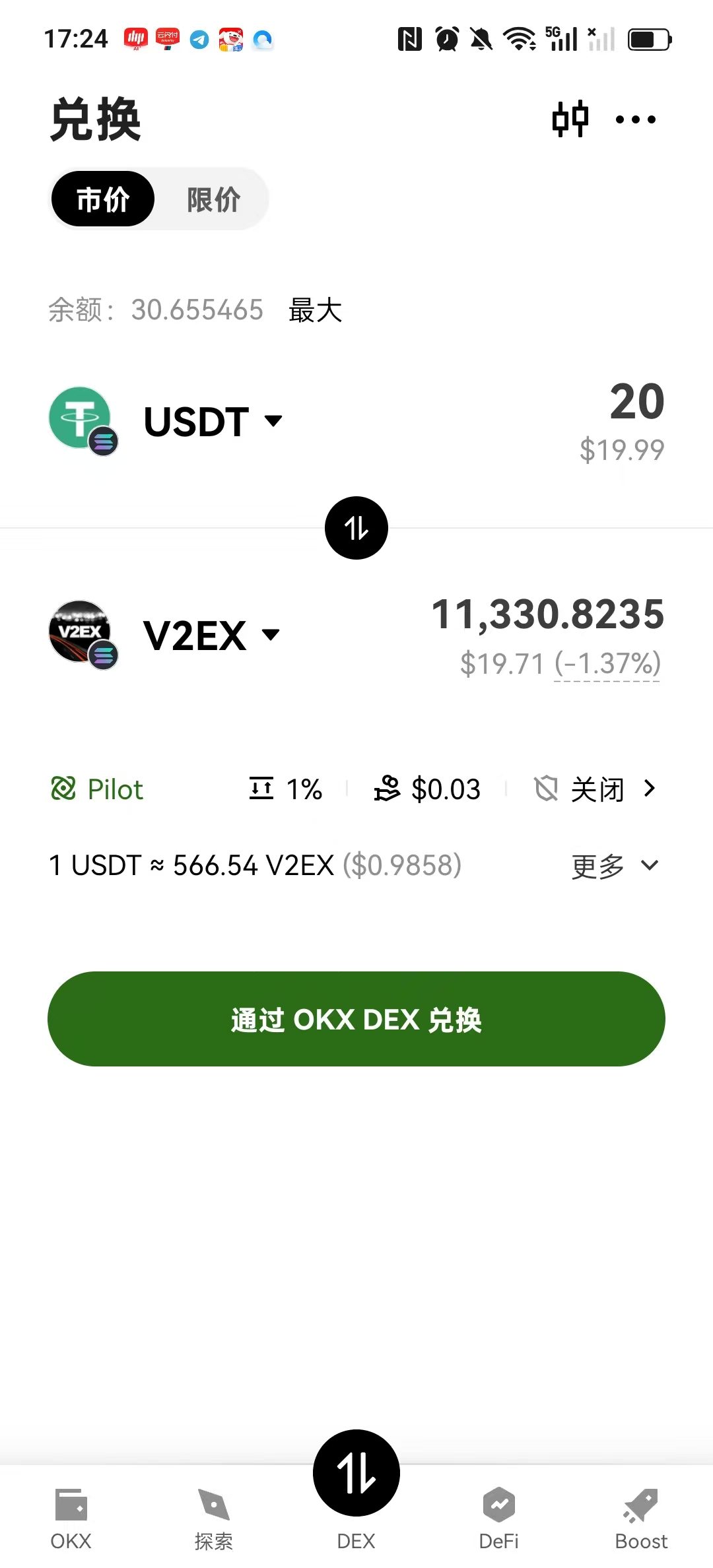
After the redemption is successful, you should be able to see the balance of V2EX tokens in your OKX Web3 wallet. (as shown in Figure 9)
3. Registration actual combat: encountering the Phantom plugin stuck
With enough tokens, I opened the V2EX registration page with confidence, and clicked ‘Register by Solana’. As a result, the first step was stuck.
The page just pops up a cold tip: ‘No wallet address found in phantom. Please create or import a wallet first.’ (Figure 10)
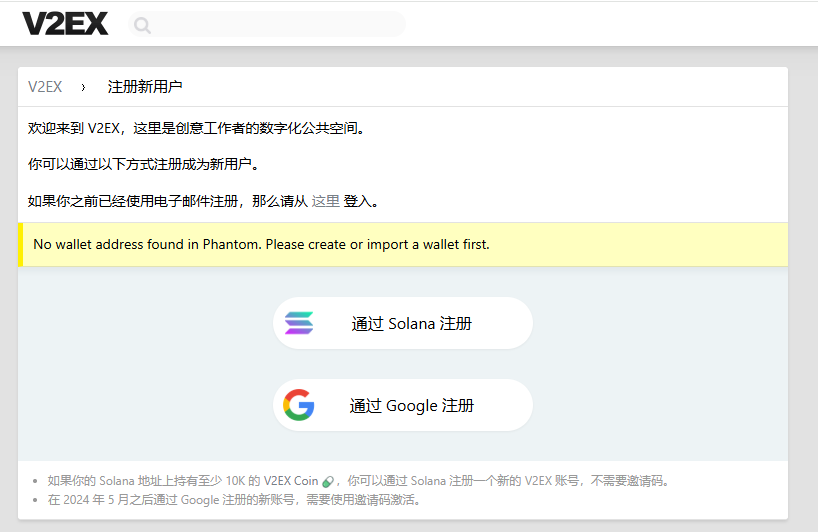
I have obviously installed and logged in the Phantom plugin, why can’t I read the webpage? I tried to find the WalletConnect scan code entrance around this prompt box, and wanted to scan the code with my mobile wallet, but I searched the corner of the pop-up window, except for this line of words.
Since I can’t scan the code, I suspect that the browser plug-in is stuck. Following the routine investigation ideas, I tried several gentle repair options:
Manually turn off the Phantom switch on the extension page (chrome://extensions/).
Clears the plugin’s local cache data.
But after trying it around, I clicked on the Phantom icon at the top of the browser and still did not have any pop-up response. The plug-in seemed to be completely ‘zombie’, and there was no movement after clicking.
4. Willows and Flowers: Fixed Plug-ins and Imported Wallets
Before considering whether to uninstall and reinstall, I tried a very simple operation, but I didn’t expect to directly solve the problem:
In the extension list of Chrome browser (the puzzle icon in the upper right corner), find the Phantom extension, and click the ‘Pull’ icon next to it to fix it. At this point, the Phantom icon will be resident on the toolbar at the top of the browser. (as shown in Figure 11)
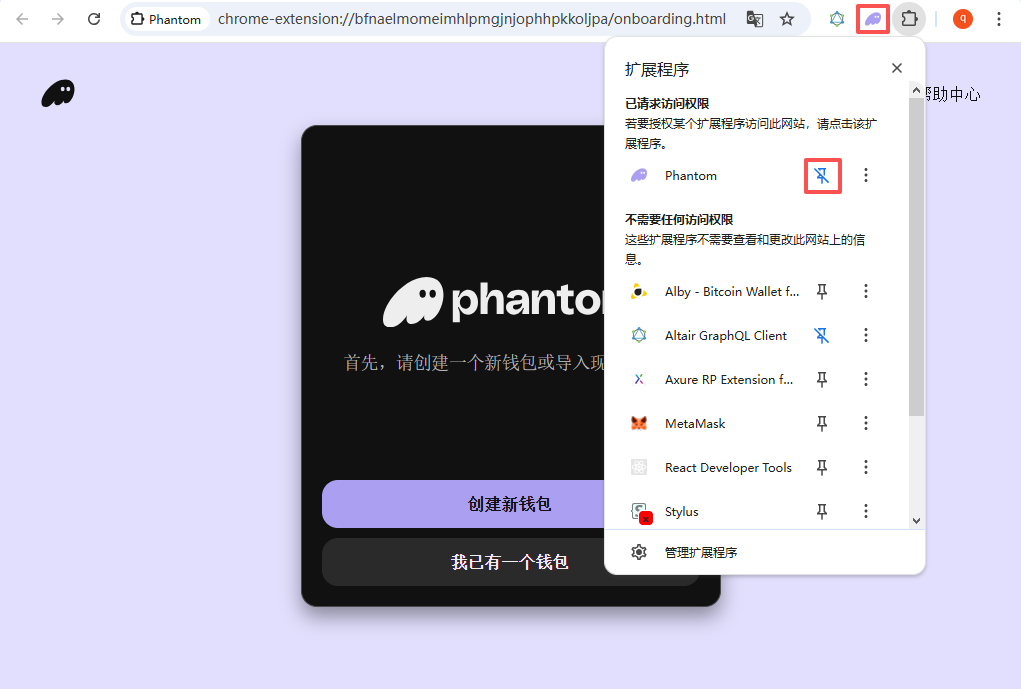
Go back to the V2EX page again and click Register, and then manually click the fixed Phantom icon at the top, and the pop-up window of the wallet miraculously awakened!
In the pop-up window, I select ‘I already have a wallet’ and enter the 12 mnemonics exported from OKX to import.
Here I want to make a special note: importing mnemonics is not to create a new wallet, but to restore identity. After the input is complete, I successfully entered the wallet homepage.
5. A false alarm: abnormal asset display and on-chain verification
After entering the wallet, I encountered another scary situation: although the total balance displayed by the wallet (the valuation of the fiat currency) is correct, the list of tokens below has been turning in circles, prompting ‘unable to obtain assets’. (Fig. 12)
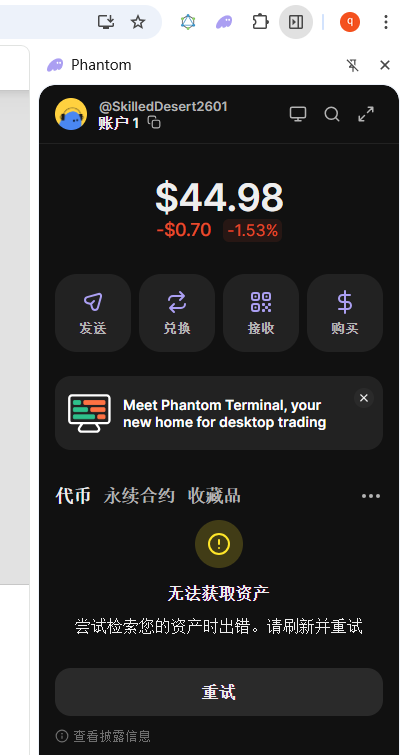
At the time I was very worried that this would affect the registration of v2ex. After all, the registration threshold clearly requires ‘holding at least 10K V2EX Coin’, if the front-end of the wallet cannot read the token, isn’t it impossible to pass the verification?
Later I realized that this is just a display problem of the Phantom’s local interface loading. The verification mechanism of V2EX is to directly go to the Solana chain to query the assets of the address, and does not depend on the display of the front-end interface of the wallet. As long as the assets on the chain exist, it will not affect the registration.
6. Smooth landing: authorization and signature
Since there is no problem confirming the asset, I will go back to the V2EX page and click ‘Register by Solana’ again.
This time, Phantom finally pops up a normal interaction window. The system prompts ‘Confirmation will allow this site to view the balance and activity of the selected account’. (Fig. 13)
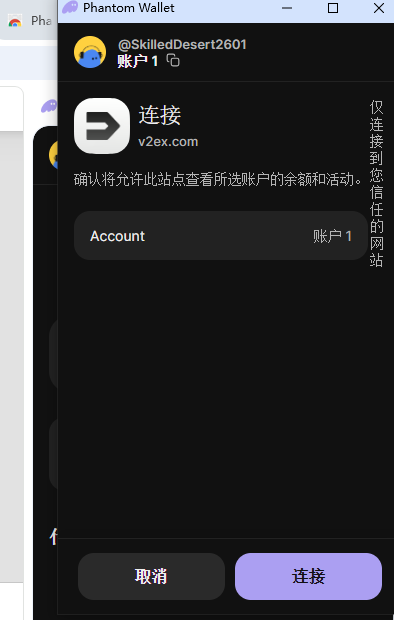
This step is necessary, because V2EX needs to read the on-chain data to verify whether I meet the threshold of 10k tokens. Rest assured, this is just a ‘view’ permission, and will not use or transfer any assets in your wallet at all.
After clicking ‘Confirm’, there is a request for signature. After the signature is completed, the page instantly jumps to the home page, and it is the interface that has successfully logged in (as shown in Figure 14)
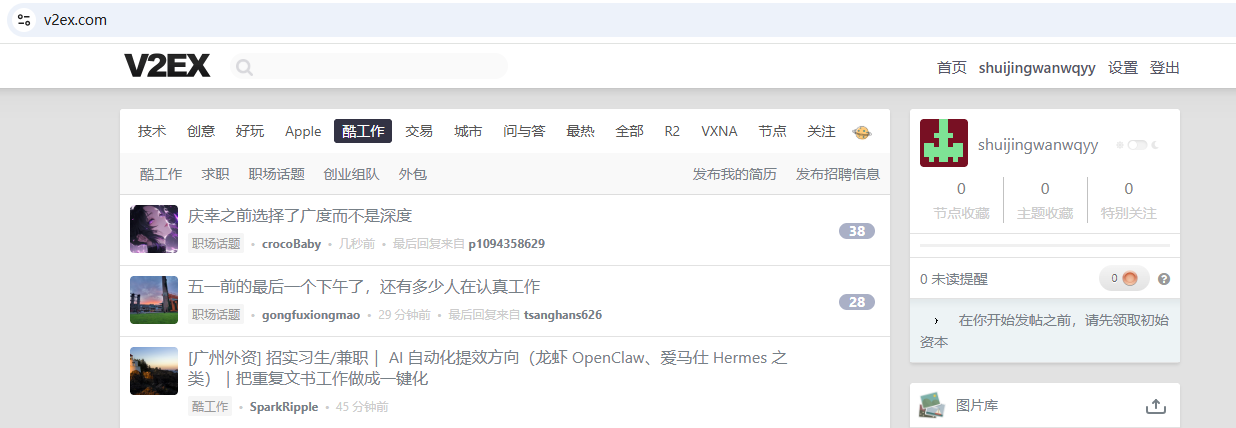
7. Summary
Looking back at this registration process, the core difficulty lies in the arousal mechanism of Chrome plug-ins and the understanding of on-chain interaction:
When the plugin can’t wake up: don’t slap the pop-up window, try to ‘fix’ the Phantom plugin to the top toolbar, which usually solves most of the stuck problems.
Don’t panic if the token list fails to load: as long as the total balance is correct, or it can be found on the blockchain browser, the on-chain verification can pass.
I hope this running account can help you who are stuck on the way to register. I wish you a good time in V2EX!