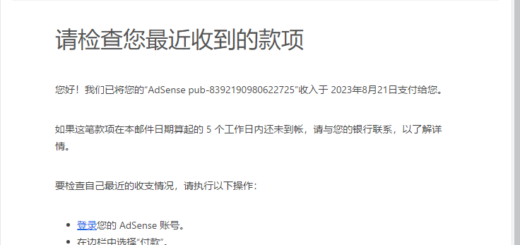
Blog Advertisement: Earnings vs User Experience
I’ve been thinking about a question during my long-term personal tech blog:
Should technology blogs give priority to advertising revenue, or should priority be the user experience and customer conversion?
Recently, I finally made a decision:
Turn off Google AdSense auto and auto-optimization
This is not because advertising has no income, but after comprehensively considering the development direction and monetization strategy of blogs, I think there are more important things at the current stage.
1. Current Situation of Traffic and Advertising Revenue
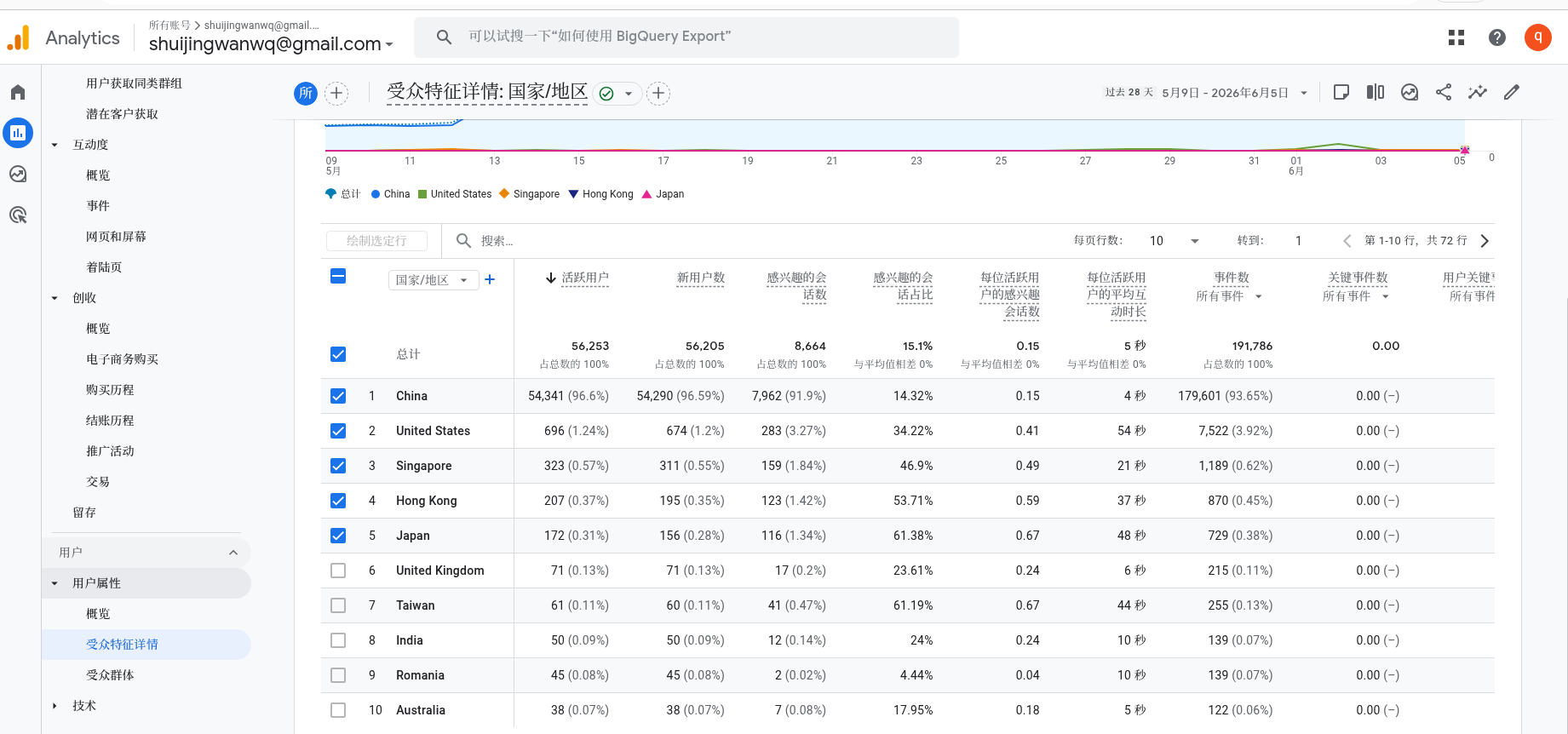
At present, the main traffic source of the blog is still the Chinese search traffic. The Google Analytics data for the last 28 days are as follows:
- China: 54,341 PV (96.6%)
- United States: 696 PV (1.24%)
- Singapore: 323 PV (0.57%)
- Hong Kong: 207 PV (0.37%)
- Japan:172 PV (0.31%)
It can be seen that the vast majority of traffic comes from Chinese users, so the unit price of advertising is relatively limited. As follows
Actual performance of Google AdSense (the average of the last 7 days):
- Daily income: about US$2.48
![[Illustration: Google AdSense's single-day revenue of $2~3 screenshots]](https://www.shuijingwanwq.com/wp-content/uploads/2026/06/2-17.png)
[Illustration: Google AdSense’s single-day revenue of $2~3 screenshots]
Calculated at this level:
2.48 美元 × 30 天 ≈ 74 美元/月
For personal blogs, this is not zero income, but compared to the realization of potential technical services, the impact is very limited.
The problem of automatic advertising
I turned it on when initially connected to AdSense Auto Ads. Google’s logic is simple: automatic identification of advertising slots, automatic test conversion rates, automatic optimization revenue.
But in the technical blog, there are obvious problems with automatic advertising:
- Ads will appear next to the code block
- Pop-up ads and floating ads interrupt reading
- Advertising in long tutorials is distracting and affects user experience
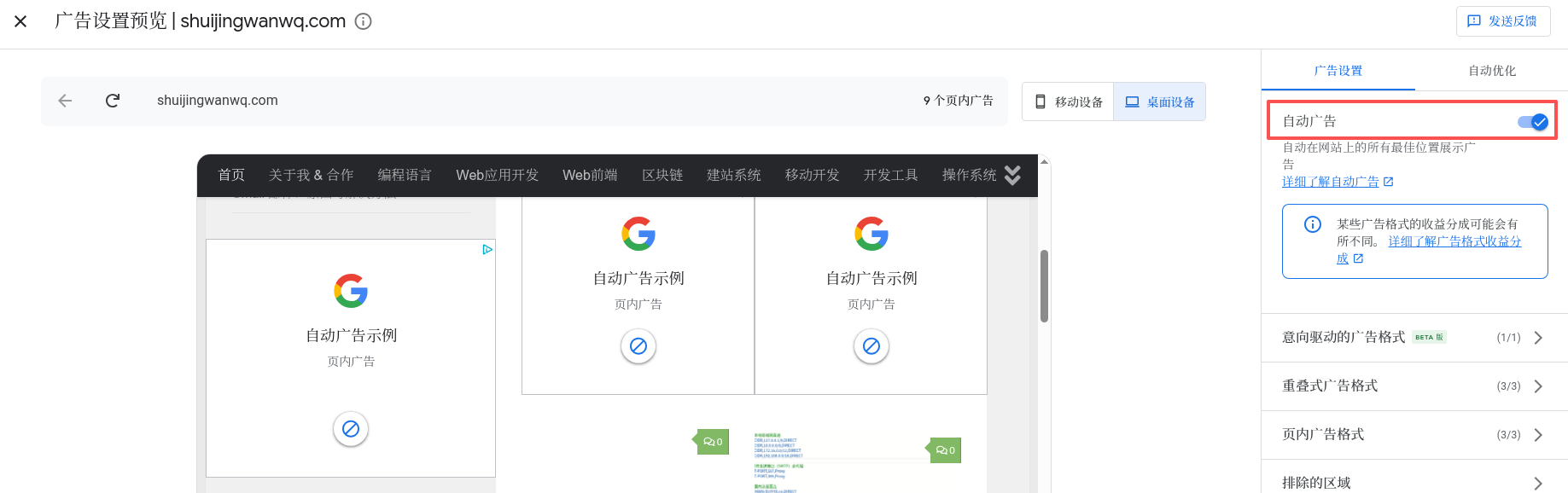
【Illustration: Turn on automatic advertising effect preview】
I found that some readers may not focus on the content after seeing the advertisement next to the code, but:
‘Is this website desperately earning advertising fees?’
And this impression will directly affect Sense of trust, it will also dispel the willingness of potential customers to contact me.
3. Mental journey: from no CTA to adding CTA
When I started writing a series of self-built VPNs, I initially did not add any CTA (call to action). However, even so, there have been intermittent readers who have asked me about questions via email.
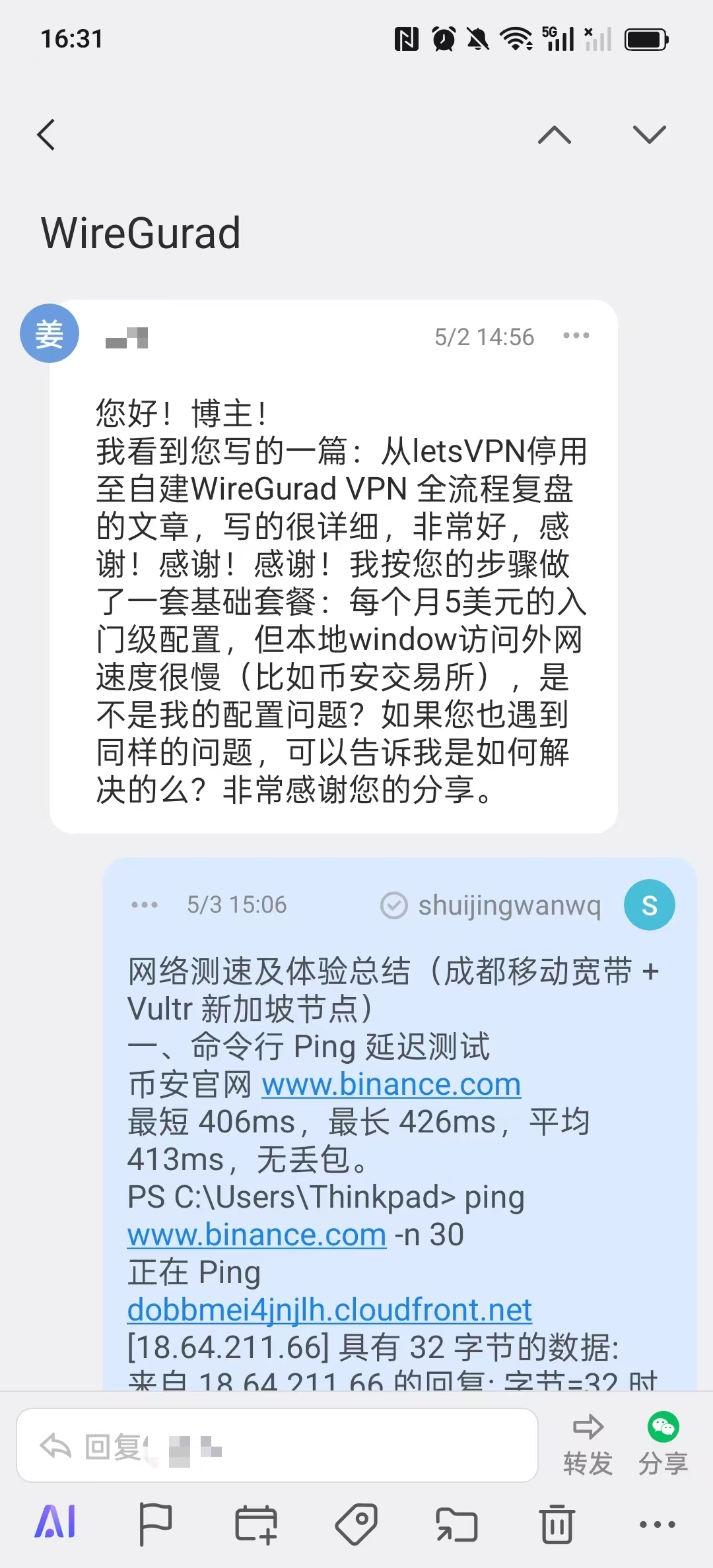
[Illustration: Screenshot of user consultation email]
So, I decided to add explicit CTA at the end of each article. After adding, I found:
- The number of consultations has increased significantly
- Proportion of proactive contacts for leads increased
![[Illustration: Screenshot of WeChat consultation growth after adding CTA]](https://www.shuijingwanwq.com/wp-content/uploads/2026/06/9-2.jpg)
[Illustration: Screenshot of WeChat consultation growth after adding CTA]
This experience made me think about it:
Is advertising revenue really more important than users taking the initiative to contact purchase services?
4. Changes after closing automatic advertisements
Based on the above thinking, I closed:
- automatic advertising
- automatic optimization
Keep the AdSense account and verification code for future English traffic growth.
![[Illustration: The page effect after turning off the automatic advertisement]](https://www.shuijingwanwq.com/wp-content/uploads/2026/06/4-12.png)
[Illustration: The page effect after turning off the automatic advertisement]

[Illustration: Google AdSense turns off automatic optimization effect screenshots]
After closing:
- The page is cleaner, and the reading experience is significantly improved
- Code block and tutorial reading is not interrupted
- The CTA at the end of the article is more conspicuous
- Enhanced willingness to contact prospects
5. Precise CTA example
Chinese CTA
Refuse to toss | Exclusive WireGuard VPN generation service
This channel has long measured various network optimization plans. The self-use line has been continuously and steadily running for more than 1 month, and there is no offline record for the whole process. If you don’t want to step on the pit and toss the complicated server and protocol configuration repeatedly, please contact me for an exclusive solution.
Service content:
✅ Remote generation construction: Deploy a dedicated VPN on your own server, and the data is fully controlled, once and for all.
✅ Free trial benefits: new users can apply for a free trial for a month of my self-built node, and experience the ultimate stability and speed in person.
✅ Guaranteed effect: In-depth optimization of the shunting rules, completely solve the problem of stuck and connection timeouts in daily use.
Contact:
Telegram: @shuijingwan
WeChat: 13980074657
Mailbox:shuijingwanwq@gmail.com
English CTA
Stop the Hassle | Custom Wireguard VPN Setup Service
I have been testing various network optimization solutions for a long time. Over a month with absolutely zero downtime. If you are tired Configurations, feel free to reach out for a custom solution.
what I offer:
✅ Remote Setup Service: I will deploy an exclusive vpn on your own server. You keep full control of your data—set it once and forget about it.
✅Free Trial: New users can apply for a one-month free trial of my self-hosted node, so you can personally Experience the speed and stability.
✅ Performance Guaranteed: Deeply Optimized Routing Rules to Completely Eliminate Lag and Connection Timeouts in Daily Use.
contact me:
telegram: @shuijingwan
wechat: 13980074657
email: shuijingwanwq@gmail.com
6. Advertising vs. technical services trade-offs
Through practice I found:
- Limited ad revenue: $2~3 per day, with a monthly income of about $74
- High profits from technical services: One transaction may exceed advertising revenue
- User experience is more important: Clean, professional pages help build trust
So I choose:
- Turn off automatic ads and auto-optimization
- Keep the account in case of future English traffic growth and re-enabling
- Add a clear CTA at the end of the article to guide readers to take the initiative to contact
- Prioritize the content and service display of articles, rather than increase the number of advertisements
Seven, technical blog advertising optimization tips
If you are also operating a technology blog, you can refer to the following experience:
- Don’t let ads interrupt code reading
- Advertising should not appear between critical steps
- Priority to keep the ad at the bottom of the article, to reduce the interference to the reading experience
- Each article designs CTA, tell the reader how to contact you
- Think regularly about blog goals: Advertising revenue vs user conversion vs brand value
8. Summary
Turning off automatic ads doesn’t mean giving up monetization. On the contrary, for the tech blog:
Advertising is selling traffic, and trust is accumulating assets.
If your goal is to operate your personal brand for a long time, obtain consulting customers, and undertake technical services, then aclean, professional, credibleThe pages are often more valuable than earning a few dollars a day for advertising fees.