

In the previous article, we verified that large language models are not up to the task of precisely matching large volumes of structured data. To completely eliminate the redundant Chinese URLs under the /en/tag/ path, we must return to an engineering approach.
This article serves as a practical tutorial, walking through how to build from scratch and use Go combined with the Baidu Translate API to automate tag mapping.
Step 1: Apply for Baidu Translate API Credentials
To achieve precise translation from Chinese tags to English, we need a mature machine translation service. I chose the Baidu Translate Open Platform, which offers a basic general text translation API. The standard edition includes a free monthly quota, which is more than enough for this cleanup task.
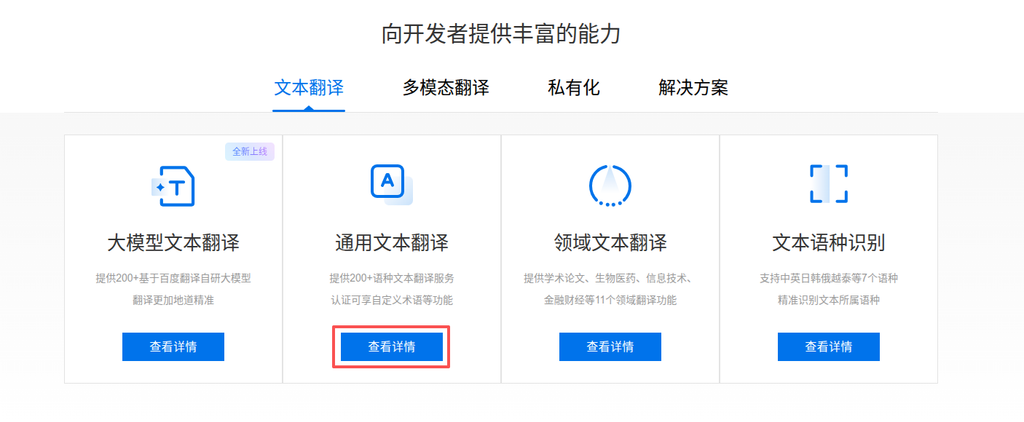
Log in to the Baidu Translate Open Platform and enable the “General Text Translation” service in the console.
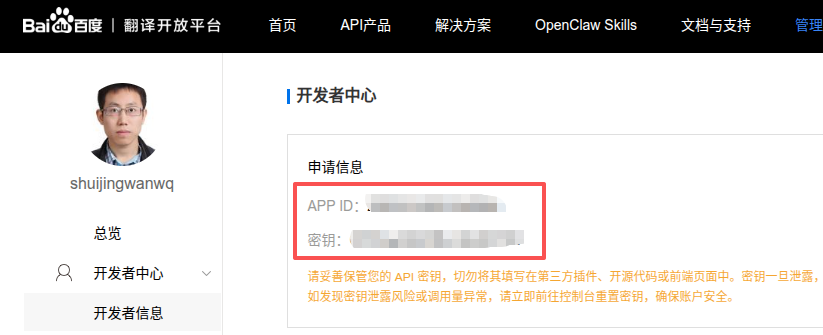
Once enabled, go to the Developer Center to obtain your APP ID and 密钥 on this page. Keep these two credentials safe, as they will be called as environment variables in the code later.
Step 2: Initialize the Project on GitHub
A proper engineering workflow starts with version control. Create a new repository on GitHub named tag-merge. To simplify the initialization process, check the option to add README.md, and select Go in the .gitignore template. This will automatically ignore the compiled binary files for us.
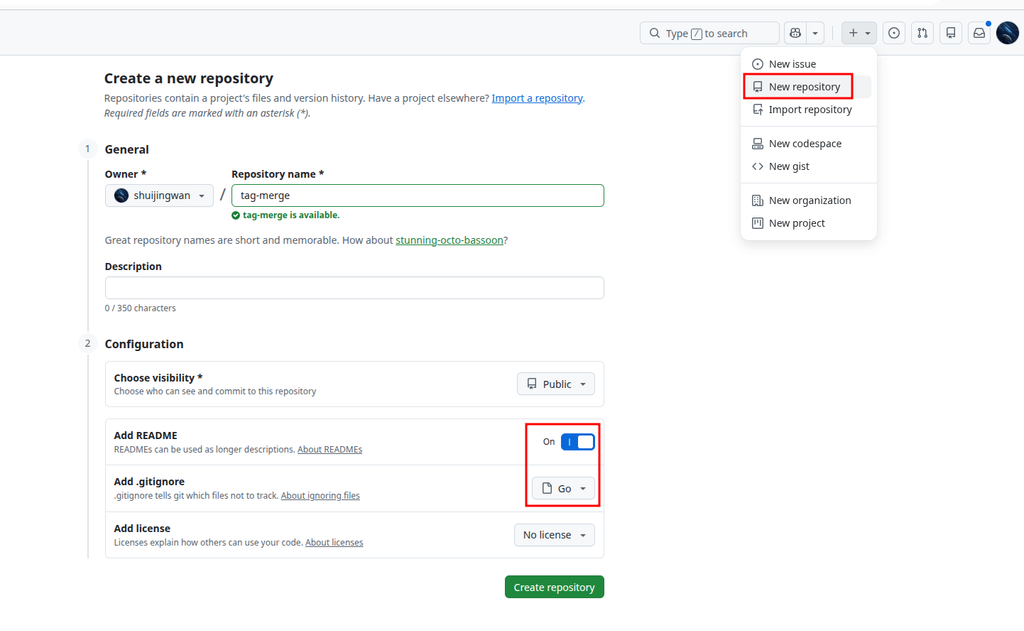
After cloning the repository locally, navigate to the project directory in the terminal to set up the development environment.
Step 3: Set Up the Project Environment and Write Code
To ensure environment consistency without polluting the host machine, we use Docker for containerized development. The core directory structure of the project is as follows:
tag-merge/
├── .devcontainer/          # 容器开发环境配置(可选)
│   ├── devcontainer.json   # 容器开发环境配置文件
├── data/                   # 存放从数据库导出的原始 CSV 文件
│   ├── zh_tags.csv         # 中文标签库
│   └── en_tags.csv         # 英文标签库
├── output/                 # 存放程序运行后生成的结果文件
│   └── tag_mapping_result.csv
├── .env.example            # 环境变量示例文件
├── .env                    # 环境变量真实文件(已被 .gitignore 忽略)
├── .gitignore
├── docker-compose.yml
├── Dockerfile
├── go.mod
├── main.go                 # 核心业务逻辑
└── README.md1. Configure Environment Variables
Create a .env file in the project root directory and fill in the Baidu API credentials you just obtained:
BAIDU_APP_ID=Your APP ID
BAIDU_SECRET_KEY=Your Secret Key2. Orchestrate the Docker Container
Write docker-compose.yml to inject the variables from .env into the container environment, and mount the data and output directories to enable file sharing.
3. Write the Core Go Logic
The core processing flow of main.go is as follows:
- Read and parse
en_tags.csv, building a hash index using the tag’s Name and Slug as keys. - Read and iterate over each line of Chinese tags in
zh_tags.csv. - Call the Baidu Translate API to translate the Chinese tag names into English.
- Look up the translation results against the English tag index for matches.
- If a match is found, record it as “API Match Successful”; if no match is found, keep the translation result and record it as “API No Match (Suggested Slug)”.
- Write all results to
output/tag_mapping_result.csv. To prevent garbled characters in Excel, output a UTF-8 BOM header before writing the data.
Additionally, considering the QPS limit of the Baidu Translate standard edition (1 request per second), a 1.1秒 sleep interval is added to the loop in the code.
Step 4: Run the Script and Process Data
Execute the following commands in sequence in the terminal to start the container and run the script:
# 构建并后台启动容器
docker compose up -d --build

# 进入容器终端
docker exec -it tag-merge sh

# 在容器内初始化依赖
go mod tidy

# 执行处理脚本
go run main.goAfter the script runs, due to the 1.1-second rate-limiting sleep, processing 3,592 records takes about 65 minutes. You can clearly see the progress and matching status from the terminal logs.
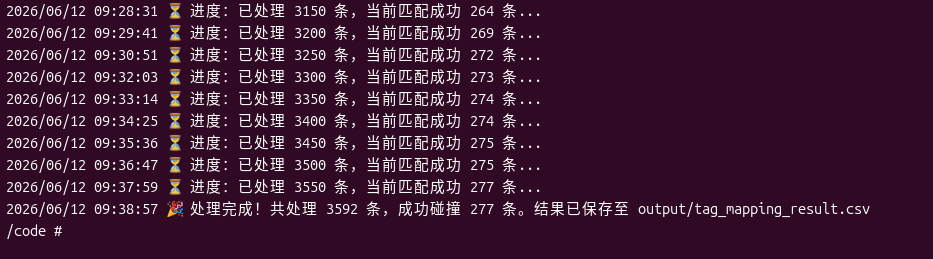
After waiting patiently, the script finally outputs a completion message: 3,592 records processed in total, 277 successfully matched. This means that 277 Chinese tags found exact matches in the English library and can be merged directly.
Step 5: Verify the Processing Results
After exiting the container, we can find the generated tag_mapping_result.csv in the output directory on the host machine. Opening the file reveals that the results are neatly formatted and meet expectations.
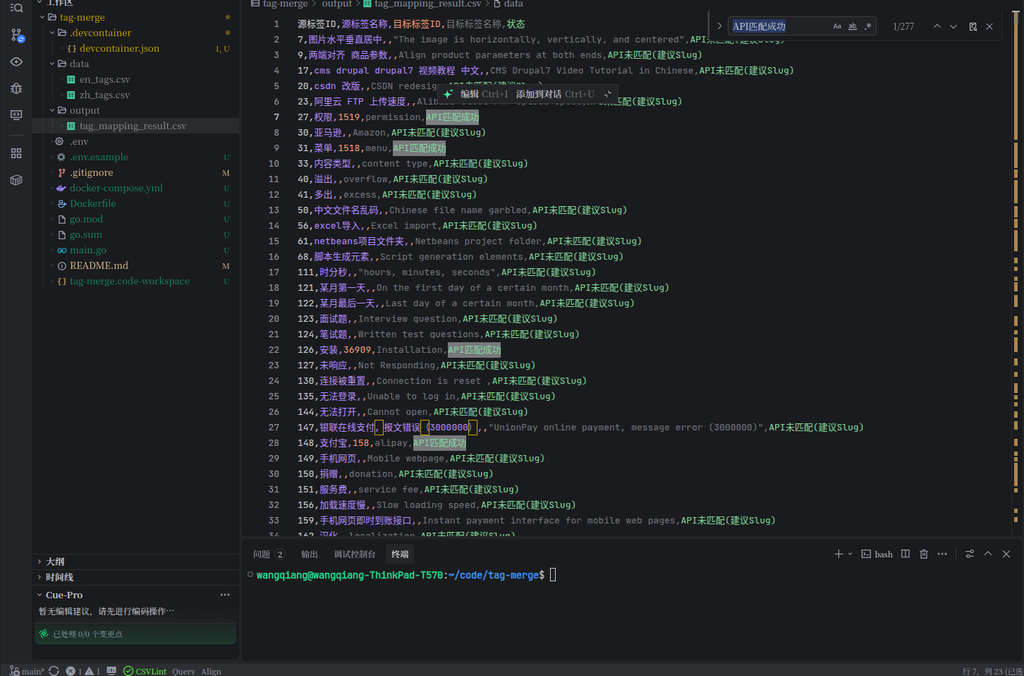
The CSV file contains five core fields:
- Source Tag ID / Source Tag Name: The original Chinese tag information.
- Target Tag ID / Target Tag Name: The successfully matched English tag information.
- Status:
API匹配成功: The translated English matched an existing tag in the library (e.g., 支付宝 -> alipay). These are the highest priority items and can be merged directly in WordPress.API未匹配(建议Slug): The tag does not exist in the English library, but an accurate English translation is provided (e.g., 加载速度慢 -> Slow Loading speed). This can serve as a Slug reference for adding new English tags later.
Summary
By combining a Go script with the Baidu Translate API, we replaced an uncontrollable large language model with a deterministic engineering approach, successfully completing the initial cleanup of multilingual tags. The 277 precise matches provide reliable data support for subsequent database operations.
However, 277 records account for only 7.7% of the total data, leaving a large number of long-tail tags that require further screening and processing. In the next article, I will share how to safely perform tag merging and deletion operations in WordPress based on this CSV result, thoroughly eliminating the redundant Chinese URLs under /en/tag/.