If the insertBefore in jQuery is executed in the iframe under IE9 and IE10, the solution that can only execute once!
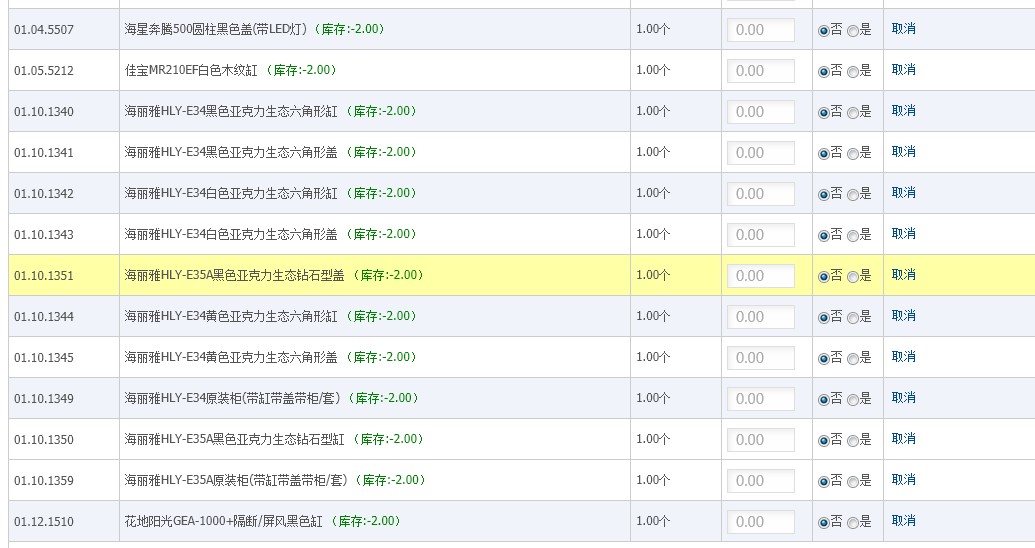
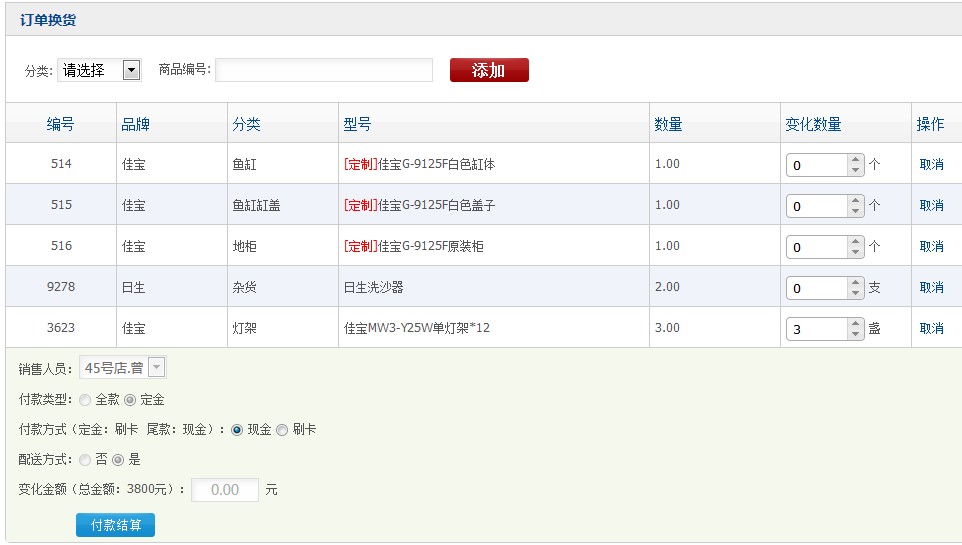
After selecting a row, you can insert it continuously up and down, or it can be said to be moved!
The implementation code is as follows:
// uncheck the sorted line
$(#checkout).live(Click, function(e){
if(!$(e.target).parent().hasClass(goods_row) ){
$(#checkout tr).removeClass(select-tr);
}
});
// sort, select the object to be moved
$(#checkout .goods_row).live(Click, function(e){
if(!$(e.target).hasClass(goods_row) && !$(e.target).hasClass(goods_number) ){
var self = $(this);
if(self.attr(merge_check)
{//Set sales
$(#checkout tr).not($(.+self.attr(merge_check))…RemoveClass(select-tr);
$(.+self.attr(merge_check)).ToggleClass(select-tr);
}Else
{//Single product sales
$(#checkout tr).not(self).removeClass(select-tr);
self.toggleclass(select-tr);
}
}
});
// exchange order
$(document).keydown(function(e){
if($($($).select-tr).length>0 && !$(e.target).hasClass(goods_number) ){
var key = (e.keycode) || (e.which) || (e.charcode);
if(key==38){//up
var prev = $(.select-tr:first).prev();
// If the previous line contains the class name GOODS_ROW, it can be moved up, otherwise it is the original product and cannot be moved up
if(prev.attr(merge_check) ){
$(.select-tr)..insertBefore($(.+prev.attr(merge_check)+:first));
}else{
$(.select-tr)..insertBefore(prev);
}
$(“.select-tr .change_goods_number”).focus();
$(“.select-tr .change_goods_number”).blur();
return false;
}else if(key==40){//down
var next = $(.select-tr:last).next();
if(next.attr(merge_check) ){
$(.select-tr)..insertAfter($(.+next.attr(merge_check)+:last));
}else{
$(.select-tr)..insertAfter(next);
}
$(“.select-tr .change_goods_number”).focus();
$(“.select-tr .change_goods_number”).blur();
return false;
}
}
});
At first, it was found that all runs normally in browsers such as Firefox, Chrome, IE7/8, etc., and under IE9/10, the tab pages must be opened to run normally, not directly. Running in the embedded iframe, the reason is that it seems that after executing an insertAfter, the focus is no longer in the iframe, and for the keydown (keyboard event) No response, in order to solve this problem, I decided to implement focus() on a certain element in the iframe, but it turns out that .select-tr itself and its parent element no longer support foc us(), if you use the previous element of the top-level parent element of .select-tr, it is possible, but the scroll bar will always appear at the top, and the solution to the final idea is as follows:
$(“.select-tr .change_goods_number”).focus();
$(“.select-tr .change_goods_number”).blur();
Because it is found that although .select-tr itself and its parent element no longer support focus(), the type in it still supports focus()!