CentOS 6.5 64-bit extension of php extension mcrypt installation, add epel source, and then use yum to install!

Missing Mcrypt extension. Please check the php configuration.

Execute yum install php-mcrypt prompt: Error: nothing to do
The reason is that there are no expansion packs in the official source! Since the source code compilation and installation is more troublesome, I decided to add another source, and finally decided to use the EPEL source.
The steps to install the EPEL source are as follows:
1. Install the yum priority plugin
yum install yum-priorities
2. Introduction to EPEL:https://fedoraproject.org/wiki/EPEL/zh-cn
rpm -uvhhttp://mirrors.ustc.edu.cn/fedora/epel/6/x86_64/epel-release-6-8.noarch.rpm
rpm -uvhhttp://rpms.famillecollet.com/enterprise/remi-release-6.rpm
Note: As long as the 6.X series can be used, 6-8 can be used, and there is no problem with the actual test.
Please modify the above URL according to the actual situation
3. Check whether the installation is successful
rpm -q epel-release
4. Import the key:
rpm –import /etc/pki/rpm-gpg/rpm-gpg-key-epel-6
5. Modify the /etc/yum.repos.d/epel.repo file
In[epel]Add an attribute to the last line of the block priority=11
vim /etc/yum.repos.d/epel.repo
It means that yum will go to the official source to check first, but the official did not go to the source of EPEL to find it.
![在[epel]块的最后一行添加一条属性 priority=11](https://www.shuijingwanwq.com/wp-content/uploads/2014/12/21.png)
In[epel]Add an attribute to the last line of the block priority=11
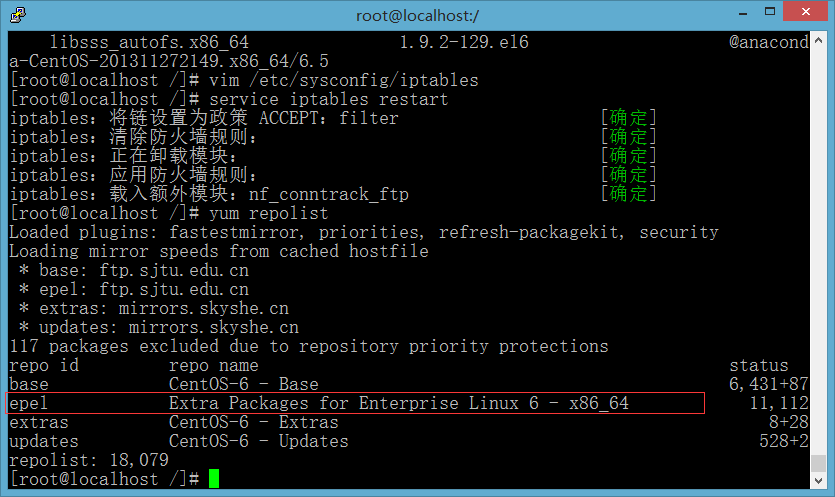
Check if the EPEL source is added successfully or not
7. Load the yum-priorities plugin
yum check-update
Then execute the following 3 commands in sequence:
yum install libmcrypt libmcrypt-devel Mcrypt mhash
yum install php-mcrypt
service httpd restart

Confirm that the Mcrypt library installation was successful

The mcrypt extension is installed successfully, no more prompts!