Distributed implementation flow of user session session based on Apache (Windows 10, CentOS 6.5), Redis (CentOS 6.5)
1. The premise is to install Redis under Windows 8.1, and the configuration supports the implementation process of PHP:https://www.shuijingwanwq.com/2015/11/16/769/
Set which IPs the Redis server allows access and passwords, as shown in Figure 1 and 2:
BIND 127.0.0.1 192.168.2.30
requirepass n#s7yle$r5s&mmp#w9k9*hjzaptu%hpq
Command: service redis restart, restart the redis service;
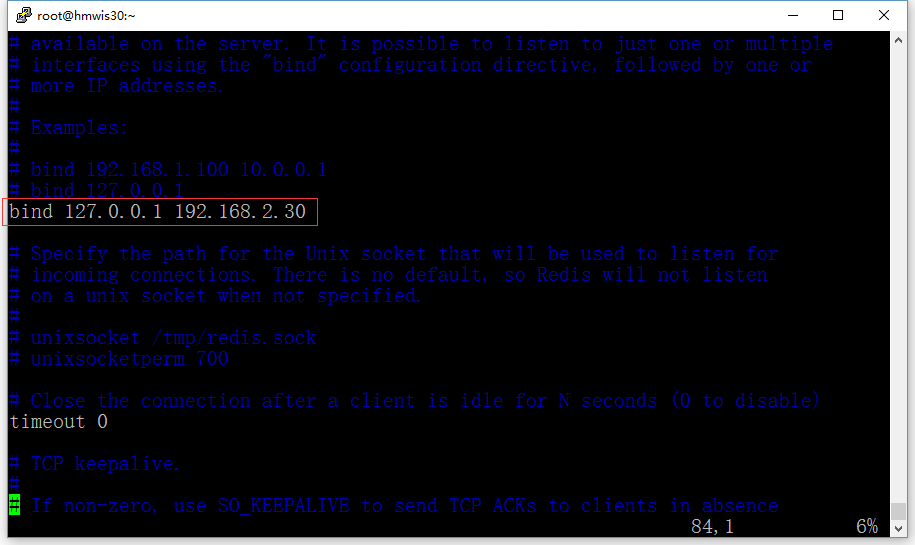
Set what IPs the Redis server allows to access

Set the Redis server access password
2. Set the php.ini of the web server, as shown in Figure 3:
; session.save_handler = files
session.save_handler = redis
; session.save_path = “/tmp”
;session.save_path = “D:/phpsessiontmp”
session.save_path = “tcp://192.168.2.30:6379?auth=n#s7yle$r5s&mp#w9k9*hjzaptu%hpq”
A high-intensity hash function can produce a high-intensity session ID. Although it is very difficult to find the same hash value even with the MD5 hashing algorithm, developers should choose SHA-2 or higher hashing algorithm, such as SHA384 or SHA512.
; session.hash_function = 0
session.hash_function = “SHA512″
Restart the Apache service;
Generate: phpsessid:”llg6i9ddv0m012ajrhki8nn675q42an11k87sjaqd8lj5 3bnelb32v4gvkh7fn3pelp9eec8os1tk430aqp45tj1uisg6sgfk0qeer2”
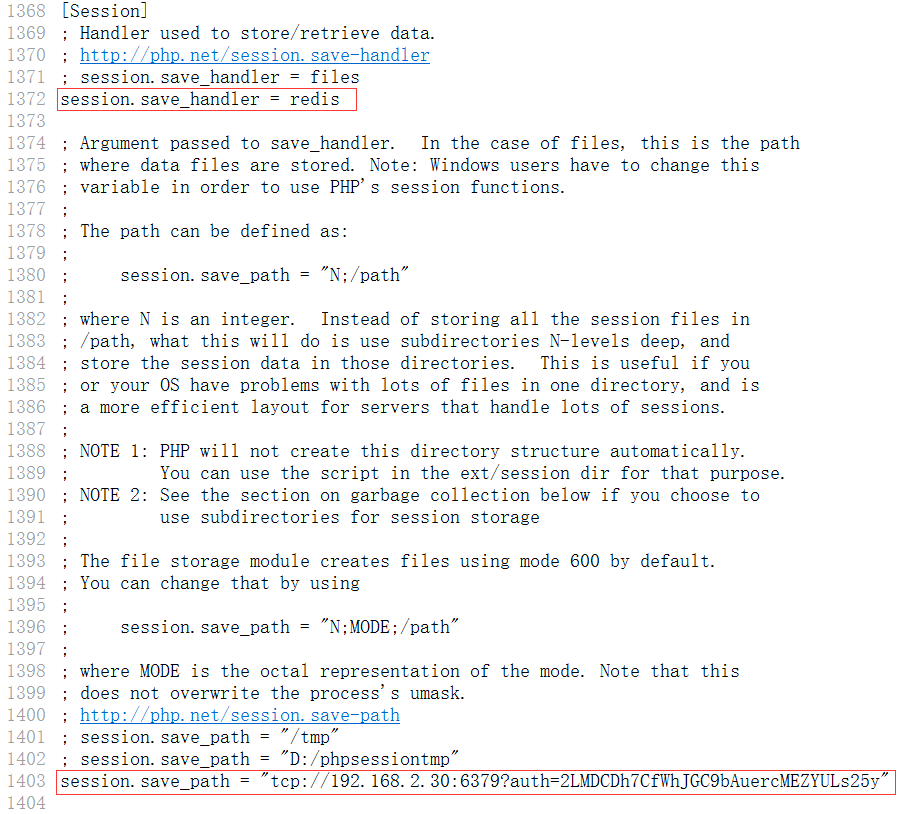
Set php.ini of web server
3. Edit the phpredisadmin configuration file and run normally, as shown in Figure 4 and 5:
$config = array(
servers=> array(
array(
name=>local server, // optional name.
host=>192.168.2.30,
port=> 6379,
filter=>;,
// Optional Redis Authentication.
Auth=>n#s7yle$r5s&mp#w9k9*hjzaptu%hpq// warning: the password is sent in plain-text to the redis server.
,
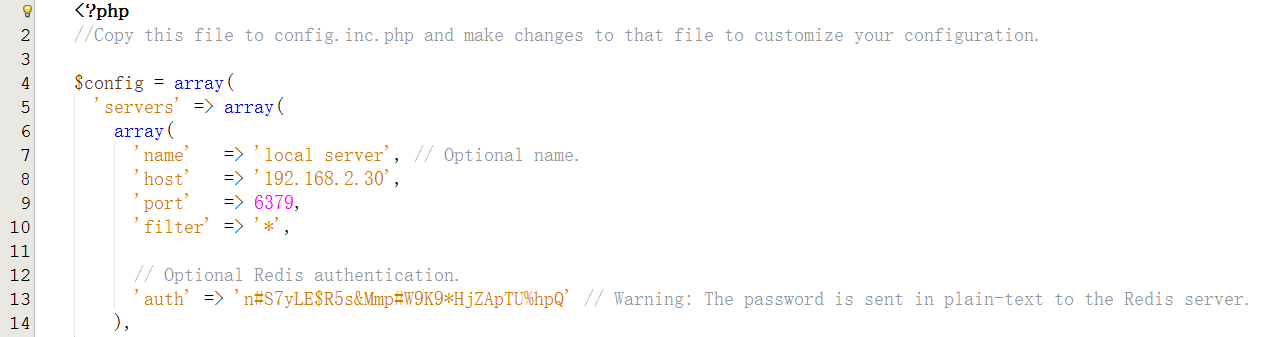
Edit phpredisadmin configuration file and run normally
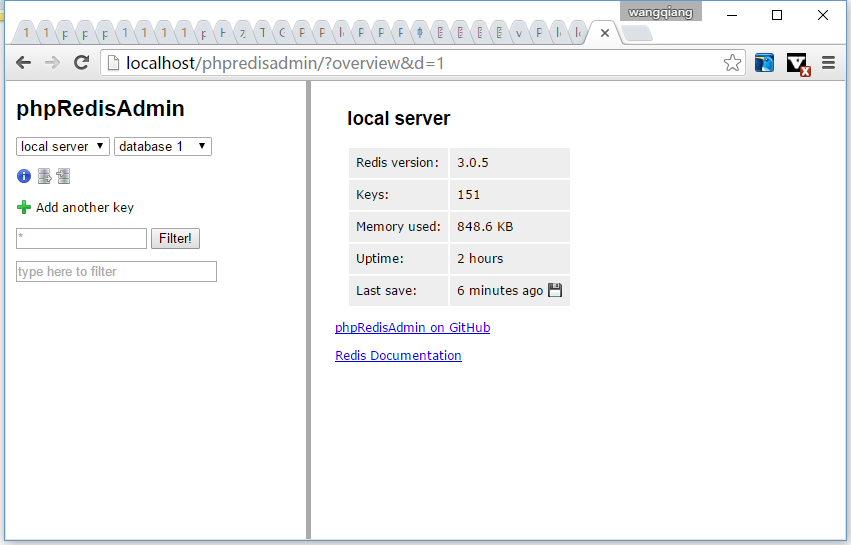
Edit phpredisadmin configuration file and run normally
4. Write a test program, as shown in Figure 6:
<?php
//header(“content-type: text/html; charset=utf-8”);
session_start();
$_Session[‘count’]= 1;
echo $_Session[‘count’];
?>
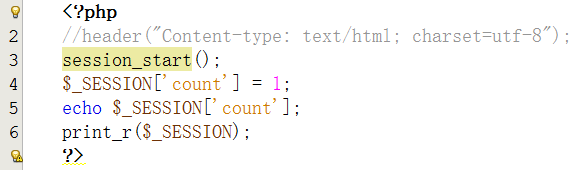
Write a test program
5. The test report error, as shown in Figure 7:
Fatal error: uncaught exceptionRedisExceptionwith messageFailed to auth connectionin e:\wwwroot\phpinfo.php:4 stack trace: #0 e:\wwwroot\phpinfo.php(4): session_start() #1 {main} thrown In E:\wwwroot\phpinfo.php on line 4
Fatal error: uncaught exceptionRedisExceptionwith messageFailed to auth connectionin[no active file]:0 stack trace: #0 {main} throw in[no active file]on line 0
![5、测试报错,如图7: Fatal error: Uncaught exception 'RedisException' with message 'Failed to AUTH connection' in E:\wwwroot\phpinfo.php:4 Stack trace: #0 E:\wwwroot\phpinfo.php(4): session_start() #1 {main} thrown in E:\wwwroot\phpinfo.php on line 4 Fatal error: Uncaught exception 'RedisException' with message 'Failed to AUTH connection' in [no active file]:0 Stack trace: #0 {main} thrown in [no active file] on line 0](https://www.shuijingwanwq.com/wp-content/uploads/2016/01/7.png)
5. The test report error, as shown in Figure 7:
Fatal error: uncaught exceptionRedisExceptionwith messageFailed to auth connectionin e:\wwwroot\phpinfo.php:4 stack trace: #0 e:\wwwroot\phpinfo.php(4): session_start() #1 {main} thrown In E:\wwwroot\phpinfo.php on line 4
Fatal error: uncaught exceptionRedisExceptionwith messageFailed to auth connectionin[no active file]:0 stack trace: #0 {main} throw in[no active file]on line 0
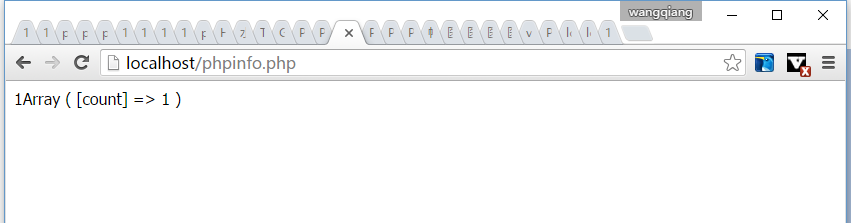
Solution, re-change the password, and it cannot contain special characters, only numbers and letters are allowed, and the test program runs normally
7. Then, on the web server operating system for CentOS, it is also ready to implement session and store in redis, and execute the command, as shown in Figure 9:
php-m
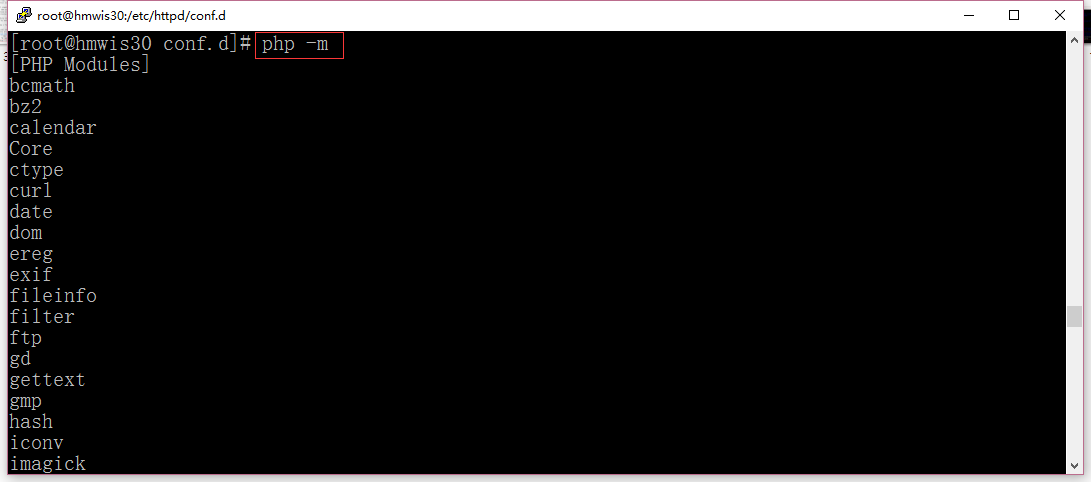
php-m
Check if the php-redis extension has been installed (or you can check phpinfo(), as shown in Figure 10), if not, execute the command, as shown in Figure 11:
yum install php-redis
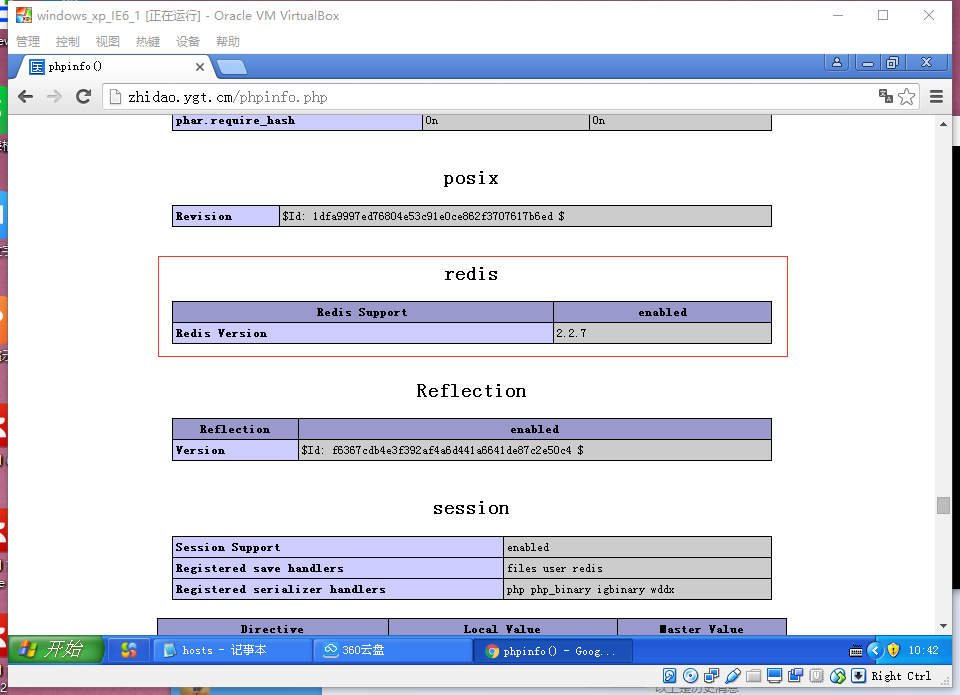
View phpinfo()
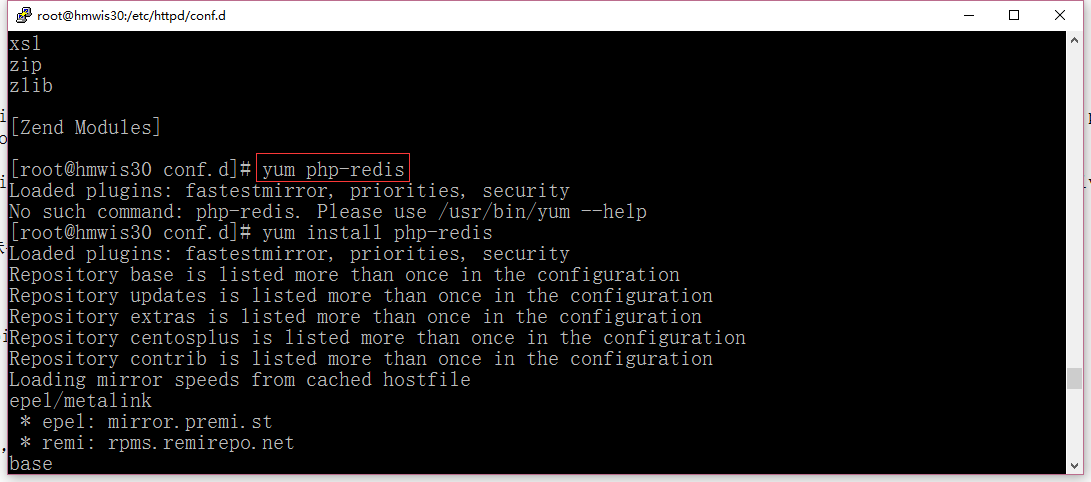
Install php-redis extension
8. Set the php.ini of the web server, as shown in Figure 12 and 13:
; session.save_handler = files
session.save_handler = redis
; session.hash_function = 0
session.hash_function = “SHA512”
Restart the Apache service;
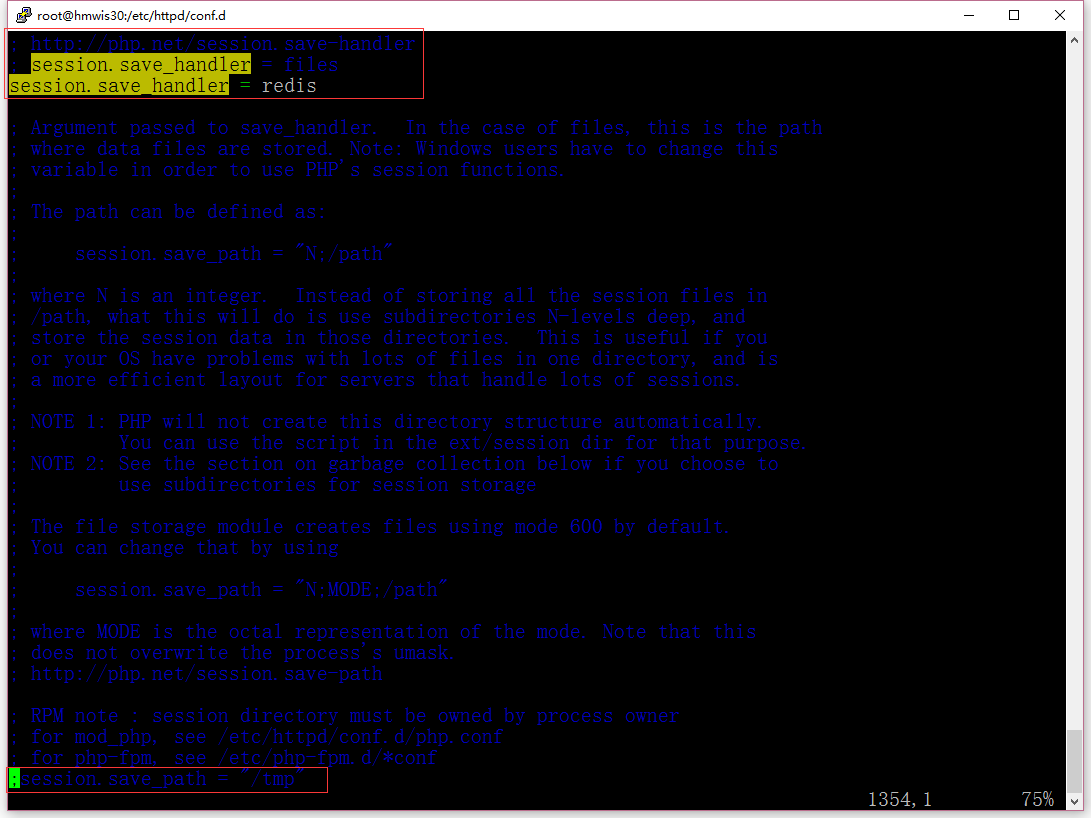
session.save_handler = redis
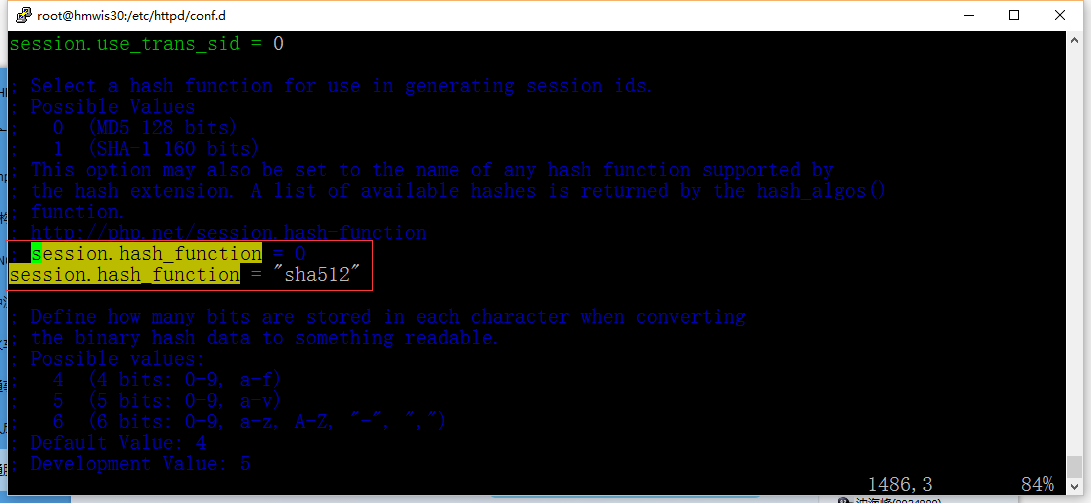
session.hash_function = “SHA512”
9. Edit /etc/httpd/conf.d/php.conf, as shown in Figure 14
# php_value session.save_handler “files”
# php_value session.save_path “/var/lib/php/session”
php_value session.save_handler “redis”
php_value session.save_path “tcp://192.168.2.30:6379?auth=2LMDCDH7CFWHJGC9BauercMezyuls25y”
Restart the Apache service;
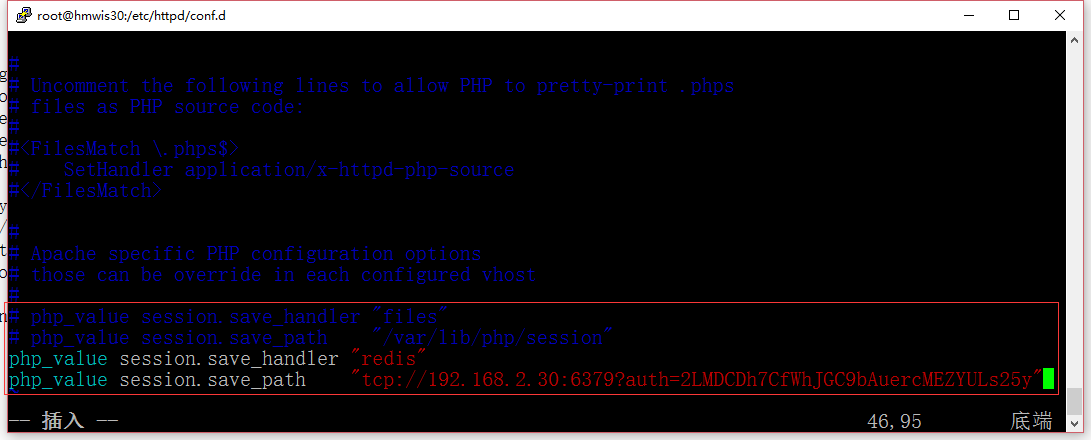
Edit /etc/httpd/conf.d/php.conf
10. At this time, the login of the web server based on CentOS can already run normally, but phpsessid is still encrypted by MD5, not SHA512, because there are still cookies: phpsesssid on the browser side, as shown in Figure 15 and 16
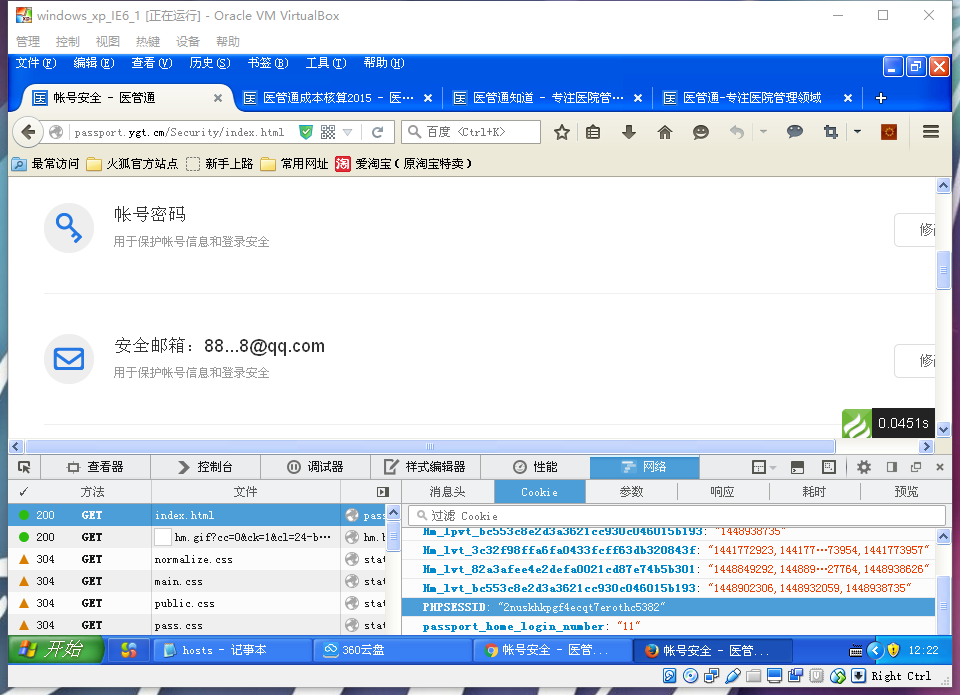
Cookies also exist on the browser side: phpsessid
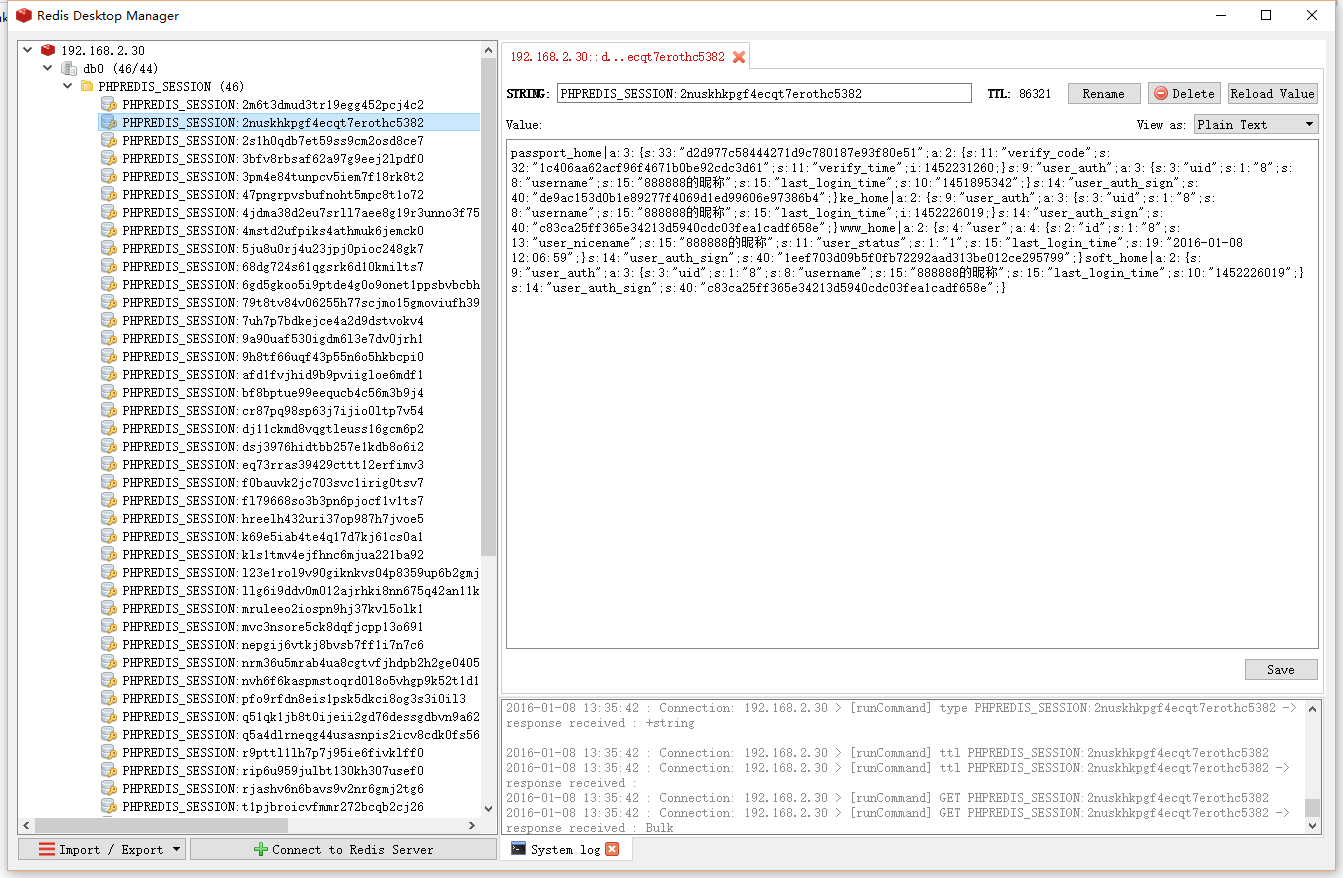
Corresponding phpsessid has been generated in redis
11. If there is no cookie named phpsessid on the browser side, then phpsessid is encrypted by sha512, as shown in Figure 17
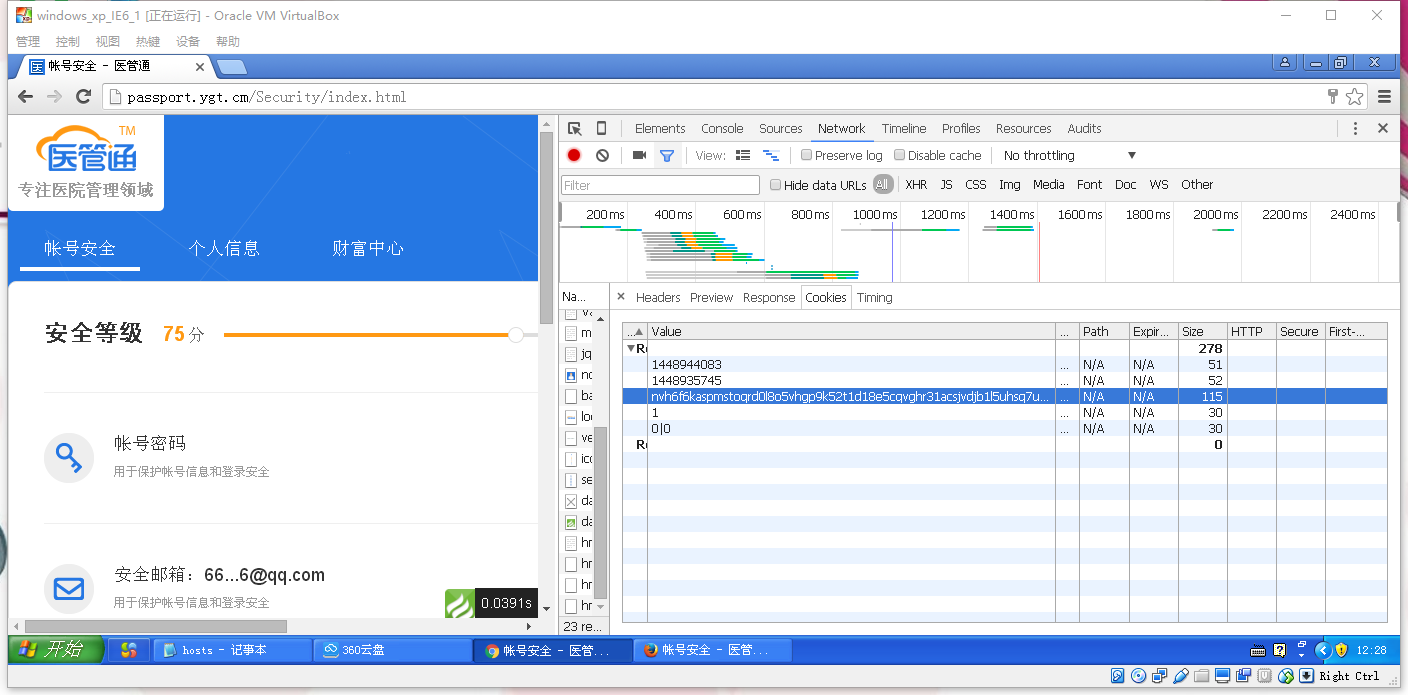
If there is no cookie named phpsssid on the browser side, then phpssessid is encrypted by sha512