1. SDK installation
github address: https://github.com/aliyun/aliyun-oss-php-sdk
2. Copy aliyun-oss-php-sdk-master\src\oss to passport.hmwis.com\thinkphp\library\vendor\oss, as shown in Figure 1 and 2


3. Register a new namespace OSS and edit the file passport.hmwis.com\application\common\conf\config.php, as shown in Figure 3
autoload_namespace=> array(additions=>OneThink_Addon_Path,oss=> Vendor_Path.oss), // Extension Module List

4. When instantiating the class library below the OSS, such as
new oss\ossclient();
The corresponding class library file OSSCLIENT.class.php is automatically loaded, so the file name in the oss directory needs to be renamed, and the oss client.php is renamed to ossclient.class.php, all files in the oss directory are processed like this, as shown in Figure 4

5. Edit passport.hmwis.com\application\common\conf\config.php, and set the access domain name of the OSS data center in the production environment to the intranet, as shown in Figure 5
/* OSS initialization settings */
oss=> array(
access_key_id=>, // AccessKeyId from OSS
access_key_secret=>, // AccessKeySecret obtained from OSS
Endpoint=>oss-cn-hangzhou-internal.aliyuncs.com, // The OSS data center you selected access the domain name, such as oss-cn-hangzhou.aliyuncs.com
,

6. Edit passport.hmwis.com\application\common\conf\debug.php, and set the access domain name of the OSS data center in the development environment to the external network, as shown in Figure 6
/* OSS initialization settings */
oss=> array(
access_key_id=>, // AccessKeyId from OSS
access_key_secret=>, // AccessKeySecret obtained from OSS
Endpoint=>oss-cn-hangzhou.aliyuncs.com, // The OSS data center you selected access the domain name, such as oss-cn-hangzhou.aliyuncs.com
,

7. Realize the function of uploading local files to OSS, such as modifying the avatar, as shown in Figure 7:

8. Edit passport.hmwis.com\Application\Home\Controller\ProfileController.class.php, import the client class and exception class of OSS, as shown in Figure 8
use oss\ossclient;
use oss\core\OSSException;

9. Instantiate the OssClient class and call the upload local file method, as shown in Figure 9
/**
* According to the config configuration, get an OssClient instance
*/
try {
$ossclient = new ossclient(c(oss.access_key_id), C(oss.access_key_secret), C(oss.endpoint), false);
} catch (OSSException $E) {
$return[‘status’]= 0;
$return[‘info’]= $e->getMessage();
/* return json data */
$this->ajaxreturn($return);
}
$bucket =avatar-ygt-cm;
try {
$ossclient->uploadfile($bucket, $oss_file_path, $avatar);
} catch (OSSException $E) {
$return[‘status’]= 0;
$return[‘info’]= $e->getMessage();
/* return json data */
$this->ajaxreturn($return);
}

10. Based on the ThinkPHP file upload operation, use the Think\Upload class customization to upload the file to the OSS through the form, and copy the Passport. hmwis.com\thinkphp\library\think\upload.class.php to passport.hmwi S.com\Thinkphp\Library\Vendor\OSS\OSSupload.class.php, edit PassPor t.hmwis.com\thinkphp\library\vendor\oss\ossupload.class.php, as shown in Figure 10
namespace oss;
use oss\ossclient;
use oss\core\OSSException;

11. Edit the default upload configuration, as shown in Figure 11
/**
* Default upload configuration
* @var array
*/
private $config = array(
accessKeyId=>L0K4ZMXS44FAJAWH, //AccessKeyId
AccessKeySecret=>hju4dphzkl6pwt6k0hltkvmnae9rzo, //AccessKeySecret
Endpoint=>oss-cn-hangzhou.aliyuncs.com, //area address
Mimes=> array(), //Allow the uploaded file MIME type
maxsize=> 0, //The uploaded file size limit (0-no limit)
exts=> array(), //Allow the uploaded file suffix
autosub=> true, //auto subdirectory saves the file
Subname=> array(Date,Y-M-D), // subdirectory creation method,[0]- function name,[1]- Parameters, multiple parameters use arrays
rootpath=>./uploads/, // save the root path
savepath=>, // save the path
savename=> array(unqid,), // upload file naming rules,[0]- function name,[1]- Parameters, multiple parameters use arrays
saveext=>, // save the suffix for the file, and use the original suffix for empty
replace=> false, //Whether the same name is overwritten
hassh=> true, //whether to generate hash encoding
callback=> false, //Detect if there is a callback in the file, if there is a file information array
);
Note: It is mainly to cancel the operation function related to the file upload driver and file directory. Due to too many changes, it is recommended to check the svn log, or directly copy ossupload.class.php;

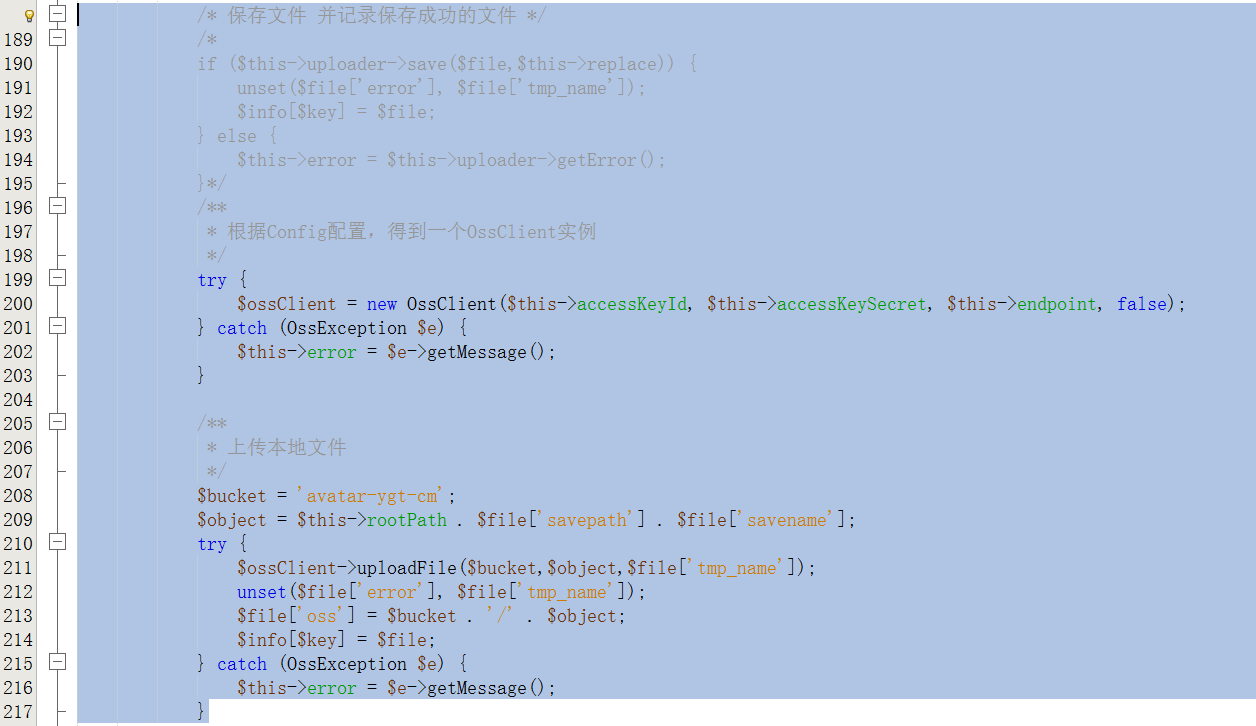
12. Edit the upload file method upload, as shown in Figure 12
/* Save the file and record the file saved successfully */
tiveting
if ($this->uploader->save($file,$this->replace)) {
unset($file[‘error’], $file[‘tmp_name’]);
$info[$key]= $file;
} else {
$this->error = $this->uploader->getError();
}*/
/**
* According to the config configuration, get an OssClient instance
*/
try {
$ossclient = new ossclient($this->accessKeyId, $this->AccessKeySecret, $this->endpoint, false);
} catch (OSSException $E) {
$this->error = $e->getMessage();
}
/**
* Upload local files
*/
$bucket =avatar-ygt-cm;
$object = $this->rootpath . $file[‘savepath’]. $file[‘savename’];
try {
$ossclient->uploadfile($bucket, $object, $file[‘tmp_name’]);
unset($file[‘error’], $file[‘tmp_name’]);
$file[‘oss’]= $bucket ./ / *. $object;
$info[$key]= $file;
} catch (OSSException $E) {
$this->error = $e->getMessage();
}
13. Realize upload files to OSS through form, edit passport.hmwis.com\application\home\controller\profileController.class.php, import the file upload class of oss
use oss\ossupload;
For all upload implementations, it is recommended to refer to the document of the Think\Upload class, which is basically the same
Leave a Reply