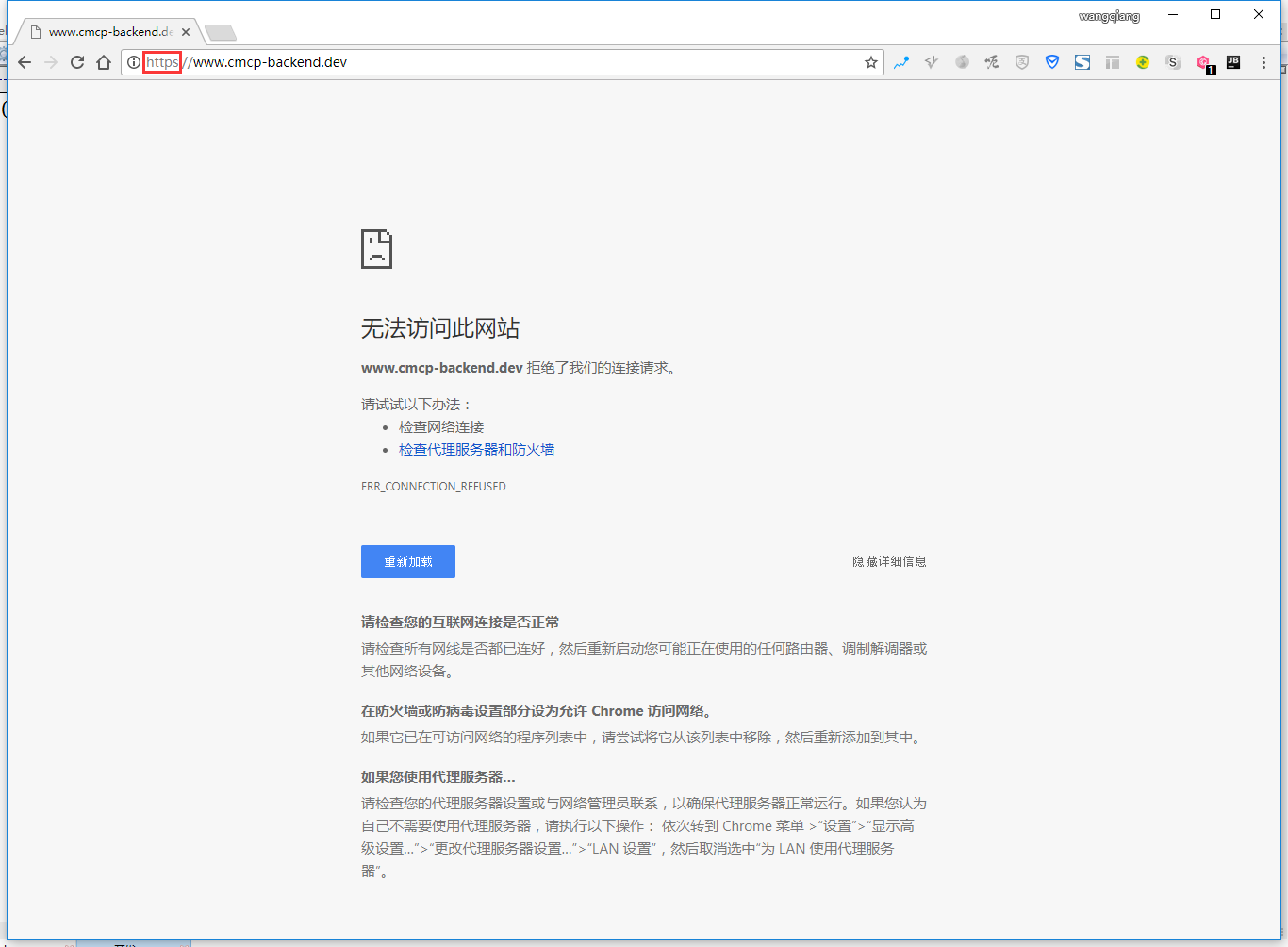
1. On the morning of the first day after Google Chrome is upgraded to 63, open: http://www.cmcp-backend.dev/ , automatically jump to: https://www.cmcp-backend.dev/ , as shown in Figure 1
2. Open the URL: https://chromium-review.googlesource.com/c/chromium/src/+/669923 , it is .dev gtld preloads hsts, as shown in Figure 2

3. One of the solutions is: the local development machine can provide HTTPS services, which are not considered for the time being, and the steps are too cumbersome
4. The preferred local development suffix is changed from .dev to other, .test gtld, which is the name reserved for testing (or development) purposes by IETF. Edit the hosts file, as shown in Figure 3

5. Edit the configuration file of nginx, as shown in Figure 4

6. Open: http://www.cmcp-backend.test/ , which can be opened, but does not automatically jump to https, but I feel that this scheme is used to develop suffix, which is not pure enough, as shown in Figure 5

7. There is also a better solution, add the .localhost domain name as a new standard. * All content in .localhost will be automatically converted to 127.0.0.1 without using the hosts or dnsmasq solution, edit the nginx configuration file, as shown in Figure 6

8. Open: http://www.cmcp-backend.localhost/ , which can be opened, but does not automatically jump to https, as shown in Figure 7

Leave a Reply