On Yii 2.0, the API of RESTful-style web service services, the implementation of cookies supported (not recommended)
1. The client-oriented API is browser, and the public parameters: login_id, login_tid, its request type is get, and its value comes from cookies under the pan top-level domain name, as shown in Figure 1
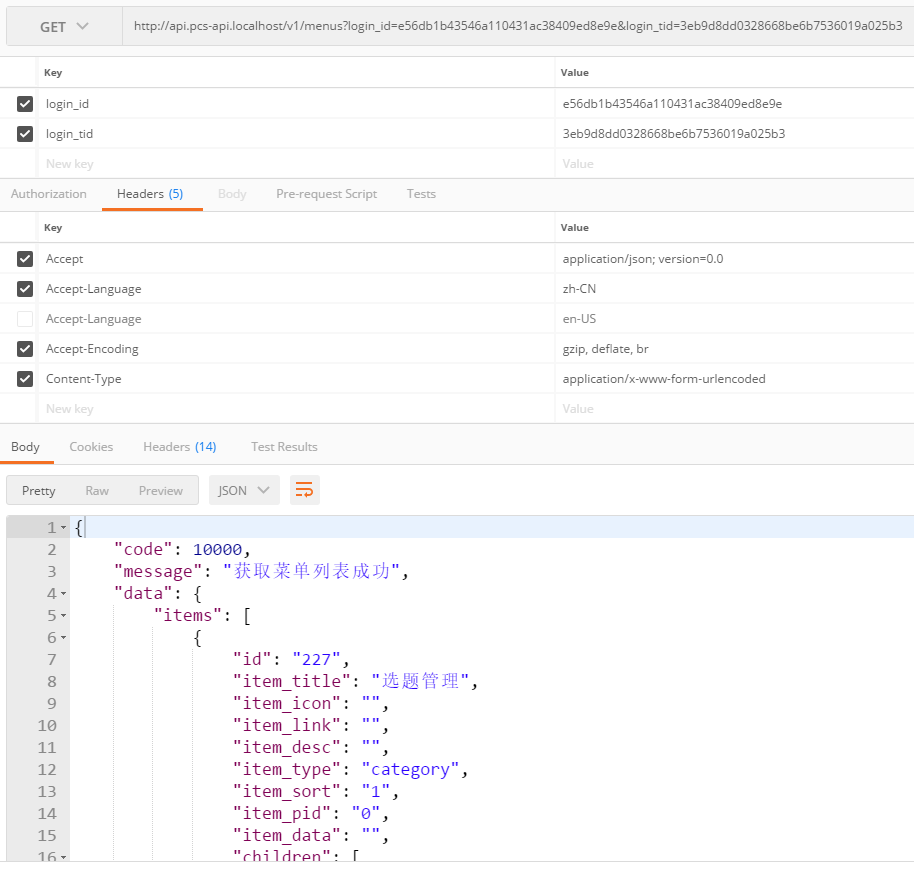
Figure 1
2. According to the requirements of front-end developers, the implementation of cookies supported by the API (not recommended). Unlike web applications, RESTful APIs are usually stateless, which means that sessions or cookies should not be used.
3. \API\Behaviors\GlobalAccessBehavior.php, support cookies and get at the same time, get priority of get higher than cookie, the code is as follows
        /* 获取请求参数 */
        $request = Yii::$app->request;
        $get = $request->get();
        if (!empty($get['login_id']) && !empty($get['login_tid'])) {
            $loginId = $get['login_id'];
            $loginTid = $get['login_tid'];
        } else {
            $response = Yii::$app->response;
            $acceptParams = $response->acceptParams;
            if (isset($acceptParams['cookie']) && $acceptParams['cookie'] = 'enable') {
                // 获取 cookie 集合
                $request->enableCookieValidation = false;
                $cookies = $request->cookies;
                if (isset($cookies['login_chinamcloud_id'])) {
                    $loginId = $cookies['login_chinamcloud_id']->value;
                    $get['login_id'] = $loginId;
                }
                if (isset($cookies['login_chinamcloud_tid'])) {
                    $loginTid = $cookies['login_chinamcloud_tid']->value;
                    $get['login_tid'] = $loginTid;
                }
                Yii::$app->request->setQueryParams($get);
                $request->enableCookieValidation = true;

                /* 未登录 */
                if (empty($loginId) || empty($loginTid)) {
                    throw new HttpException(302, Yii::t('error', '20040'), 20039);
                }
            }
        }
4. In Postman, set the value of the cookie, click the cookies button, as shown in Figure 2

Figure 2
5. Add the domain name: api.pcs-api.localhost, as shown in Figure 3
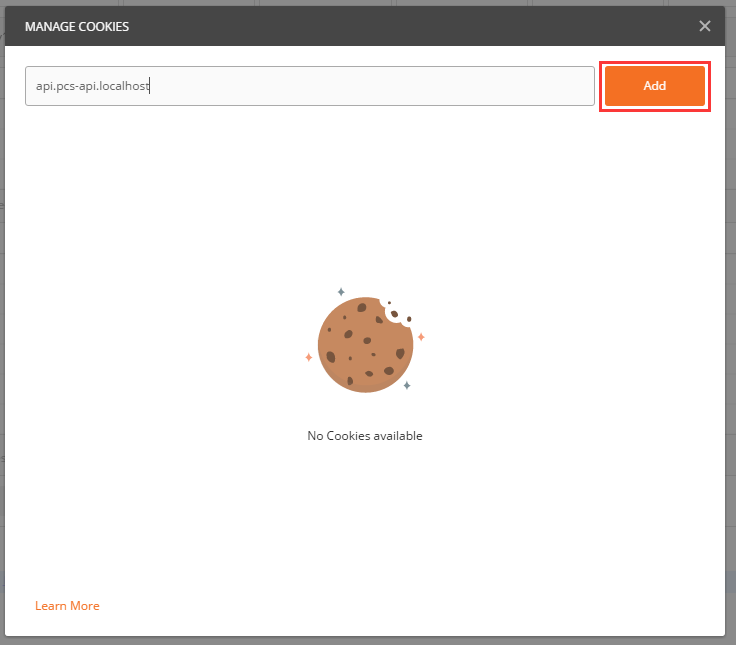
Figure 3
6. Add a cookie, the cookie_12=value; path=/; domain=.api.pcs-api.localhost; Replace with the corresponding key=value, as shown in Figure 4
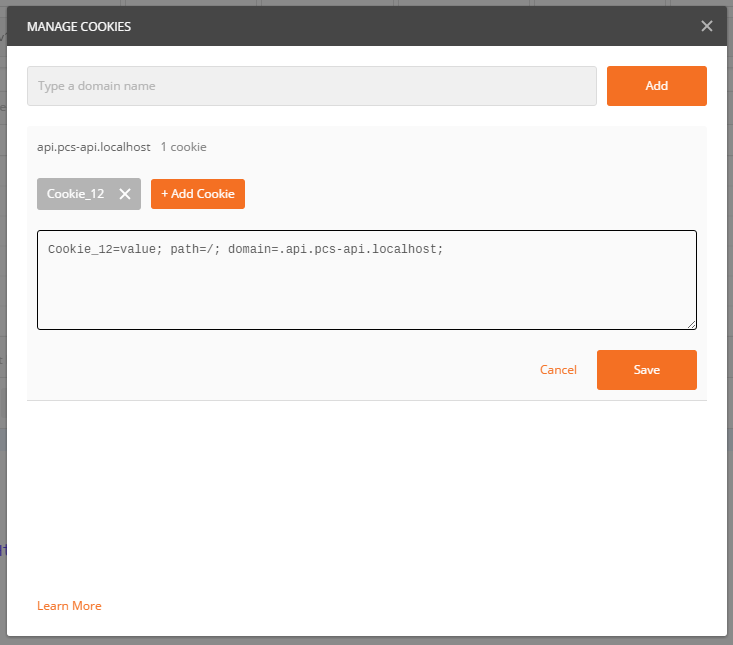
Figure 4
7. Cookie_12=value is replaced with the corresponding login_chinamcloud_id=E56DB1B43546A110431AC38409ED8E9E, click Save button, as shown in Figure 5
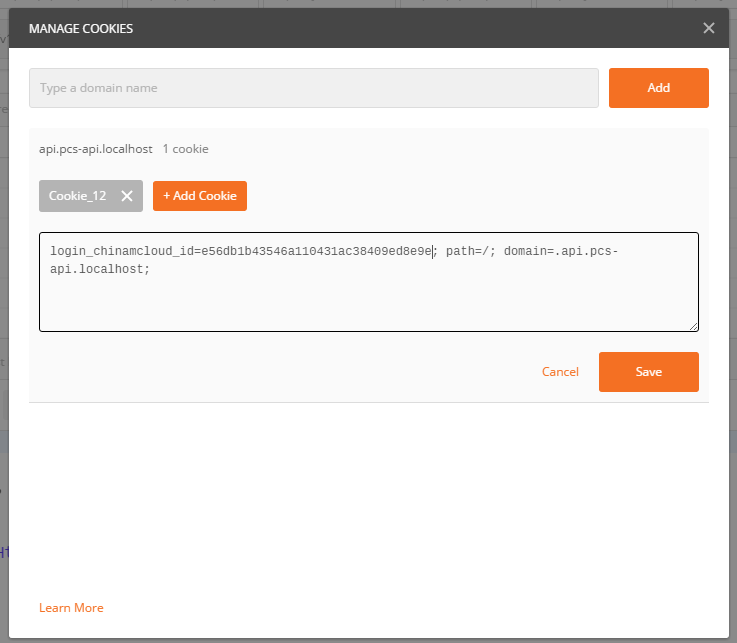
Figure 5
8. Add login_chinamcloud_tid=3EB9DD0328668BE6B7536019A025B3; path=/; domain=.api.pcs-api.localhost;, after adding, close the Manage cookies pop-up box, as shown in Figure 6
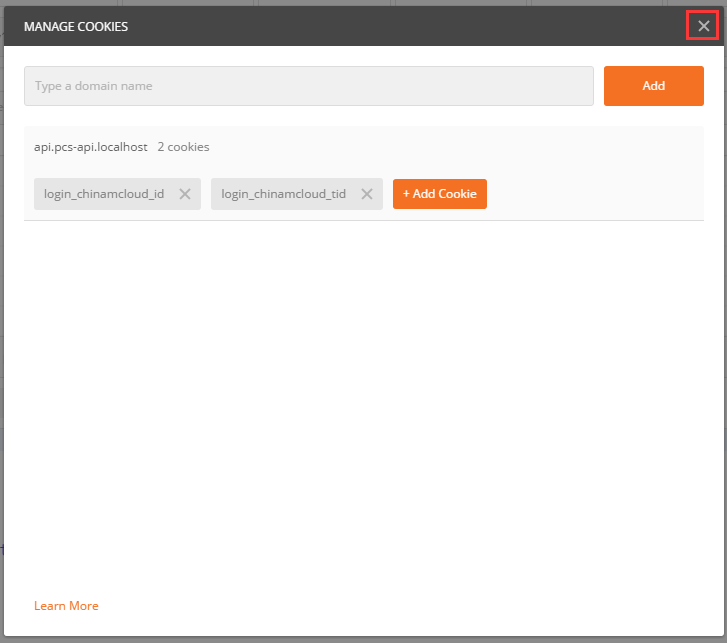
Figure 6
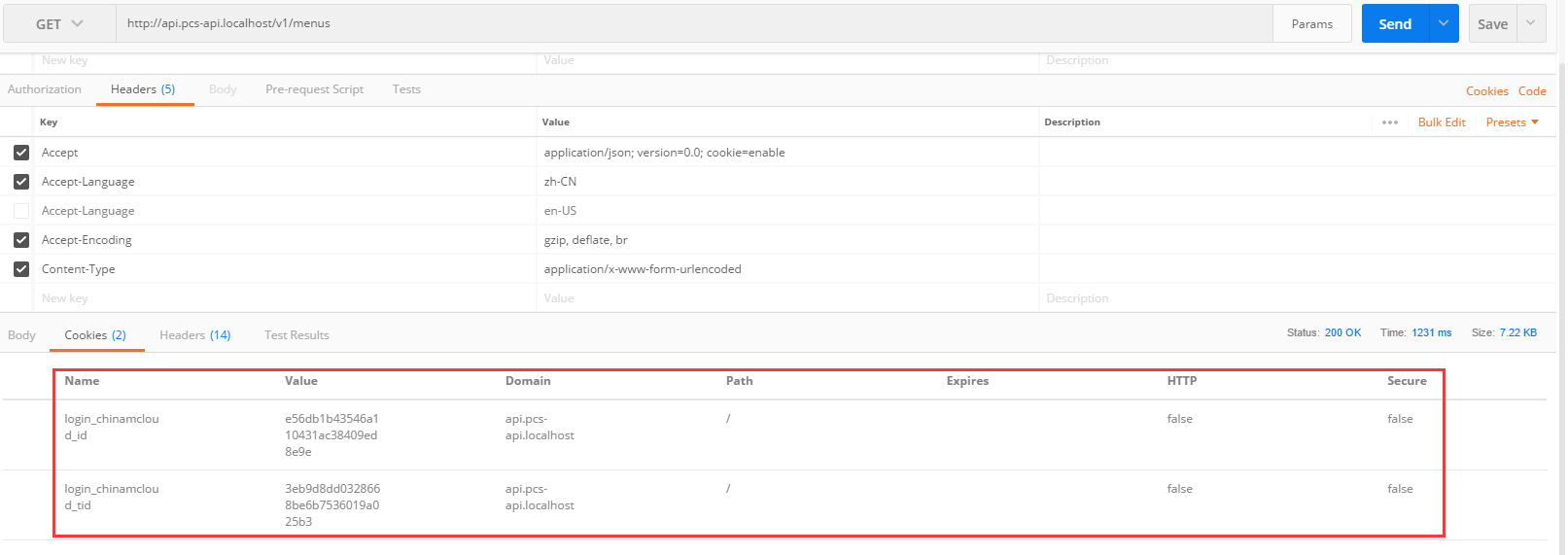
9. Cancel the login_id and login_tid in the URL params, execute the request again, the request is successful, and the value in the cookies is successfully obtained, as shown in Figure 7

Figure 7
10. Switch to the response cookie, and find that the corresponding cookie value already exists, as shown in Figure 8
8