1. Open the URL in the browser: http://api.channel-pub-api.localhost/qq/v1/OA uth2/authorize?group_id=015ce30b116ce86058fa6ab4fea4ac63 , which responds to the XML format, because RESTful APIs support both JSON and XML formats. But HTML format is not supported. as shown in Figure 1
Figure 1
2. Open in postman, the value of accept is: application/json; version=0.0, respond to json format, as shown in Figure 2
Figure 2
3. Now it is necessary to add support for the HTML format, and only support the HTML format, because it is a page, not an interface, and finally jump to the corresponding callback link page, edit \qq\rests\oauth2\authorizeaction.php, set the format attribute, the format attribute specifies the style of the data in data format
<?php
/**
 * @link http://www.yiiframework.com/
 * @copyright Copyright (c) 2008 Yii Software LLC
 * @license http://www.yiiframework.com/license/
 */

namespace qq\rests\oauth2;

use Yii;
use yii\base\Model;
use yii\web\Response;
use yii\base\DynamicModel;
use yii\web\ServerErrorHttpException;
use yii\web\UnprocessableEntityHttpException;

/**
 * 第三方服务平台授权(引导用户进入授权页面登录同意授权)
 *
 * 1、请求参数列表
 * (1)redirect_uri:必填,第三方服务平台授权后重定向的回调链接
 *
 * 2、输入数据验证规则
 * (1)必填:redirect_uri
 * (2)网址:redirect_uri
 *
 * 3、操作数据
 * (1)302 跳转至 https://auth.om.qq.com/omoauth2/authorize?response_type=code&client_id=626d0ce988bf5fddb3d9dd9ce627b2ba&state=STATE&redirect_uri=http%3A%2F%2Fapi.channel-pub-api-localhost.chinamcloud.com%2Fqq%2Fv1%2Foauth2%2Faccess-token%3Fgroup_id%3D015ce30b116ce86058fa6ab4fea4ac63%26redirect_uri%3Dhttp%3A%2F%2Fwww.zmt.com
 *
 * For more details and usage information on AuthorizeAction, see the [guide article on rest controllers](guide:rest-controllers).
 *
 * @author Qiang Wang <shuijingwanwq@163.com>
 * @since 1.0
 */
class AuthorizeAction extends Action
{
    /**
     * @var string the scenario to be assigned to the new model before it is validated and saved.
     */
    public $scenario = Model::SCENARIO_DEFAULT;
    /**
     * @var string the name of the view action. This property is need to create the URL when the model is successfully created.
     */
    public $viewAction = 'view';

    /**
     * Authorizes a new model.
     * @return \yii\db\ActiveRecordInterface the model newly created
     * @throws ServerErrorHttpException if there is any error when creating the model
     */
    public function run()
    {
        if ($this->checkAccess) {
            call_user_func($this->checkAccess, $this->id);
        }

        $request = Yii::$app->request;
        $get = $request->get();
        $redirect_uri = $request->get('redirect_uri');

        Yii::$app->response->format = Response::FORMAT_HTML;

        // 临时验证
        $model = DynamicModel::validateData(compact('redirect_uri'), [
            [['redirect_uri'], 'required'],
            [['redirect_uri'], 'url'],
        ]);

        if ($model->hasErrors()) {
            foreach ($model->getFirstErrors() as $message) {
                $firstErrors = $message;
                break;
            }
            throw new UnprocessableEntityHttpException(Yii::t('error', Yii::t('error', Yii::t('error', '20004'), ['firstErrors' => $firstErrors])), 20004);
        }

        // 包含 host info 的整个 URL,编码 URL 字符串
        $redirectUri = urlencode($request->hostInfo . $request->baseUrl . '/v1/oauth2/access-token?group_id=' . Yii::$app->params['groupId'] . '&redirect_uri=' . $redirect_uri);

        /* 浏览器跳转:引导用户进入授权页面登录同意授权,获取 code */
        Yii::$app->response->redirect(Yii::$app->params['qqAuth']['hostInfo'] . Yii::$app->params['qqAuth']['baseUrl'] . '/authorize?response_type=code&client_id=' . Yii::$app->params['qqAuth']['tpApp']['clientId'] . '&state=STATE&redirect_uri=' . $redirectUri);
    }
}
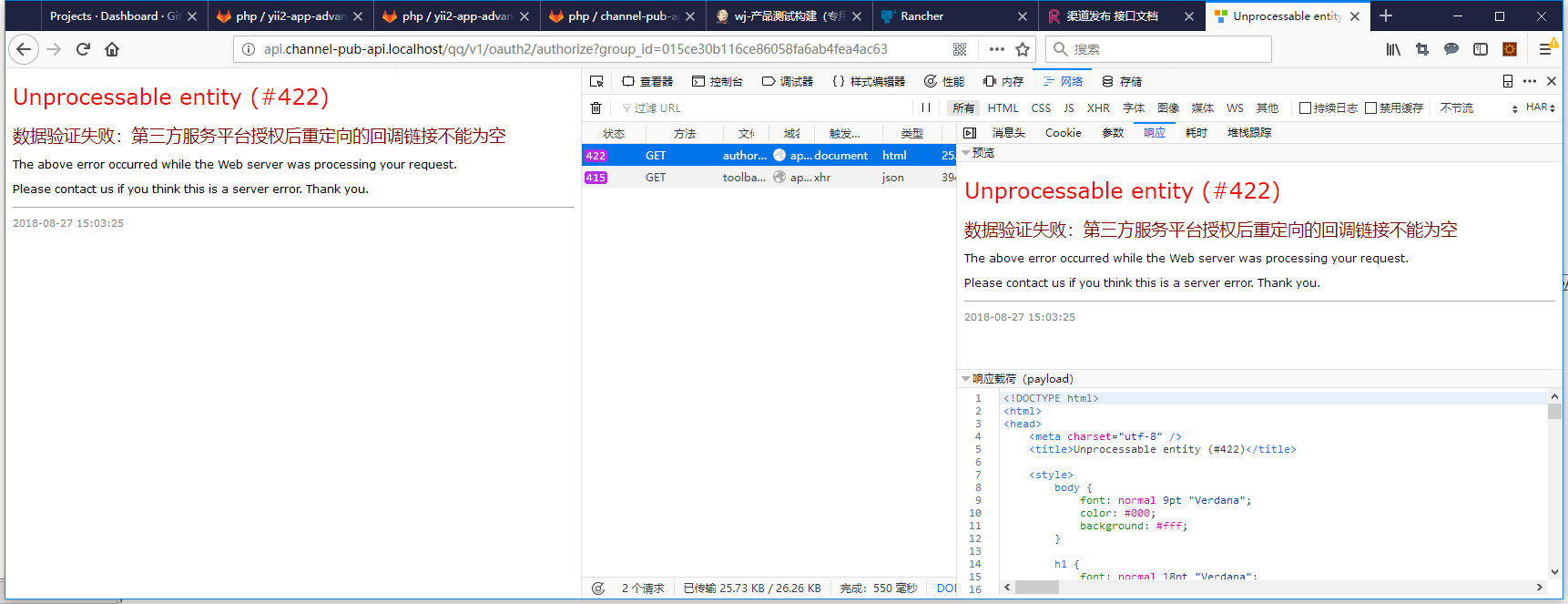
4. Open the URL in the browser: http://api.channel-pub-api.localhost/qq/v1/OA uth2/authorize?group_id=015ce30b116ce86058fa6ab4fea4ac63 , in response to the HTML format, as expected, as shown in Figure 3
Figure 3
5. Open in postman, the value of accept is: application/json; version=0.0, respond to HTML format, which is in line with expectations, as shown in Figure 4
Figure 4



Leave a Reply