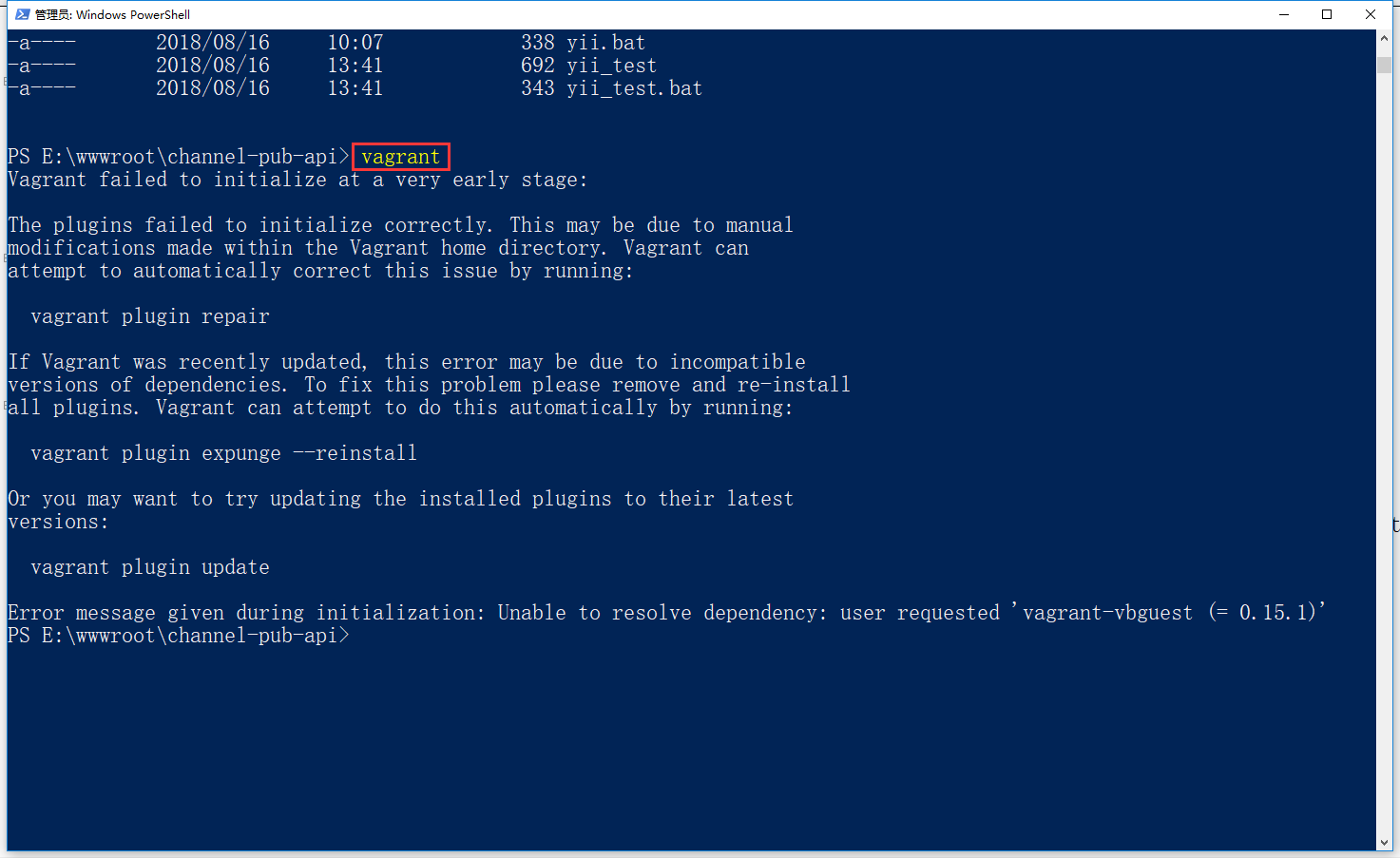
1. Execute Vagrant on Windows 10 and report an error: Vagrant failed to initialize at a very early stage, as shown in Figure 1
Figure 1
PS E:\wwwroot\channel-pub-api> vagrant
Vagrant failed to initialize at a very early stage:

The plugins failed to initialize correctly. This may be due to manual
modifications made within the Vagrant home directory. Vagrant can
attempt to automatically correct this issue by running:

  vagrant plugin repair

If Vagrant was recently updated, this error may be due to incompatible
versions of dependencies. To fix this problem please remove and re-install
all plugins. Vagrant can attempt to do this automatically by running:

  vagrant plugin expunge --reinstall

Or you may want to try updating the installed plugins to their latest
versions:

  vagrant plugin update

Error message given during initialization: Unable to resolve dependency: user requested 'vagrant-vbguest (= 0.15.1)'
2. The reason should be that Vagrant has been updated recently, and Vagrant can be automatically tried by running the following command (remove and reinstall
All plugins), follow the prompts to execute the command
PS E:\wwwroot\channel-pub-api> vagrant plugin expunge --reinstall

This command permanently deletes all currently installed user plugins. It
should only be used when a repair command is unable to properly fix the
system.

Continue? [N]: yes

All user installed plugins have been removed from this Vagrant environment!

Vagrant will now attempt to reinstall user plugins that were removed.
3. Execute the following command, after over the wall, the execution of the command in Windows PowerShell still reports the same error
PS E:\wwwroot\channel-pub-api> vagrant plugin install vagrant-hostmanager
Installing the 'vagrant-hostmanager' plugin. This can take a few minutes...
Vagrant failed to load a configured plugin source. This can be caused
by a variety of issues including: transient connectivity issues, proxy
filtering rejecting access to a configured plugin source, or a configured
plugin source not responding correctly. Please review the error message
below to help resolve the issue:

  SSL_connect SYSCALL returned=5 errno=0 state=SSLv2/v3 read server hello A (https://gems.hashicorp.com/specs.4.8.gz)

Source: https://gems.hashicorp.com/
4. Execute the following command in the Windows command prompt, and the execution is successful
E:\wwwroot\channel-pub-api>vagrant plugin install vagrant-hostmanager
Installing the 'vagrant-hostmanager' plugin. This can take a few minutes...
Fetching: vagrant-hostmanager-1.8.9.gem (100%)
Installed the plugin 'vagrant-hostmanager (1.8.9)'!
5. Execute Vagrant again and report an error:
E:\wwwroot\channel-pub-api>vagrant
Vagrant failed to initialize at a very early stage:

There is a syntax error in the following Vagrantfile. The syntax error
message is reproduced below for convenience:

E:/wwwroot/channel-pub-api/Vagrantfile:15: syntax error, unexpected tIDENTIFIER, expecting '}'
  weibo:    'channel-pub-api-weibo.te
       ^
6. Edit VagrantFile, in the domains configuration, there is a missing English comma in the 14 lines in the domains configuration, as shown in Figure 2
Figure 2
PS E:\wwwroot\channel-pub-api> vagrant up
Vagrant failed to initialize at a very early stage:

There is a syntax error in the following Vagrantfile. The syntax error
message is reproduced below for convenience:

E:/wwwroot/channel-pub-api/Vagrantfile:15: syntax error, unexpected tIDENTIFIER, expecting '}'
  weibo:    'channel-pub-api-weibo.te
       ^
PS E:\wwwroot\channel-pub-api> vagrant up
Installing the 'vagrant-vbguest' plugin. This can take a few minutes...
Fetching: micromachine-2.0.0.gem (100%)
Fetching: vagrant-vbguest-0.16.0.gem (100%)
Installed the plugin 'vagrant-vbguest (0.16.0)'!
PS E:\wwwroot\channel-pub-api> vagrant
Usage: vagrant [options] <command> [<args>]

    -v, --version                    Print the version and exit.
    -h, --help                       Print this help.

Common commands:
     box             manages boxes: installation, removal, etc.
     cloud           manages everything related to Vagrant Cloud
     destroy         stops and deletes all traces of the vagrant machine
     global-status   outputs status Vagrant environments for this user
     halt            stops the vagrant machine
     help            shows the help for a subcommand
     hostmanager     plugin: vagrant-hostmanager: manages the /etc/hosts file within a multi-machine environment
     init            initializes a new Vagrant environment by creating a Vagrantfile
     login
     package         packages a running vagrant environment into a box
     plugin          manages plugins: install, uninstall, update, etc.
     port            displays information about guest port mappings
     powershell      connects to machine via powershell remoting
     provision       provisions the vagrant machine
     push            deploys code in this environment to a configured destination
     rdp             connects to machine via RDP
     reload          restarts vagrant machine, loads new Vagrantfile configuration
     resume          resume a suspended vagrant machine
     snapshot        manages snapshots: saving, restoring, etc.
     ssh             connects to machine via SSH
     ssh-config      outputs OpenSSH valid configuration to connect to the machine
     status          outputs status of the vagrant machine
     suspend         suspends the machine
     up              starts and provisions the vagrant environment
     upload          upload to machine via communicator
     validate        validates the Vagrantfile
     vbguest         plugin: vagrant-vbguest: install VirtualBox Guest Additions to the machine
     version         prints current and latest Vagrant version
     winrm           executes commands on a machine via WinRM
     winrm-config    outputs WinRM configuration to connect to the machine

For help on any individual command run `vagrant COMMAND -h`

Additional subcommands are available, but are either more advanced
or not commonly used. To see all subcommands, run the command
`vagrant list-commands`.
8. Create a virtual machine and execute the following commands
PS E:\wwwroot\channel-pub-api> vagrant up
==> channel-pub-api: Machine 'channel-pub-api' has a post `vagrant up` message. This is a message
==> channel-pub-api: from the creator of the Vagrantfile, and not from Vagrant itself:
==> channel-pub-api:
==> channel-pub-api: Frontend URL: http://channel-pub-api-frontend.test
==> channel-pub-api: Backend URL: http://channel-pub-api-backend.test
==> channel-pub-api: Api URL: http://channel-pub-api-api.test
==> channel-pub-api: Qq URL: http://channel-pub-api-qq.test
==> channel-pub-api: Rpc URL: http://channel-pub-api-rpc.test
==> channel-pub-api: Weibo URL: http://channel-pub-api-weibo.test
==> channel-pub-api: Wx URL: http://channel-pub-api-wx.test
9. After waiting for completion, just access the following URL in the browser, which is in line with the expectations

Leave a Reply