In SHOWDOC, after the save is successful, the analysis of the document has not changed.
1. Title: Enable the topic selection test and save it successfully. Network Response: The value of error_code is 0. as shown in Figure 1
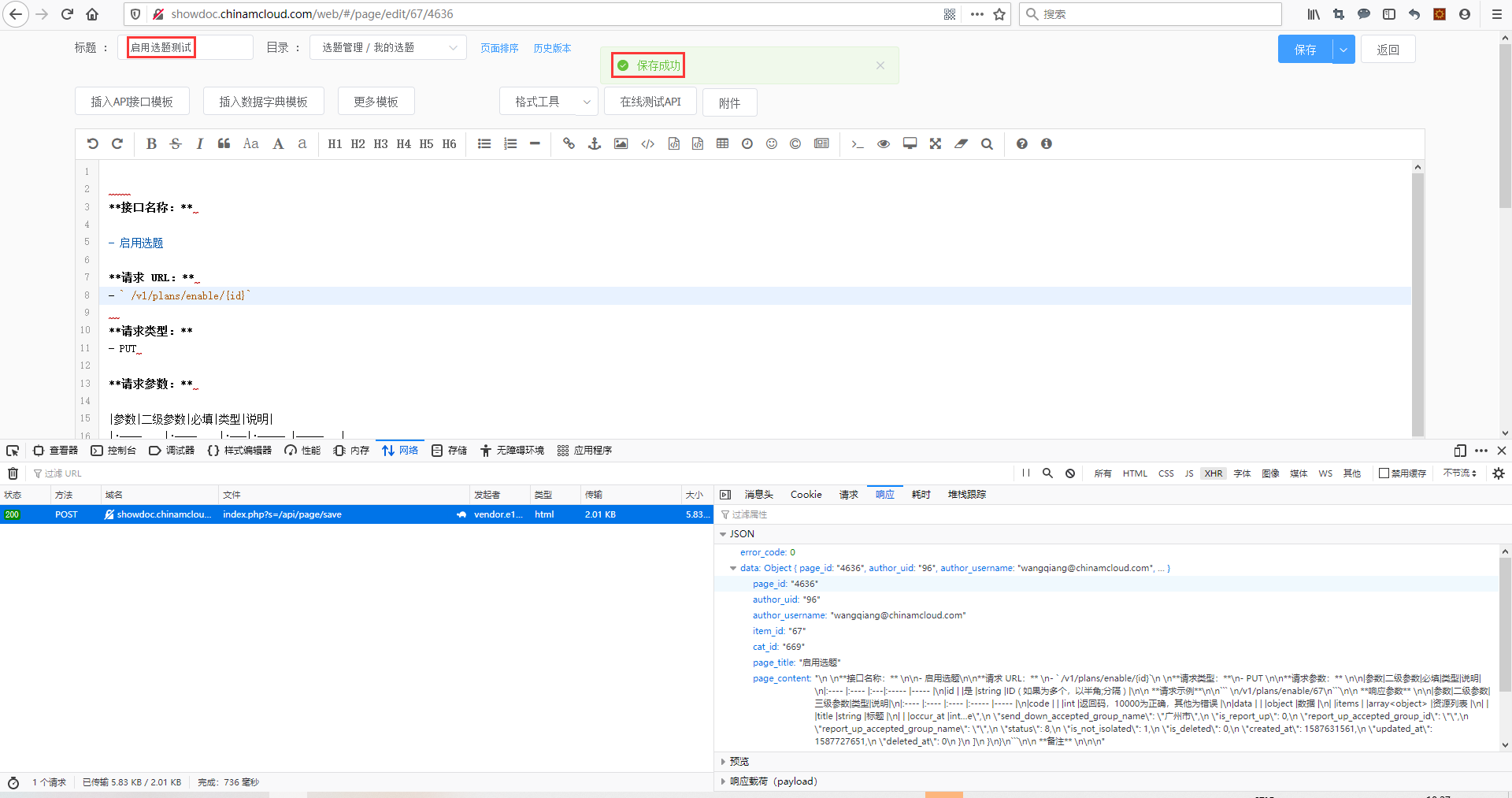
Figure 1
2. Return to the document page, title: Enable the topic selection, the added test word is not displayed. That is, after the save is successful, the document does not change. as shown in Figure 2
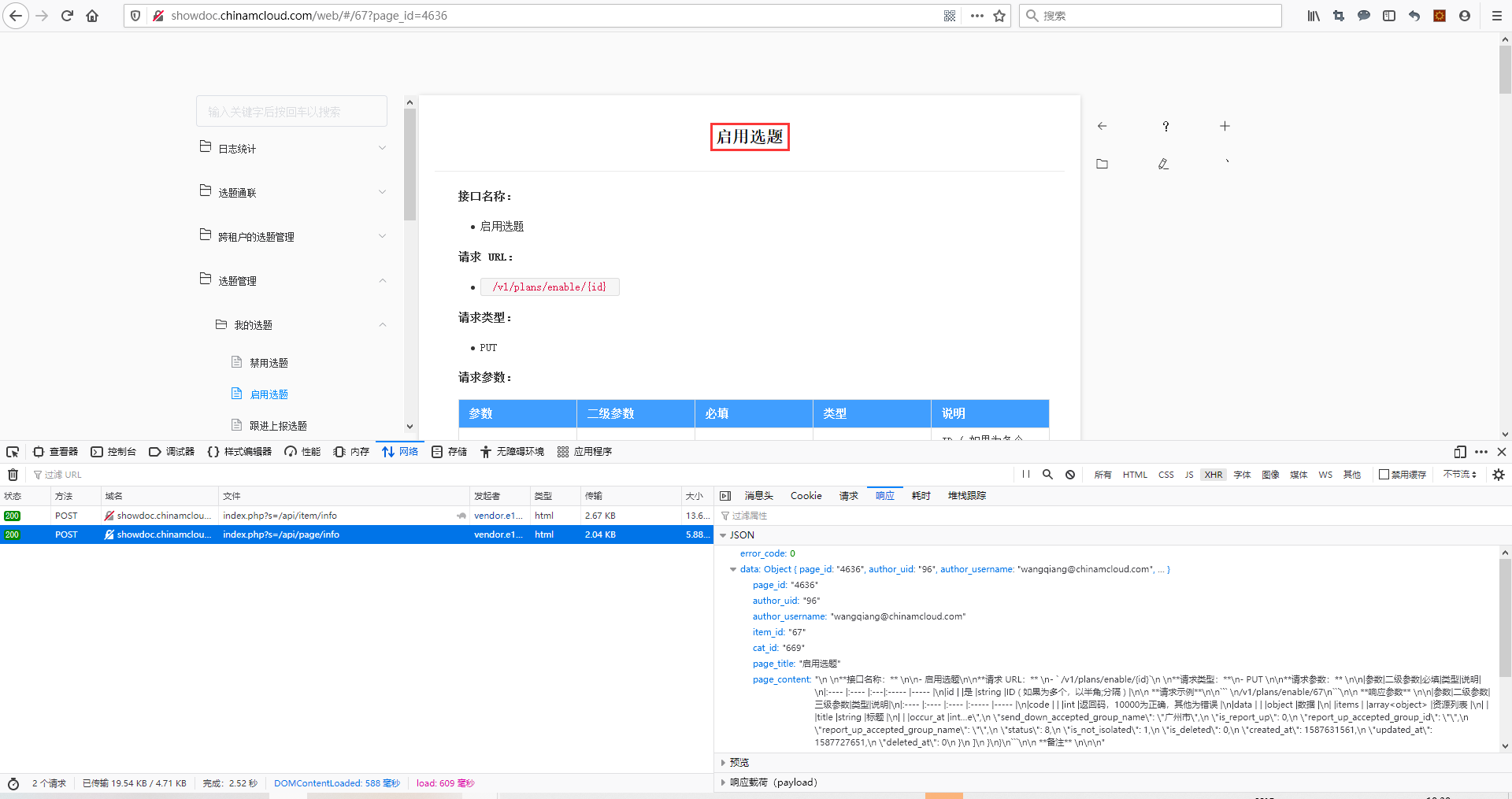
Figure 2
3. Check the historical version, and there is no modification record just now. as shown in Figure 3
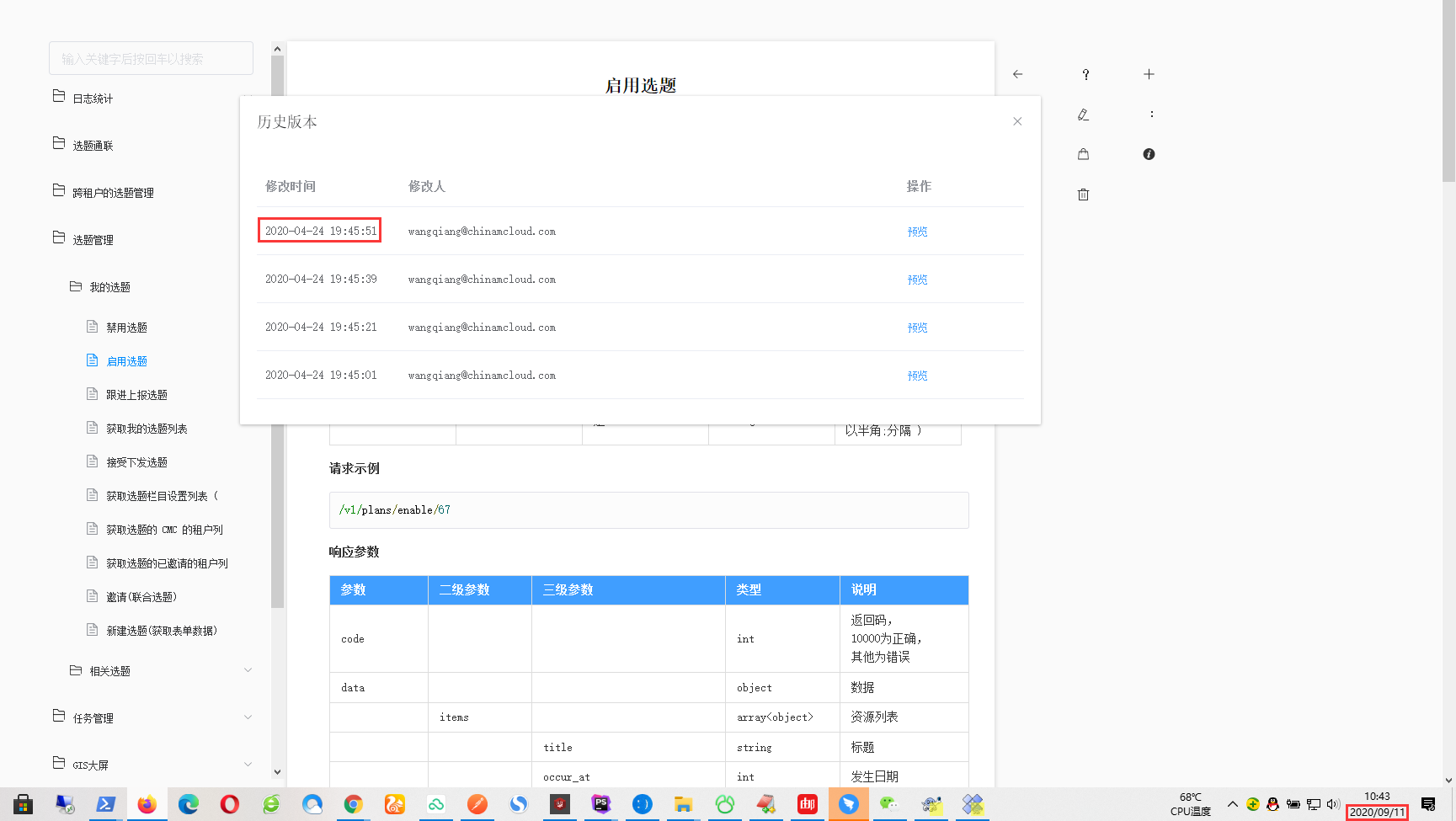
Figure 3
4. Create a new interface document, when saving, the response fails: {“error_code”:10103,”error_message”:”request fail”}. as shown in Figure 4
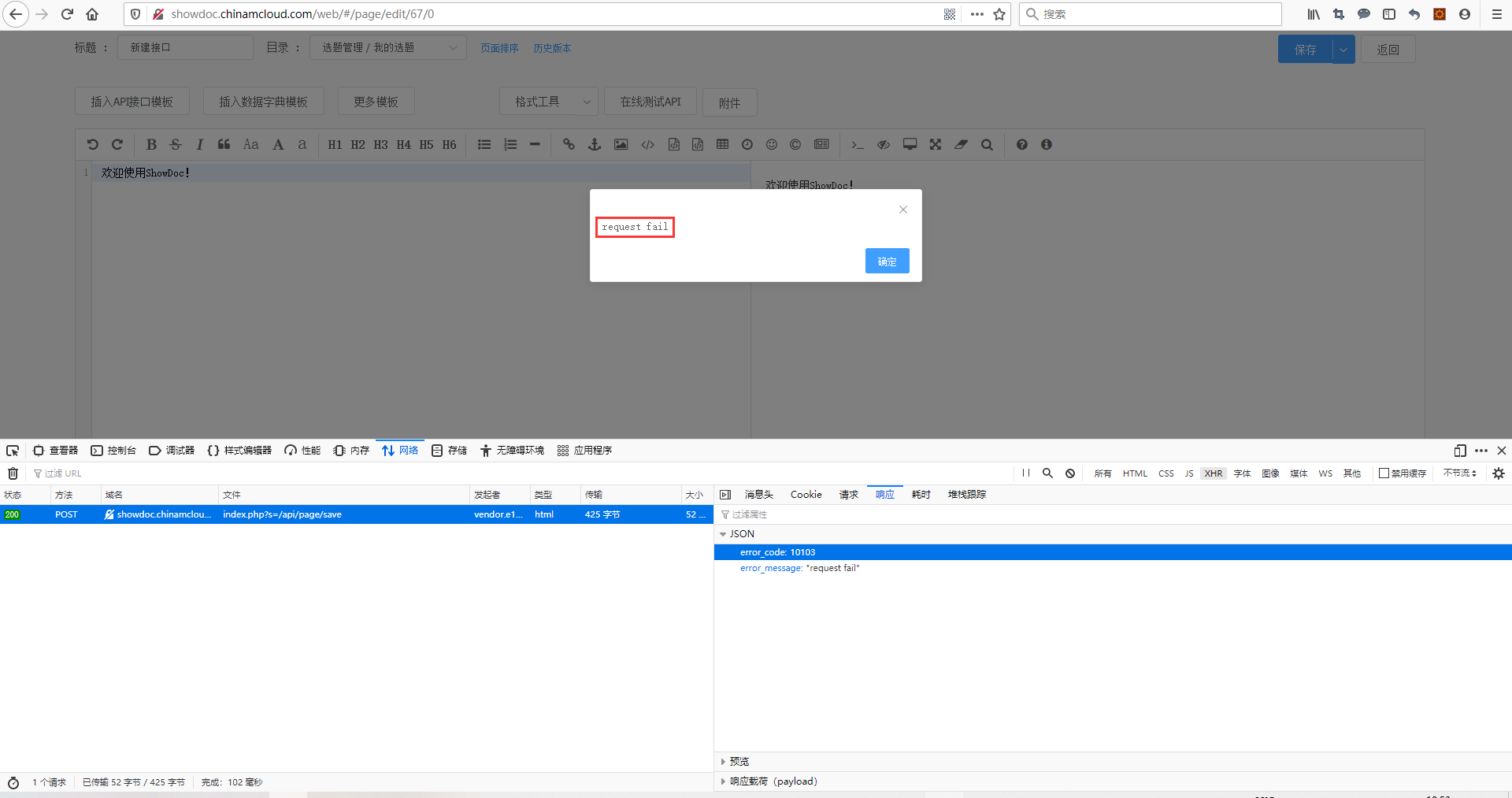
Figure 4
{
  "error_code": 10103,
  "error_message": "request fail"
}
5. ShowDoc is written based on the ThinkPHP framework. Check the runtime log file, /application/runtime/logs/api/20_09_11.log. Error: ERR: 11: Database Disk Image is Malformed. as shown in Figure 5
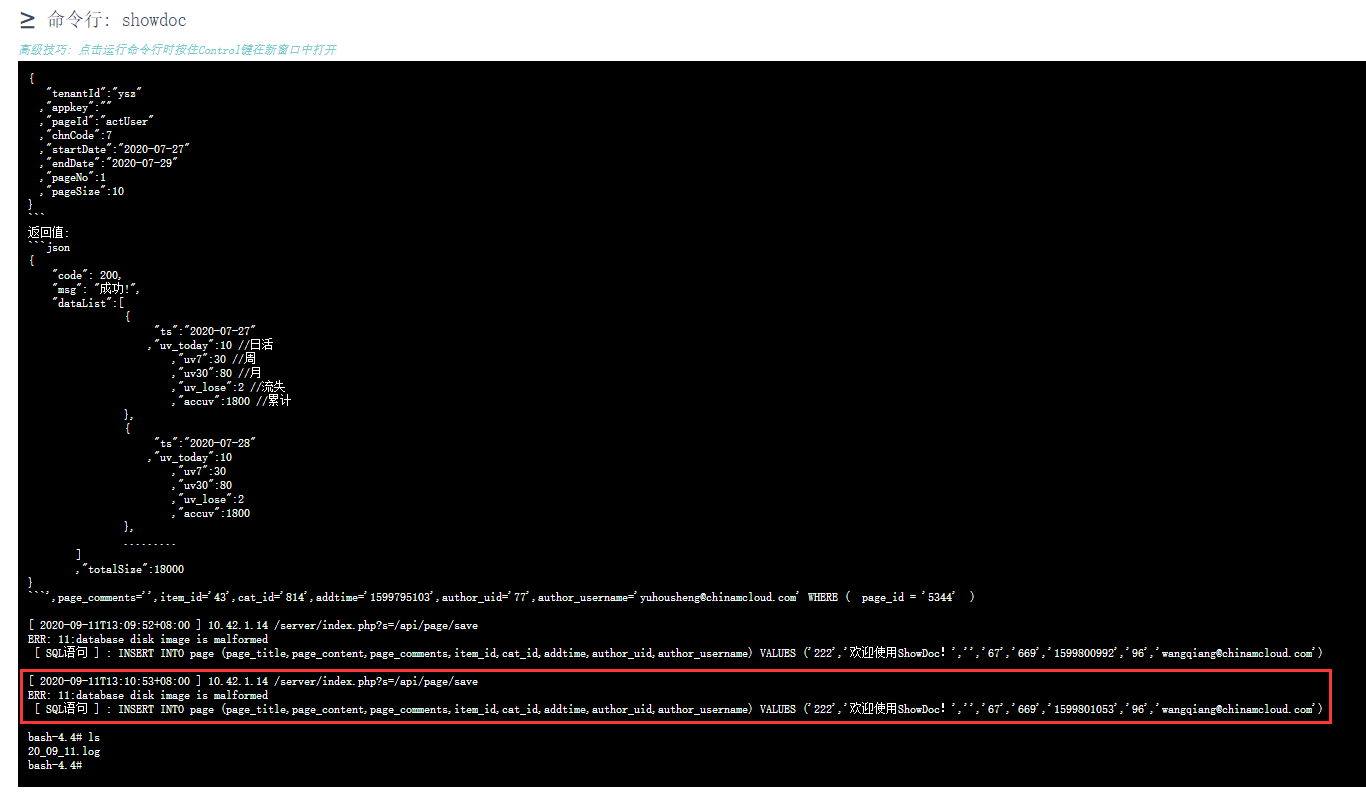
Figure 5
[ 2020-09-11T13:09:52+08:00 ] 10.42.1.14 /server/index.php?s=/api/page/save
ERR: 11:database disk image is malformed
 [ SQL语句 ] : INSERT INTO page (page_title,page_content,page_comments,item_id,cat_id,addtime,author_uid,author_username) VALUES ('222','欢迎使用ShowDoc!','','67','669','1599800992','96','wangqiang@chinamcloud.com')

[ 2020-09-11T13:10:53+08:00 ] 10.42.1.14 /server/index.php?s=/api/page/save
ERR: 11:database disk image is malformed
 [ SQL语句 ] : INSERT INTO page (page_title,page_content,page_comments,item_id,cat_id,addtime,author_uid,author_username) VALUES ('222','欢迎使用ShowDoc!','','67','669','1599801053','96','wangqiang@chinamcloud.com')
6. Move showdoc.db.php to showdoc.db.php_mv_0911bak. Copy showdoc.db.php_0820bak to showdoc.db.php. as shown in Figure 6

Figure 6
bash-4.4# mv showdoc.db.php showdoc.db.php_mv_0911bak
bash-4.4# ls
showdoc.db.php.bak         showdoc.db.php_0311bak     showdoc.db.php_0820bak     showdoc.db.php_0911bak     showdoc.db.php_mv_0911bak
bash-4.4# ls -l
total 200860
-rwxrwxrwx    1 nobody   nobody    24115200 Aug 21 16:48 showdoc.db.php.bak
-rwxrwxrwx    1 nobody   nobody    24398848 Aug 21 16:48 showdoc.db.php_0311bak
-rwxrwxrwx    1 nobody   nobody    50750464 Aug 21 16:48 showdoc.db.php_0820bak
-rwxr-xr-x    1 nobody   nobody    53199872 Sep 11 05:27 showdoc.db.php_0911bak
-rwxrwxrwx    1 nobody   nobody    53199872 Sep 11 05:16 showdoc.db.php_mv_0911bak
bash-4.4# cp showdoc.db.php_0820bak showdoc.db.php
bash-4.4# ls -l
total 265372
-rwxr-xr-x    1 nobody   nobody    50750464 Sep 11 05:34 showdoc.db.php
-rwxrwxrwx    1 nobody   nobody    24115200 Aug 21 16:48 showdoc.db.php.bak
-rwxrwxrwx    1 nobody   nobody    24398848 Aug 21 16:48 showdoc.db.php_0311bak
-rwxrwxrwx    1 nobody   nobody    50750464 Aug 21 16:48 showdoc.db.php_0820bak
-rwxr-xr-x    1 nobody   nobody    53199872 Sep 11 05:27 showdoc.db.php_0911bak
-rwxrwxrwx    1 nobody   nobody    53199872 Sep 11 05:16 showdoc.db.php_mv_0911bak
bash-4.4#
7. Create a new interface document, save it successfully, no errors are reported, and return to the document page, and the new document is successfully created. as shown in Figure 7
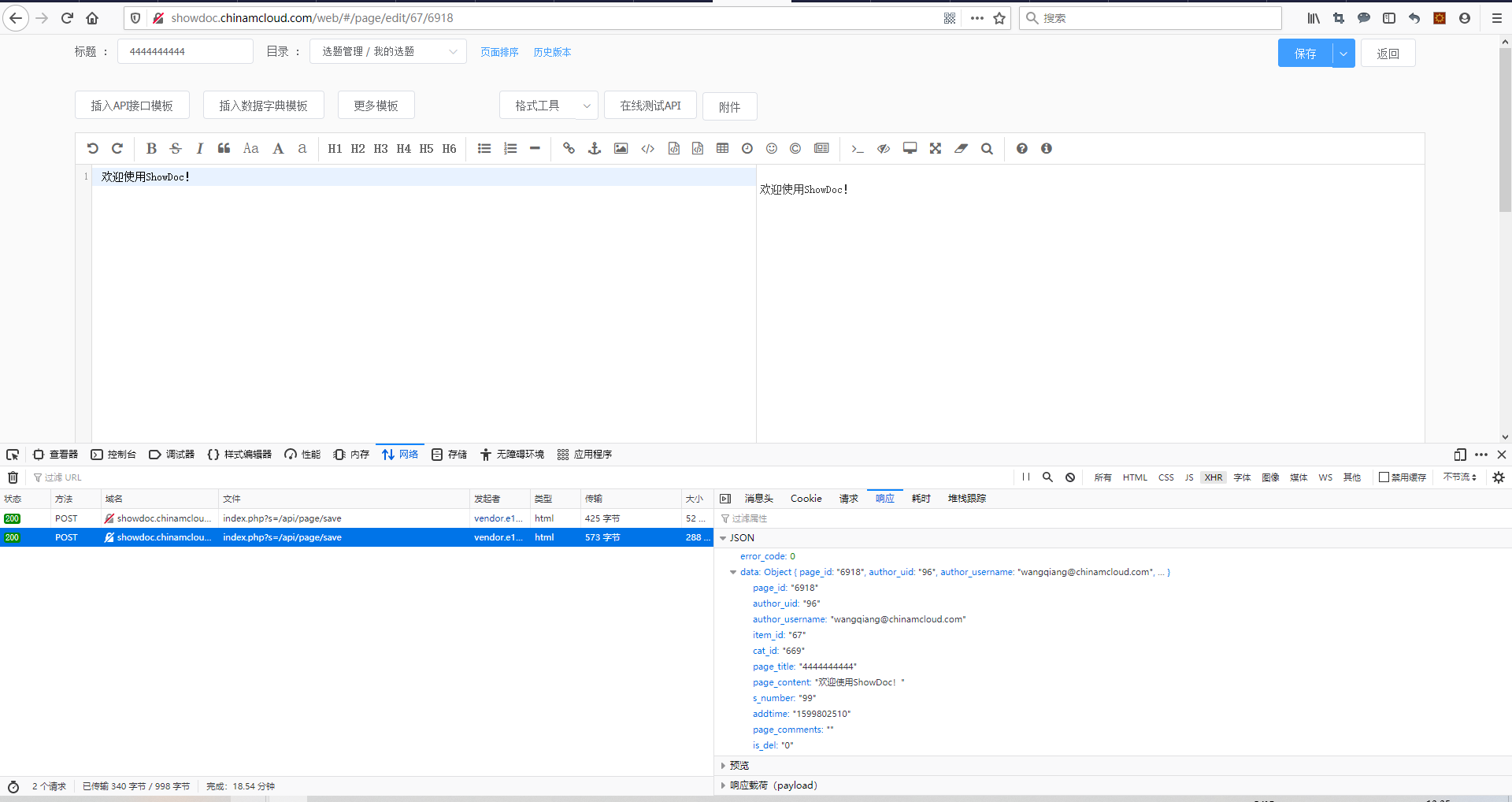
Figure 7
8. Edit the interface document, save it successfully, and return to the document page, the document has changed. as shown in Figure 8

8
9. Therefore, it can be determined that there is a problem with the sqlite file. to be analyzed and repaired. Search in Google: SQLite Repair. Open the first URL:https://www.recoveryandmanagement.com/repair-sqlite-database-manually/. Manually repair the SQLite database. Recover SQLite data from corrupted databases.
10. Use a simple manual trick here to repair the SQLite database. Download: sysinfotools-sqlite-database-recovery.exe. After installation, open the database file: showdoc.db.php. as shown in Figure 9
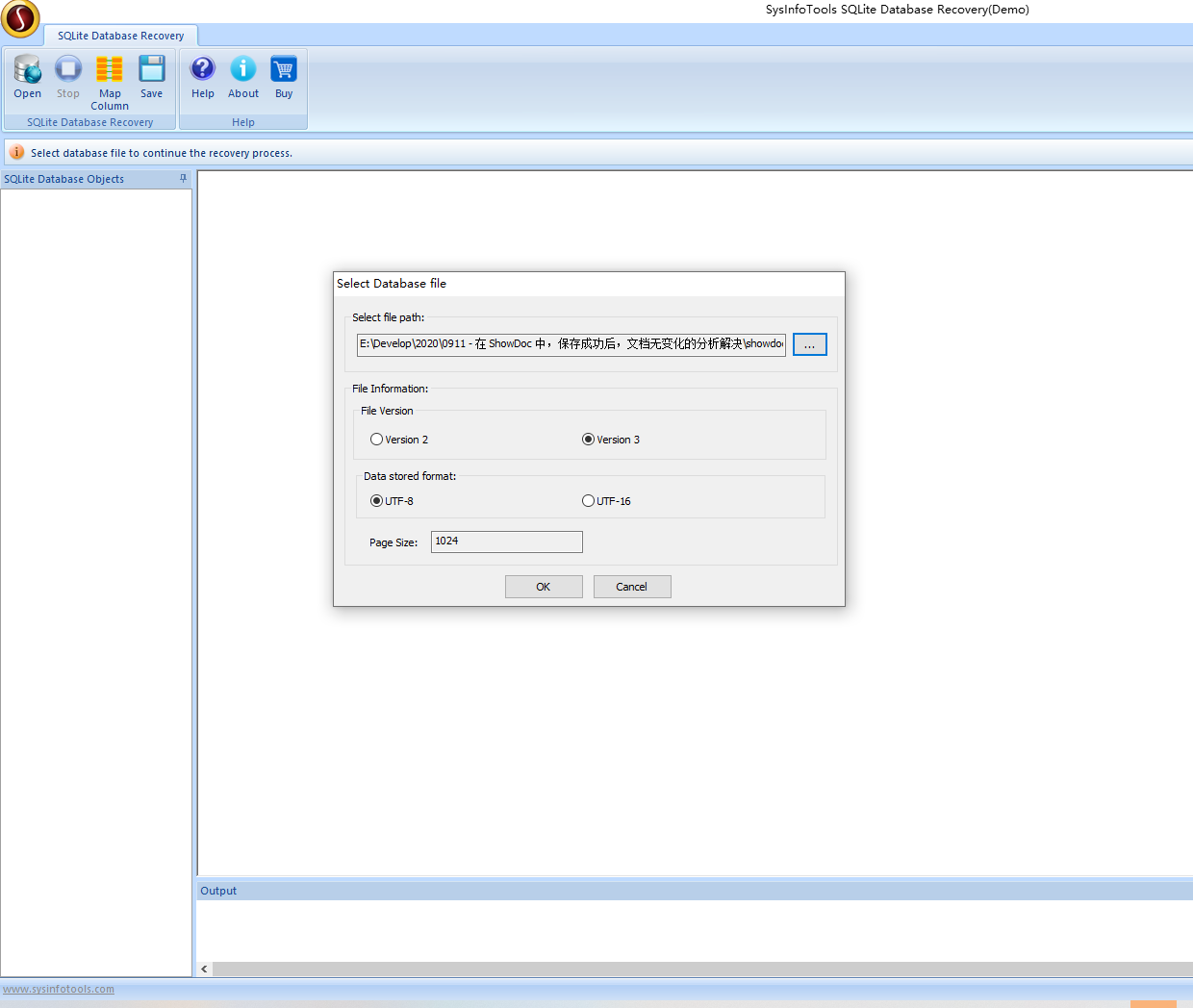
Figure 9
11. When opening the table: page, an error is reported: Corruption in file cell content area. No errors are reported when opening the table. As shown in Figure 10
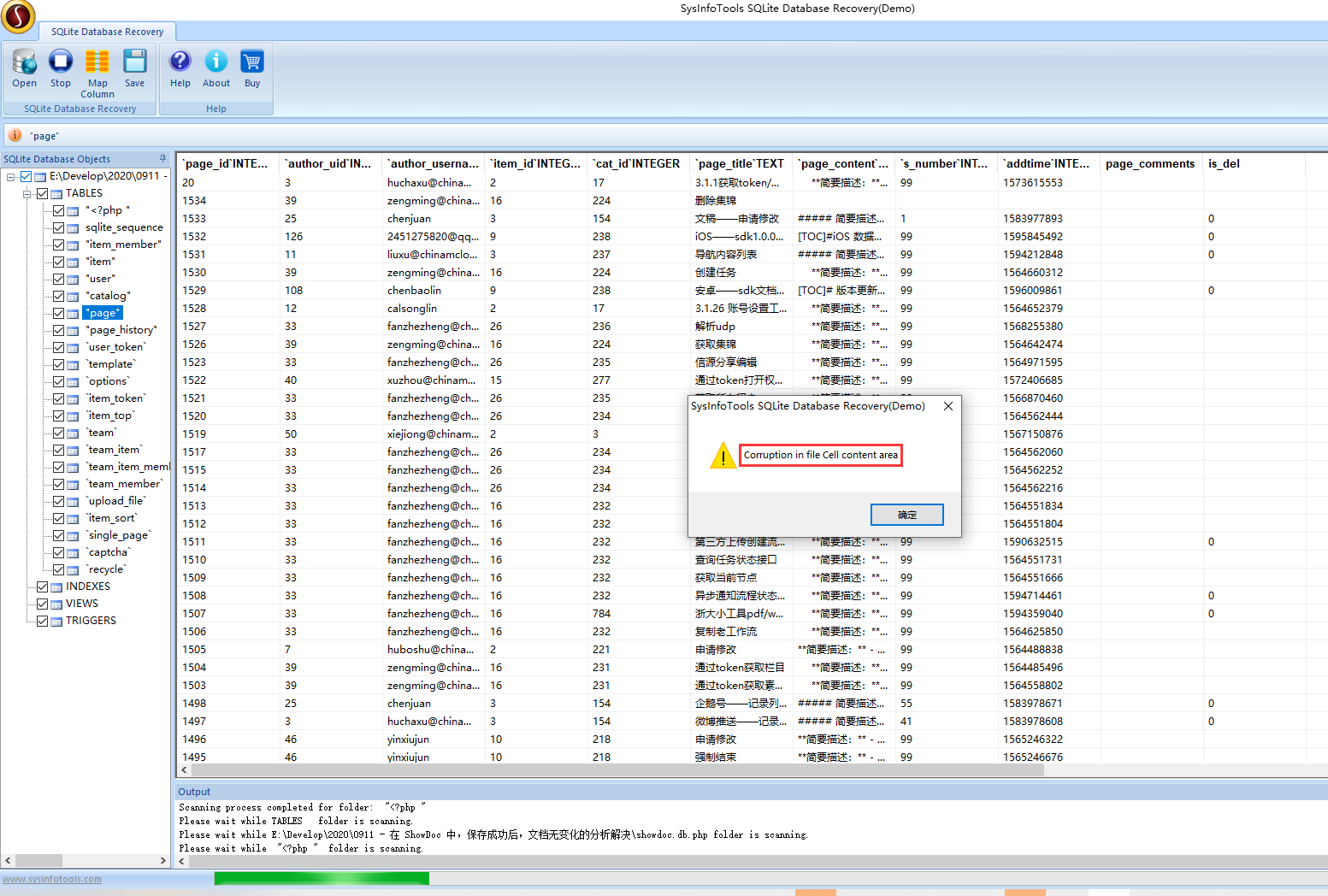
Figure 10
12. Since it is a demo version, it cannot be repaired based on this software. Reference URL:https://stackoverflow.com/questions/18259692/how-to-recover-a-corrupt-sqlite3-database/18260642.
PS E:\Develop\2020> sqlite3 showdoc.db.php "PRAGMA integrity_check"
*** in database main ***
Main freelist: 3 of 3 pages missing from overflow list starting at 0
Page 34 is never used
Page 35 is never used
Page 36 is never used
Page 95 is never used
13. Use .dump to dump the entire database and use these commands to create a new database to get some or most of the records. The resulting file: showdoc.db.php_repair . Its size is 0 KB. as shown in Figure 11

Figure 11
PS E:\Develop\2020> sqlite3 showdoc.db.php ".dump" | sqlite3 showdoc_repair.db
14. Reference URL:https://blog.csdn.net/sangyongjia/article/details/54910104. You can try to repair the corrupted library files by simply exporting and importing. as shown in Figure 12
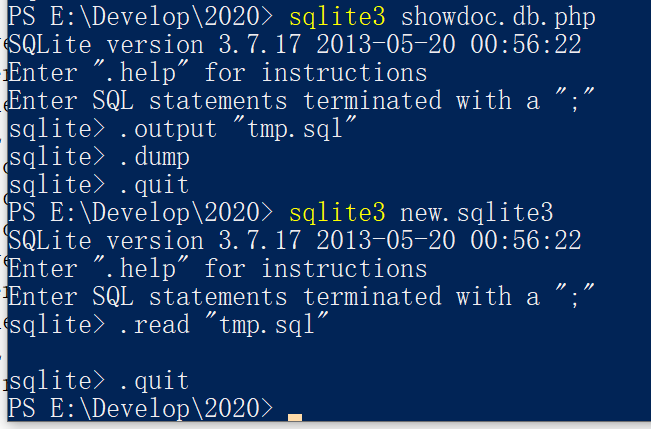
Figure 12
PS E:\Develop\2020> sqlite3 showdoc.db.php
SQLite version 3.7.17 2013-05-20 00:56:22
Enter ".help" for instructions
Enter SQL statements terminated with a ";"
sqlite> .output "tmp.sql"
sqlite> .dump
sqlite> .quit
PS E:\Develop\2020> sqlite3 new.sqlite3
SQLite version 3.7.17 2013-05-20 00:56:22
Enter ".help" for instructions
Enter SQL statements terminated with a ";"
sqlite> .read "tmp.sql"

sqlite> .quit
15. The final generated file: tmp.sql, new.sqlite3. Rename new.sqlite3 to showdoc.db.php. coverage to the server. as shown in Figure 13

Figure 13
PS E:\Develop\2020> sqlite3 new.sqlite3 "PRAGMA integrity_check"
ok
PS E:\Develop\2020> sqlite3 showdoc.db.php "PRAGMA integrity_check"
ok
16. After the container is redeployed, the save is successful, and the document has changed. in line with expectations. Figure 14

Figure 14

![在 Lighthouse 5 中,报错:Failed to find class Modules\\ThemeStore\\Validators\\ThemeAsset\\CreateThemeAssetInputValidator in namespaces [App\\GraphQL\\Validators] for directive @validator.](https://www.shuijingwanwq.com/wp-content/uploads/2022/06/1-16-520x245.png)