1. When the third party authorization of NetEase account is prompted: You cannot log in, please open the browser cookies or change the browser and refresh and try again. as shown in Figure 1

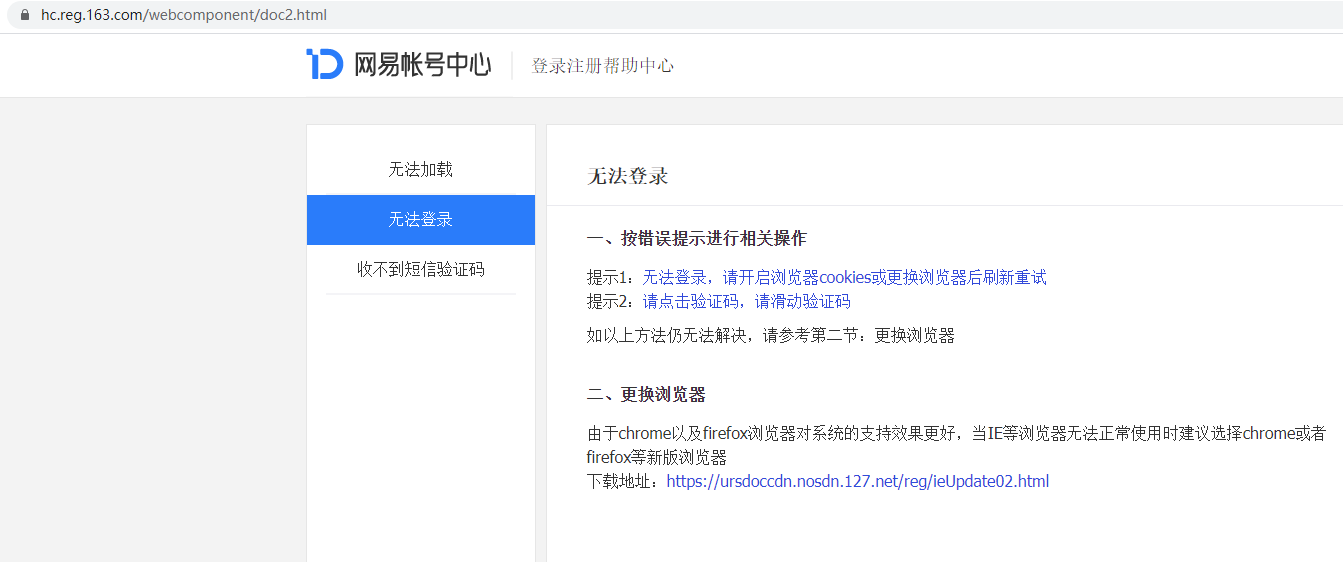
2. Click to open the browser cookies and enter the website: https://hc.reg.163.com/webcomponent/doc2.html. as shown in Figure 2
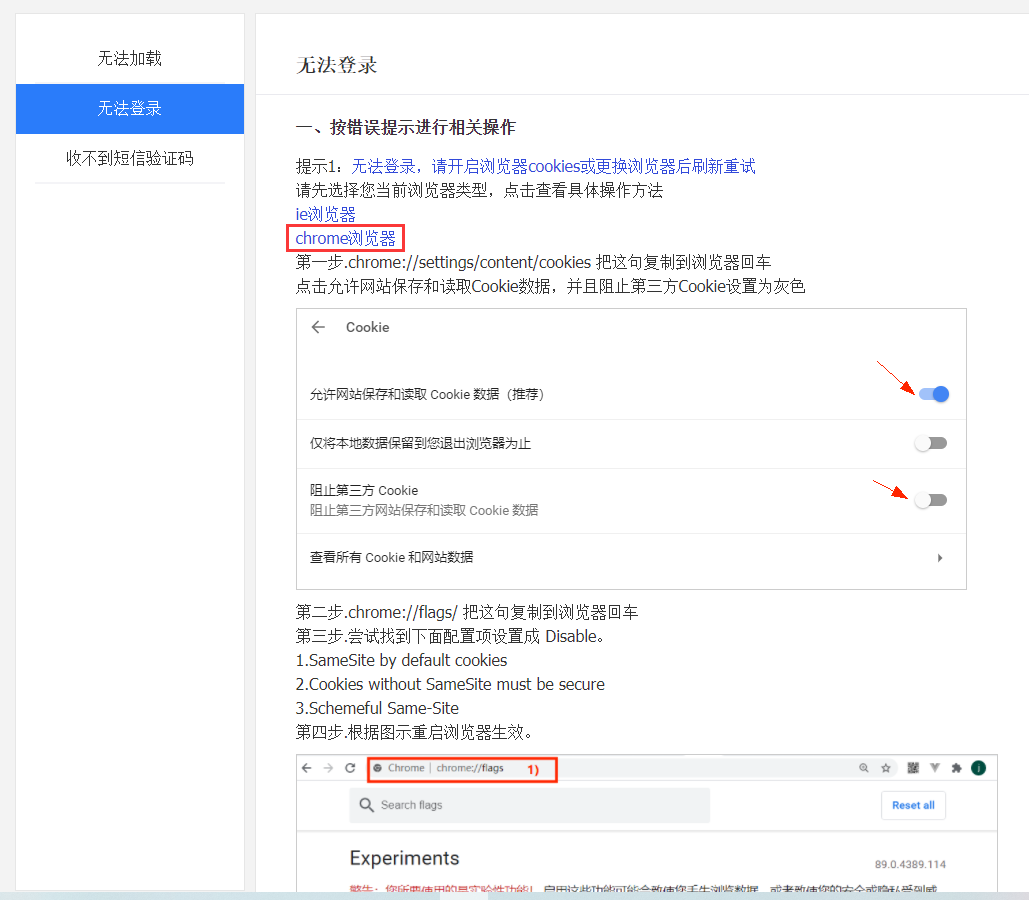
3. Based on the prompt 1 operation, select the Chrome browser. as shown in Figure 3
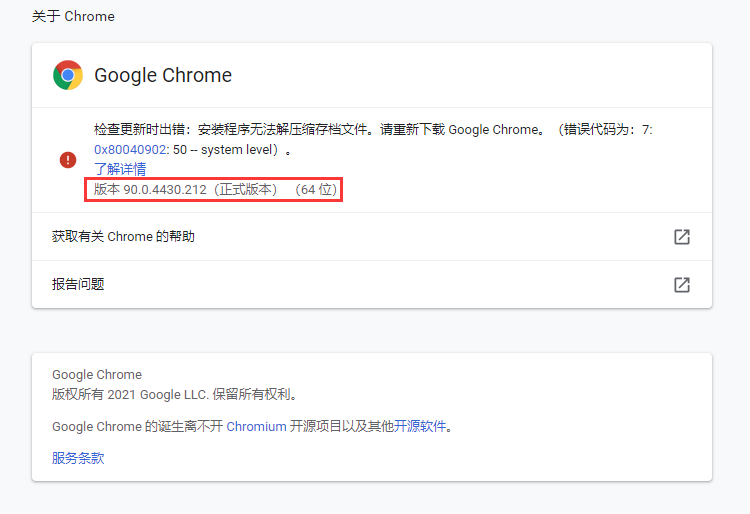
4. View the browser version: version 90.0.4430.212 (official version) (64-bit). as shown in Figure 4
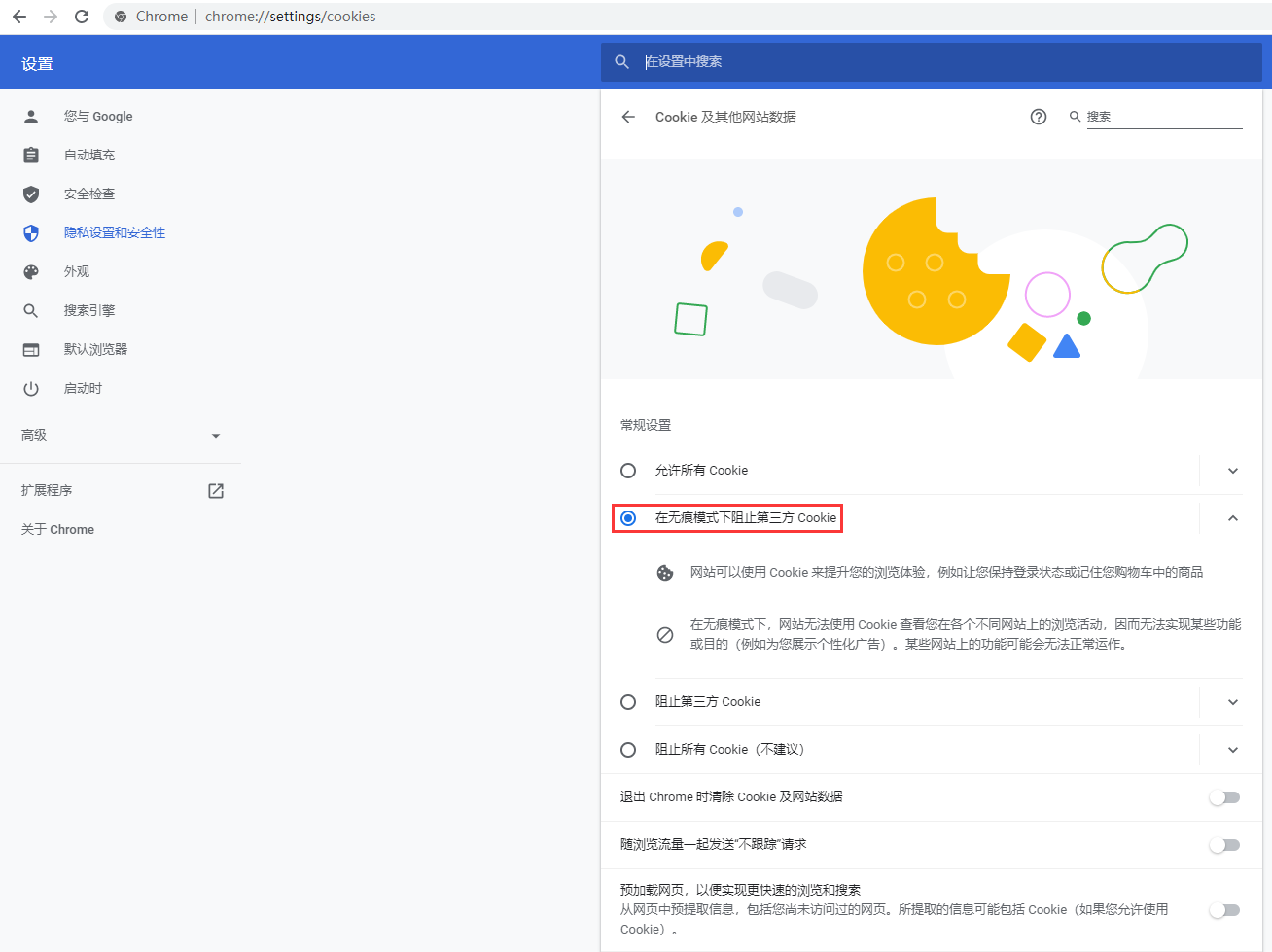
5. chrome://settings/content/cookies, copy this sentence to the browser and press Enter. Current selection: Block third-party cookies in seamless mode. as shown in Figure 5
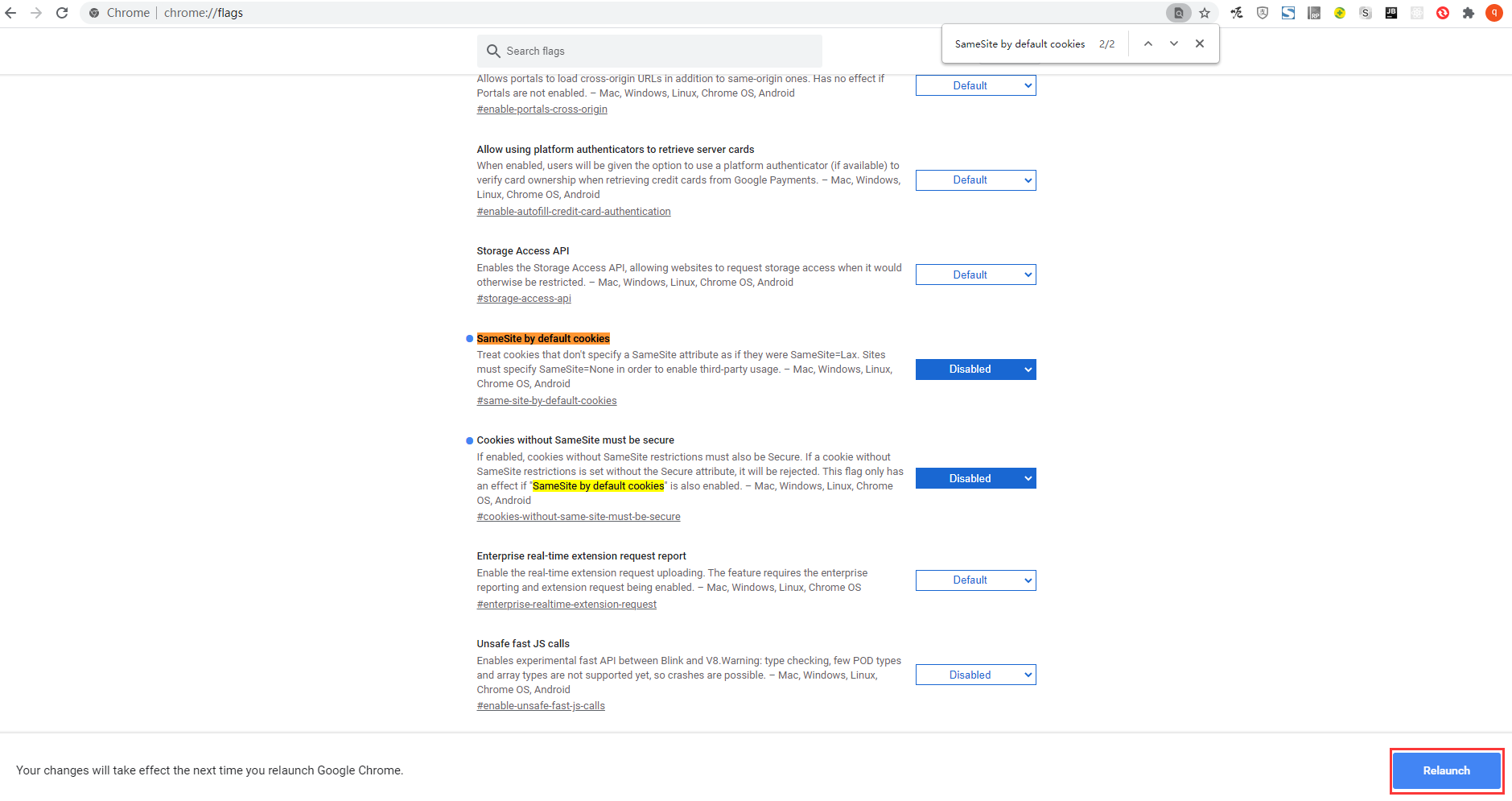
6. Based on the third step, chrome://flags/, copy this sentence to the browser and press Enter. SameSite by default cookies, its value: default -disabled; cookies without samesite must be secure, its value: default -> disabled; schemeful same-site, its value: default -> disabled. Restart the browser to take effect. as shown in Figure 6
7. When the third party of NetEase account is authorized, it is not prompted again. as shown in Figure 7
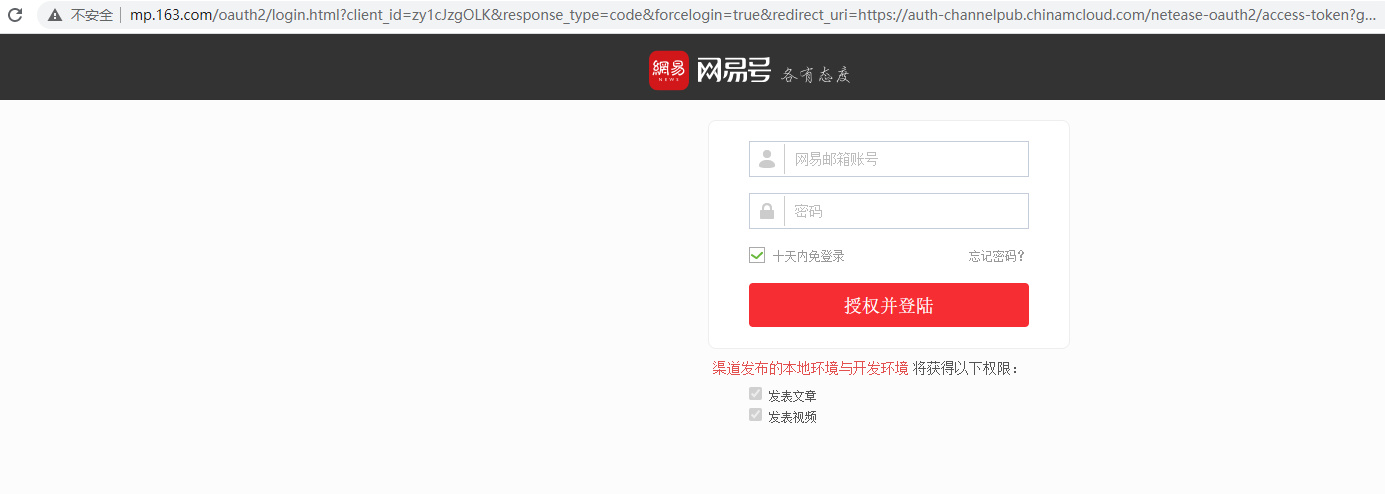
8. After entering the account password, the login is successful. as shown in Figure 8
Leave a Reply