Execute command: docker exec -i object-mysql mysql -uroot -proot object_store < object_store.sql , error: mysql:[Warning]Using a password on the command line interface can be insecure.
1. Execute the command: docker exec -i object-mysql mysql -uroot -proot object_store < object_store.sql , error: mysql:[Warning]Using a password on the command line interface can be inspect. as shown in Figure 1
![执行命令:docker exec -i object-mysql mysql -uroot -proot object_store < object_store.sql ,报错:mysql: [Warning] Using a password on the command line interface can be insecure.。](https://www.shuijingwanwq.com/wp-content/uploads/2022/01/1-3.png)
Figure 1
wangqiang@DESKTOP-QLPK8QM:/mnt/e/wwwroot/xgrit$ docker exec -i object-mysql mysql -uroot -proot object_store < object_store.sql
mysql: [Warning] Using a password on the command line interface can be insecure.
ERROR 1064 (42000) at line 1: You have an error in your SQL syntax; check the manual that corresponds to your MySQL server version for the right syntax to use near 'mysqldump: [Warning] Using a password on the command line interface can be insec' at line 1
2. Enter the mysql container, view the database Object_store, and display all the tables, response: Empty set (0.00 sec). as shown in Figure 2
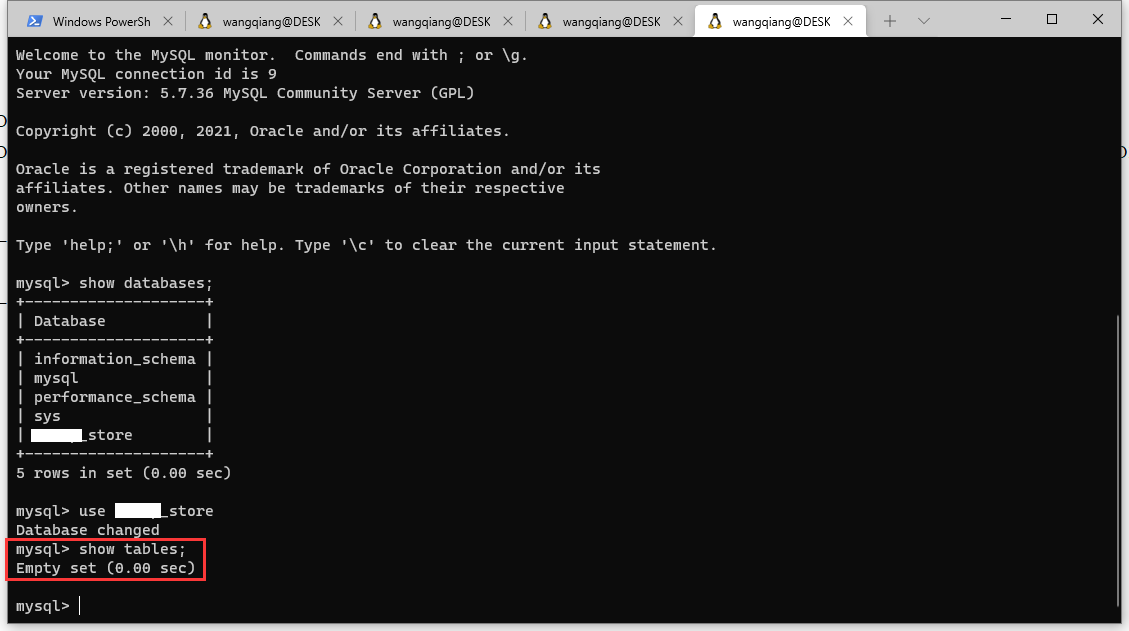
Figure 2
mysql> show databases;
+--------------------+
| Database           |
+--------------------+
| information_schema |
| mysql              |
| performance_schema |
| sys                |
| object_store        |
+--------------------+
5 rows in set (0.00 sec)

mysql> use object_store
Database changed
mysql> show tables;
Empty set (0.00 sec)

mysql>
3. Finally decide to import the SQL file into the container. Docker cp local file path ID full name: container path. as shown in Figure 3
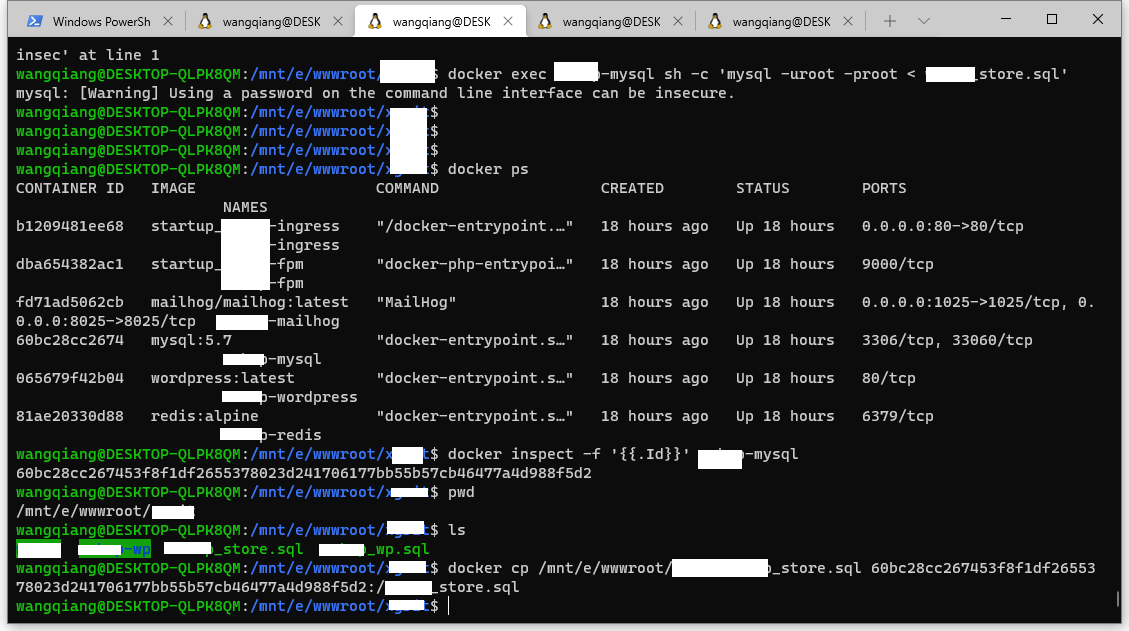
Figure 3
wangqiang@DESKTOP-QLPK8QM:/mnt/e/wwwroot/xgrit$ docker ps
CONTAINER ID   IMAGE                    COMMAND                  CREATED        STATUS        PORTS                                            NAMES
b1209481ee68   startup_object-ingress    "/docker-entrypoint.…"   18 hours ago   Up 18 hours   0.0.0.0:80->80/tcp                               object-ingress
dba654382ac1   startup_object-fpm        "docker-php-entrypoi…"   18 hours ago   Up 18 hours   9000/tcp                                         object-fpm
fd71ad5062cb   mailhog/mailhog:latest   "MailHog"                18 hours ago   Up 18 hours   0.0.0.0:1025->1025/tcp, 0.0.0.0:8025->8025/tcp   object-mailhog
60bc28cc2674   mysql:5.7                "docker-entrypoint.s…"   18 hours ago   Up 18 hours   3306/tcp, 33060/tcp                              object-mysql
065679f42b04   wordpress:latest         "docker-entrypoint.s…"   18 hours ago   Up 18 hours   80/tcp                                           object-wordpress
81ae20330d88   redis:alpine             "docker-entrypoint.s…"   18 hours ago   Up 18 hours   6379/tcp                                         object-redis
wangqiang@DESKTOP-QLPK8QM:/mnt/e/wwwroot/xgrit$ docker inspect -f '{{.Id}}' object-mysql
60bc28cc267453f8f1df2655378023d241706177bb55b57cb46477a4d988f5d2
wangqiang@DESKTOP-QLPK8QM:/mnt/e/wwwroot/xgrit$ pwd
/mnt/e/wwwroot/xgrit
wangqiang@DESKTOP-QLPK8QM:/mnt/e/wwwroot/xgrit$ ls
object  object-wp  object_store.sql  object_wp.sql
wangqiang@DESKTOP-QLPK8QM:/mnt/e/wwwroot/xgrit$ docker cp /mnt/e/wwwroot/xgrit/object_store.sql 60bc28cc267453f8f1df2655378023d241706177bb55b57cb46477a4d988f5d2:/object_store.sql
wangqiang@DESKTOP-QLPK8QM:/mnt/e/wwwroot/xgrit$
4. Enter the container, log in to MySQL, and execute the command: source ./object_store.sql;. as shown in Figure 4

Figure 4
mysql> use object_store;
Database changed
mysql> show tables;
Empty set (0.00 sec)

mysql> source ./object_store.sql;
ERROR 1064 (42000): You have an error in your SQL syntax; check the manual that corresponds to your MySQL server version for the right syntax to use near 'mysqldump: [Warning] Using a password on the command line interface can be insec' at line 1
Query OK, 0 rows affected (0.00 sec)

Query OK, 0 rows affected (0.01 sec)