Request Shopify in Altair GraphQL ClientS Store GraphQL API
1. Reference:https://www.shuijingwanwq.com/2022/03/15/6129/. In the Shopify’s GraphQL Admin API, there are some APIs for online stores that don’t exist.
2. The online store in the background of Shopify, request the URL:https://xxx.myshopify.com/admin/online-store/admin/api/unversioned/graphql?operation=ThemeIndexSecondaryData. Request method: POST . Response topic list. as shown in Figure 1
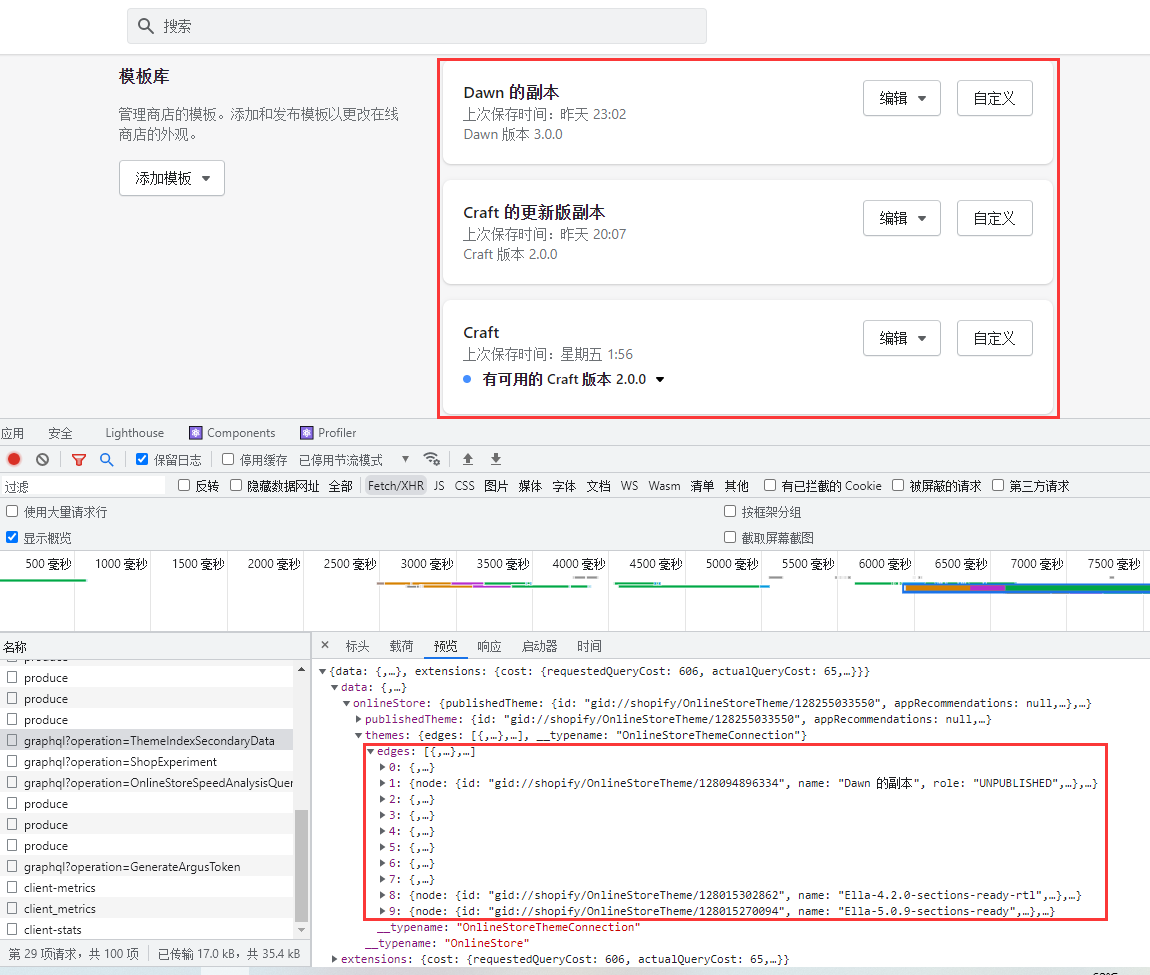
Figure 1
3. At the URL:https://shopify.dev/apiNo online store related GraphQL API was found. as shown in Figure 2
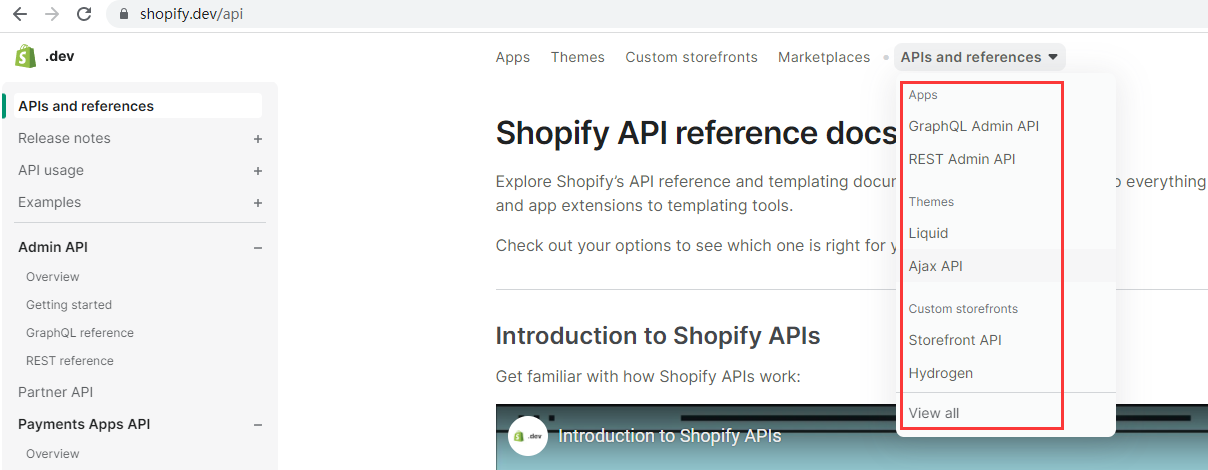
Figure 2
4. In /admin/api/2022-01/graphql.json Search in the document: TheMeIndexSecondaryData, not found (Note: This is just an alias of the query, it should be searched based on the request parameter in the load). as shown in Figure 3

Figure 3
5. In Altair GraphQL Client, set the request URL:https://xxx.myshopify.com/admin/online-store/admin/api/unversioned/graphql?operation=ThemeIndexSecondaryData
6. In the online store of Shopify in the background, copy the value of query in the request load, right-click – copy the value. Then copy the value of the variables in the request load. as shown in Figure 4
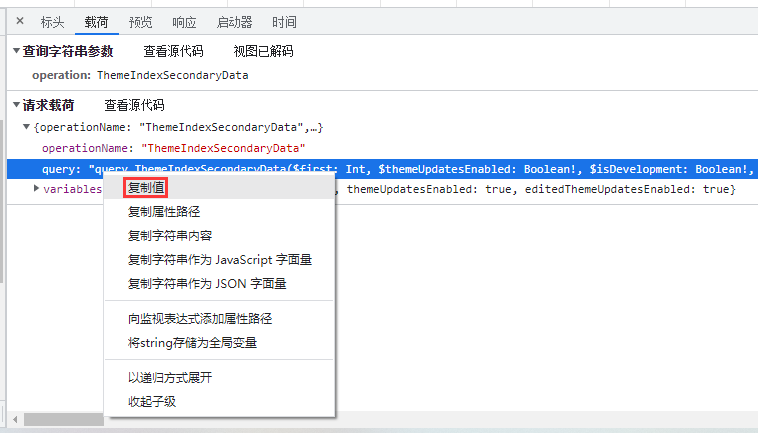
Figure 4
7. Paste them into the query and variables of the Altair GraphQL Client respectively. as shown in Figure 5
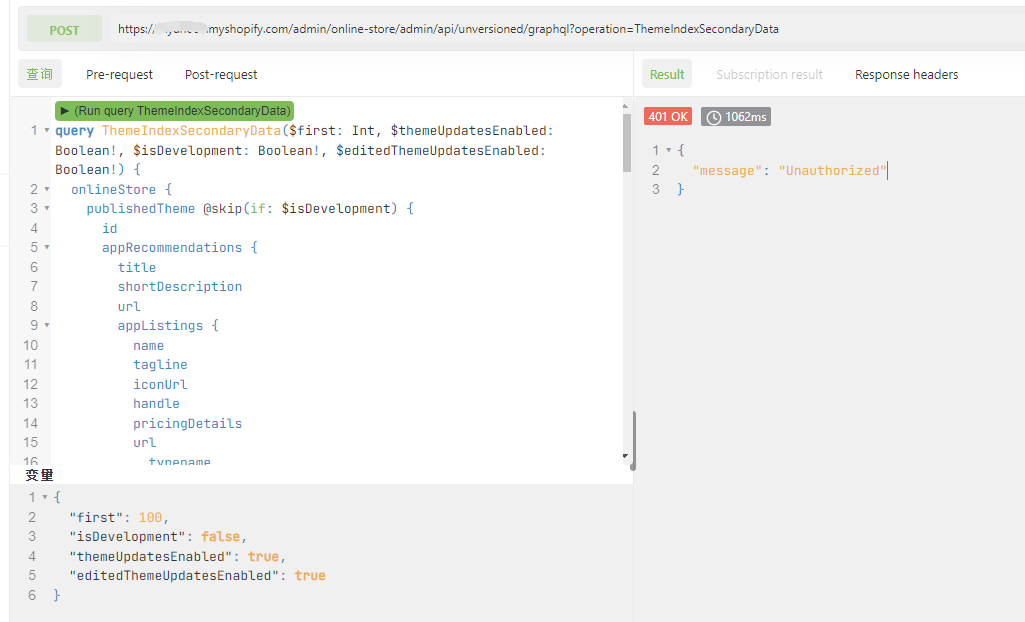
Figure 5
8. Set the headers, content-type: application/json, authorization:bearer xxxx, and the value of xxxx is copied from the authorization in the request header. as shown in Figure 6
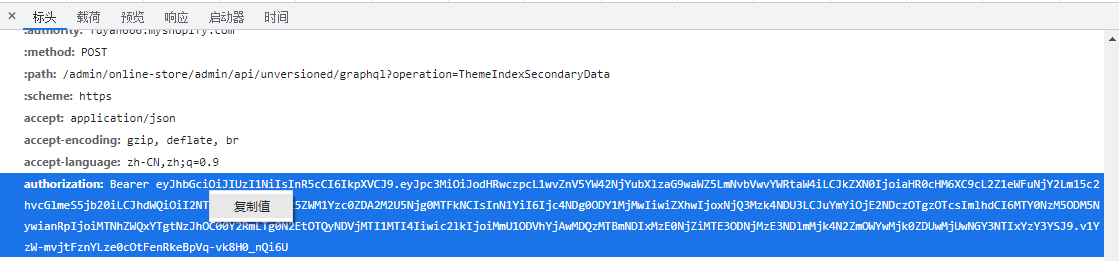
Figure 6
9. Response to unauthorized, carefully compare the differences in the request header, and find that there are more cookies in the Altair GraphQL client, and decide to remove them. as shown in Figure 7
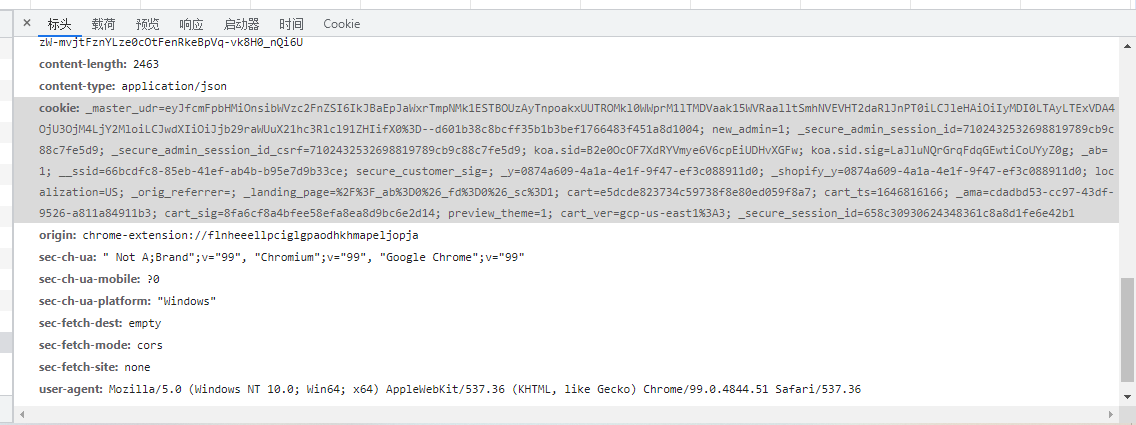
Figure 7
10. Test the call in Postman, still responding to unauthorized. as shown in Figure 8
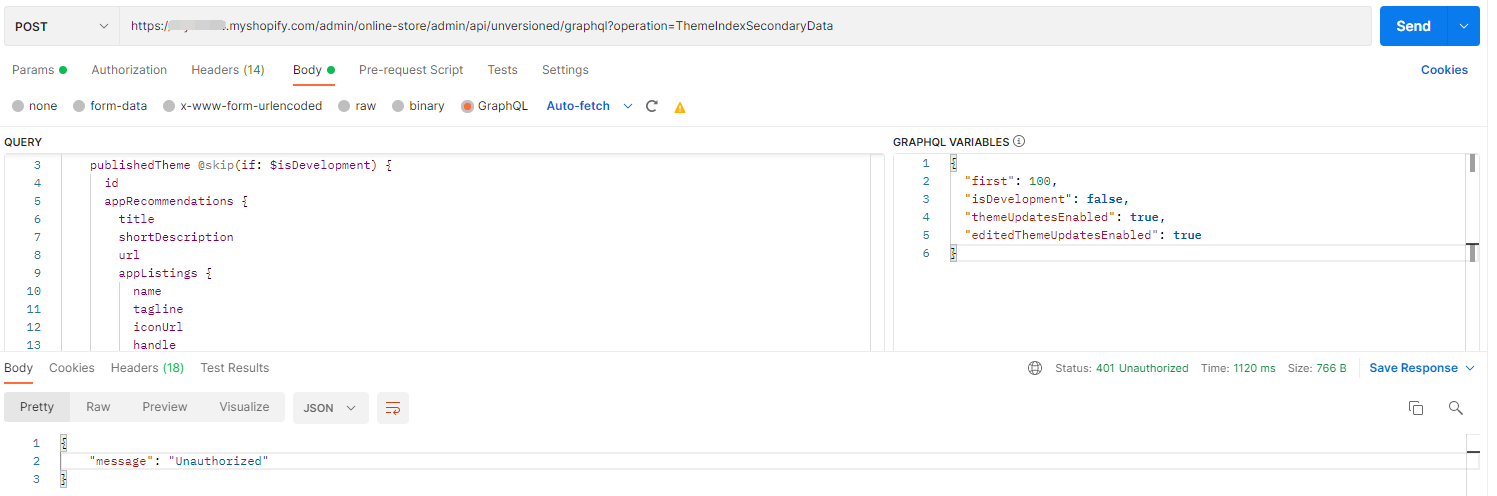
8
11. The analysis found that because the value of authorization is generated first by request. Copy headers, x-csrf-token: oo73nzxt-gnexb7lpmaznm70wjwb9fkrlmvu. as shown in Figure 9
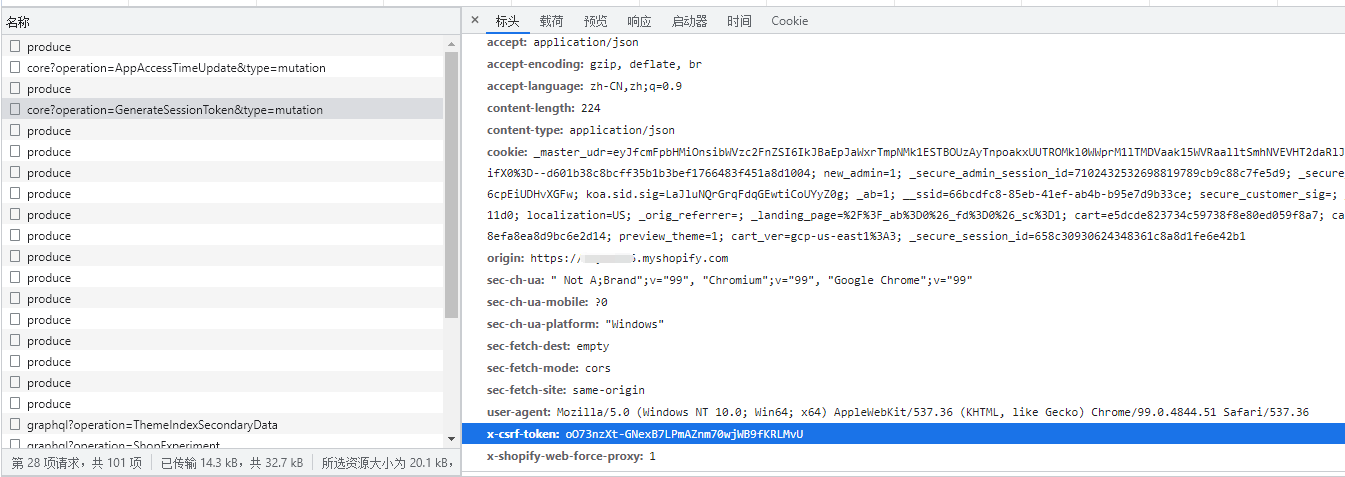
Figure 9
12. Decide to request the URL in the Altair GraphQL Client:https://fuyan666.myshopify.com/admin/internal/web/graphql/core?operation=GenerateSessionToken&type=mutation. Request method: POST . Setting the headers, x-csrf-token: oo73nzxt-gnexb7lpmaznm70wjwb9fkrlmvu. Otherwise respond to CSRF. As shown in Figure 10
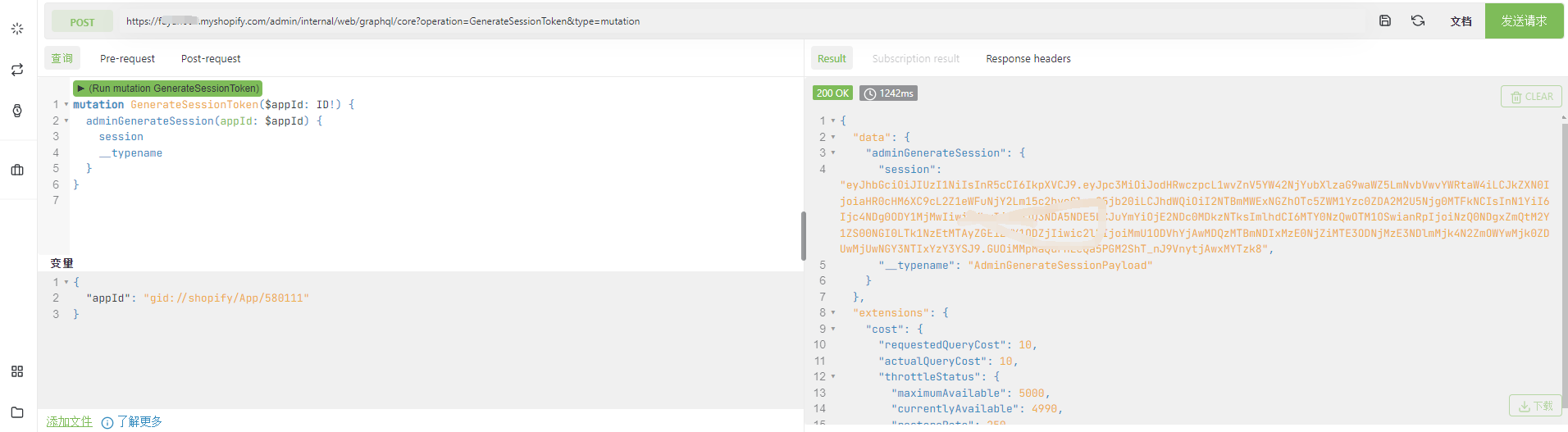
Figure 10
13. Copy the session of the response and paste it to the request URL:https://xxx.myshopify.com/admin/online-store/admin/api/unversioned/graphql?operation=ThemeIndexSecondaryDatathe authorization of the headers. The request response was successful. as shown in Figure 11
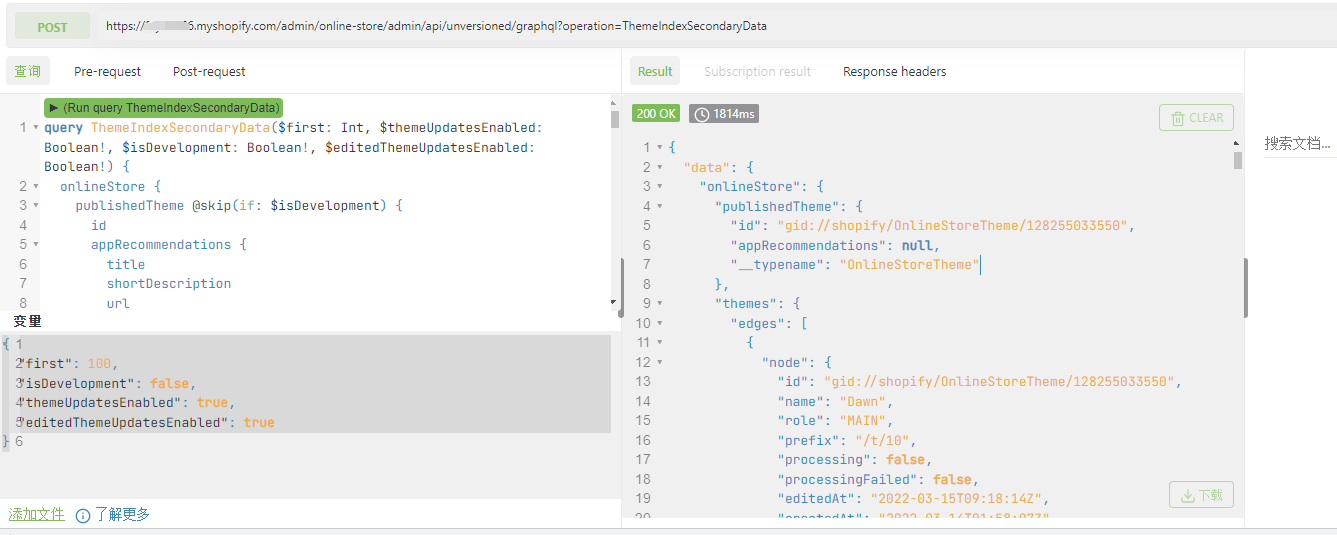
Figure 11
14. The overloaded document response is successful. as shown in Figure 12
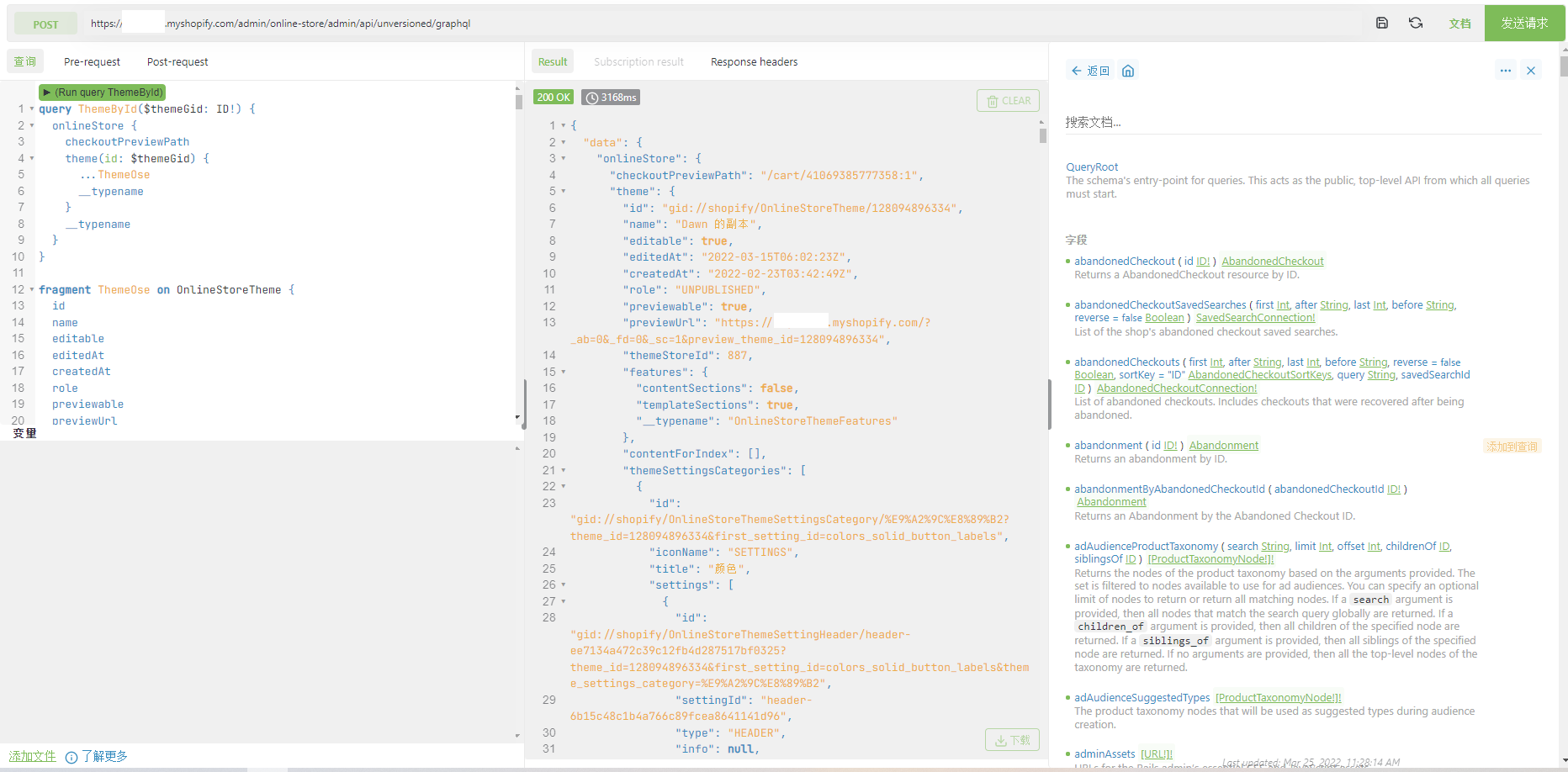
Figure 12