

1. When syncing topics based on GitHub in Shopify, an error is reported: config/settings_schema.json, validation failed. as shown in Figure 1
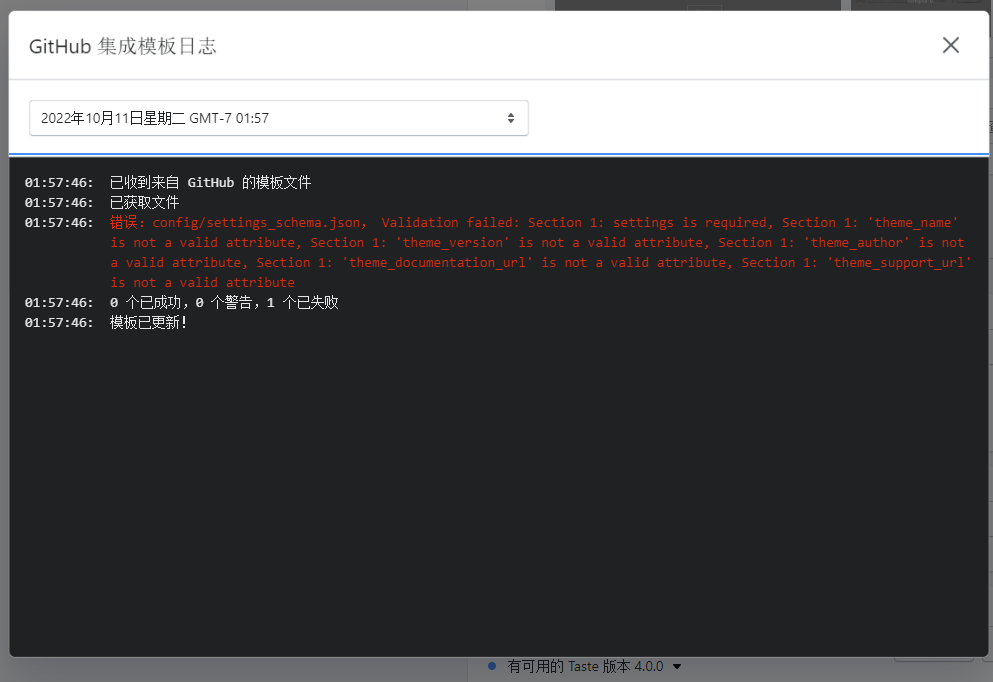
01:57:46:

已收到来自 GitHub 的模板文件

01:57:46:

已获取文件

01:57:46:

错误:config/settings_schema.json, Validation failed: Section 1: settings is required, Section 1: 'theme_name' is not a valid attribute, Section 1: 'theme_version' is not a valid attribute, Section 1: 'theme_author' is not a valid attribute, Section 1: 'theme_documentation_url' is not a valid attribute, Section 1: 'theme_support_url' is not a valid attribute

01:57:46:

0 个已成功,0 个警告,1 个已失败

01:57:46:

模板已更新!
2. The configuration of the original dawn is as follows
  {
    "name": "theme_info",
    "theme_name": "Dawn",
    "theme_version": "7.0.1",
    "theme_author": "Shopify",
    "theme_documentation_url": "https://help.shopify.com/manual/online-store/themes",
    "theme_support_url": "https://support.shopify.com/"
  }
3. The configuration of the error reported after editing is as follows
  {
    "name": "dark",
    "theme_name": "Dark",
    "theme_version": "0.0.1",
    "theme_author": "Qiang Wang",
    "theme_documentation_url": "https://www.shuijingwanwq.com/",
    "theme_support_url": "https://www.shuijingwanwq.com/"
  }
4. Reference:https://shopify.dev/themes/getting-started/create#step-7-test-your-connection. Update the theme_name value to match the name you specified for the template using the Shopify CLI. Modified to: Dawn-20221011.
  {
    "name": "theme_info",
    "theme_name": "dawn-20221011",
    "theme_version": "0.0.1",
    "theme_author": "Qiang Wang",
    "theme_documentation_url": "https://help.shopify.com/manual/online-store/themes",
    "theme_support_url": "https://www.shuijingwanwq.com/"
  }
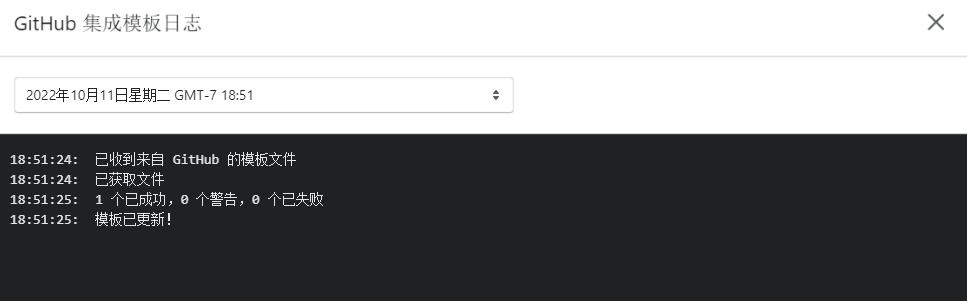
5. Git submit and push, success. as shown in Figure 2
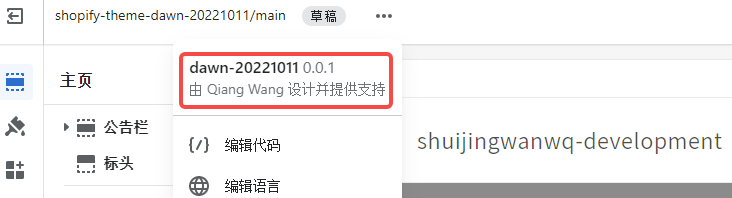
6. Click Custom to open the theme editor. Next to the repository and branch names, click the menu button…. In the menu, the theme name should match the value you entered in settings_schema.json . Its value is: Dawn-20221011 0.0.1 designed and supported by Qiang Wang. as shown in Figure 3
Need long-term technical maintenance or remote troubleshooting?
I am a PHP / Go backend engineer with 15+ years of experience, focused on existing system maintenance, bug fixing, performance optimization, server troubleshooting, WordPress maintenance, and small feature iterations.
If your project is facing any of the following issues, we can start with a small troubleshooting task first:
- ✅ PHP / Laravel / Yii2 legacy systems without active maintenance
- ✅ Go / Gin backend APIs that need troubleshooting or optimization
- ✅ Slow, broken, or unstable WordPress websites
- ✅ Nginx / MySQL / Redis / Linux server issues
- ✅ CDN / Cloudflare / DNS / HTTPS configuration problems
- ✅ Long-term remote technical support or part-time maintenance
More details: About Me & Collaboration
WeChat: 13980074657
Email: shuijingwanwq@gmail.com
Telegram: @shuijingwan
GitHub: https://github.com/shuijingwan
Leave a Reply