Search for the unresolved problem assigned to yourself in Sentry, and then resolve the process
1. Search for unresolved problems assigned to you in Sentry. Open the problem list and enter is:unresolved assigned:me in the search box. Represent unresolved problems and assign them to myself. When you enter Assigned in the search box, a list of users’ values will pop up for selection. as shown in Figure 1
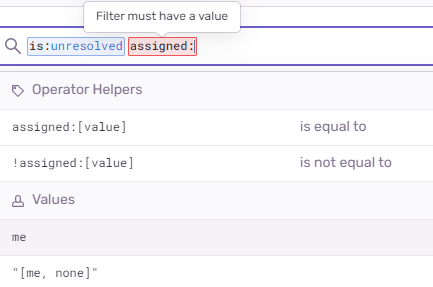
Figure 1
2. After entering is:unresolved assigned:me in the search box, and pressing Enter, the search results will appear. as shown in Figure 2

Figure 2
3. When a problem is solved, click the button Resolve. as shown in Figure 3

Figure 3
4. After clicking the button Resolve, it will change into a check, indicating that the problem has been solved. as shown in Figure 4

Figure 4
![执行 sudowww 'php artisan es:migrate' 时,报错:Custom Analyzer [ik_smart_synonym] failed to find tokenizer under name [ik_smart]](https://www.shuijingwanwq.com/wp-content/uploads/2022/09/1-13-520x245.png)