
1. Reference: Install Shopify CLI 3.0 (based on Node.js) in Windows 10 Professional Edition. After installation, you will be prompted that the new version of Shopify CLI is available! Your version is 2.15.6 and the latest version is 2.34.0. To upgrade, follow the instructions of the package manager you are using:https://shopify.dev/tools/cli/troubleshooting#upgrade-shopify-cli
2. To upgrade Shopify CLI 3.x to the latest version, use the upgrade command: npm run Shopify Upgrade. Error: npm err! enoent enoent: no such file or directory, openE:\wwwroot\package.json.
PS E:\wwwroot> npm run shopify upgrade
npm ERR! code ENOENT
npm ERR! syscall open
npm ERR! path E:\wwwroot/package.json
npm ERR! errno -4058
npm ERR! enoent ENOENT: no such file or directory, open 'E:\wwwroot\package.json'
npm ERR! enoent This is related to npm not being able to find a file.
npm ERR! enoent

npm ERR! A complete log of this run can be found in:
npm ERR!     C:\Users\Lenovo\AppData\Local\npm-cache\_logs\2023-02-03T06_14_43_909Z-debug-0.log
3. If the upgrade command fails, you may be using the Shopify CLI of the previous version. To handle existing apps with the latest version of Shopify CLI, you need to migrate your apps. Alternatively, you can create a new app that uses Shopify CLI as a dependency.
4. Decide to move, refer to:https://shopify.dev/themes/tools/cli/migrate#migrate-to-shopify-cli-3-x. Migrate your template development environment to Shopify CLI 3.x.
Step 1: New requirements for installation. In addition to the requirements of Shopify CLI 2.x, Shopify CLI 3.x also requires Node.js 14.17.0 or later. The confirmation requirements are all met.
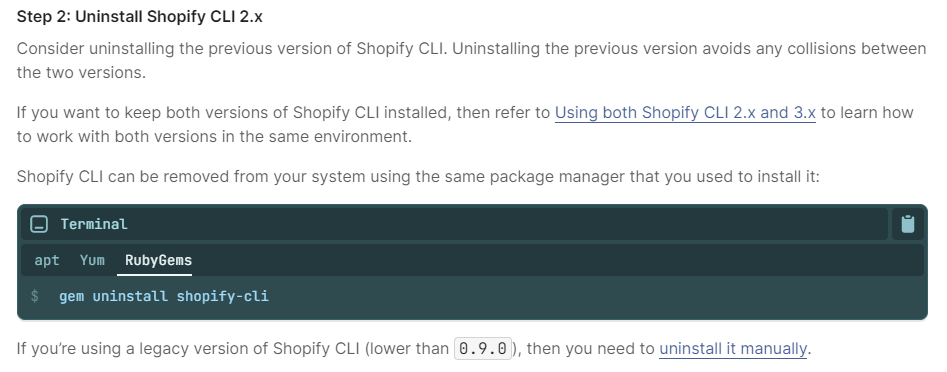
6. Step 2: Uninstall Shopify CLI 2.x. Shopify CLI can be removed from your system using the same package manager you used to install it. The previous package manager was rubygems. as shown in Figure 1
7. Execute: gem uninstall shopify-cli, uninstall Shopify CLI 2.x. as shown in Figure 2
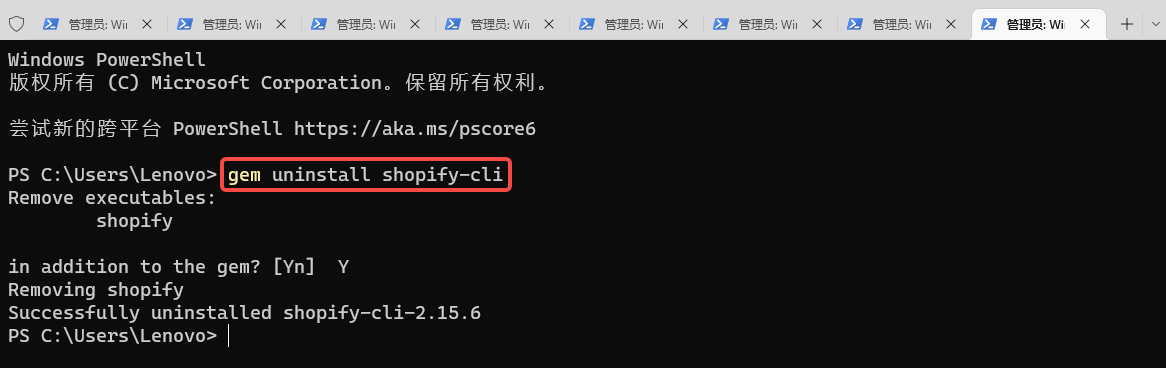
PS C:\Users\Lenovo> gem uninstall shopify-cli
Remove executables:
        shopify

in addition to the gem? [Yn]  Y
Removing shopify
Successfully uninstalled shopify-cli-2.15.6
8. Step 3: Install Shopify CLI 3.x. Shopify CLI is managed as a set of Node.js packages, including: @shopify/cli , @shopify/theme . These packages can be installed globally on Windows. Apt, yum, and rubygems installations are no longer supported. To install the Shopify CLI for the theme, install the @shopify/cli and @shopify/theme node.js package globally using the command line. as shown in Figure 3
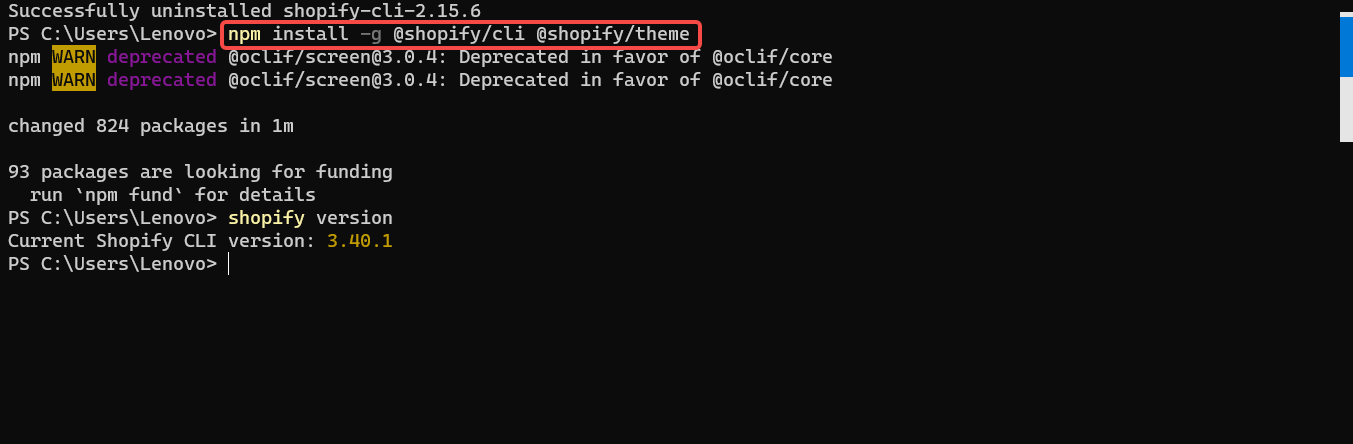
PS C:\Users\Lenovo> npm install -g @shopify/cli @shopify/theme
npm WARN deprecated @oclif/screen@3.0.4: Deprecated in favor of @oclif/core
npm WARN deprecated @oclif/screen@3.0.4: Deprecated in favor of @oclif/core

changed 824 packages in 1m

93 packages are looking for funding
  run `npm fund` for details
9. Step 4: Verify the installation. To verify that the Shopify CLI is installed correctly, run the following command, which returns a version number. Current version: 3.40.1. Confirm that it has been upgraded to: Shopify CLI 3.x. as shown in Figure 4

PS C:\Users\Lenovo> shopify version
Current Shopify CLI version: 3.40.1
Need long-term technical maintenance or remote troubleshooting?
I am a PHP / Go backend engineer with 15+ years of experience, focused on existing system maintenance, bug fixing, performance optimization, server troubleshooting, WordPress maintenance, and small feature iterations.
If your project is facing any of the following issues, we can start with a small troubleshooting task first:
- ✅ PHP / Laravel / Yii2 legacy systems without active maintenance
- ✅ Go / Gin backend APIs that need troubleshooting or optimization
- ✅ Slow, broken, or unstable WordPress websites
- ✅ Nginx / MySQL / Redis / Linux server issues
- ✅ CDN / Cloudflare / DNS / HTTPS configuration problems
- ✅ Long-term remote technical support or part-time maintenance
More details: About Me & Collaboration
WeChat: 13980074657
Email: shuijingwanwq@gmail.com
Telegram: @shuijingwan
GitHub: https://github.com/shuijingwan
Leave a Reply