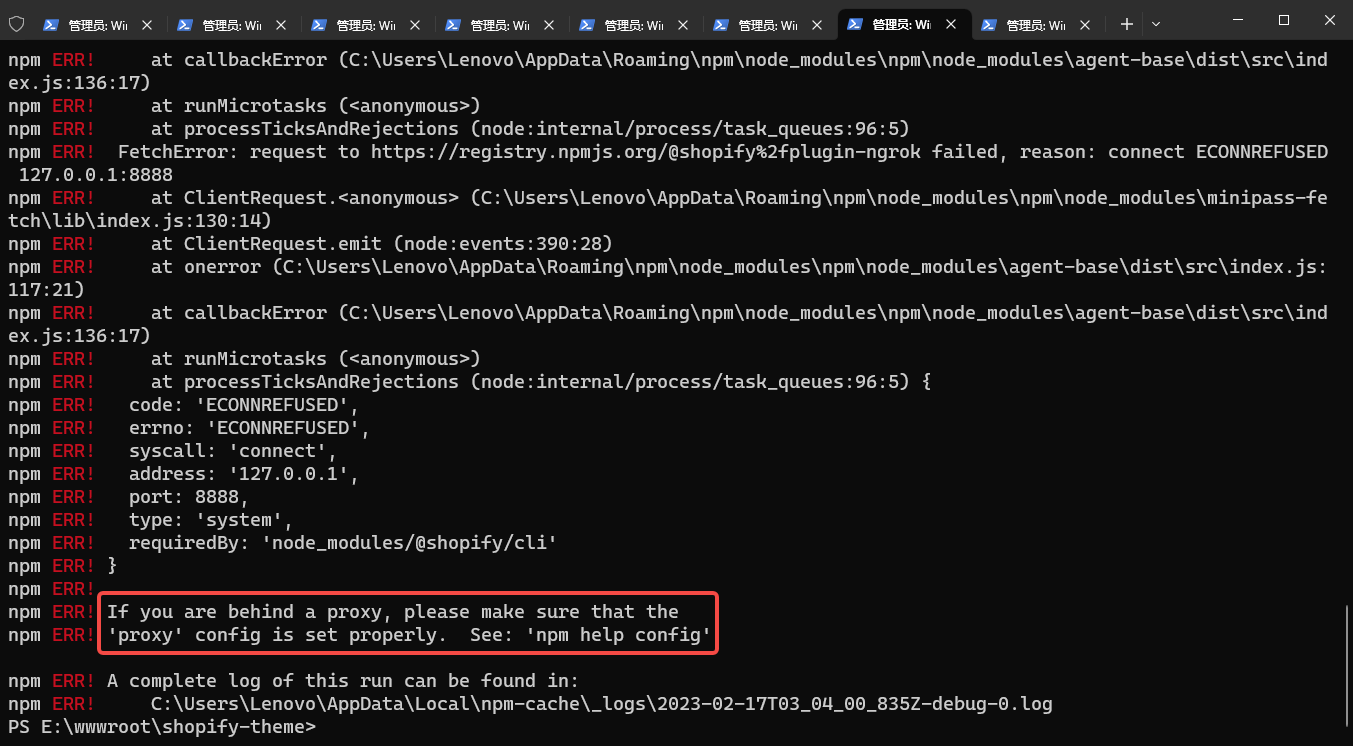
1. When executing: npm install, it has been executed for about half an hour, and an error is reported: if you are behind a proxy, please make sure that theProxyconfig is set properly. . as shown in Figure 1
PS E:\wwwroot\shopify-theme> npm install -g @shopify/cli@3.32.0 @shopify/theme@3.32.0
npm ERR! code ECONNRESET
npm ERR! errno ECONNRESET
npm ERR! network request to https://registry.npmjs.org/@shopify%2fplugin-ngrok failed, reason: Client network socket disconnected before secure TLS connection was established
npm ERR! network This is a problem related to network connectivity.
npm ERR! network In most cases you are behind a proxy or have bad network settings.
npm ERR! network
npm ERR! network If you are behind a proxy, please make sure that the
npm ERR! network 'proxy' config is set properly.  See: 'npm help config'

npm ERR! A complete log of this run can be found in:
npm ERR!     C:\Users\Lenovo\AppData\Local\npm-cache\_logs\2023-02-16T06_06_14_242Z-debug-0.log
PS E:\wwwroot\shopify-theme>
PS E:\wwwroot\shopify-theme>
PS E:\wwwroot\shopify-theme>
PS E:\wwwroot\shopify-theme> npm install -g @shopify/cli@3.32.0 @shopify/theme@3.32.0
npm ERR! code ECONNREFUSED
npm ERR! syscall connect
npm ERR! errno ECONNREFUSED
npm ERR! FetchError: request to https://registry.npmjs.org/@shopify%2fplugin-ngrok failed, reason: connect ECONNREFUSED 127.0.0.1:8888
npm ERR!     at ClientRequest.<anonymous> (C:\Users\Lenovo\AppData\Roaming\npm\node_modules\npm\node_modules\minipass-fetch\lib\index.js:130:14)
npm ERR!     at ClientRequest.emit (node:events:390:28)
npm ERR!     at onerror (C:\Users\Lenovo\AppData\Roaming\npm\node_modules\npm\node_modules\agent-base\dist\src\index.js:117:21)
ex.js:136:17)
npm ERR!     at runMicrotasks (<anonymous>)
npm ERR!     at processTicksAndRejections (node:internal/process/task_queues:96:5)
npm ERR!  FetchError: request to https://registry.npmjs.org/@shopify%2fplugin-ngrok failed, reason: connect ECONNREFUSED 127.0.0.1:8888
npm ERR!     at ClientRequest.<anonymous> (C:\Users\Lenovo\AppData\Roaming\npm\node_modules\npm\node_modules\minipass-fetch\lib\index.js:130:14)
npm ERR!     at ClientRequest.emit (node:events:390:28)
npm ERR!     at onerror (C:\Users\Lenovo\AppData\Roaming\npm\node_modules\npm\node_modules\agent-base\dist\src\index.js:117:21)
npm ERR!     at callbackError (C:\Users\Lenovo\AppData\Roaming\npm\node_modules\npm\node_modules\agent-base\dist\src\index.js:136:17)
npm ERR!     at runMicrotasks (<anonymous>)
npm ERR!     at processTicksAndRejections (node:internal/process/task_queues:96:5) {
npm ERR!   code: 'ECONNREFUSED',
npm ERR!   errno: 'ECONNREFUSED',
npm ERR!   syscall: 'connect',
npm ERR!   address: '127.0.0.1',
npm ERR!   port: 8888,
npm ERR!   type: 'system',
npm ERR!   requiredBy: 'node_modules/@shopify/cli'
npm ERR! }
npm ERR!
npm ERR! If you are behind a proxy, please make sure that the
npm ERR! 'proxy' config is set properly.  See: 'npm help config'

npm ERR! A complete log of this run can be found in:
npm ERR!     C:\Users\Lenovo\AppData\Local\npm-cache\_logs\2023-02-16T07_23_47_970Z-debug-0.log
PS E:\wwwroot\shopify-theme> npm install -g @shopify/cli@3.32.0 @shopify/theme@3.32.0
npm ERR! code ECONNREFUSED
npm ERR! syscall connect
npm ERR! errno ECONNREFUSED
npm ERR! FetchError: request to https://registry.npmjs.org/@shopify%2fplugin-ngrok failed, reason: connect ECONNREFUSED 127.0.0.1:8888
npm ERR!     at ClientRequest.<anonymous> (C:\Users\Lenovo\AppData\Roaming\npm\node_modules\npm\node_modules\minipass-fetch\lib\index.js:130:14)
npm ERR!     at ClientRequest.emit (node:events:390:28)
npm ERR!     at onerror (C:\Users\Lenovo\AppData\Roaming\npm\node_modules\npm\node_modules\agent-base\dist\src\index.js:117:21)
npm ERR!     at callbackError (C:\Users\Lenovo\AppData\Roaming\npm\node_modules\npm\node_modules\agent-base\dist\src\index.js:136:17)
npm ERR!     at runMicrotasks (<anonymous>)
npm ERR!     at processTicksAndRejections (node:internal/process/task_queues:96:5)
npm ERR!  FetchError: request to https://registry.npmjs.org/@shopify%2fplugin-ngrok failed, reason: connect ECONNREFUSED 127.0.0.1:8888
npm ERR!     at ClientRequest.<anonymous> (C:\Users\Lenovo\AppData\Roaming\npm\node_modules\npm\node_modules\minipass-fetch\lib\index.js:130:14)
npm ERR!     at ClientRequest.emit (node:events:390:28)
npm ERR!     at onerror (C:\Users\Lenovo\AppData\Roaming\npm\node_modules\npm\node_modules\agent-base\dist\src\index.js:117:21)
npm ERR!     at callbackError (C:\Users\Lenovo\AppData\Roaming\npm\node_modules\npm\node_modules\agent-base\dist\src\index.js:136:17)
npm ERR!     at runMicrotasks (<anonymous>)
npm ERR!     at processTicksAndRejections (node:internal/process/task_queues:96:5) {
npm ERR!   code: 'ECONNREFUSED',
npm ERR!   errno: 'ECONNREFUSED',
npm ERR!   syscall: 'connect',
npm ERR!   address: '127.0.0.1',
npm ERR!   port: 8888,
npm ERR!   type: 'system',
npm ERR!   requiredBy: 'node_modules/@shopify/cli'
npm ERR! }
npm ERR!
npm ERR! If you are behind a proxy, please make sure that the
npm ERR! 'proxy' config is set properly.  See: 'npm help config'

npm ERR! A complete log of this run can be found in:
npm ERR!     C:\Users\Lenovo\AppData\Local\npm-cache\_logs\2023-02-17T03_04_00_835Z-debug-0.log
2. Check the npm proxy settings, the value is: https://127.0.0.1:8888/
PS E:\wwwroot\shopify-theme> npm config get proxy
https://127.0.0.1:8888/
3. Decide to delete the npm proxy settings.
PS E:\wwwroot\shopify-theme> npm config rm proxy
PS E:\wwwroot\shopify-theme> npm config rm https-proxy
PS E:\wwwroot\shopify-theme> npm config get proxy
null
PS E:\wwwroot\shopify-theme>
4. Execute the installation command again, no more errors.
PS E:\wwwroot\shopify-theme> npm install -g @shopify/cli@3.32.0 @shopify/theme@3.32.0
npm WARN deprecated @oclif/screen@3.0.4: Deprecated in favor of @oclif/core
npm WARN deprecated @oclif/screen@3.0.4: Deprecated in favor of @oclif/core

added 956 packages in 1m

111 packages are looking for funding
  run `npm fund` for details
PS E:\wwwroot\shopify-theme> shopify version
Current Shopify CLI version: 3.32.0
💡 Version 3.43.0 available!
PS E:\wwwroot\shopify-theme>
Leave a Reply