There is no problem not worth solving, and no technology not worth learning!
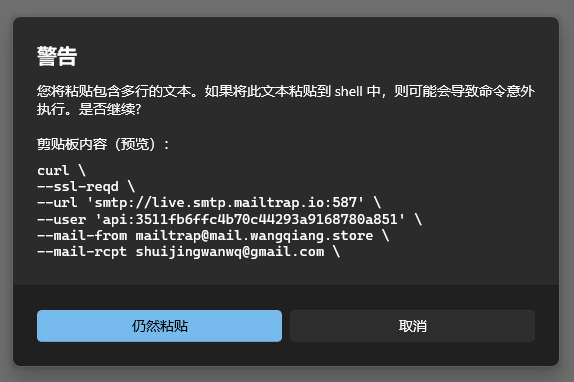
You will paste text containing multiple lines. If this text is pasted into the shell, it may cause the command to be executed unexpectedly. Does it continue?
1. You will paste a text containing multiple lines. If this text is pasted into the shell, it may cause the command to be executed unexpectedly. whether to continue?. as shown in Figure 1
Figure 1
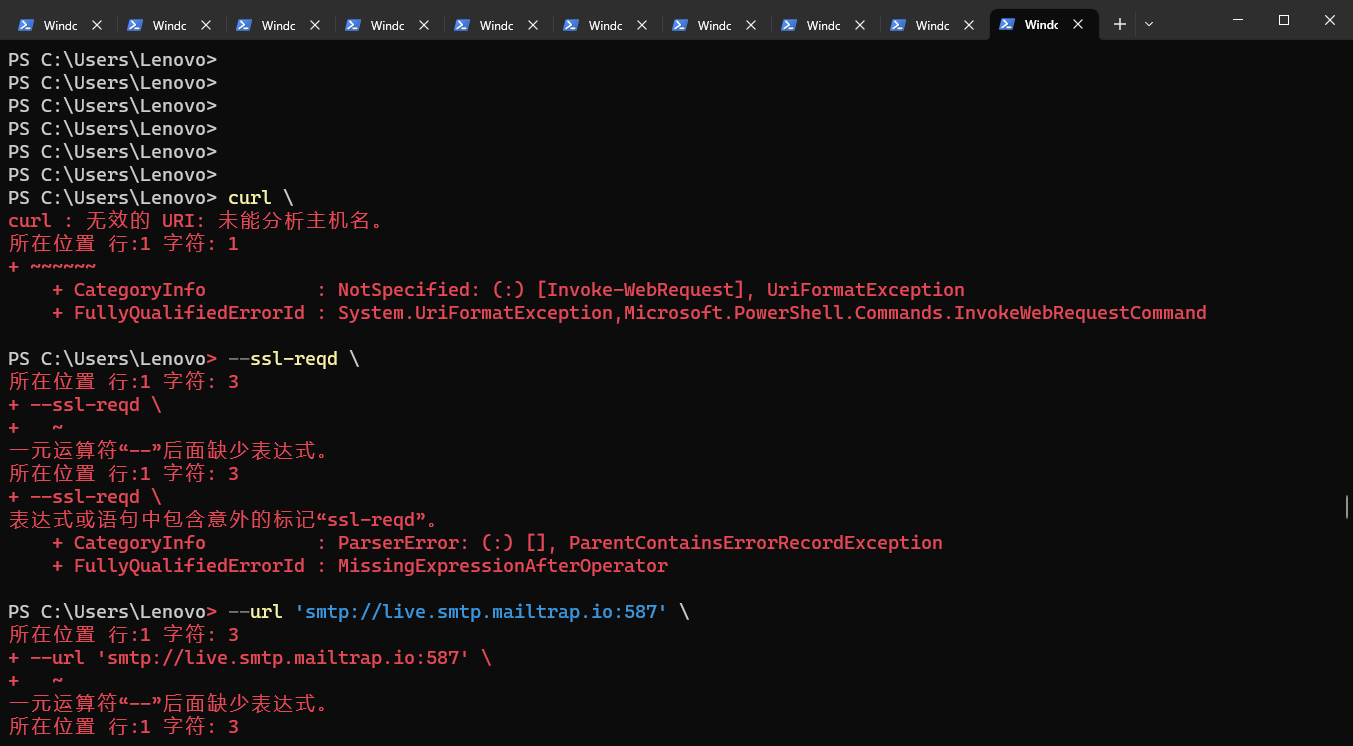
2. Click to still paste, and then report an error: curl : Invalid URI: Failed to analyze the host name. as shown in Figure 2
Figure 2
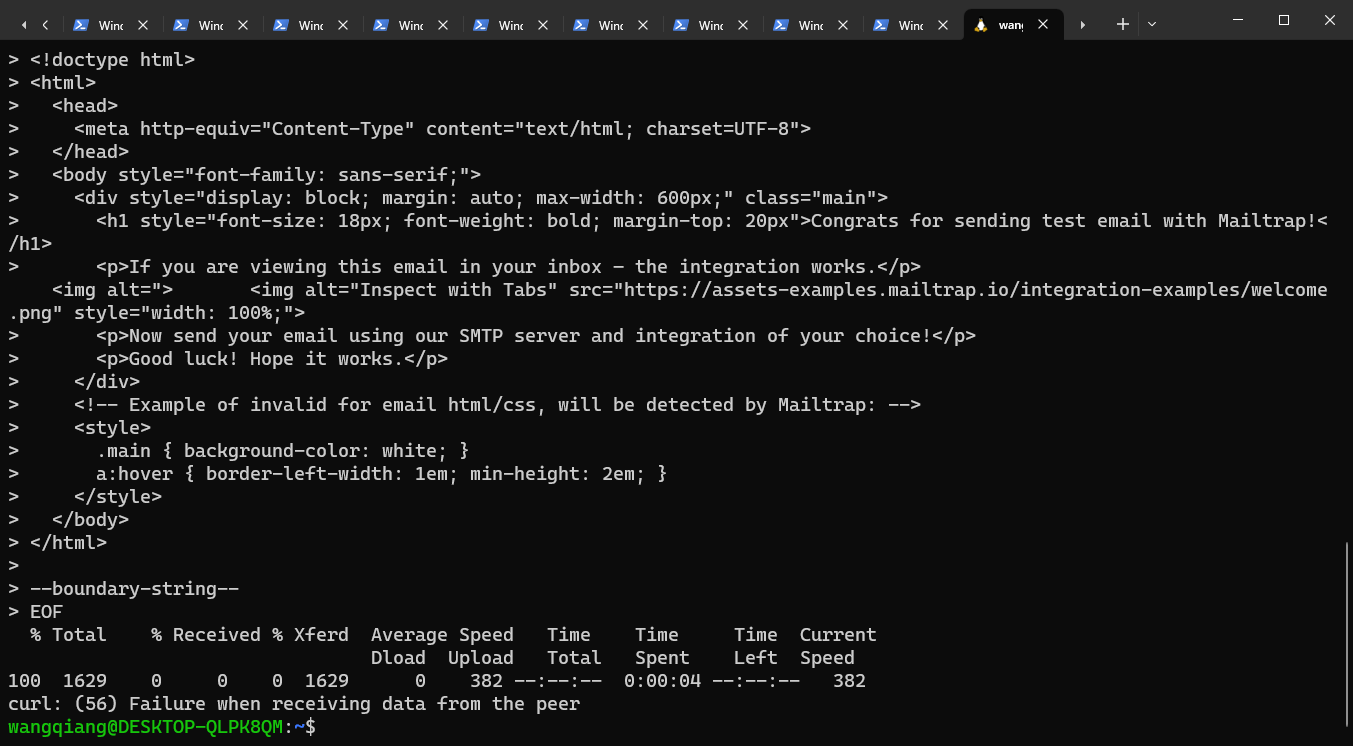
3. Give up pasting in the Windows terminal, but in the Ubuntu terminal. After pasting, press Enter, and the execution is successful. as shown in Figure 3
Figure 3
wangqiang@DESKTOP-QLPK8QM:~$ curl
> --ssl-reqd
> --url 'smtp://live.smtp.mailtrap.io:587'
> --user 'api:3511fb6ffc4b70c44293a9168780a851'
> --mail-from mailtrap@mail.wangqiang.store
> --mail-rcpt shuijingwanwq@gmail.com
upload-f> --upload-file - <<EOF
> From: Magic Elves <mailtrap@mail.wangqiang.store>
> To: Mailtrap Inbox <shuijingwanwq@gmail.com>
> Subject: You are awesome!
> Content-Type: multipart/alternative; boundary="boundary-string"
>
> --boundary-string
> Content-Type: text/plain; charset="utf-8"
> Content-Transfer-Encoding: quoted-printable
> Content-Disposition: inline
>
> Congrats for sending test email with Mailtrap!
>
> If you are viewing this email in your inbox – the integration works.
> Now send your email using our SMTP server and integration of your choice!
>
> Good luck! Hope it works.
>
> --boundary-string
> Content-Type: text/html; charset="utf-8"
> Content-Transfer-Encoding: quoted-printable
> Content-Disposition: inline
>
> <!doctype html>
> <html>
> <head>
> <meta http-equiv="Content-Type" content="text/html; charset=UTF-8">
> </head>
> <body style="font-family: sans-serif;">
> <div style="display: block; margin: auto; max-width: 600px;" class="main">
> <h1 style="font-size: 18px; font-weight: bold; margin-top: 20px">Congrats for sending test email with Mailtrap!</h1>
> <p>If you are viewing this email in your inbox – the integration works.</p>
<img alt="> <img alt="Inspect with Tabs" src="https://assets-examples.mailtrap.io/integration-examples/welcome.png" style="width: 100%;">
> <p>Now send your email using our SMTP server and integration of your choice!</p>
> <p>Good luck! Hope it works.</p>
> </div>
> <!-- Example of invalid for email html/css, will be detected by Mailtrap: -->
> <img src="data:image/gif;base64,R0lGODlhAQABAIAAAAAAAP///yH5BAEAAAAALAAAAAABAAEAAAIBRAA7" data-wp-preserve="%3Cstyle%3E%0A%3E%20%20%20%20%20%20%20.main%20%7B%20background-color%3A%20white%3B%20%7D%0A%3E%20%20%20%20%20%20%20a%3Ahover%20%7B%20border-left-width%3A%201em%3B%20min-height%3A%202em%3B%20%7D%0A%3E%20%20%20%20%20%3C%2Fstyle%3E" data-mce-resize="false" data-mce-placeholder="1" class="mce-object" width="20" height="20" alt="&lt;style&gt;" title="&lt;style&gt;" />
> </body>
> </html>
>
> --boundary-string--
> EOF
% Total % Received % Xferd Average Speed Time Time Time Current
Dload Upload Total Spent Left Speed
100 1629 0 0 0 1629 0 382 --:--:-- 0:00:04 --:--:-- 382
curl: (56) Failure when receiving data from the peer
wangqiang@DESKTOP-QLPK8QM:~$
Leave a Reply