1. When clearing the table in MySQL 5.7, there are more than 3 million records in the table, and when there are more than 2 million records left, prompt: 1206 – The total number of locks Exceeds the lock tablesize. as shown in Figure 1
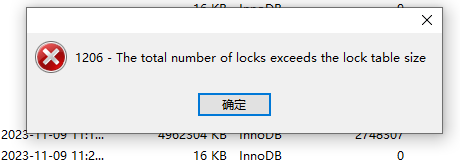
2. Reference: The total number of locks exceds.
3. This problem can be solved by setting the higher value of the mysql variable “innodb_buffer_pool_size”. The default value of innodb_buffer_pool_size is 8,388,608. The location in Windows is: “C:\ProgramData\MySQL\MySQL Server 5.7\My.ini” .
4. Edit C:\ProgramData\MySQL\MySQL Server 5.7\My.ini ,
# innodb_buffer_pool_size=8M
innodb_buffer_pool_size=16M
5. In Computer Management – Services and Applications – Services, find mysql57 and restart. as shown in Figure 2

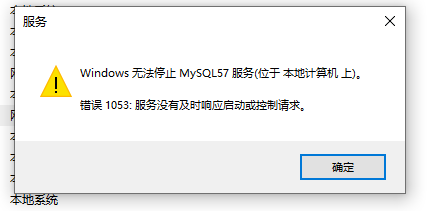
6. Windows cannot stop the MySQL57 service (located on the local computer). Error 1053: The service did not respond to the startup or control request in a timely manner. Finally decided to restart the computer. as shown in Figure 3
7. Clear the table again in mysql 5.7, and clear the success. as shown in Figure 4

Leave a Reply