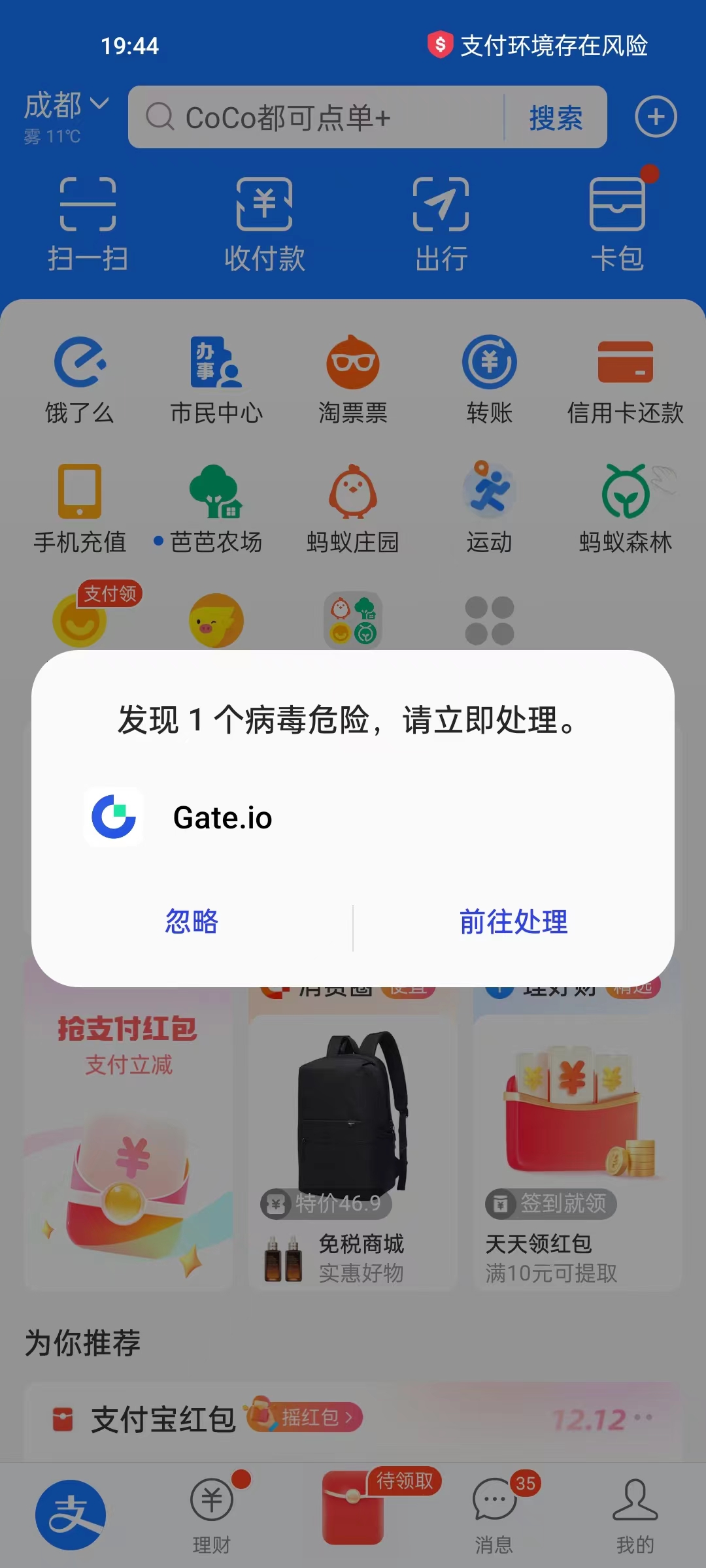
1. In the OnePlus mobile phone, when opening Alipay, a prompt pops up: If a virus is found to be dangerous, please deal with it immediately. gate.io . as shown in Figure 1
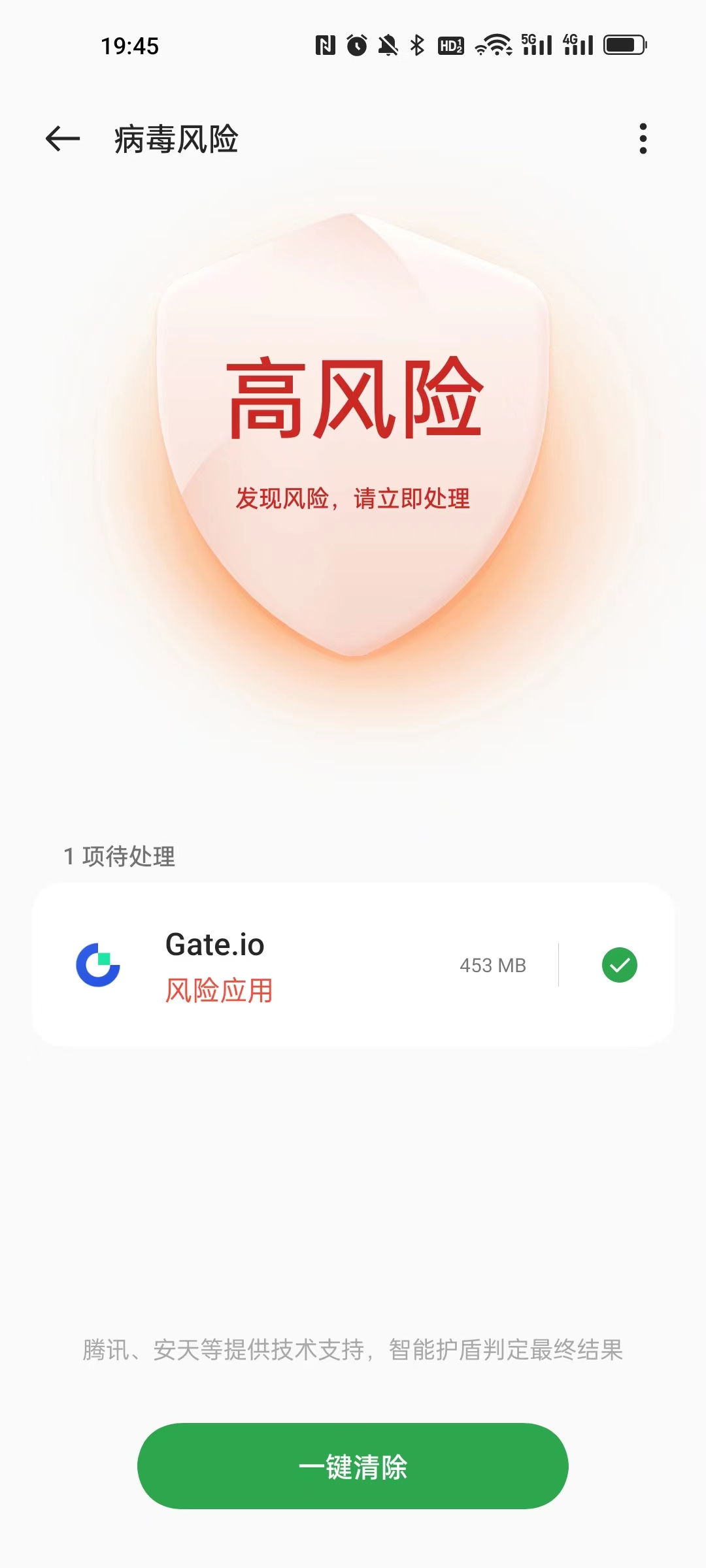
2. Click to go to processing, 1 pending gate.io, one-click clearing. as shown in Figure 2
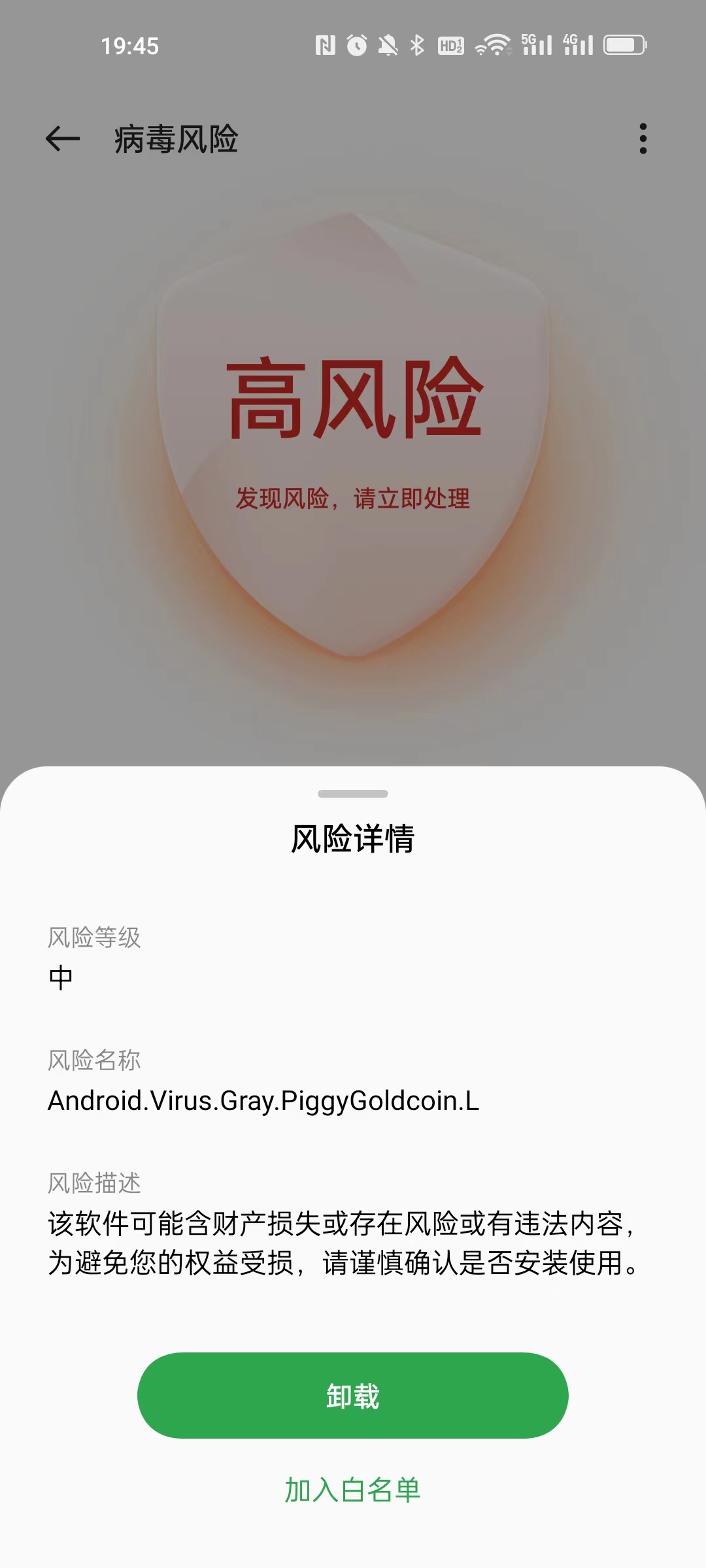
3. Click Gate.io to enter the risk details. Risk Level: Medium, Risk Name: android.virus.gray.piggygoldcoin.l Risk Description: This software may contain property damage or risk or have illegal content In order to avoid damage to your rights, please carefully confirm whether it is installed and used. as shown in Figure 3
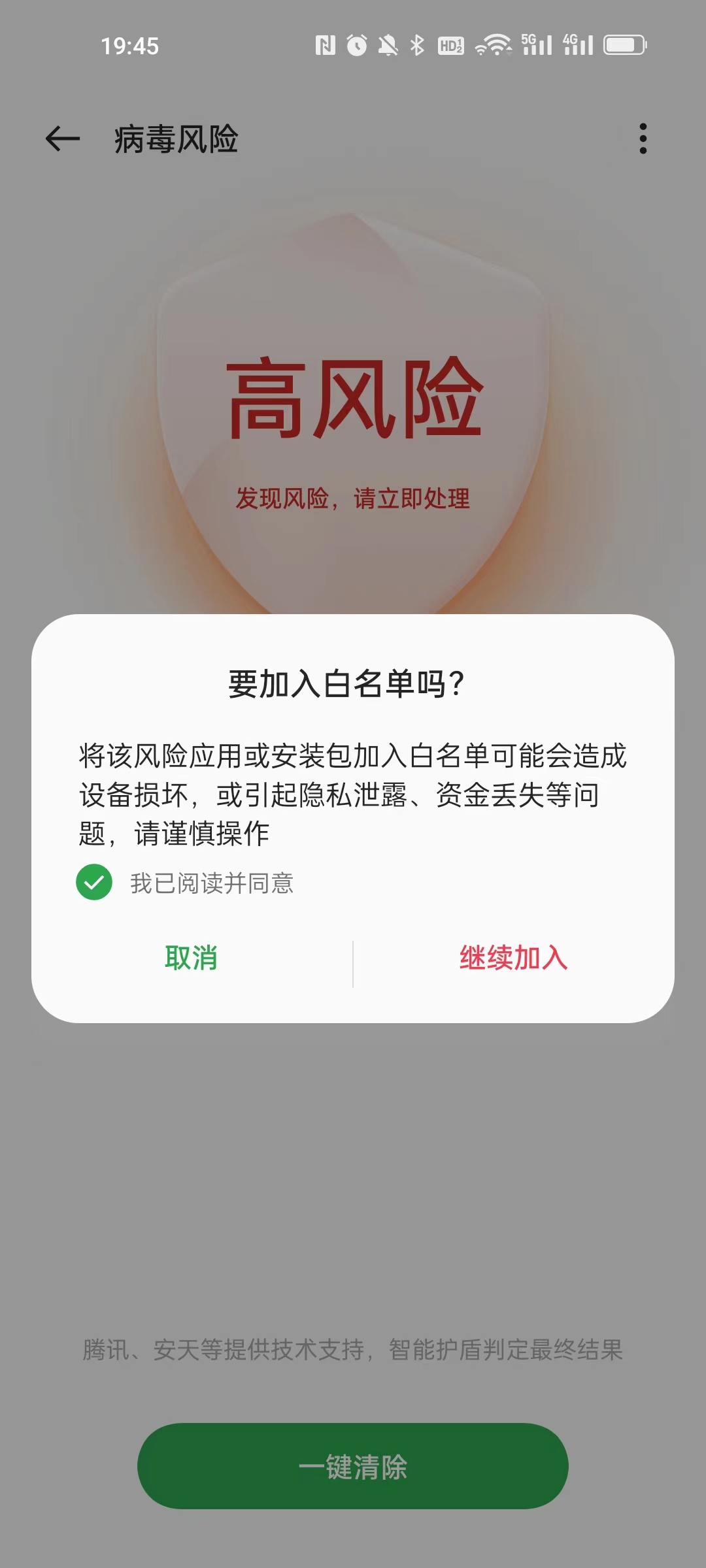
4. Click to join the whitelist, do you want to add a whitelist? Adding the risk application or installation package to the whitelist may cause equipment damage, or cause privacy leakage, loss of funds and other problems, please operate with caution. Click to continue joining. as shown in Figure 4
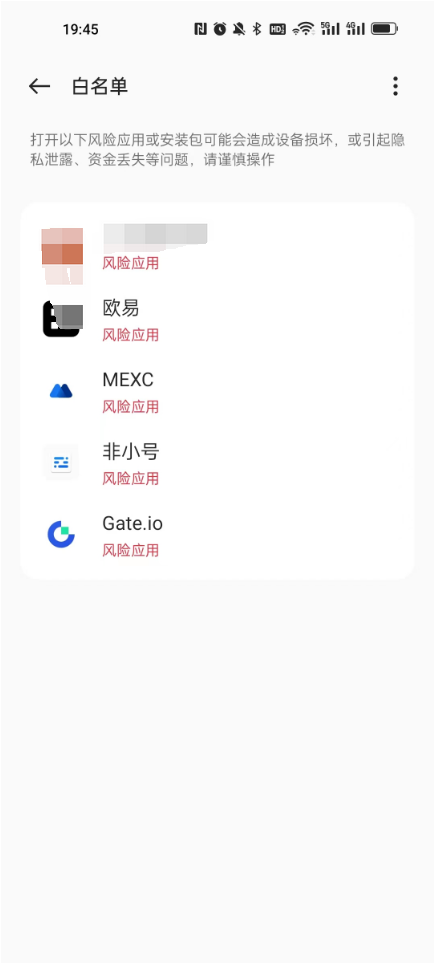
5. After completion. In the whitelist list, Gate.io already exists. as shown in Figure 5
Leave a Reply