Add a custom network bevm to the little fox wallet and bridge the process of btc to the bevm network
1. Add a custom network to the little fox wallet. Reference:Add BeVM Network .
2. Network > Add the network, click to add the network manually. as shown in Figure 1
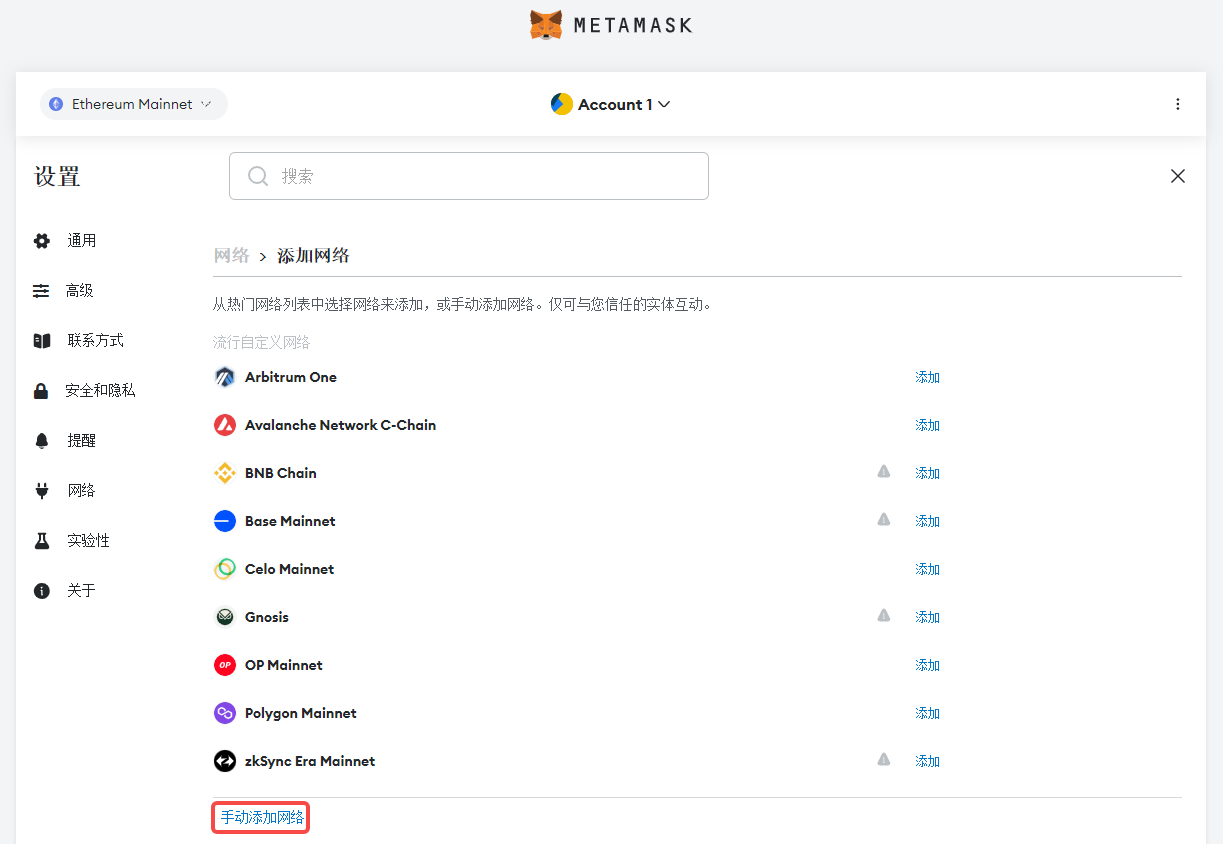
Figure 1
3. Fill in the data in the form. as shown in Figure 2
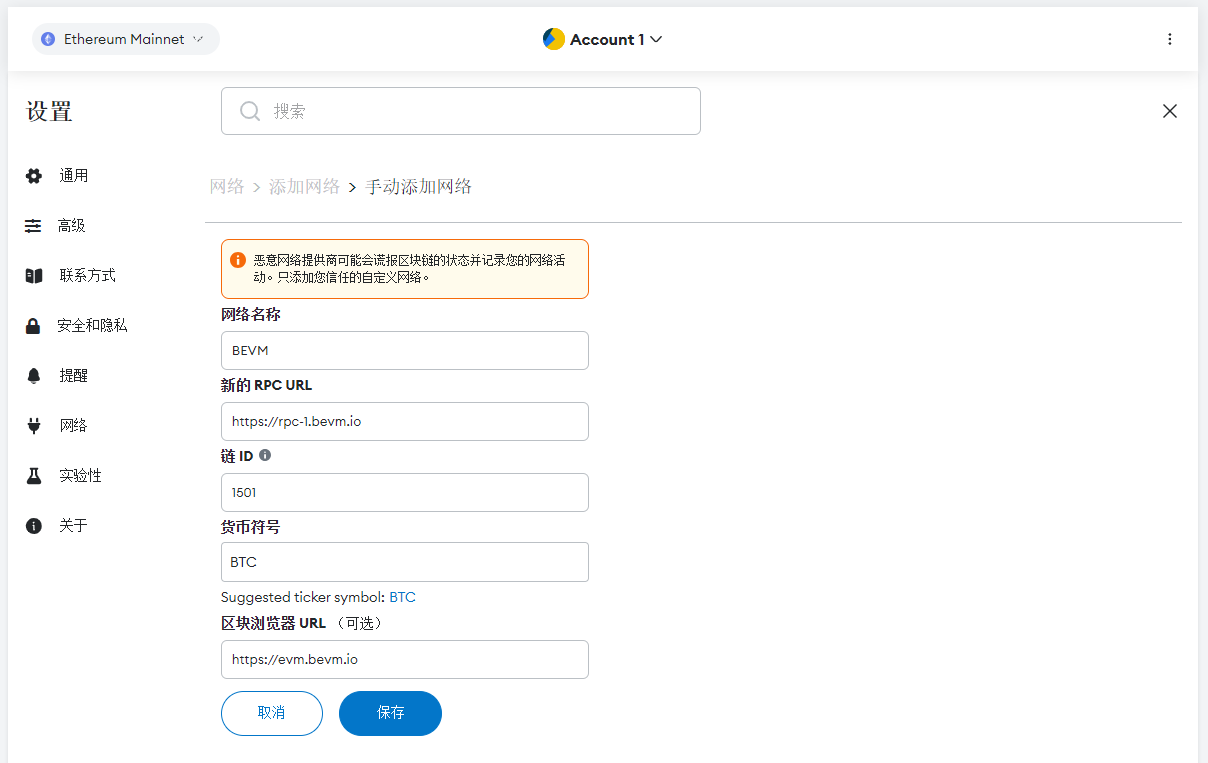
Figure 2
4. Later, it was found that there was a difference from the screenshot in the reference URL, so I decided to re-edit it, set the > network, and add the / suffix after the URL. as shown in Figure 3
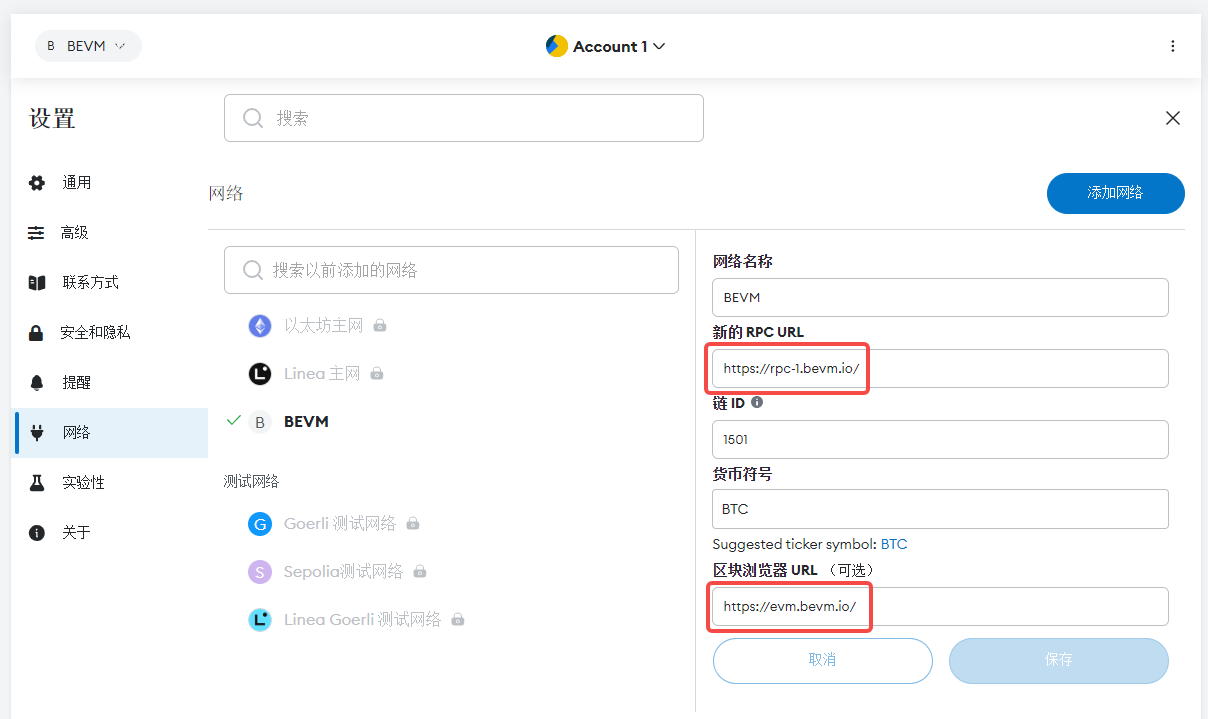
Figure 3
5. Clickhttps://bswap.bevm.io/#/bridge, connect the EVM wallet (little fox wallet) and BTC wallet (OKX wallet), note: your EVM wallet will be used to receive BTC from the bitcoin bridge to layer 2. as shown in Figure 4
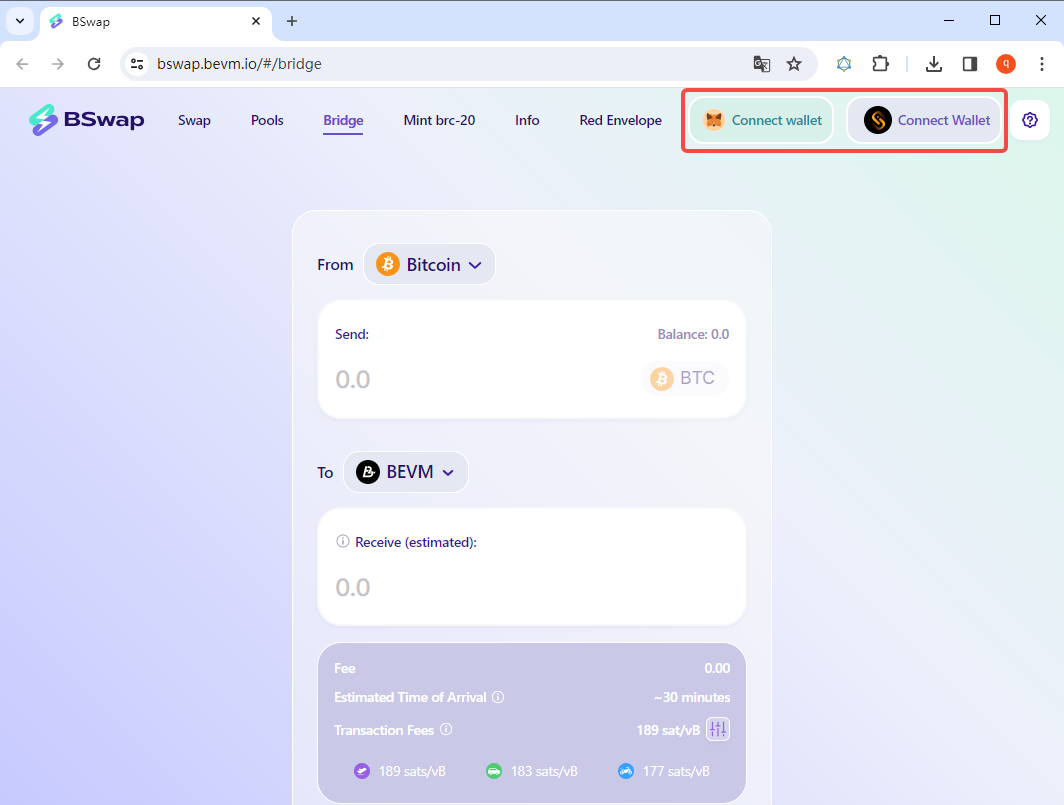
Figure 4
6. The wallet of OneKey will always pop up when connected to the wallet, reset the OneKey, and switch the wallet – when the option is opened, the injected connection method of the wallet will be
OneKey overrides. All closed. And OKX Wallet Cancel is set as the default wallet. as shown in Figure 5
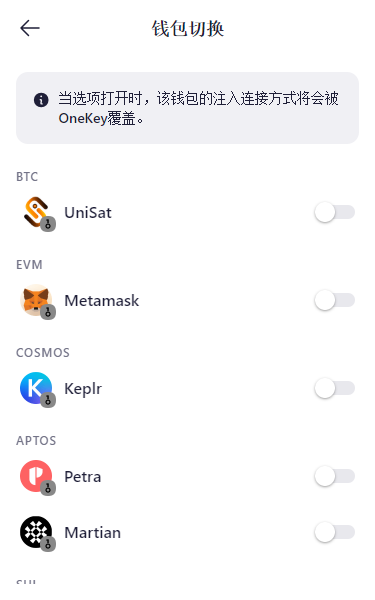
Figure 5
7. Click the first connection wallet to pop up two wallets to choose from. The reason should be that OKX was the default wallet before. Therefore, when MetaMask is selected, a custom network BEVM is automatically added to OKX. as shown in Figure 6
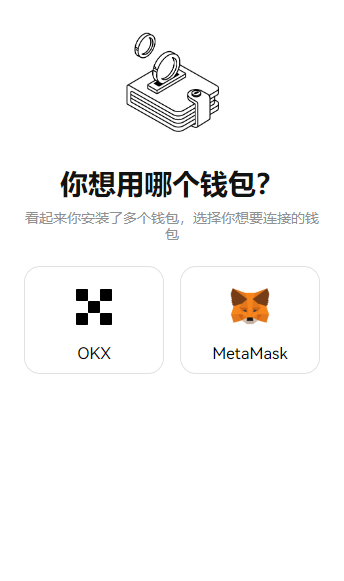
Figure 6
8. Click the second connection wallet, no response. Remove custom network BEVM in OKX wallet. Still no response. as shown in Figure 7
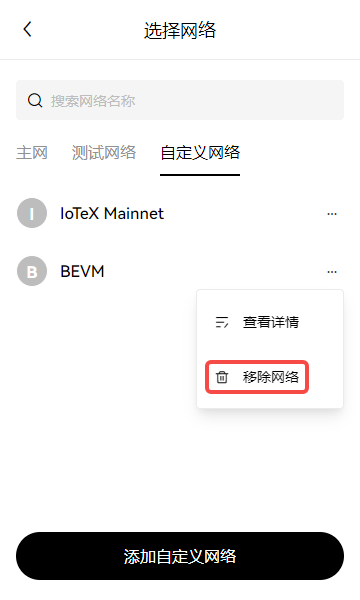
Figure 7
9. Finally, observe the icon to confirm that the second connected wallet must be a Unisat wallet. After installing the Unisat wallet extension, the connection was successful. as shown in Figure 8
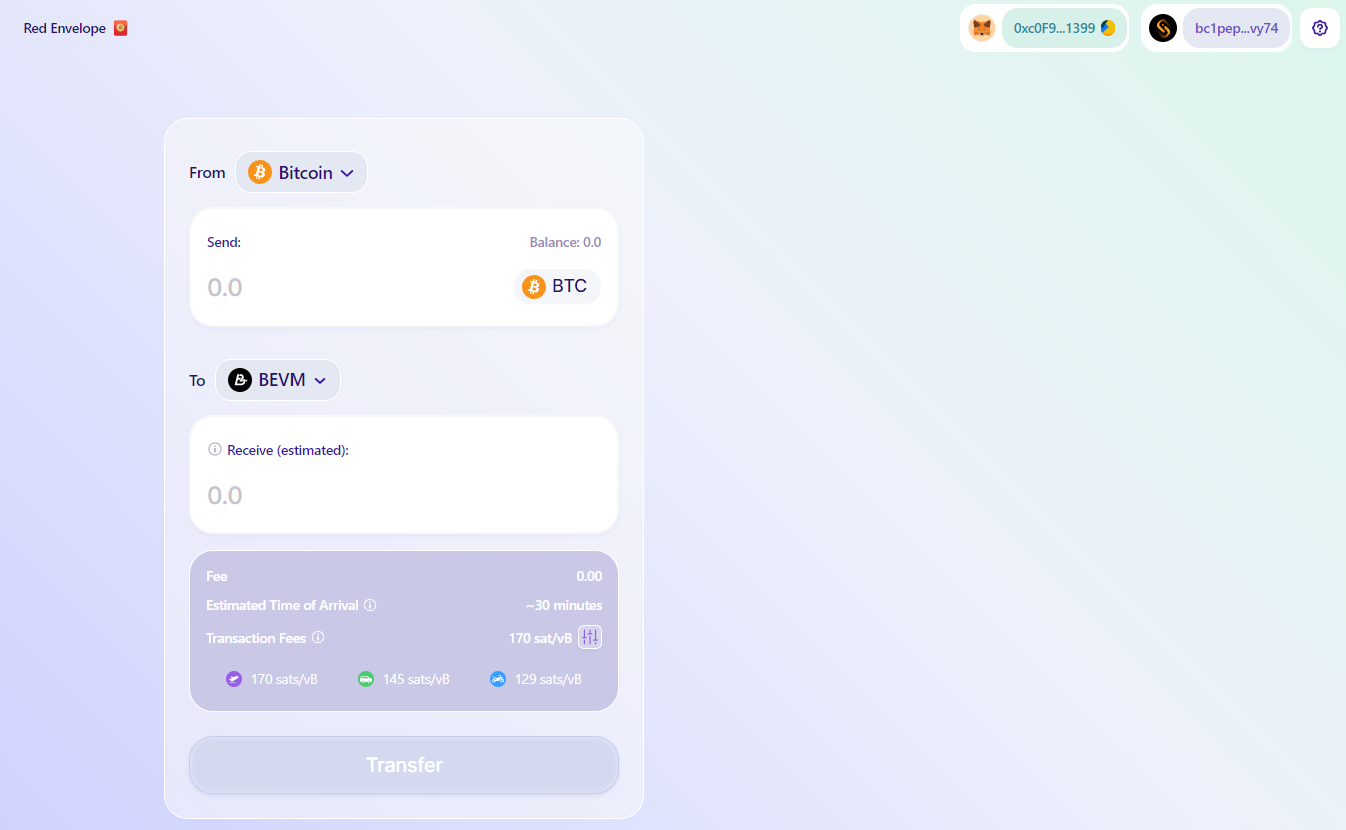
8
10. Enter the corresponding amount in the wallet, and then click the Transfer button. But after clicking, it prompts Network Error. as shown in Figure 9
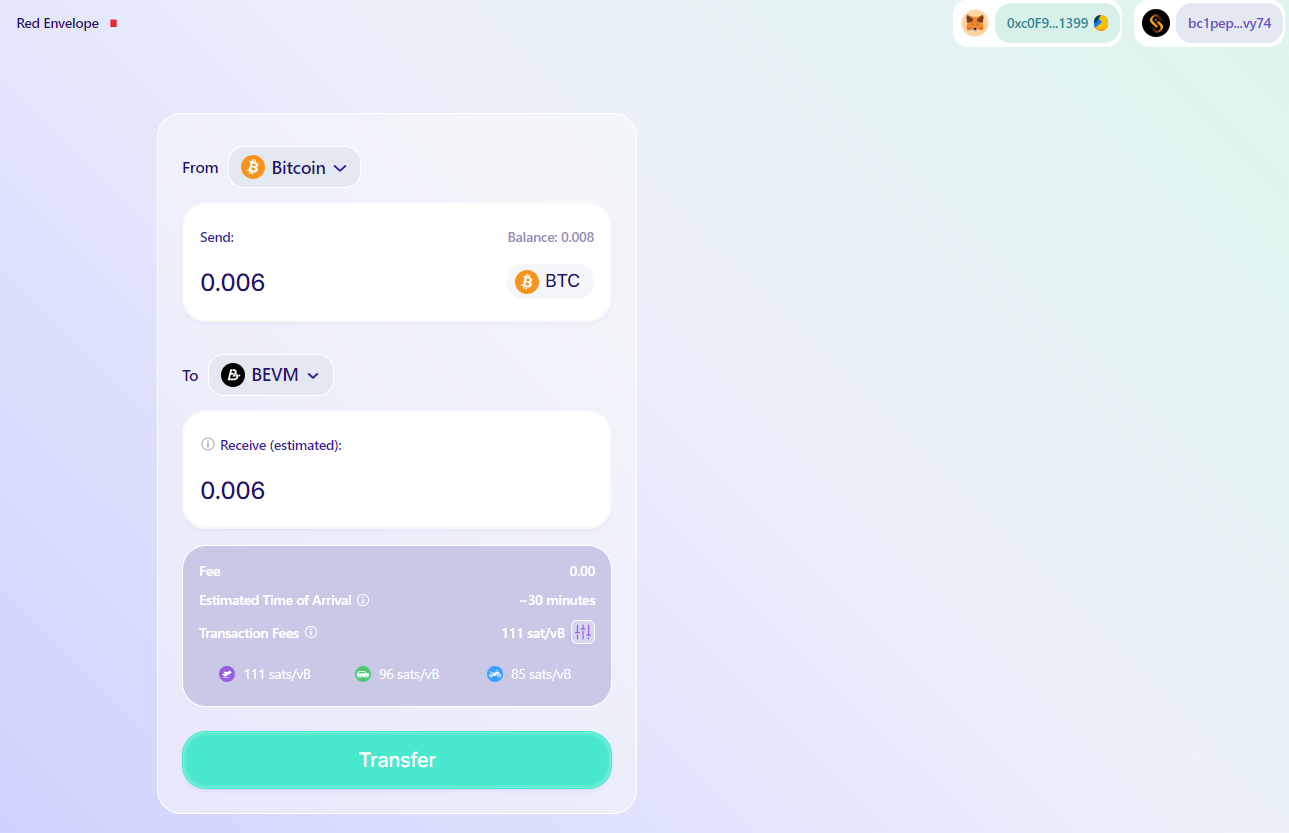
Figure 9
11. Turn off the system code of the proxy software. As shown in Figure 10
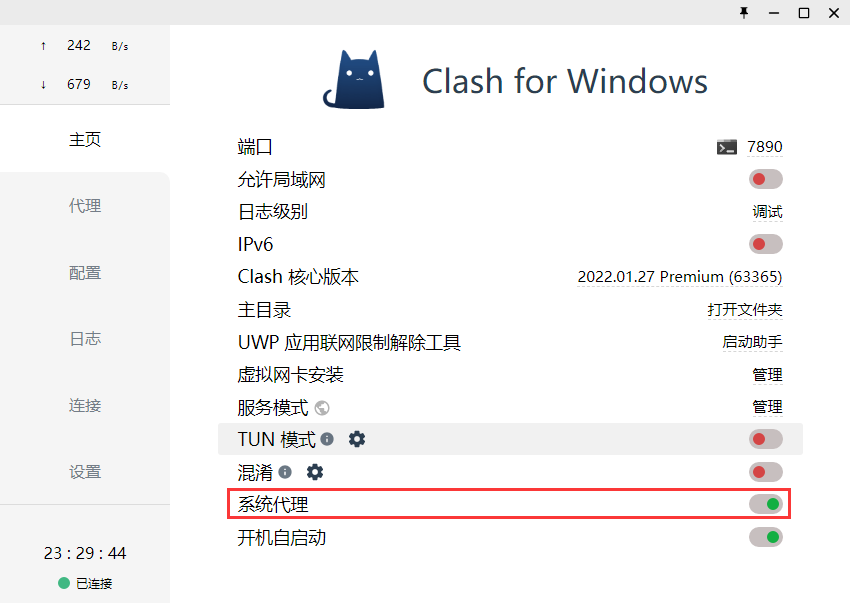
Figure 10
12. Select BTC and enter the amount you want to bridge. Manually select the transaction fee level. Note: BEVM currently provides the function of manually setting the GAS fee standard. After confirming the fee level, click Transfer to initiate a transfer. In order to ensure the safety of user assets, the assets transferred to BEVM need to be recognized by the Bitcoin mainnet 3 times (at least 30 minutes). as shown in Figure 11
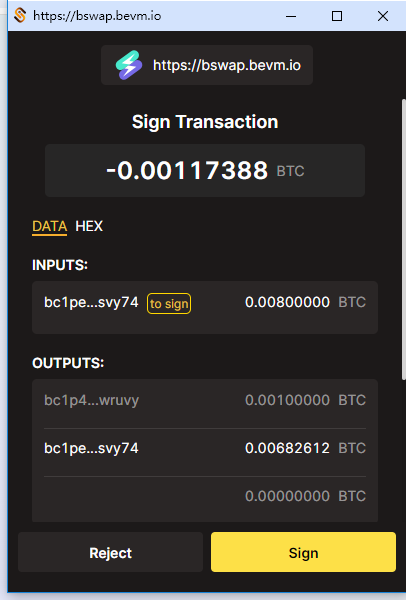
Figure 11
13. Check Pending. as shown in Figure 12
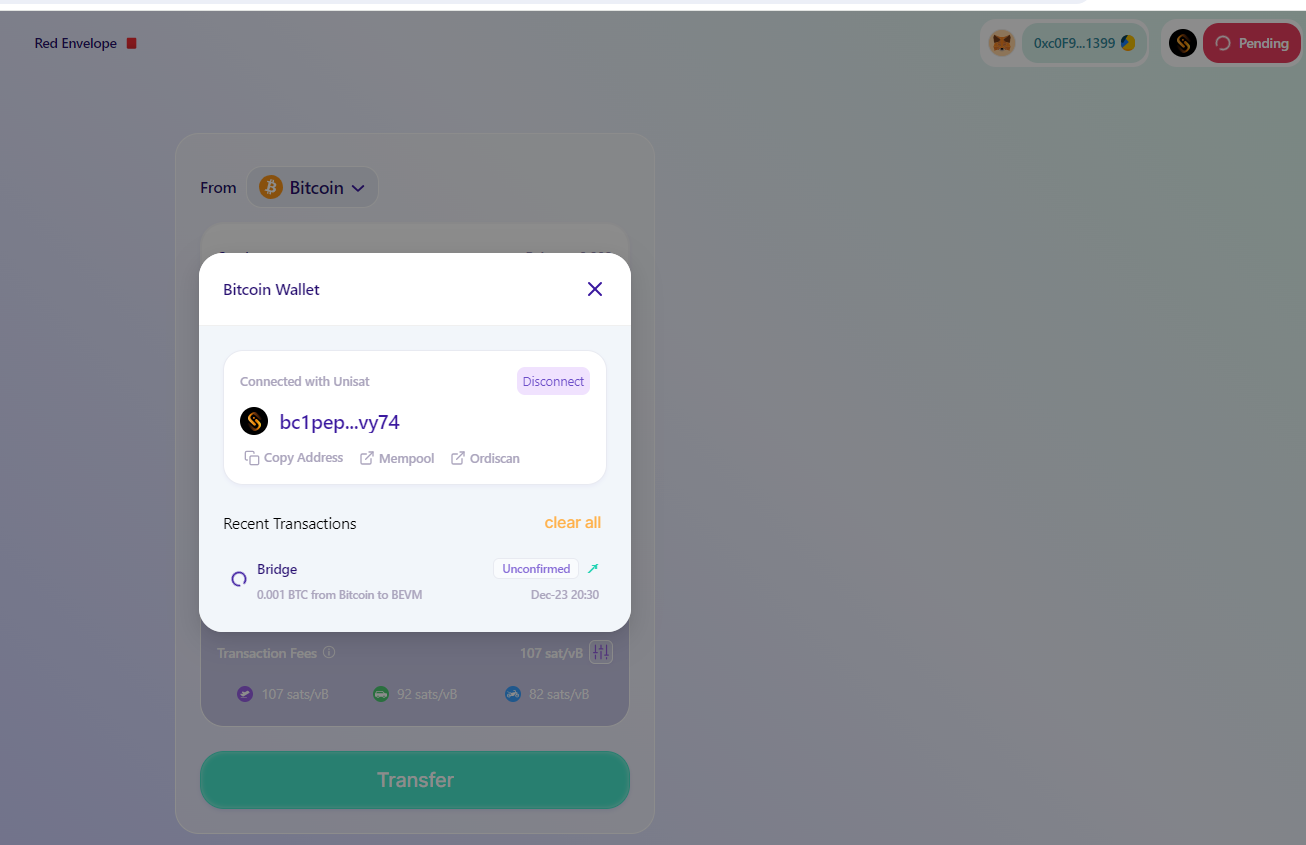
Figure 12
14. Check the final transaction status. as shown in Figure 13
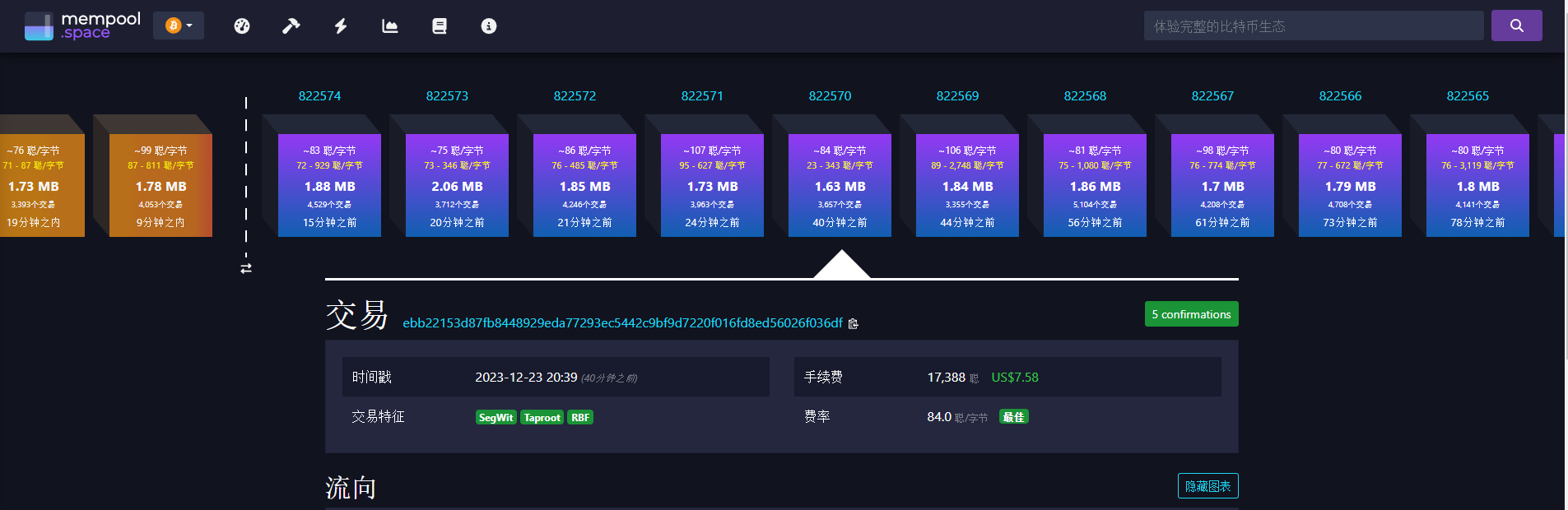
Figure 13
15. About two days later, check in the little fox wallet, and the coins have been deposited into the wallet. Figure 14

Figure 14