
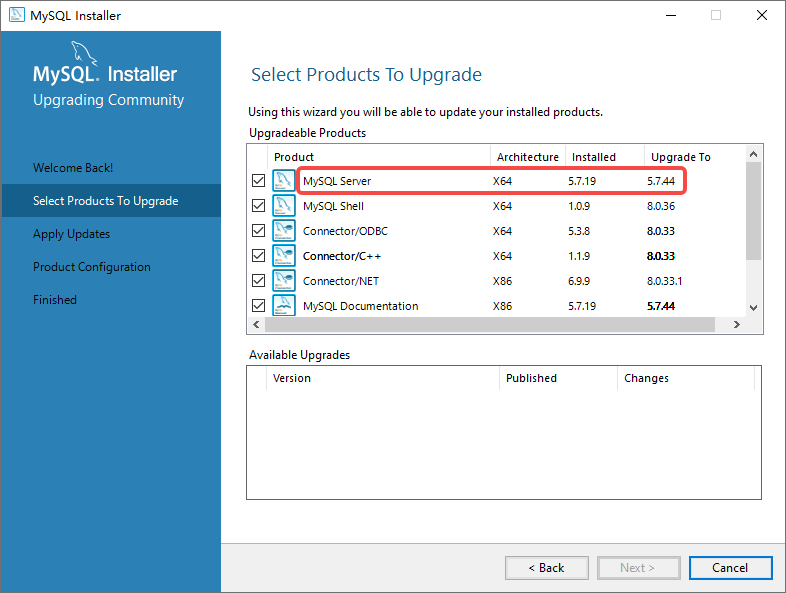
1. After downloading the installation package of MySQL 8.0, start the installation. The process prompts: Select products to upgrade. using this wizard you will be able to update your installed products. upgradeable products. MySQL Server can be upgraded from 5.7.19 to 5.7.44. Can’t upgrade to 8.0. as shown in Figure 1
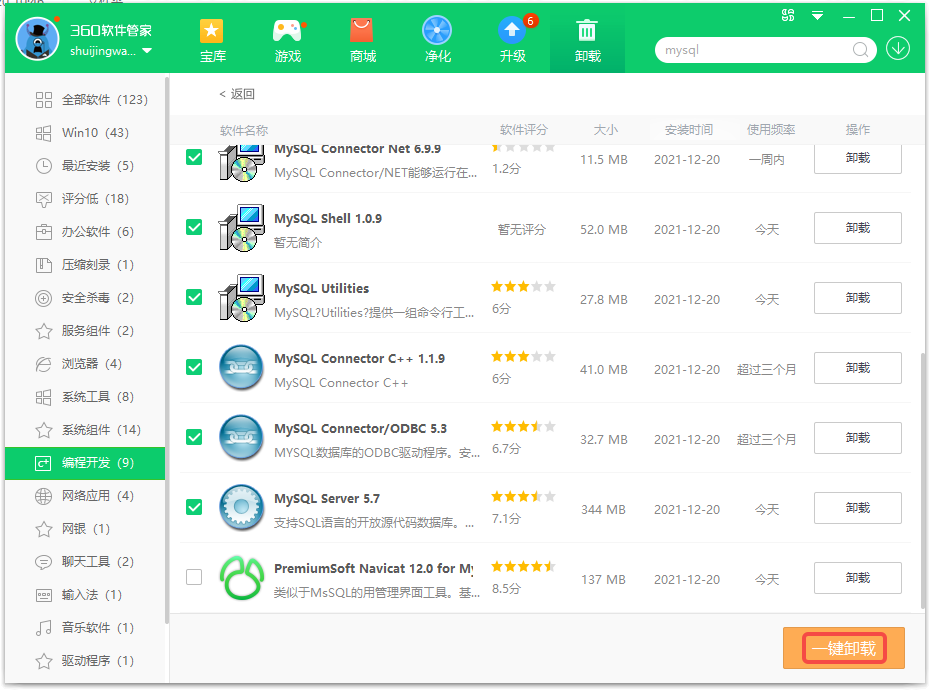
2. Decide to back up the database first, then uninstall MySQL 5.7, and then install 8.0. Uninstall all software starting with MySQL. as shown in Figure 2
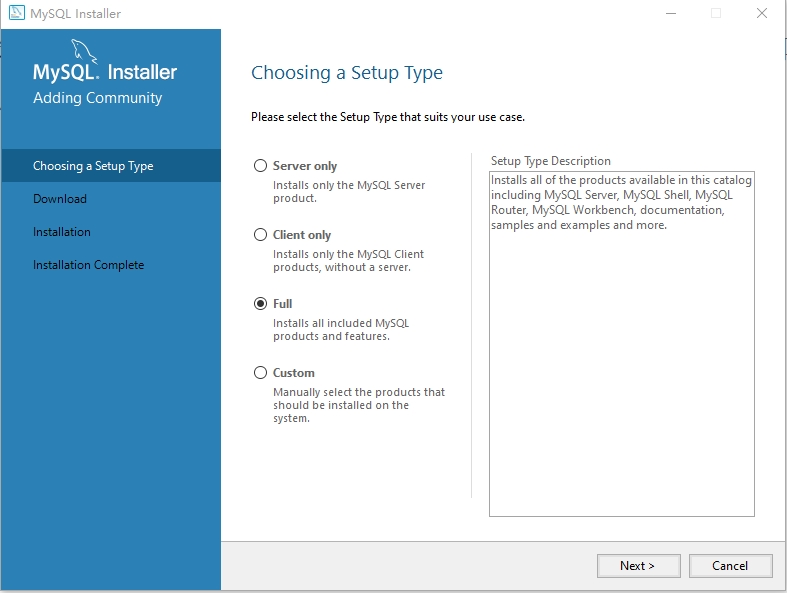
3. During the installation process, the software upgrade is no longer prompted, but the option of a fresh installation is prompted, and select Full . as shown in Figure 3
4. Tip: The following products will be installed. in line with expectations. as shown in Figure 4

Need long-term technical maintenance or remote troubleshooting?
I am a PHP / Go backend engineer with 15+ years of experience, focused on existing system maintenance, bug fixing, performance optimization, server troubleshooting, WordPress maintenance, and small feature iterations.
If your project is facing any of the following issues, we can start with a small troubleshooting task first:
- ✅ PHP / Laravel / Yii2 legacy systems without active maintenance
- ✅ Go / Gin backend APIs that need troubleshooting or optimization
- ✅ Slow, broken, or unstable WordPress websites
- ✅ Nginx / MySQL / Redis / Linux server issues
- ✅ CDN / Cloudflare / DNS / HTTPS configuration problems
- ✅ Long-term remote technical support or part-time maintenance
More details: About Me & Collaboration
WeChat: 13980074657
Email: shuijingwanwq@gmail.com
Telegram: @shuijingwan
GitHub: https://github.com/shuijingwan
Leave a Reply