
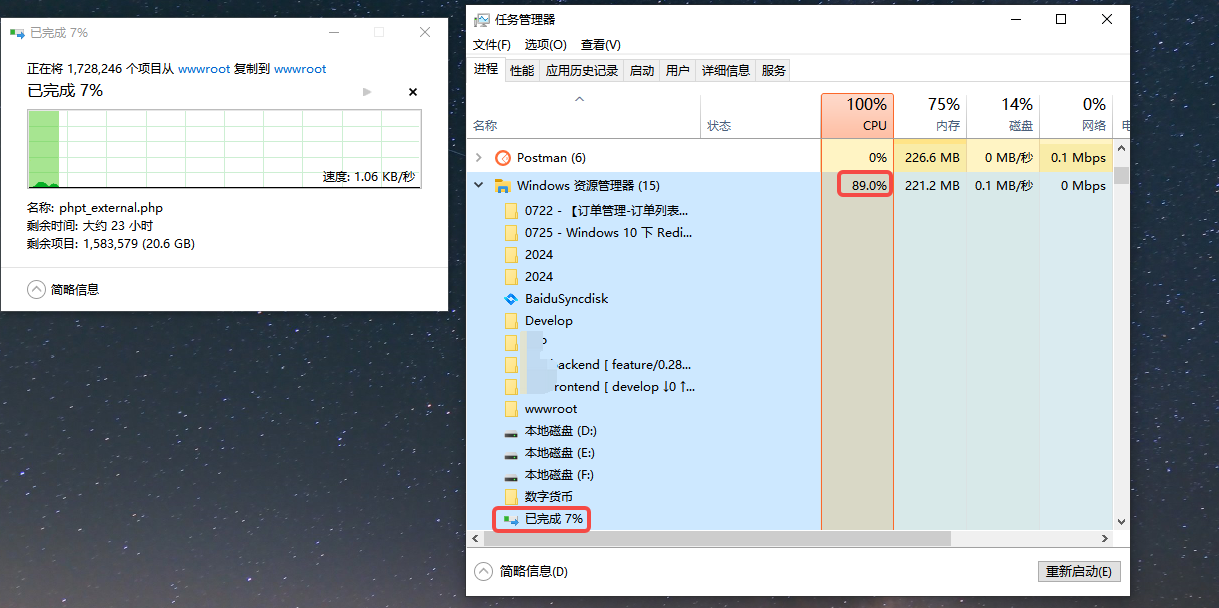
1. Copy a large number of files in Windows 10, resulting in CPU usage 100% of which makes it impossible to perform other operations (other operations are too slow, basically it will take a few seconds to react.), during this period may also be because I did the operation to delete the folder (size 10GB). as shown in Figure 1
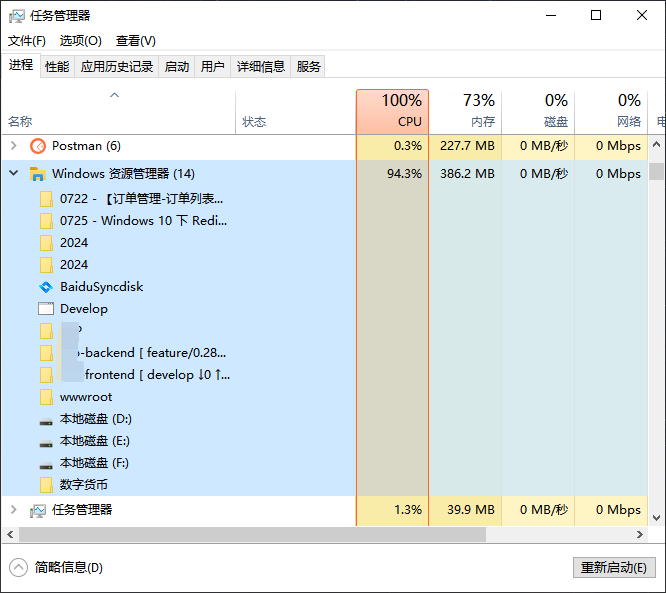
2. Then decide to stop copying, and find that there is no response after clicking, and have to delete the process of copying the file in the resource manager. It is found that the CPU usage has not decreased. as shown in Figure 2
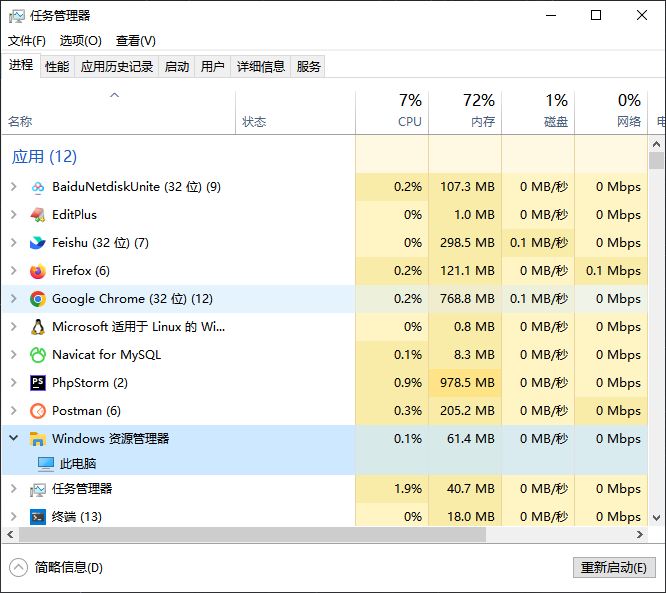
3. Finally, you have to restart Windows Explorer. The CPU usage has finally dropped. as shown in Figure 3
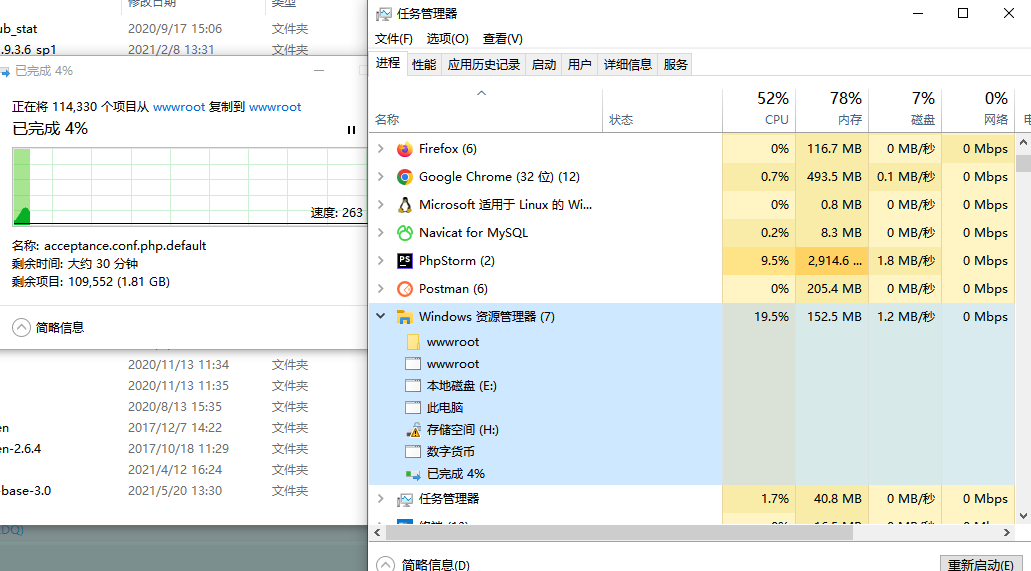
4. Then decide not to exceed 1 GB for each copying, and find that the CPU usage is acceptable, and does not affect other operations. as shown in Figure 4
Need long-term technical maintenance or remote troubleshooting?
I am a PHP / Go backend engineer with 15+ years of experience, focused on existing system maintenance, bug fixing, performance optimization, server troubleshooting, WordPress maintenance, and small feature iterations.
If your project is facing any of the following issues, we can start with a small troubleshooting task first:
- ✅ PHP / Laravel / Yii2 legacy systems without active maintenance
- ✅ Go / Gin backend APIs that need troubleshooting or optimization
- ✅ Slow, broken, or unstable WordPress websites
- ✅ Nginx / MySQL / Redis / Linux server issues
- ✅ CDN / Cloudflare / DNS / HTTPS configuration problems
- ✅ Long-term remote technical support or part-time maintenance
More details: About Me & Collaboration
WeChat: 13980074657
Email: shuijingwanwq@gmail.com
Telegram: @shuijingwan
GitHub: https://github.com/shuijingwan
Leave a Reply