mysql error CANT connect to /var/lib/mysql/mysql.sock (2) Check the whole process
1. Open the background URL of the website and report an error: Unable to connect to database: canT connect to local mysql server through socket/var/lib/mysql/mysql.sock(2)
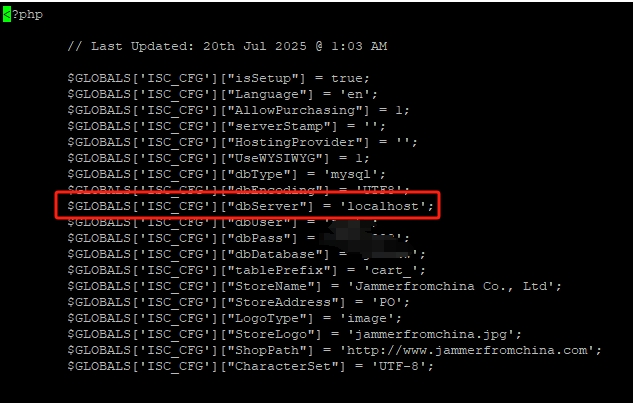
2. Fix the problem of MySQL connection error, check the ISC framework (Interspire shopping cart, old e-commerce system) configuration file, and confirm that the connection is the local database. as shown in Figure 1
3. Then check the MySQL status (confirm whether the startup is successful), and find that it has stopped. Failed to start mysql
[root@li1269-60 jfc]# service mysqld status                                     |
mysqld is stopped
[root@li1269-60 jfc]# service mysqld start

Timeout error occurred trying to start MySQL Daemon.
Starting mysqld:  [FAILED]
[root@li1269-60 jfc]#
4. Check the key log of mysql startup failure (the core troubleshooting command), from the MySQL log fragment you gave, the core error is table./jammerfromchina/cart_proddDamage – This is the root cause of the MySQL startup timeout/failure (datasheet corruption will fail the InnoDB/MyISAM engine to load and the MySQL startup process is stuck).
[root@li1269-60 jfc]# grep -i "error|fail|timeout" /var/log/mysqld.log
130419  7:01:24 [ERROR] /usr/libexec/mysqld: Table './jammerfromchina/cart_prodd
130419  7:01:24 [ERROR] /usr/libexec/mysqld: Table './jammerfromchina/cart_prodd
130419  7:01:24 [ERROR] /usr/libexec/mysqld: Table './jammerfromchina/cart_prodd
130419  7:01:24 [ERROR] /usr/libexec/mysqld: Table './jammerfromchina/cart_prodd
130419  7:01:24 [ERROR] /usr/libexec/mysqld: Table './jammerfromchina/cart_prodd
130419  7:01:24 [ERROR] /usr/libexec/mysqld: Table './jammerfromchina/cart_prodd
130419  7:01:24 [ERROR] /usr/libexec/mysqld: Table './jammerfromchina/cart_prodd
130419  7:01:24 [ERROR] /usr/libexec/mysqld: Table './jammerfromchina/cart_prodd
130419  7:01:24 [ERROR] /usr/libexec/mysqld: Table './jammerfromchina/cart_prodd
130419  7:01:24 [ERROR] /usr/libexec/mysqld: Table './jammerfromchina/cart_prodd
130419  7:01:24 [ERROR] /usr/libexec/mysqld: Table './jammerfromchina/cart_prodd
130419  7:01:24 [ERROR] /usr/libexec/mysqld: Table './jammerfromchina/cart_prodd
130419  7:01:24 [ERROR] /usr/libexec/mysqld: Table './jammerfromchina/cart_prodd
130419  7:01:24 [ERROR] /usr/libexec/mysqld: Table './jammerfromchina/cart_prodd
130419  7:01:24 [ERROR] /usr/libexec/mysqld: Table './jammerfromchina/cart_prodd
130419  7:01:24 [ERROR] /usr/libexec/mysqld: Table './jammerfromchina/cart_prodd
130419  7:01:24 [ERROR] /usr/libexec/mysqld: Table './jammerfromchina/cart_prodd
130419  7:01:24 [ERROR] /usr/libexec/mysqld: Table './jammerfromchina/cart_prodd
130419  7:01:24 [ERROR] /usr/libexec/mysqld: Table './jammerfromchina/cart_prodd
130419  7:01:24 [ERROR] /usr/libexec/mysqld: Table './jammerfromchina/cart_prodd
130419  7:01:24 [ERROR] /usr/libexec/mysqld: Table './jammerfromchina/cart_prodd
130419  7:01:24 [ERROR] /usr/libexec/mysqld: Table './jammerfromc^C[ 3502.924666
5. Confirming whether the disk resources are sufficient is the key pre-step of troubleshooting the current problem (the disk is full of one of the core incentives that cause MySQL to fail to start and the data table is damaged). Final confirmation: 100% full disk (root partition /dev/sda 78G is exhausted). as shown in Figure 2

[root@li1269-60 jfc]# df -h
Filesystem            Size  Used Avail Use% Mounted on
/dev/sda               78G   78G     0 100% /
tmpfs                 1.9G  116K  1.9G   1% /dev/shm
6. It is found that the Linode instance can be resized. The current Linode 4 GB is found, and the storage is 80GB. It can be adjusted to Linode 8 GB and the storage is 160 GB. Reference:LINODE instance upgrade configuration failure to check and analyze, the upgrade configuration is 160GB configuration.
7. Check the disk occupancy again and confirm that it is in line with expectations
[root@li1269-60 ~]# df -h
Filesystem            Size  Used Avail Use% Mounted on
/dev/sda              148G   78G   68G  54% /
tmpfs                 3.9G  116K  3.9G   1% /dev/shm
[root@li1269-60 ~]#
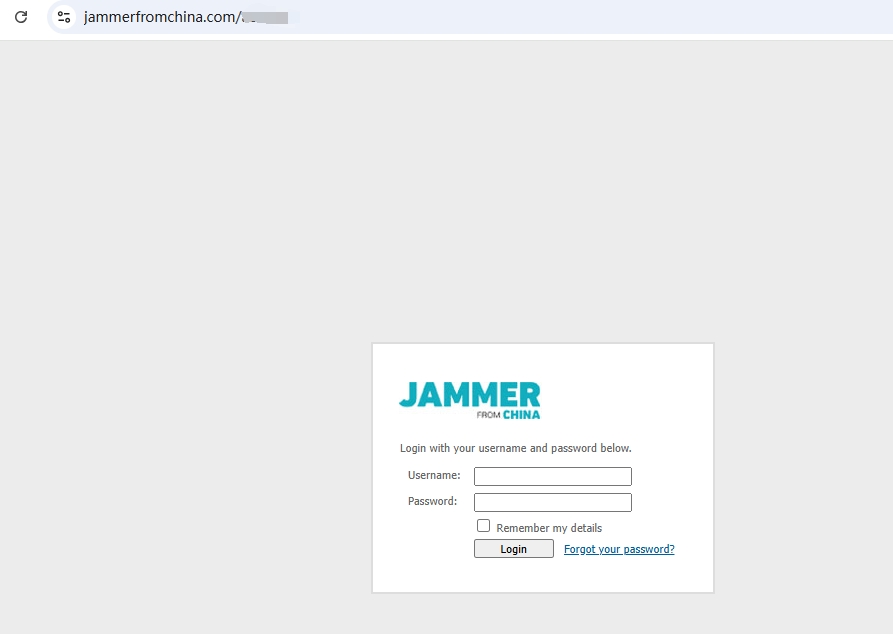
8. Now open the background, no more errors are reported. You can log in normally. as shown in Figure 3
![运行 SQL 文件时,报错:[ERR] 2013 - Lost connection to MySQL server during query](https://www.shuijingwanwq.com/wp-content/uploads/2017/08/1-3-520x245.png)