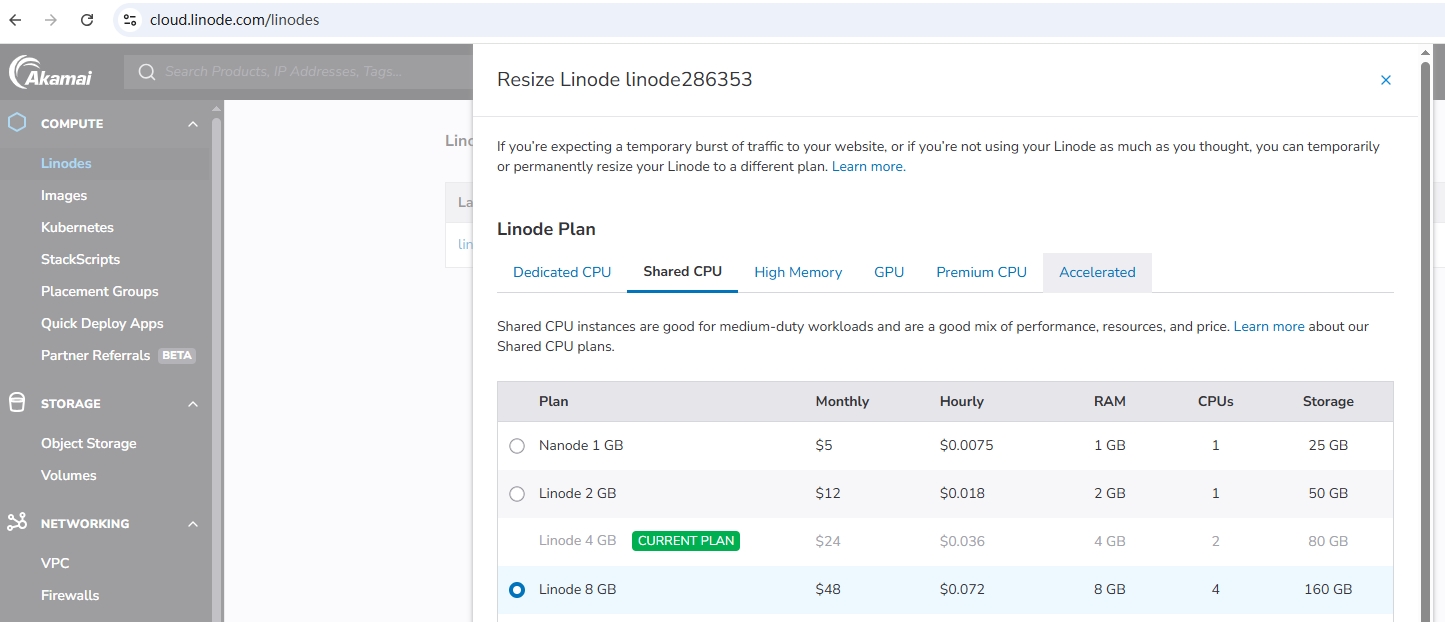
1. It is found that the Linode instance can be resized. The current Linode 4 GB is found, and the storage is 80GB. It can be adjusted to Linode 8 GB and the storage is 160 GB. as shown in Figure 1
2. Received a notification: Linode Linode286353 Could not be resized.. The upgrade failed. Decided to recharge the balance $48 first. Then upgrade again. Upgrade failed.
3. During the previous upgrade, the resize type selected is warm resize(recommended) (hot migration is easy to cause system configuration failure). Upgrade again, select Cold Resize (forced shutdown migration, the most stable), the upgrade is successful. as shown in Figure 2
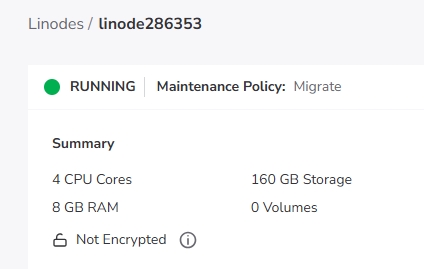
4. 160 GB is already displayed on the page, however, the disk space usage is still only 80 GB.
5. Linode upgrade package (4GB→8GB) will only increase the memory/CPU/ total storage quota, but will not automatically expand the /dev/sda system disk that is being used – so the background displays 160GB total storage, actual /dev/sda is still the original 78G, still 100% full.
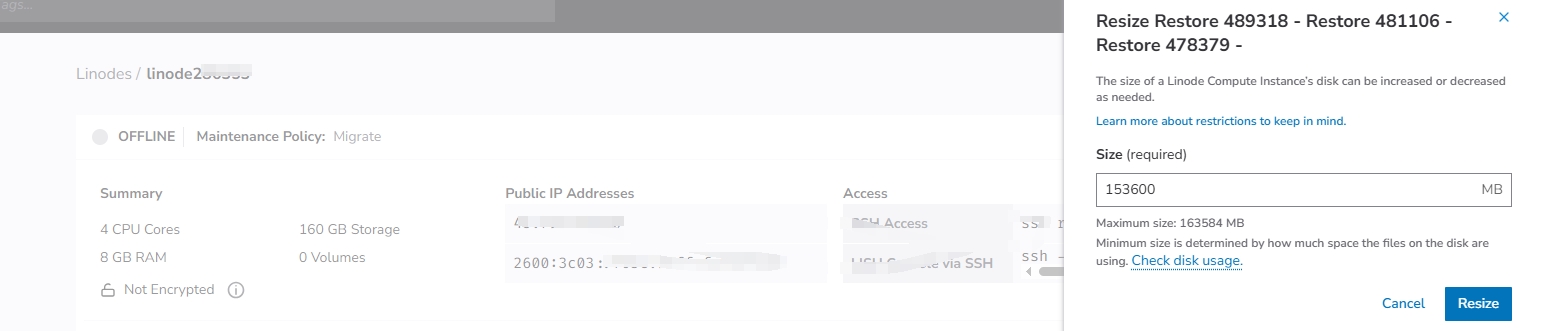
6. First operate the instance Turn off the power, and then find the disk corresponding to /dev/sda (type: ext4/ext3, size 78G) → click resize; change the size to 150g (leave 10g for swap / Redundancy) → Click Resize Disk; wait 1–2 minutes, and the disk expansion is complete (status from Pending→Ready). By the way, adjust the swap to 512 MB. as shown in Figure 3
7. Check the disk occupancy again and confirm that it is in line with expectations
[root@li1269-60 ~]# df -h
Filesystem            Size  Used Avail Use% Mounted on
/dev/sda              148G   78G   68G  54% /
tmpfs                 3.9G  116K  3.9G   1% /dev/shm
[root@li1269-60 ~]#
7. To add, I finally found that the upgrade failure has nothing to do with the balance. Because after the upgrade is successful, the balance is still $48.
Leave a Reply