
Recently, I have encountered a small problem that affects efficiency when sorting out the blog writing process.
Although it only takes a few more clicks at a time, since I write a technical blog almost every day, this repetitive operation has become a place worth optimizing in the long run.
In the end, I realized by analyzing the Gutenberg block registration mechanism, combined with WPCode,While retaining the compatibility of SyntaxHighlighter Evolved history articles, let new articles be automatically converted to Code Block Pro.
This article records the entire investigation and solution process, hoping to provide some reference for friends who encounter similar problems.
problem background
My blog currently has two code highlighting plugins installed at the same time:
- SyntaxHighlighter Evolved: Used for history articles, have been used for many years.
- code block pro: For new articles, the interface is more modern and supports more functions, so I decided to use it all in the future.
But in the actual writing process, I found a problem that affects efficiency.
When I copy the contents of the code block directly from the ChatGPT or Markdown document to the WordPress Gutenberg editor, the system defaults to create not Code Block Pro, but SyntaxHighlighter Code.
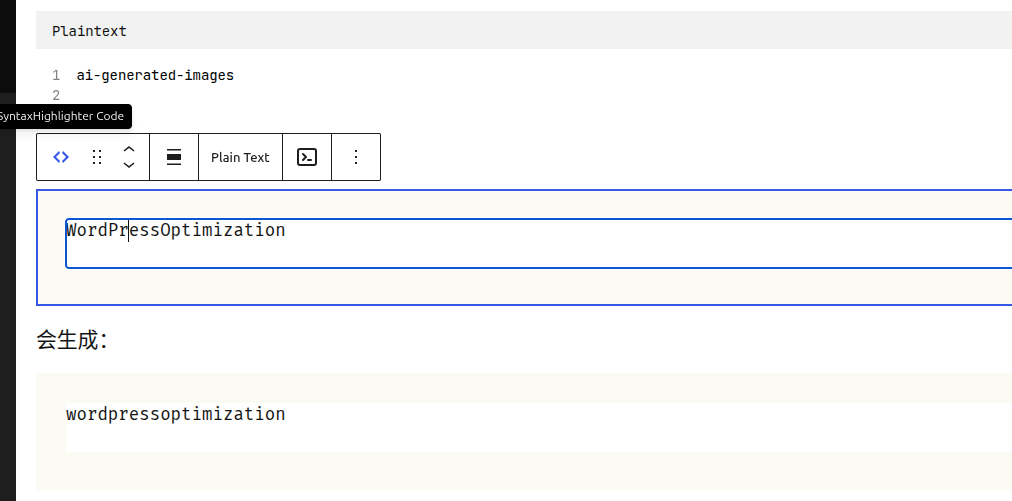
Then I had to do it manually:
SyntaxHighlighter Code
        ↓
转换(Transform)
        ↓
Code Block Pro
If an article contains more than a dozen blocks of code, it needs to be repeated many times.
Although it only takes a few seconds at a time, in the long run, it affects the writing efficiency very much.
Why can’t I uninstall SyntaxHighlighter Evolved directly?
In the beginning, the solution I thought of was to directly disable syntaxhighlighter evolved.
But after looking at the history article, it was quickly discovered that this solution was not feasible.
The code block in the history article is actually saved as:
<!-- wp:syntaxhighlighter/code {"language":"yaml"} -->
<pre class="wp-block-syntaxhighlighter-code">
...
</pre>
<!-- /wp:syntaxhighlighter/code -->
In other words, my history articles have all depended on SyntaxHighlighter/Code This Gutenberg block.
If the plugin is directly disabled, although the content of the article will not be lost, the highlighting effect of the code will all be invalid.
Therefore, the final determination principle:
History articles remain unchanged, and new articles continue to use Code Block Pro.
Analyze Gutenberg Block
In order to find the real problem, I open the browser developer tool and execute in the console:
wp.blocks.getBlockTypes().map(x => x.name)
It turns out that there are three code blocks registered in the editor at the same time:
core/code
syntaxhighlighter/code
kevinbatdorf/code-block-pro
Continue to view the SyntaxHighlighter block:
wp.blocks.getBlockType("syntaxhighlighter/code")
It was found that it registered the following conversion rules:
transforms: {
    from: [
        {
            type: "enter"
        },
        {
            type: "raw"
        },
        {
            type: "block"
        }
    ]
}
The most important of these are:
type: "raw"
This means that when I paste a block of code in Markdown or HTML, I will be taken over by syntaxHighlighter first, so the SyntaxHighlighter code block is automatically generated.
The Code Block Pro itself does not register the corresponding raw Conversion rules, so the paste behavior cannot be automatically taken over.
Final solution
Since history articles cannot be modified, and you do not want to uninstall syntaxhighlighter, then the idea becomes:
Modify only the Gutenberg editor behavior and do not affect the foreground display.
Ultimately, I use wpcode Added a background dedicated PHP snippet.
The snippet listens to the newly created page:
core/codeSyntaxHighlighter/Code
Then automatically convert to:
kevinbatdorf/code-block-pro
The whole process is completely automatic.
WPCode configuration is as follows:
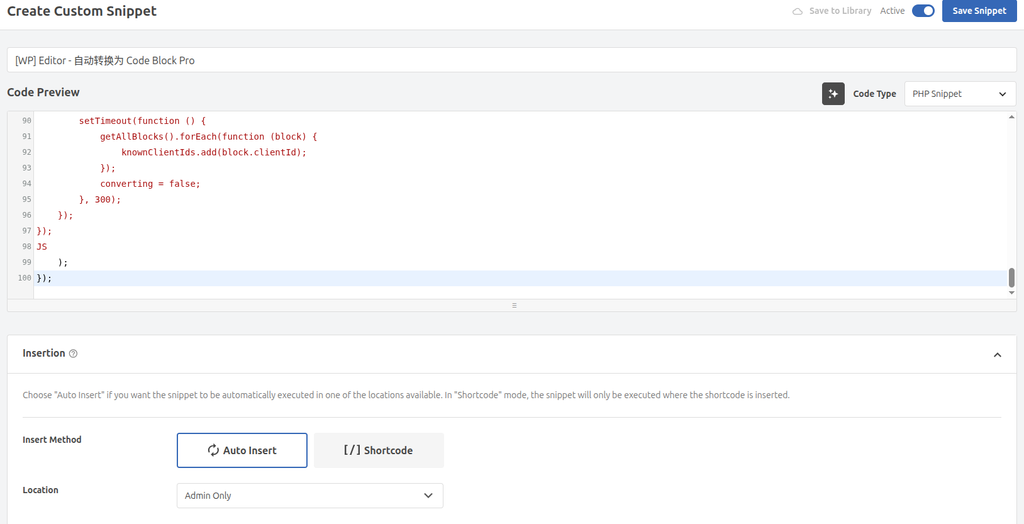
name:
[WP] Editor - 自动转换为 Code Block Pro
Configuration:
- Code Type: PHP Snippet
- Insert Method: Auto Insert
- Location: admin only
Since it only runs in the background editor, it will not affect the foreground page, nor will it affect the historical article.
The complete code is as follows:
/**
 * 后台编辑器:新粘贴/新插入的 core/code 或 syntaxhighlighter/code
 * 自动转换为 Code Block Pro。
 * 不处理打开文章时已经存在的历史代码块。
 */
add_action('enqueue_block_editor_assets', function () {
    wp_add_inline_script(
        'wp-blocks',
        <<<JS
wp.domReady(function () {
    if (!wp.data || !wp.blocks) return;

    const TARGET = 'kevinbatdorf/code-block-pro';
    const SOURCES = ['core/code', 'syntaxhighlighter/code'];
    let knownClientIds = new Set();
    let initialized = false;
    let converting = false;

    function flattenBlocks(blocks, result = []) {
        blocks.forEach(function (block) {
            result.push(block);
            if (block.innerBlocks && block.innerBlocks.length) {
                flattenBlocks(block.innerBlocks, result);
            }
        });
        return result;
    }

    function getAllBlocks() {
        return flattenBlocks(
            wp.data.select('core/block-editor').getBlocks()
        );
    }

    function rememberExistingBlocks() {
        getAllBlocks().forEach(function (block) {
            knownClientIds.add(block.clientId);
        });
        initialized = true;
    }

    setTimeout(rememberExistingBlocks, 1200);

    wp.data.subscribe(function () {
        if (!initialized || converting) return;

        const blocks = getAllBlocks();
        const candidates = blocks.filter(function (block) {
            return SOURCES.includes(block.name) && !knownClientIds.has(block.clientId);
        });

        if (!candidates.length) {
            blocks.forEach(function (block) {
                knownClientIds.add(block.clientId);
            });
            return;
        }

        converting = true;

        candidates.forEach(function (block) {
            let converted = null;

            if (wp.blocks.switchToBlockType) {
                converted = wp.blocks.switchToBlockType(block, TARGET);
            }

            if (Array.isArray(converted)) {
                converted = converted[0];
            }

            if (!converted && wp.blocks.createBlock) {
                const attrs = block.attributes || {};
                const code = attrs.code || attrs.content || attrs.text || '';
                const language = attrs.language || attrs.lang || 'text';

                converted = wp.blocks.createBlock(TARGET, {
                    code: code,
                    language: language
                });
            }

            if (converted) {
                wp.data.dispatch('core/block-editor').replaceBlock(block.clientId, converted);
                knownClientIds.add(converted.clientId);
            }
        });

        setTimeout(function () {
            getAllBlocks().forEach(function (block) {
                knownClientIds.add(block.clientId);
            });
            converting = false;
        }, 300);
    });
});
JS
    );
});final result
After adding snippet, test again.
Paste the Markdown content generated by ChatGPT directly into the editor:
Before:
Ctrl + V
        ↓
SyntaxHighlighter Code
        ↓
Transform
        ↓
Code Block Pro
Now:
Ctrl + V
        ↓
Code Block Pro
The whole process has been completed automatically.
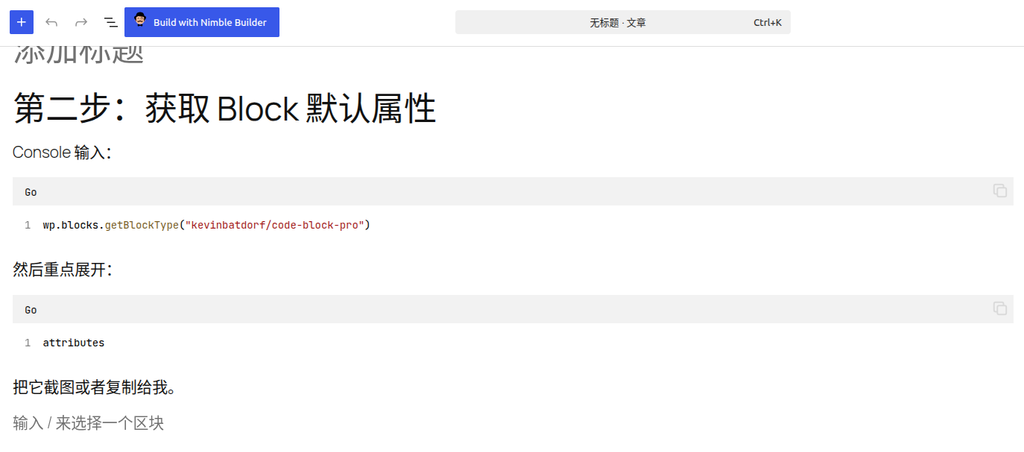
The only small problem at the moment is:
Code Block Pro will inherit the language of the last time used by default. For example, Go was selected in the previous article, so the default is still Go when the next code block is created.
However, for my writing habits, this is completely acceptable.
Usually an article mainly revolves around a language, such as:
- go
- php
- bash
- yaml
Therefore, it is only necessary to occasionally modify the language of individual code blocks, which has saved a lot of repetition operations before.
Summary
This optimization is not a complex problem.
It just saves the operation of repeating clicks again and again in each article.
However, for those who have long insisted on writing technical blogs, such high-frequency repetitions are often the most worthy of optimization.
During the whole optimization process, I did not modify the source code of the plugin, nor did I migrate historical articles, but used the Gutenberg Block API, browser developer tools and WPCode to customize the editor’s behavior.
Eventually achieved:
- Preserve the historical article compatibility of SyntaxHighlighter Evolved;
- New articles use Code Block Pro by default;
- Does not affect the front desk display;
- Significantly improve daily writing efficiency.
If I encounter a similar problem in the future, I will also give priority to:
First analyze the working mechanism of the Gutenberg Block, and then decide whether to customize the editor’s behavior through WPCode, instead of rushing to replace the plug-in or modify the historical data.
In many cases, only a few dozen lines of code can make the daily writing process smoother.
I am a PHP / Go backend engineer with 15+ years of experience. If you need any of the following services, feel free to contact me (more details: About Me & Collaboration):
- ✅ PHP / Go project development and maintenance
- ✅ System architecture design and technical consulting
- ✅ Performance optimization and troubleshooting
- ✅ Linux server deployment and operations
- ✅ Network environment optimization and remote support
- ✅ Long-term technical consulting
WeChat: 13980074657
Email: shuijingwanwq@gmail.com
Telegram: @shuijingwan
GitHub: https://github.com/shuijingwan
Leave a Reply