In Windows, download and run composer-setup.exe, prompt: Could not open input file:composer!

Tip: Could not open input file:composer
The first solution: PHP C:\ProgramData\ComposeSetup\bin\Composer self-update, it will not report an error, but it is too troublesome;
The second solution, reinstall composer-setup.exe and run as an administrator, it will automatically set the system’s environment variables during the installation process, so you can use the composer command directly in any directory.

System variable settings C:\ProgramData\ComposeSetup\bin
Restart the operating system, it can run normally, the screenshot is as follows:
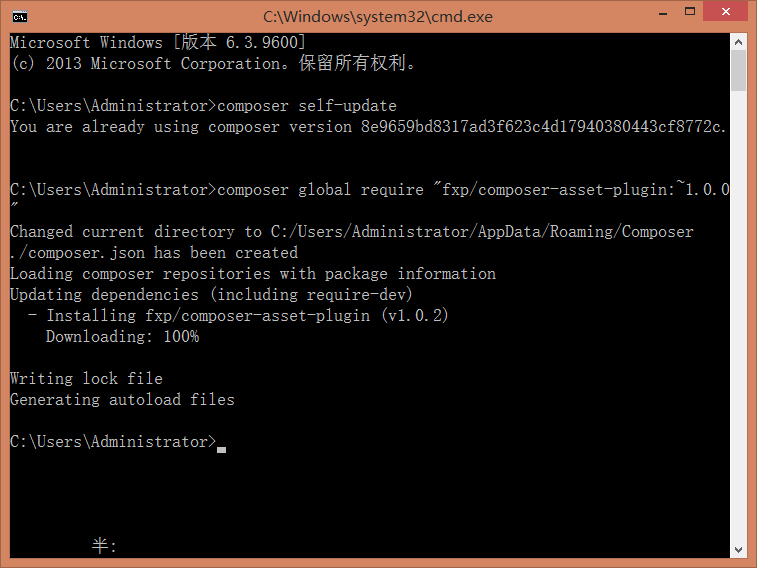
composer global require “fxp/composer-asset-plugin:~1.0.0” run successfully