Install the BackupwordPress plugin – the process of backing up the database and files, backing up the WordPress site
1. Back up the entire site file, use the FTP client, and copy the file from the server to the local machine, as shown in Figure 1

Figure 1
2. Log in to phpmyadmin and back up the database, as shown in Figure 2

Figure 2
3. Search in the background: Backup, and then select BackupwordPress to install, as shown in Figure 3

Figure 3
4. Select Backups in the tool, as shown in Figure 4

Figure 4
5. Click the Settings button to set, as shown in Figure 5
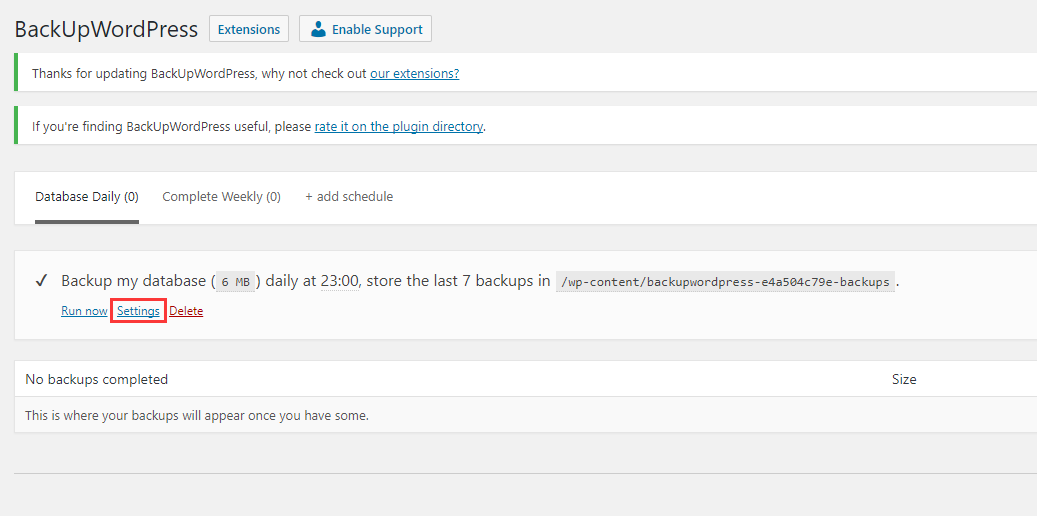
Figure 5
6. Generally speaking, there is no need to change the settings, just default, click the Run Now button, the backup is successful, and the final result is as shown in Figure 6

Figure 6