In Windows 10, update the default browser Microsoft Edge to the latest version (kernel: Chromium)
1. Open the Help and Feedback – Help page, which is the current default browser for Windows 10. The new Microsoft Edge was released in January 2020. Download the new version of Microsoft Edge, as shown in Figure 1
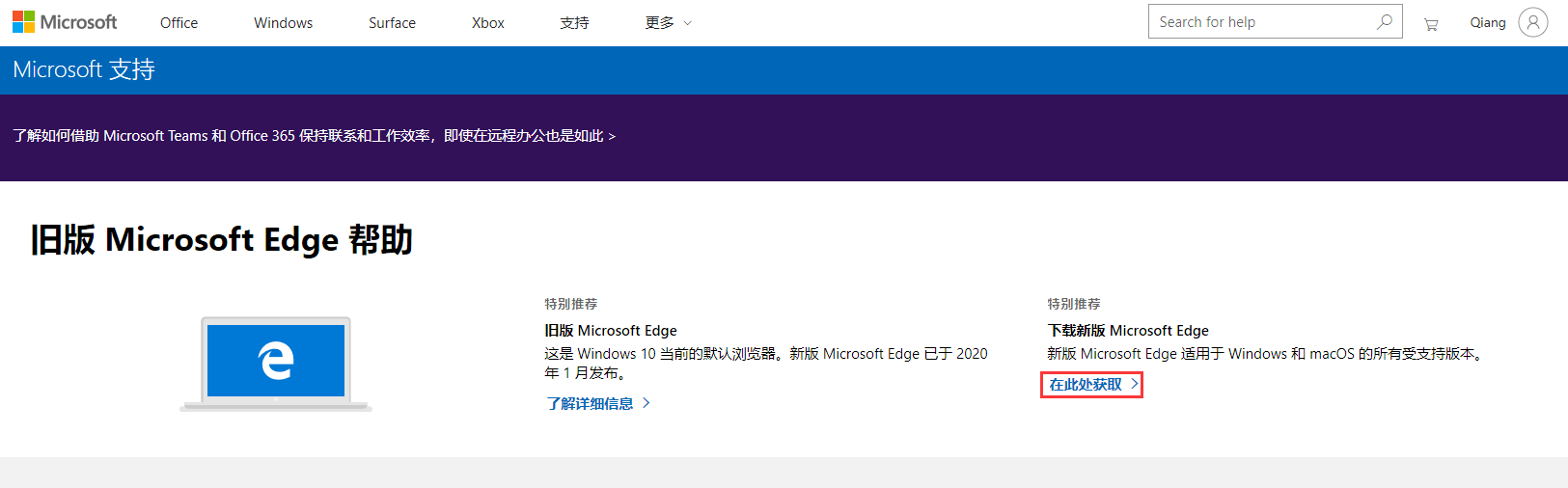
Figure 1
2. Download for Windows 10, download the corresponding software under Windows 10, as shown in Figure 2
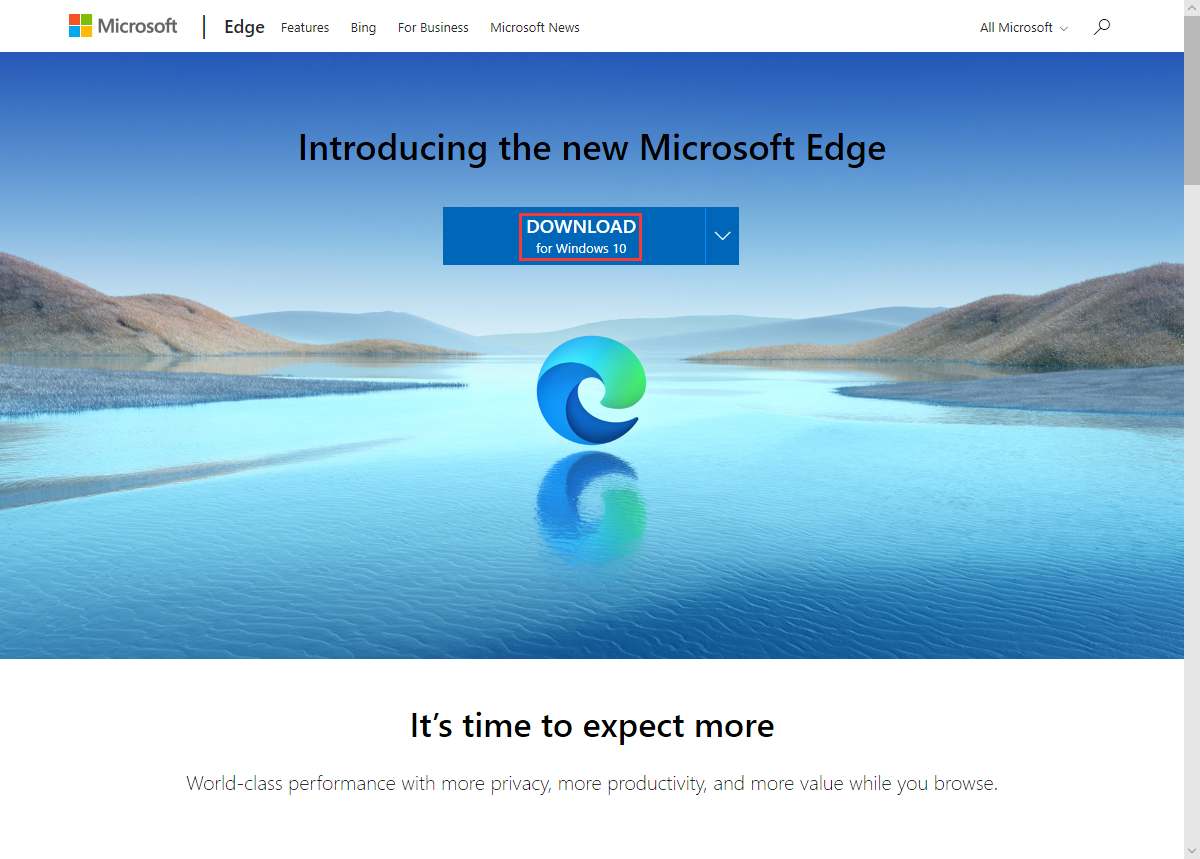
Figure 2
3. Open MicrosoftEdgeSetup.exe, get a new Microsoft Edge, and close Microsoft Edge to install a new version, as shown in Figure 3
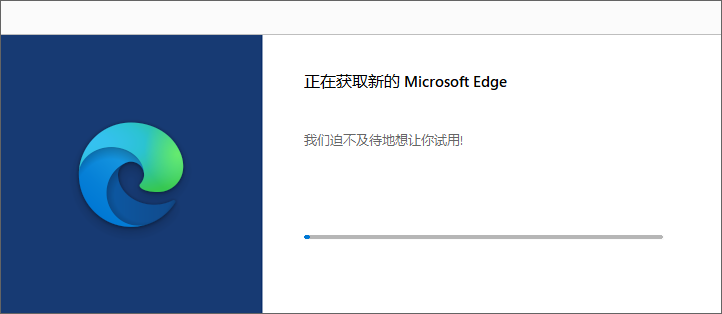
Figure 3
4. Import browser data from Google Chrome, as shown in Figure 4
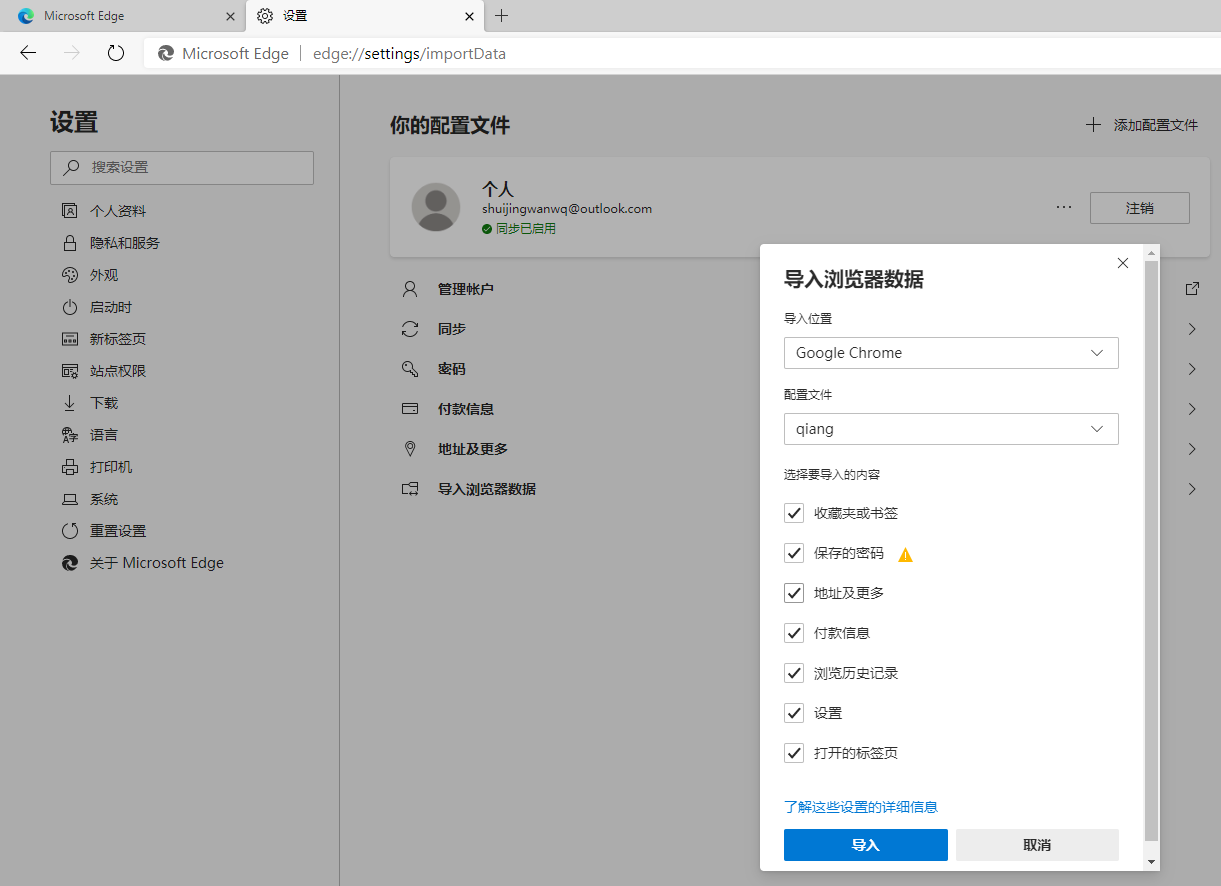
Figure 4
5. Open Help and Feedback – About the Microsoft Edge page, this browser is based on the Chromium open source project and other open source software. as shown in Figure 5
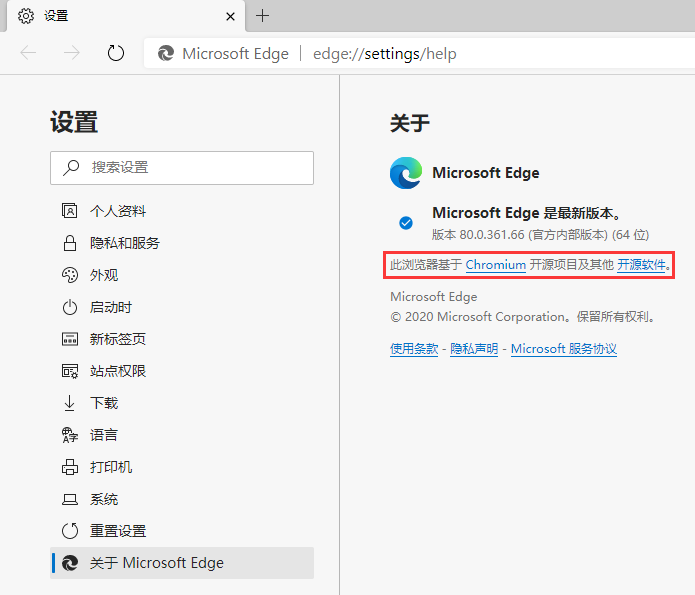
Figure 5