
![[截图 5:Clash 规则片段,突出显示新增的两行 DST-PORT 规则]](https://www.shuijingwanwq.com/wp-content/uploads/2026/06/5-8.png)
![[截图 2:Play 商店更新界面,显示两个应用正常下载]](https://www.shuijingwanwq.com/wp-content/uploads/2026/06/2-2-465x1024.jpg)

problem background
In‘ZGoCloud + Wstunnel + Wireguard speed up 4 times, Clash Verge Rev automatic split and port 443 anti-sealing actual combat’ After the article was published, the overall proxy plan was running steadily, but a strange problem quietly emerged: some foreign websites can be accessed normally (such as github, cloudflare), while others directly report errors and cannot be opened.
The error message given by the browser is `ERR_CONNECTION_CLOSED`, and `Context Deadline Exceeded` appears repeatedly in the Clash Verge log. After a series of investigations, it was finally positioned to DNS resolution deadlock – which is almost a typical culprit of such ‘partial and partially blocked’ problems. This article completes the whole process from the phenomenon to the repair, for the reference of readers who encounter similar problems.
1. Problem Phenomenon
– Can be accessed normally: `github.com`, `cloudflare.com` and other sites, the speed is normal.
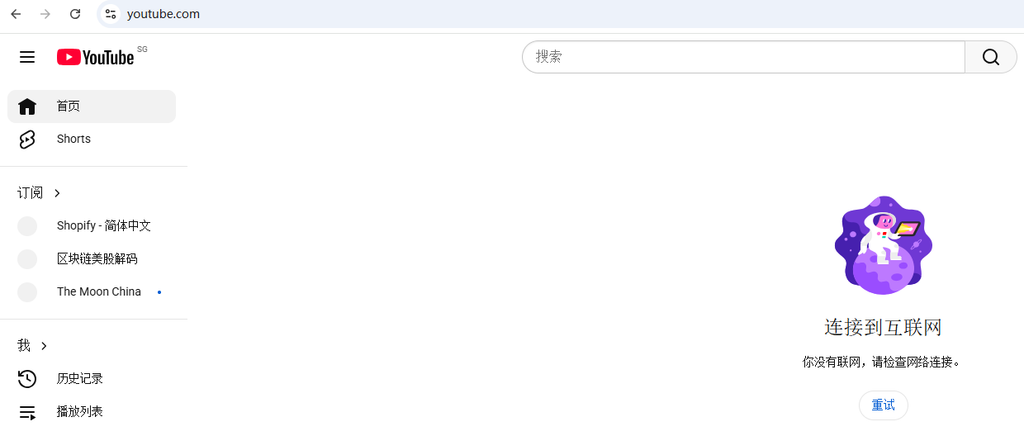
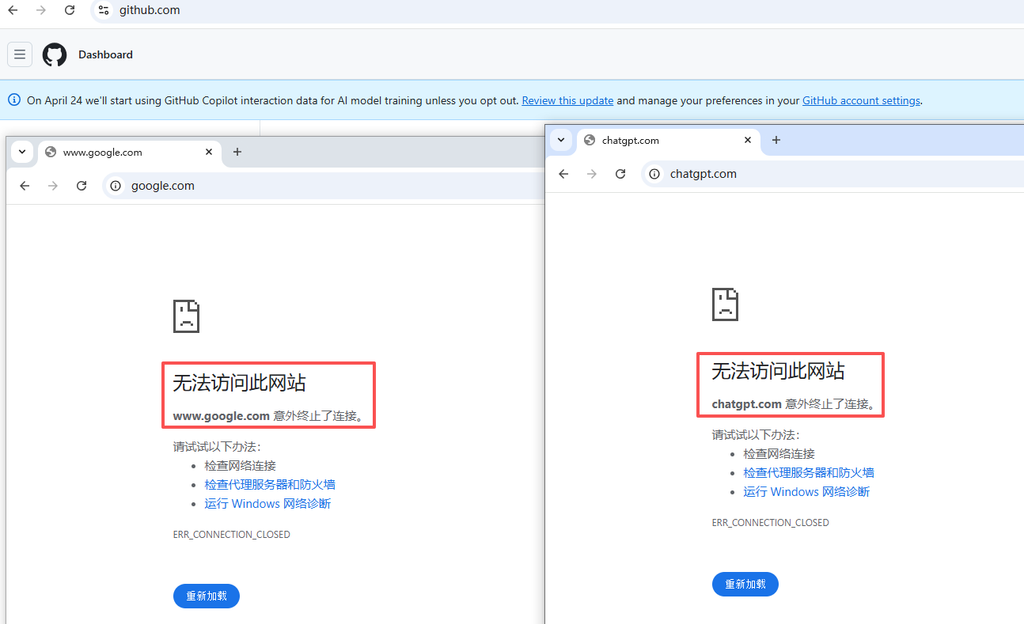
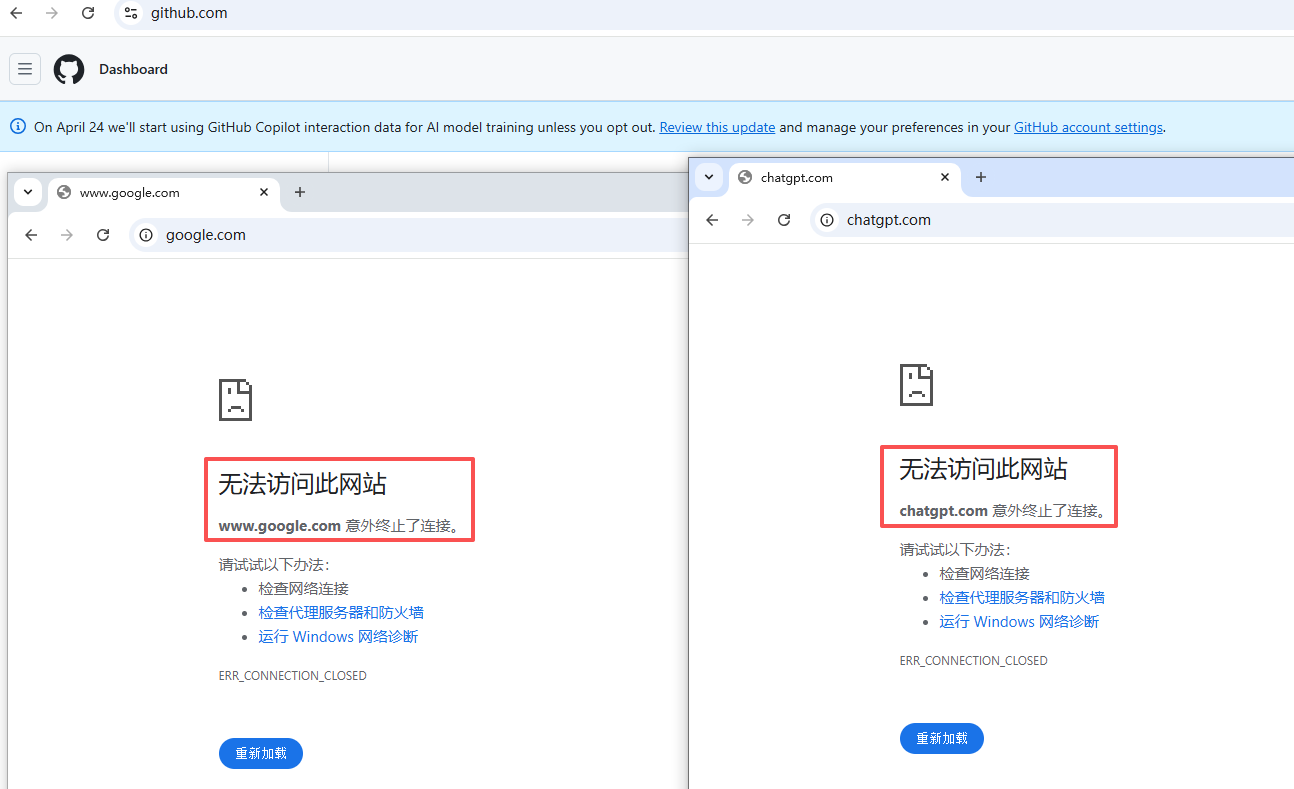
– Inaccessible: `www.google.com`Prompt `ERR_CONNECTION_CLOSED`; `Chatgpt.com`, `v2ex.com` prompt `ERR_CERT_COMMON_NAME_INVALID` resulting in certificate error) (as shown in Figure 1) (as shown in Figure 2).
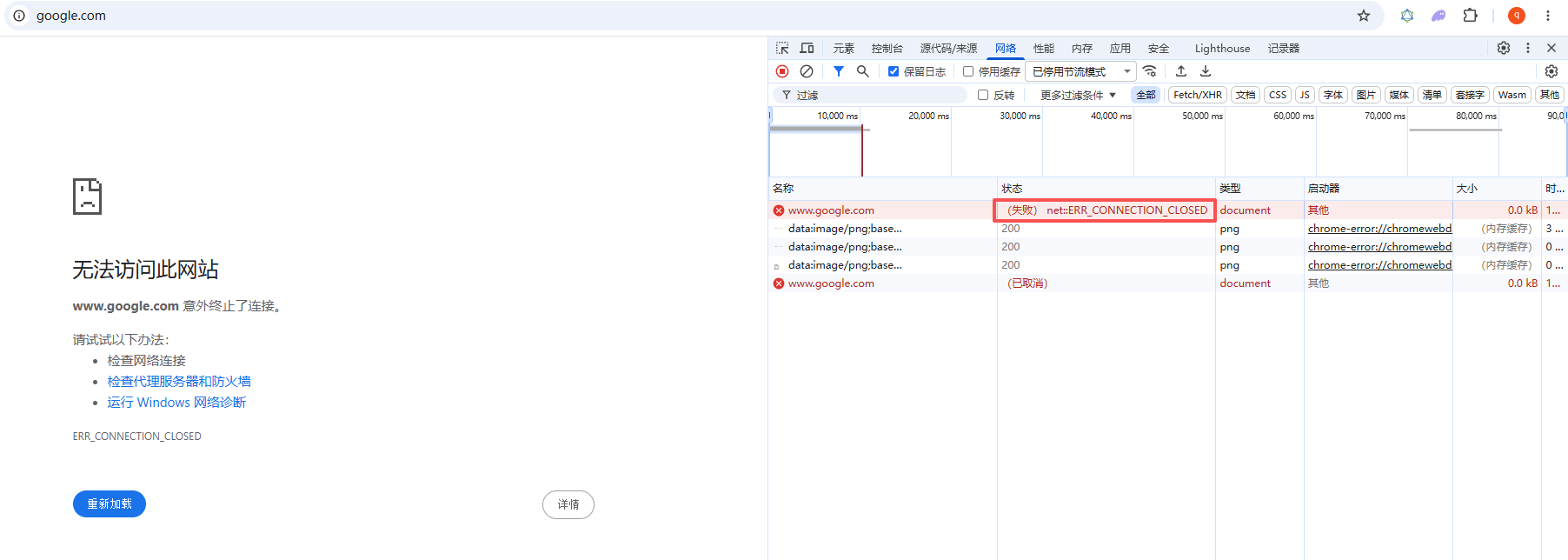
– Clash log features: `[TCP]Dial Proxy … Error: Context Deadline Exceeded`, the request has timed out at the proxy layer (as shown in Figure 3).
![Clash log features: `[TCP]Dial Proxy ... Error: Context Deadline Exceeded`, the request has timed out at the proxy layer (as shown in Figure 3)](https://www.shuijingwanwq.com/wp-content/uploads/2026/05/3-5.png)
– Other phenomena: All blocked sites have HSTS preload features, while normal sites do not.
Preliminary judgment: the problem is not the connectivity of the proxy tunnel itself (after all, GitHub can go), but more like being interfered by some mechanism in DNS resolution or TLS handshake.
2. Phase 1 investigation: MTU and IPv6
2.1 Adjust MTU (Invalid)
Since the error is timeout, I first suspect that it is the MTU sharding problem encapsulated by wstunnel. The MTU of the WireGuard client is gradually reduced from the default 1420 to 1100, and the problem remains the same. Some sites are still inaccessible, indicating that the MTU is not the main cause.
2.2 Turn off IPv6 (partial mitigation, certificate error)
After turning off IPv6 support (`ipv6: false`) in the settings of Clash Verge, the connection timeout problem of some websites is reduced, but `Chatgpt.com` and other sites start to report `ERR_CERT_COMMON_NAME_INVALID` Certificate error. Certificate error is a direct manifestation of DNS pollution: the browser tries to connect to the error IP after DNS pollution, and the domain name returned by the other party does not match the request, so it is blocked by Chrome.
This means that the system DNS has returned the result of contamination, and these requests have not gone through the proxy tunnel. The reason is that the DNS function of Clash has been turned off by me before (`DNS: False`), and all resolutions use the DNS provided by the local network directly, and these DNS are generally poisoning sensitive domain names.
3. Stage 2: Enable Clash DNS and get stuck in deadlock
Since DNS pollution is the main reason, the most direct solution is to enable Clash built-in DNS, and allow overseas domain names to query pollution-free DNS servers through proxy tunnels.
3.1 Initial DNS configuration (failed)
dns:
  enable: true
  ipv6: false
  nameserver:
    - https://dns.alidns.com/dns-query    国内域名
  fallback:
    - https://dns.google/dns-query         国外域名,这里埋下隐患
  proxy: ZgoCloud-WG
After restarting Clash, all overseas websites have timed out, and the log shows:
[DNS] resolve ... from https://dns.google:443/dns-query
re-creating the http client due to requesting ... context deadline exceeded
`dns.google` itself has timed out. This is the classic DNS resolution deadlock: Clash needs to be connected through the `zgocloud-wg` proxy to `dns.google`, but to connect to `dns.google`, you must first resolve its IP The address, and this resolution request itself is configured to go `dns.google`… forming an infinite loop.
3.2 Try Dot in the form of IP (failure)
In order to avoid the deadlock of domain name resolution, I changed the fallback to google’s DNS over TLS (dot) and use the IP address to access directly:
fallback:
  - tls://8.8.8.8:853
However, the log shows `Dial TCP 8.8.8.8:853: I/O Timeout`. This means that there is a problem with the forwarding of the WSTunnel tunnel to non-HTTP TLS traffic (ie dot) – Wstunnel is essentially a WebSocket tunnel, which is good at encapsulating HTTP/HTTPS, and for pure TLS streams (port 853) may not work properly due to packet mode or firewall restrictions.
3.3 Final Success Scheme: CloudFlare Dot
Since google dot doesn’t work, I switched to Cloudflare’s `1.1.1.1:853` and made two key adjustments at the same time:
1. Keep the DOT service directly connected to the IP: `tls://1.1.1.1:853`, and eliminate the domain name resolution dependency.
2. Definitely specify a DNS request to go to the proxy node: use `proxy: zgocloud-wg` instead of a proxy group (`proxy` or `auto`), avoid url-test Miselective direct connection leads to timeout.
3. Delete the rules directly connected to dns.google: there is a `domain,dns.google,direct` in the original `rules`, which will force the clash to make `dns.google` The analysis is directly connected, which is contrary to our needs and must be removed.
4. Supplementary investigation: Wstunnel tunnel stability
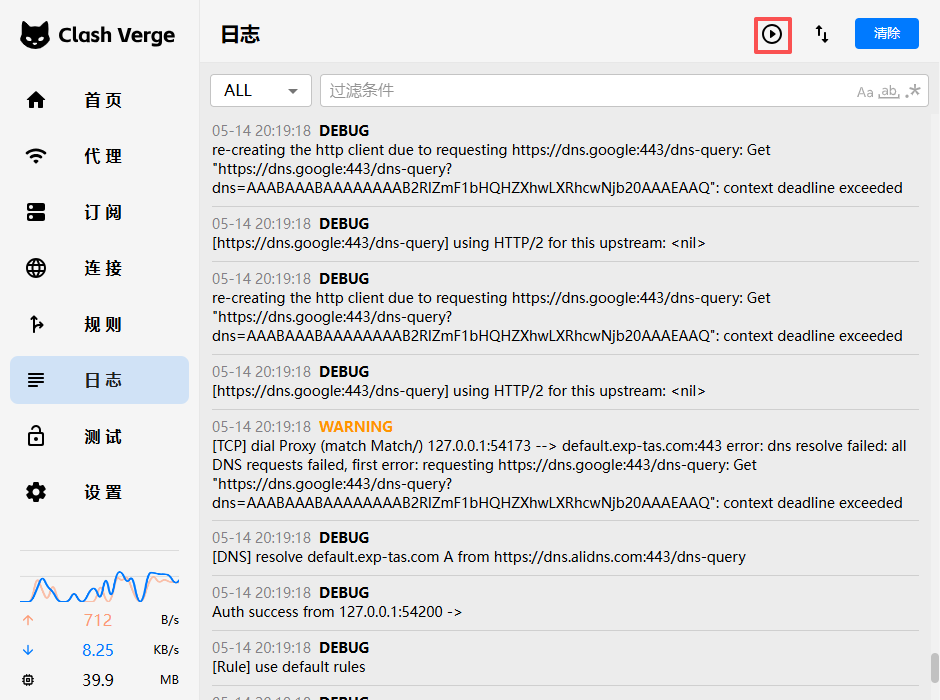
In the process of adjusting DNS, there was a case where the Clash log was completely blank, which usually means that the Clash kernel did not start successfully at all. The final discovery was the oolong caused by carelessness:
– Logging is paused manually: There is a ‘Pause/Continue’ button in the upper right corner of the log panel of Clash Verge, which accidentally touches it, causing all logs to stop refreshing (as shown in Figure 4).
5. The final effect
After modification, restart the Clash kernel and observe the log:
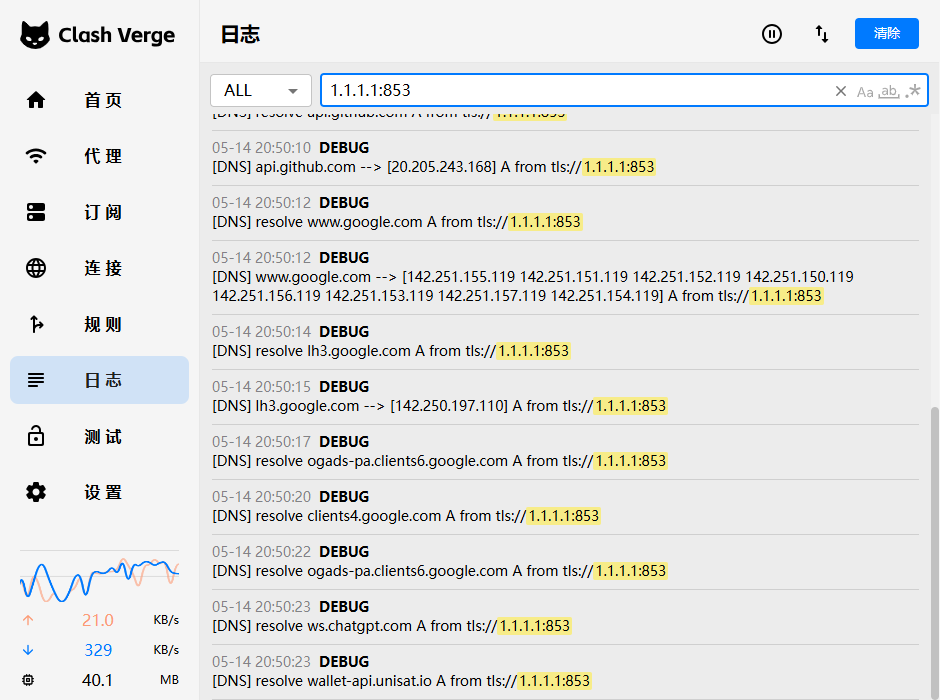
[DNS] chatgpt.com --> [104.18.2.161 104.18.3.161] A from tls://1.1.1.1:853
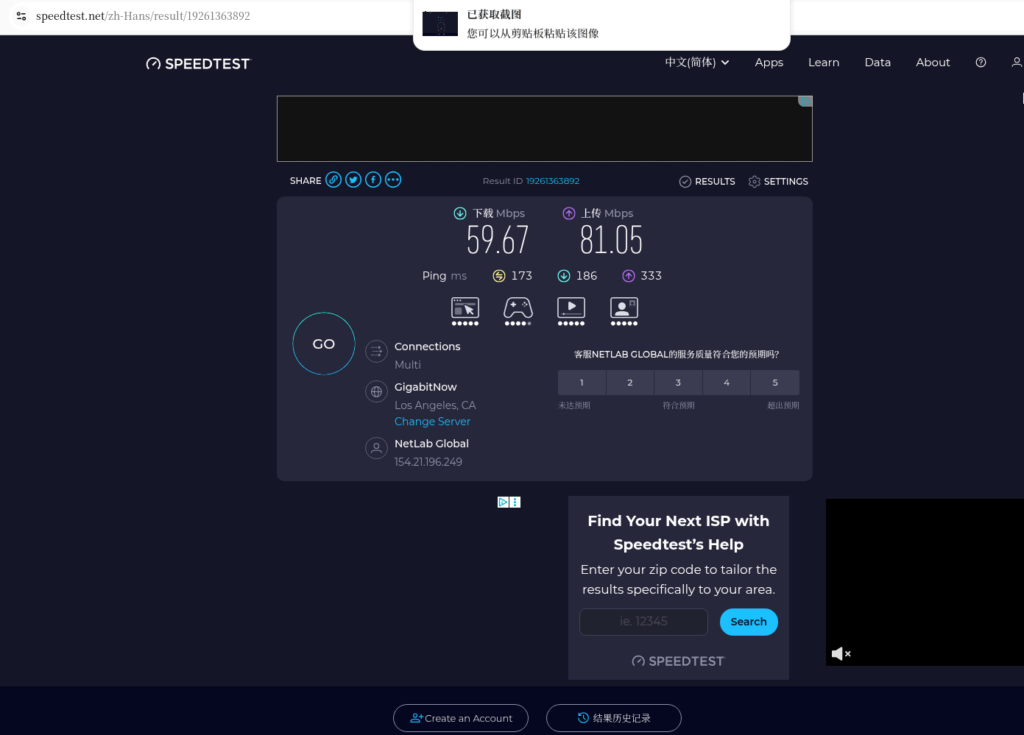
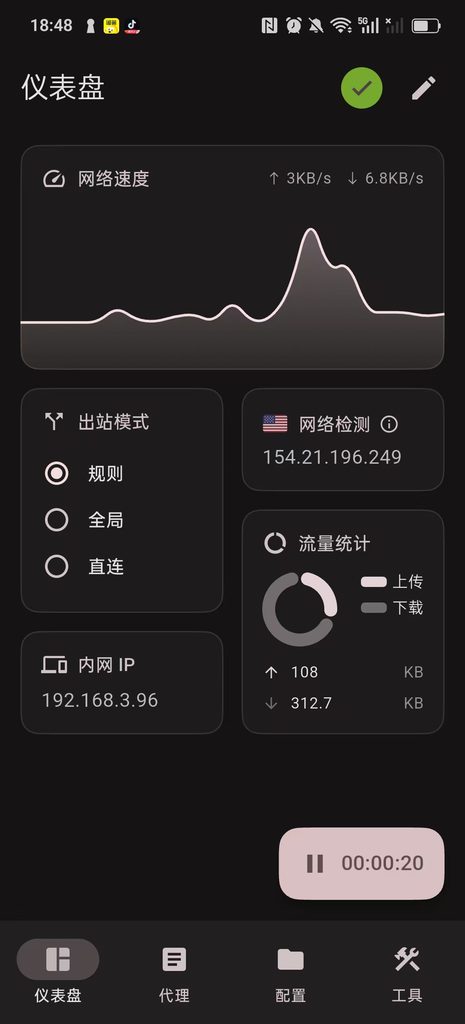
All websites that have previously reported certificate errors or timeouts (`Chatgpt.com`, `v2ex.com`, `Google.com`) can be opened normally, and `GitHub.com` and other original websites are still fast. The problem is completely solved (Figure 5).
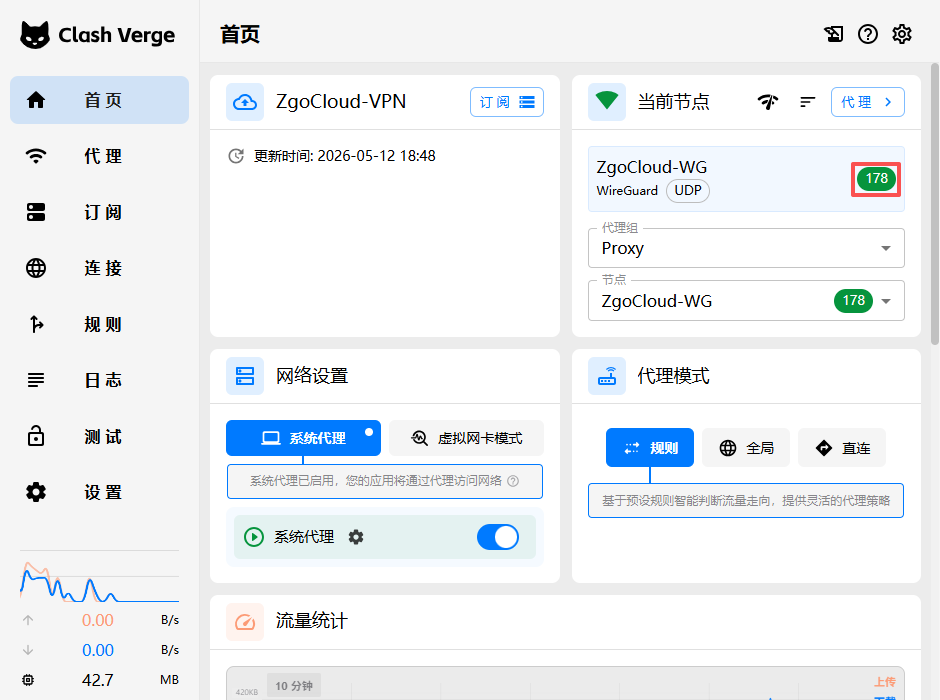
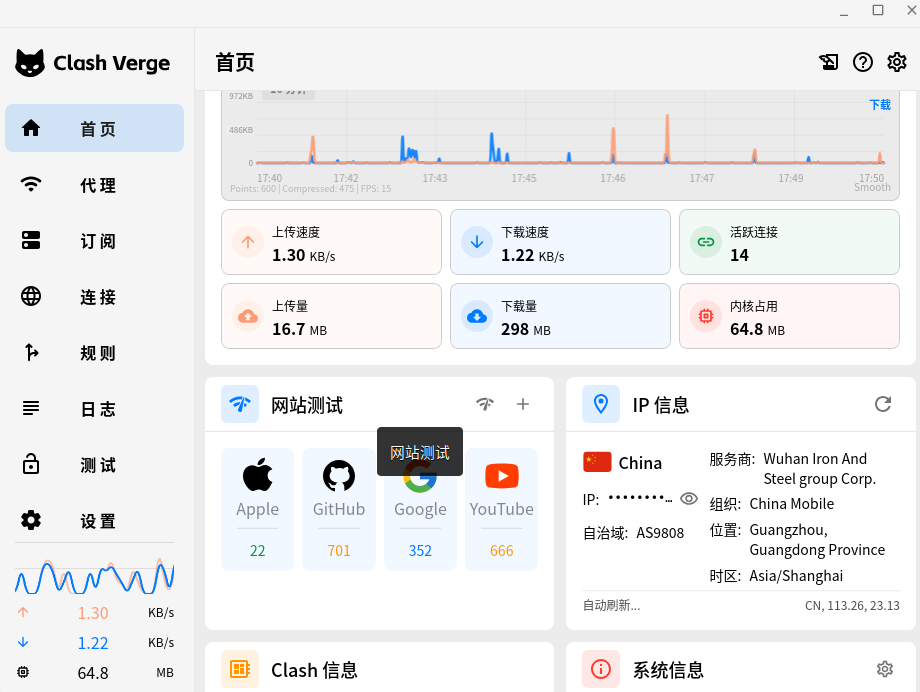
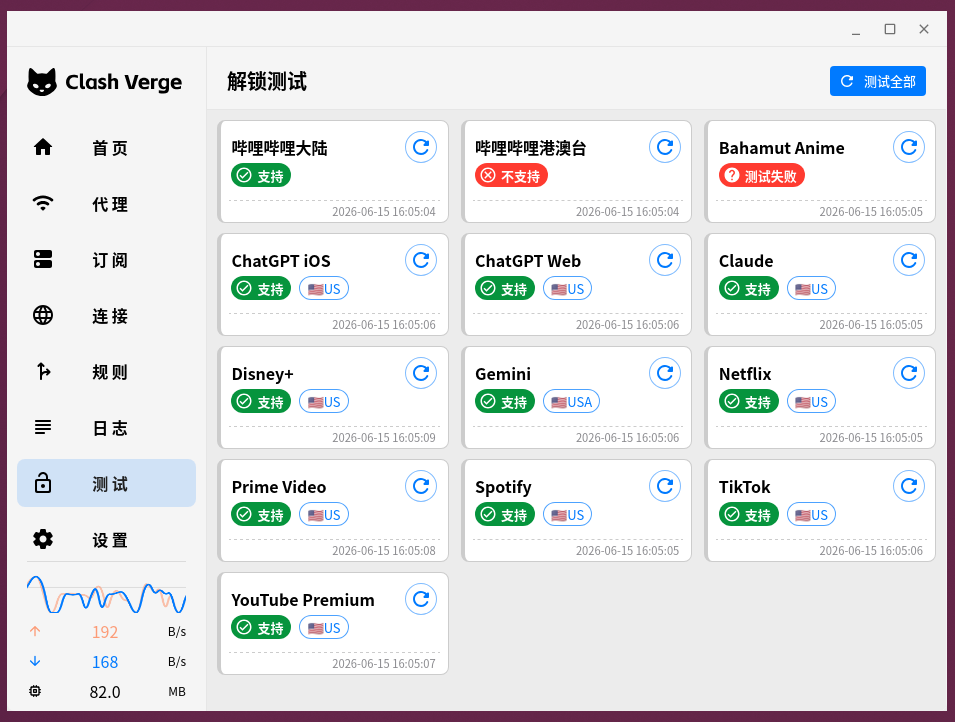
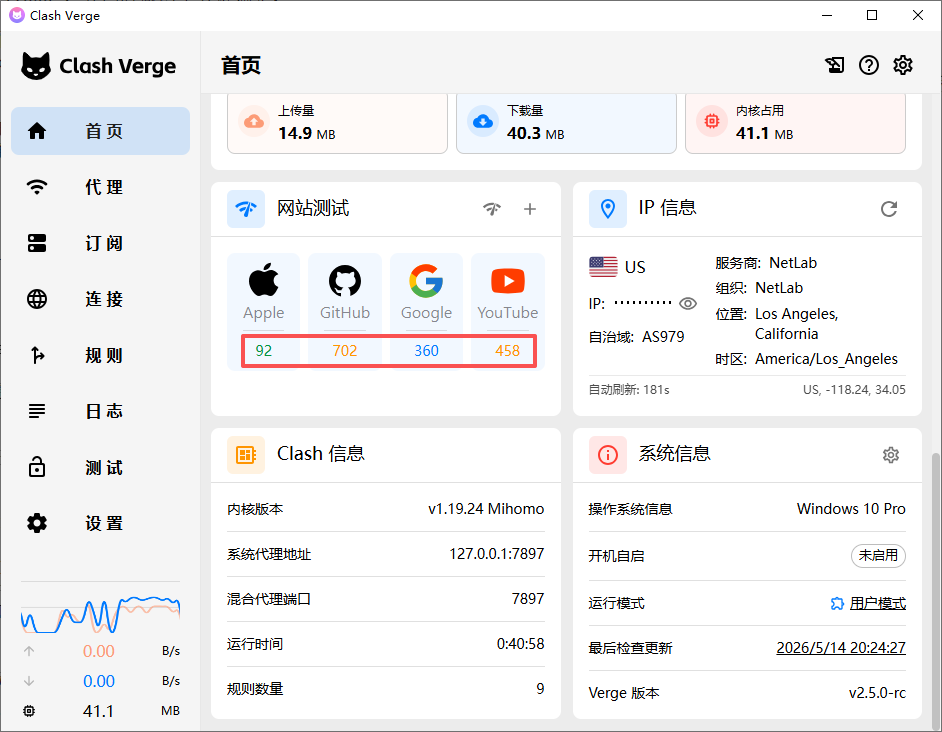
In Clash Verge – Home – Website Testing – Test all, test passes (as shown in Figure 7).
6. Technical summary: Why is your agent ‘partially blocked’?
– Phenomenon: GitHub can be opened but Google cannot be opened, and the latter often reports a certificate error or timeout.
– Essential: DNS pollution + proxy chain DNS resolution deadlock.
– Key points:
1. Don’t set Clash’s Fallback DNS to the domain name that needs to be resolved by itself (such as `dns.google`), use `tls://1.1.1.1` to directly connect the encryption of IPs DNS.
2. The DNS proxy policy should be accurate to the node, avoid using `url-test` and other possible misjudgmented proxy groups.
3. WSTUnnel is better suited to carry HTTPS streams (DOH), rather than pure TLS streams (DOT) – but measured `1.1.1.1:853` of CloudFlare It can be passed, may be related to a specific path, and can be flexibly switched.
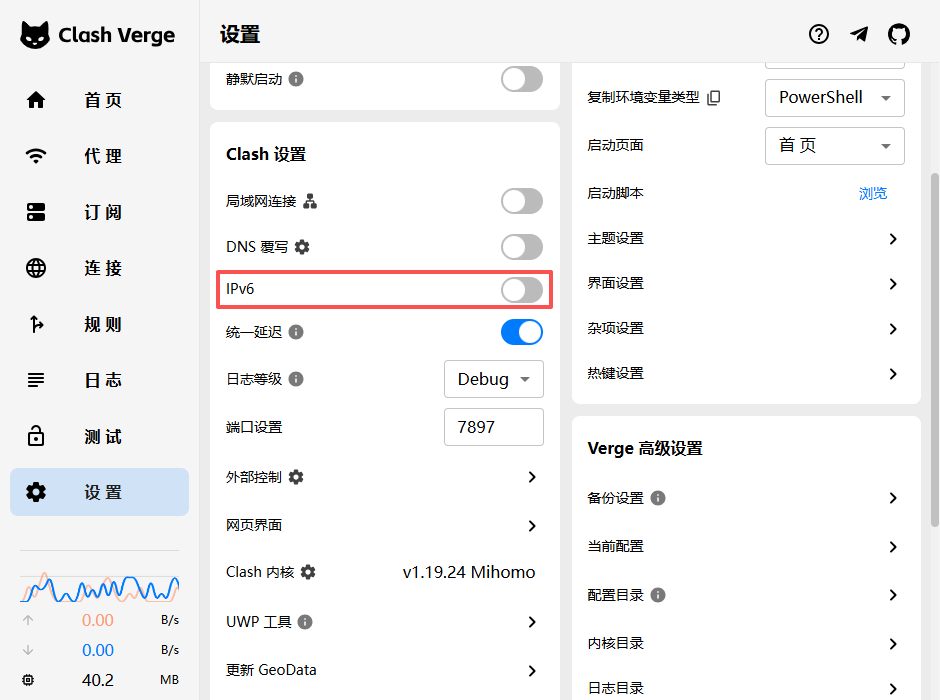
4. Turn off IPv6 (Figure 7) and adjust the MTU as an aid, but not a fundamental antidote.
5. Check the HSTS error: When the browser reports `ERR_CERT_COMMON_NAME_INVALID`, it is suspected that the DNS is poisoned, not the proxy tunnel failure.
7. Final reference configuration (full version, all notes are reserved)
Below is the subscription profile I ended up using, all comments are preserved for easy understanding of each meaning. Be sure to replace the key, IP and other information with your own actual value.
# ==============================================
# 你的自定义订阅配置,会和Clash Verge自带的基础配置自动合并
# ==============================================

# 新增:配置持久化(保存你手动选择的代理组,重启后不会重置)
profile:
  store-selected: true

# DNS配置(自带config没有DNS部分,保留你的原有配置)
dns:
  enable: true
  ipv6: false
  listen: 0.0.0.0:53
  default-nameserver:
    - 114.114.114.114
  nameserver:
    - https://dns.alidns.com/dns-query # 国内域名用阿里 DoH
  fallback:
    - tls://1.1.1.1:853 # 国外域名用 Cloudflare 的 DoT(推荐,相对更快)
  # 直接指定代理节点,不要用 url-test 组
  proxy: ZgoCloud-WG
  fallback-filter:
    geoip: true
    ipcidr:
      - 240.0.0.0/4

# 代理配置(修复了缩进错误,修改了remote-dns-resolve)
proxies:
  - name: "ZgoCloud-WG" # 代理的名字,不用改
    type: wireguard # 代理类型,WireGuard
    server: 127.0.0.1 # 本地的wstunnel客户端的地址,不用改
    port: 51820 # 本地的wstunnel客户端的端口,不用改
    ip: 10.7.0.2 # 你的WireGuard客户端的IP,从client.conf里拿到的
    public-key: a4DvxU7LgW0069MbHpMMhcc... # WireGuard的公钥,从client.conf里拿到的
    private-key: yBdtV4+0CxvTFvXWrPS+sM... # WireGuard的私钥,从client.conf里拿到的
    pre-shared-key: 3glNI413OnTF2mAJLo9JSFG... # WireGuard的预共享密钥,从client.conf里拿到的
    remote-dns-resolve: false # 关闭远程解析:server是本地IP,不需要远程解析
    udp: true # 开启UDP转发,支持游戏之类的UDP流量
    mtu: 1100 # 调整MTU,适配wstunnel的封装,避免分片丢包

# 代理分组(保留你的原有配置)
proxy-groups:
  - name: "Proxy" # 手动选择的分组,你可以手动切换直连还是VPN
    type: select
    proxies:
      - ZgoCloud-WG # 走VPN
      - DIRECT # 直连

  - name: "Auto" # 自动选择的分组,自动判断国内国外
    type: url-test
    proxies:
      - ZgoCloud-WG
      - DIRECT
    url: http://www.gstatic.com/generate_204
    interval: 300

# 完善后的分流规则(补充了缺失的规则,所有缩进都改成了空格)
rules:
  # 1. 最高优先级:Wstunnel 服务器直连(解决代理循环)
  - IP-CIDR,154.21.196.249/32,DIRECT

  # 2. DNS 域名必须直连(解决你现在的 DNS 解析失败)
  - DOMAIN,dns.alidns.com,DIRECT

  # 3. 本地局域网直连
  - IP-CIDR,127.0.0.1/8,DIRECT
  - IP-CIDR,10.0.0.0/8,DIRECT
  - IP-CIDR,172.16.0.0/12,DIRECT
  - IP-CIDR,192.168.0.0/16,DIRECT

  # 4. 国内流量直连
  - DOMAIN-SUFFIX,cn,DIRECT
  - GEOIP,CN,DIRECT

  # 5. 其他全部走代理
  - MATCH,Proxy
Epilogue
This investigation took a long time, but finally focused on a simple DNS deadlock problem. For self-built agents, the configuration of DNS is often easier to step on the pit than the tunnel itself. I hope that the records of this article can help friends who are also groping in the fog of “some websites can’t be opened”, and take some detours. If you have similar experience in Clash + Wireguard + WSTUnnel networking, please communicate in the comment area.
🚀 Recommended VPS (WireGuard / Clash / Self-hosted VPN)
For this series, we recommend using Vultr VPS as the base infrastructure:
✔ Supports WireGuard / Clash / VPS deployment
✔ Multiple global data center locations
✔ Stable and suitable for long-term networking setups
👉 Visit Vultr (Recommended Sign-up Link)
💡 New User Promotion Info
Vultr may offer promotional credits for new users, such as:
– Up to $300 in trial credits
– For VPS deployment and testing purposes
– Availability depends on Vultr’s official campaign and account eligibility
⚠️ Offers may vary by region, time, or account type.
⚠️ Disclaimer
This page contains affiliate links to Vultr. We may earn a commission if you purchase through these links.
All promotions are provided and managed by Vultr. We do not guarantee that all users will receive the same promotional benefits.
Stop the Hassle | Dedicated WireGuard VPN Deployment Service
I continuously test and evaluate various network optimization solutions. My personal setup has been running stably for over a month with zero downtime. If you are tired of troubleshooting, experimenting with different protocols, or managing complex server configurations, feel free to contact me for a dedicated solution.
Ideal For:
✅ Users of AI tools such as ChatGPT, Claude, and Gemini
✅ Remote workers who rely on stable international connectivity
✅ Developers and technical learners who need access to global resources
✅ Users who do not want to spend time managing VPS and proxy configurations
✅ Anyone who prefers a private VPN server instead of shared public services
What I Offer:
✅ Remote Deployment: Deploy a dedicated WireGuard VPN on your own server with full control over your data.
✅ Free Trial: Apply for a one-month free trial of my self-hosted VPN node before making a decision.
✅ Traffic Routing Optimization: Fine-tuned routing rules optimized for AI tools, development environments, and everyday browsing.
✅ Post-Deployment Support: Assistance with setup, client configuration, and troubleshooting after deployment.
If you would like to learn more or apply for a free trial, please contact me directly and mention: VPN Consultation.
Contact Me:
Telegram: @shuijingwan
WeChat: 13980074657
Email: shuijingwanwq@gmail.com
Leave a Reply