In K8s, the PHP code cache component has been installed: Zend Opcache, modify the PHP file, and let it take effect immediately (batch kill the PHP process in CentOS)
1. In K8s, the container has no restart options, as shown in Figure 1
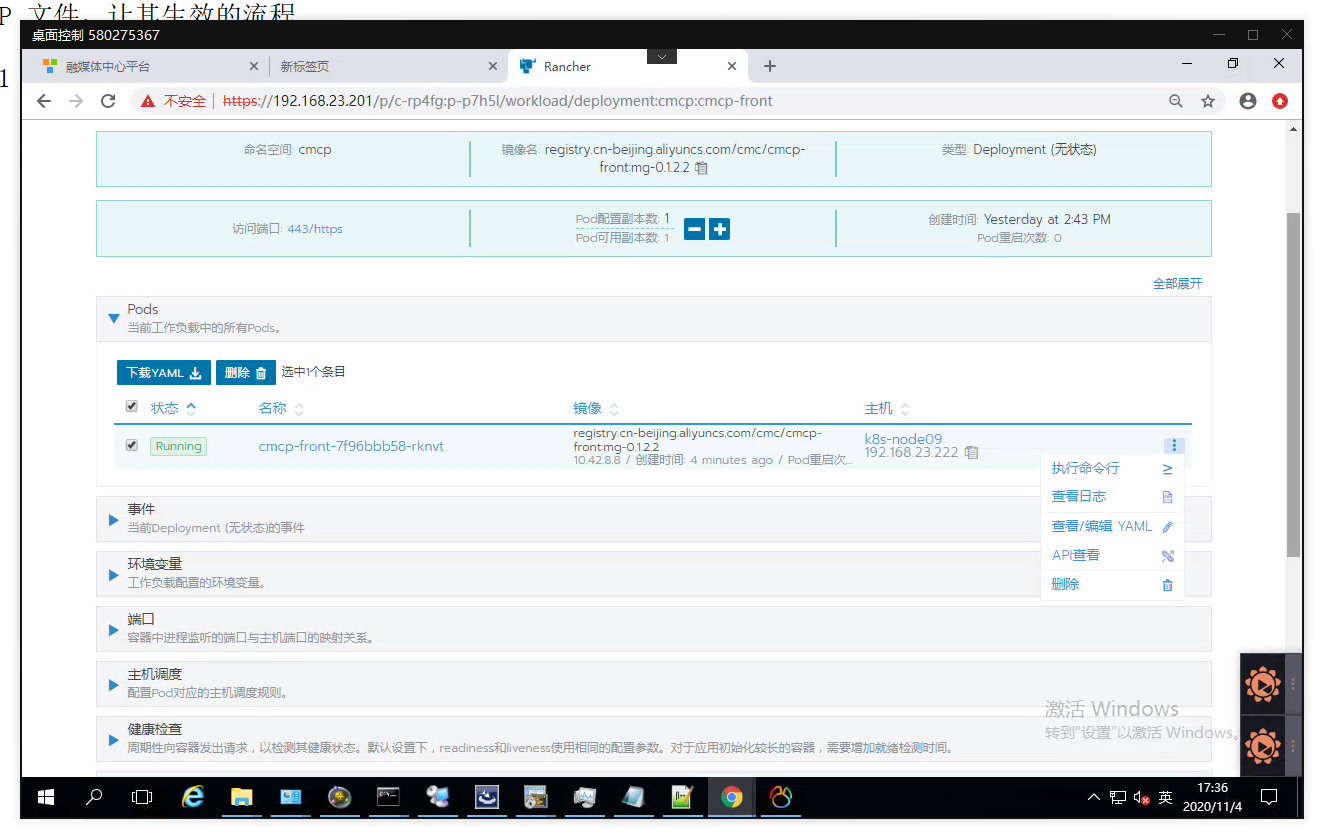
Figure 1
2. In non-K8s, the container has a restart option, modify the php file before, and the container will automatically take effect after restarting. as shown in Figure 2
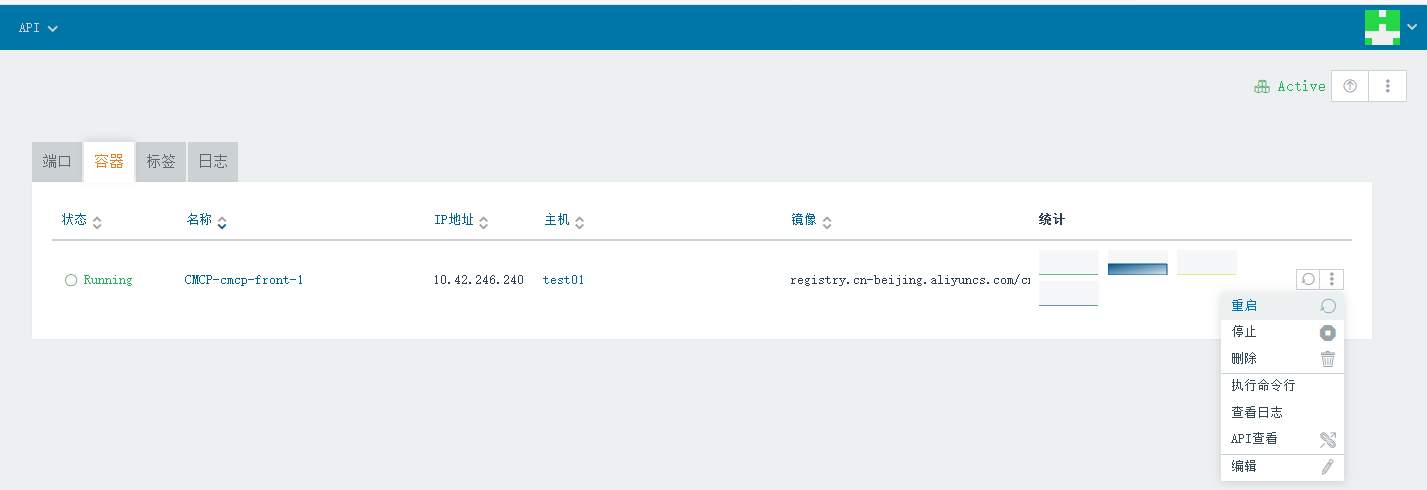
Figure 2
3. Edit the php file and output some information, as shown in Figure 3
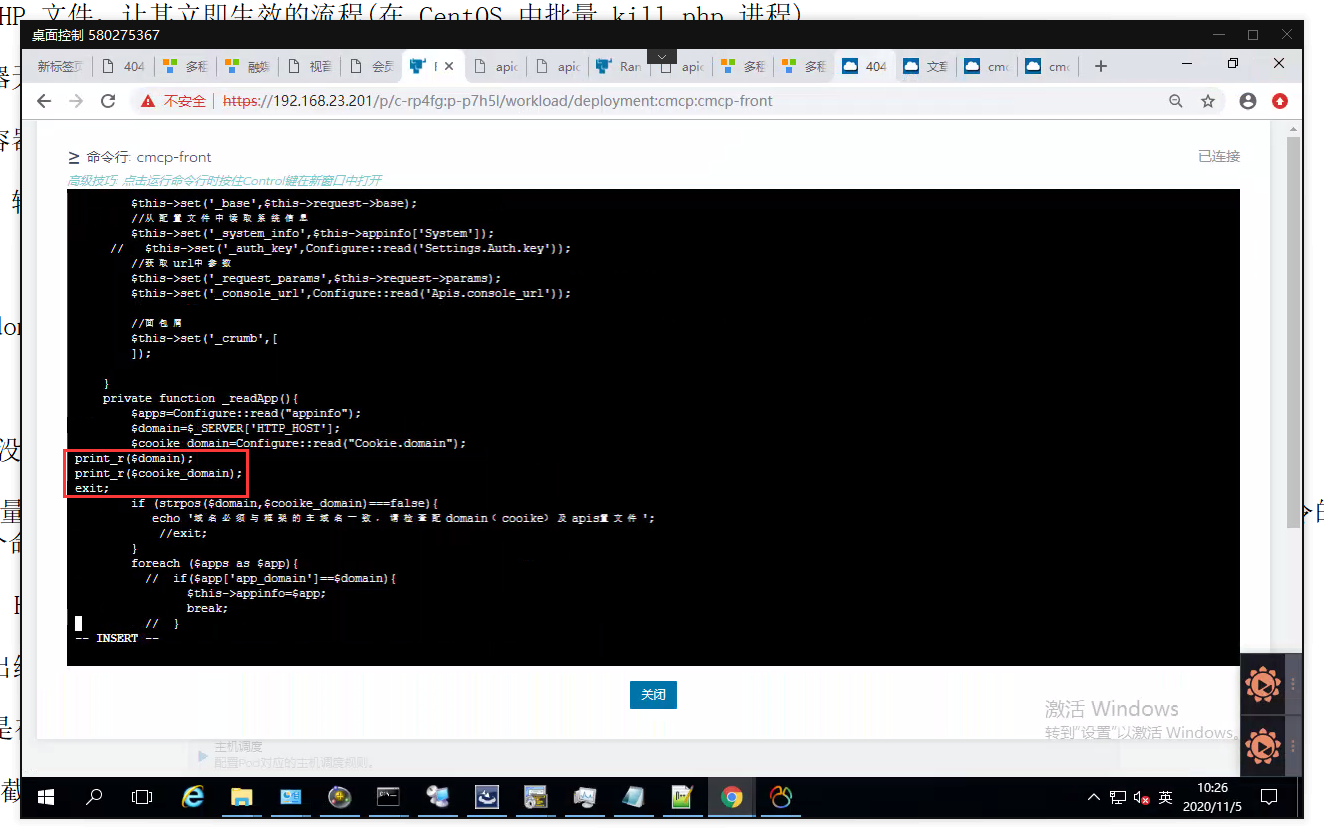
Figure 3
print_r($domain);
print_r($cooike_domain);
exit;
4. Refresh the page and find that it does not take effect immediately, as shown in Figure 4
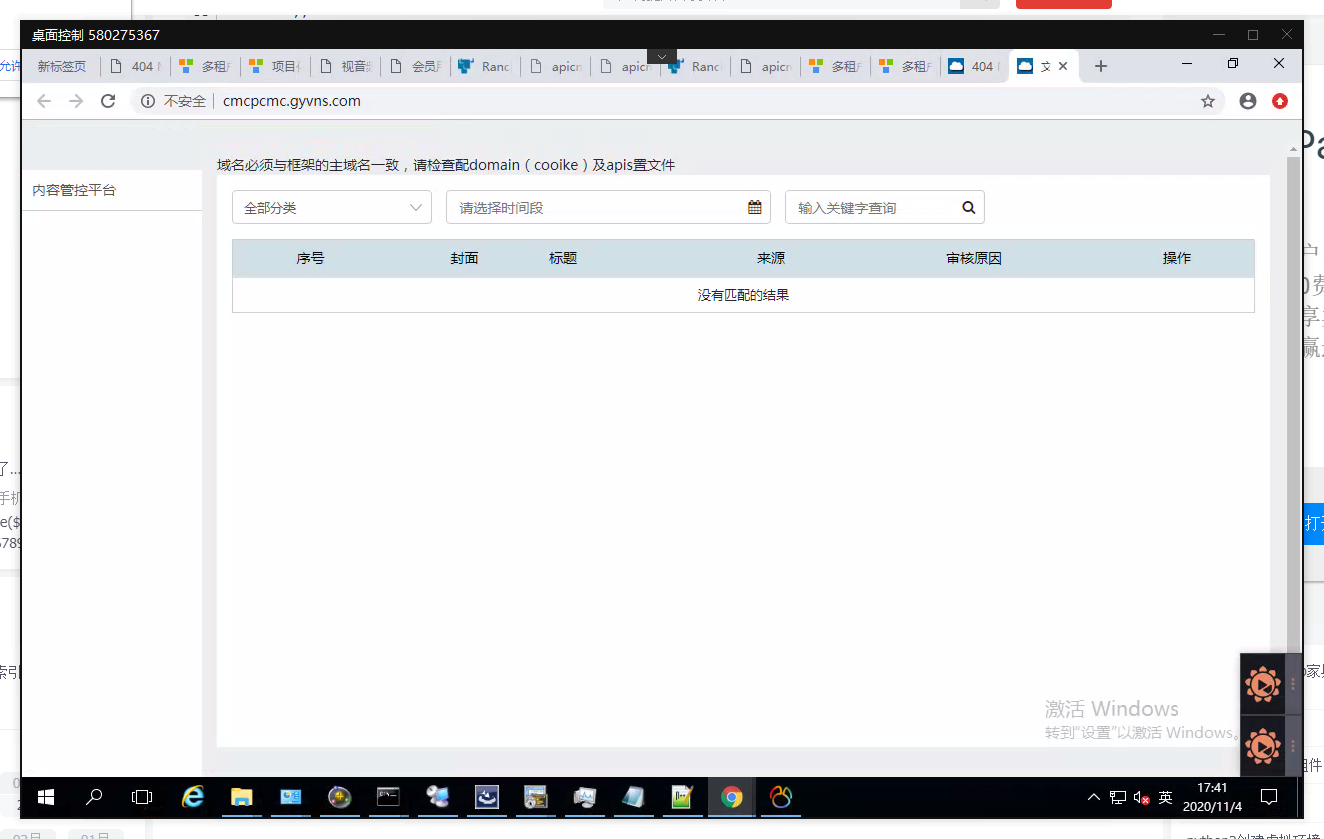
Figure 4
5. Kill the php process in batches in CentOS and execute the command. The pipe character “|” is used to separate the two commands, and the output of the pipe character to the left of the pipe character will be used as the input of the command to the right of the pipe character. Here are a few commands that are connected with pipe characters:
“PS – EF” is a command to view all processes in Red Hat. At this time, the retrieved process will be entered as the input of the next command “grep local=no”.
The output of “grep php” is that all processes with the keyword “local=no” are output.
“grep -v grep” is the process that contains the keyword “grep” in the listed process.
“cut -c 9-15” is the 9th character to the 15th character of the input line, which is exactly the process number PID.
The xargs command in “xargs kill -9” is used to take the output of the previous command (PID) as a parameter of the “kill -9” command and execute the command.
“kill -9” will forcibly kill the specified process, so that all php processes are successfully cleared. as shown in Figure 5
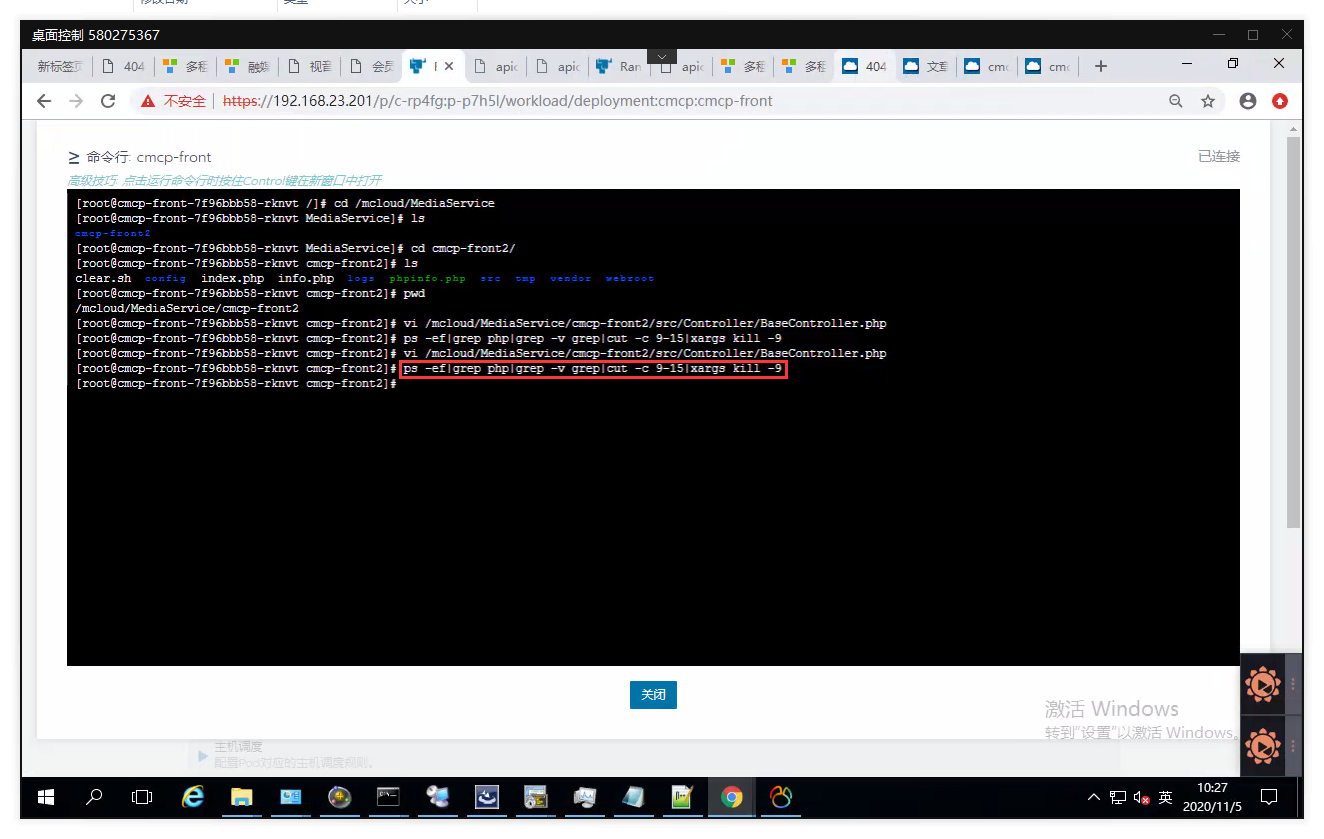
Figure 5
[root@cmcp-front-7f96bbb58-rknvt cmcp-front2]# ps -ef|grep php|grep -v grep|cut -c 9-15|xargs kill -9
[root@cmcp-front-7f96bbb58-rknvt cmcp-front2]#
6. Refresh the page again and find that it will take effect immediately, in line with expectations. as shown in Figure 6
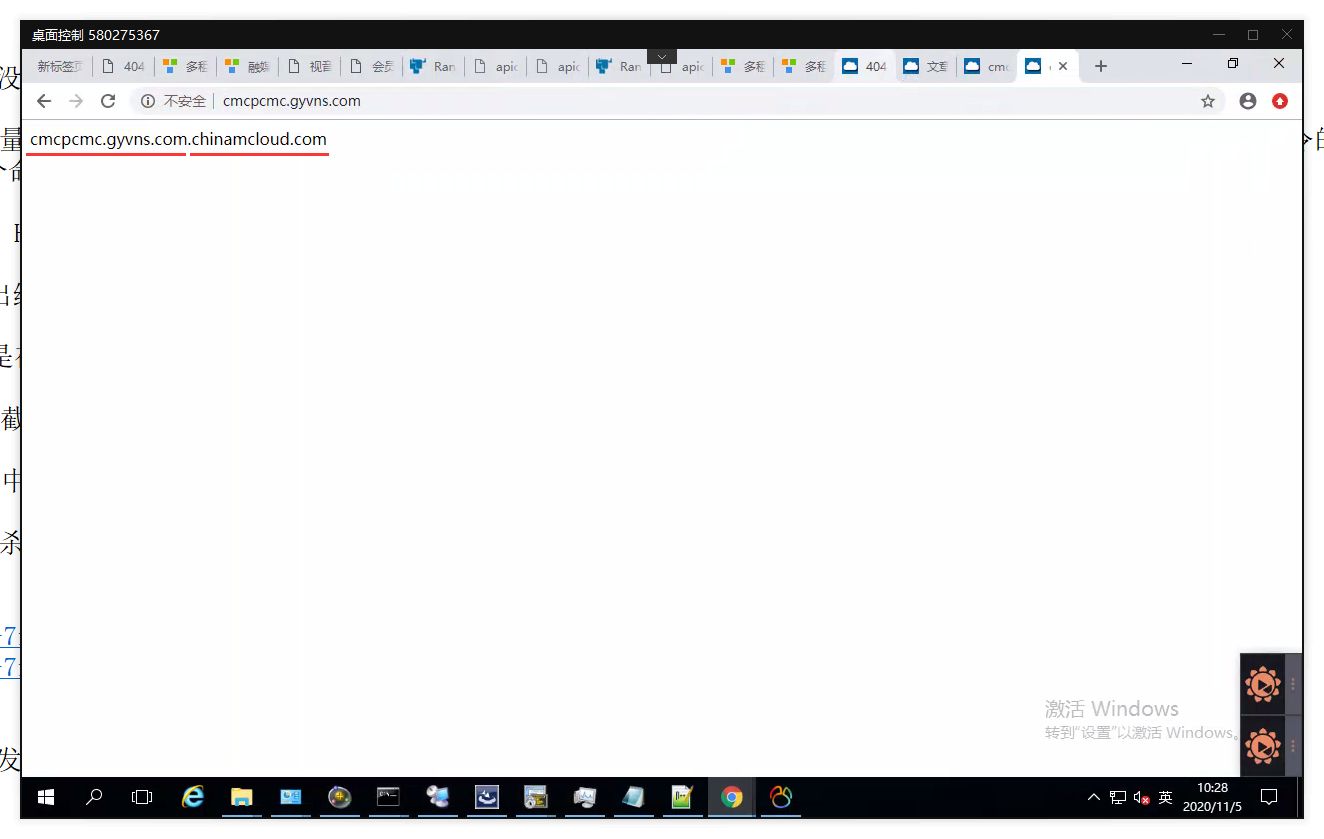
Figure 6