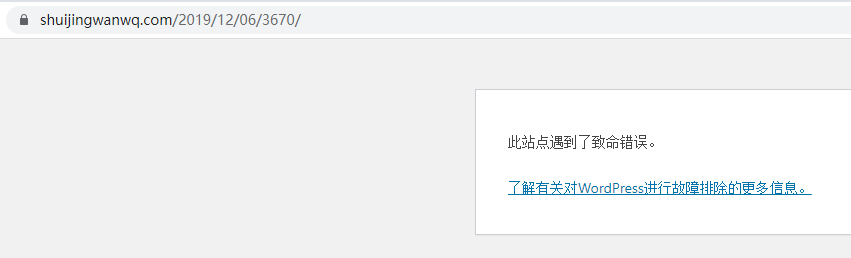
1. Reference:In Alibaba Cloud ECS, CentOS 7 migration (replace) to Alibaba Cloud Linux 3 . After the WordPress system disk is redeployed, it prompts: This site encountered a fatal error. as shown in Figure 1
Figure 1
2. Learn more about troubleshooting WordPress. Enable developer-only: WordPress debug mode. Edit wp-config.php
Deprecated: Return type of HMBackUpWordPressCleanUpIterator::accept() should either be compatible with FilterIterator::accept(): bool, or the #[ReturnTypeWillChange] attribute should be used to temporarily suppress the notice in /data/wwwroot/www.shuijingwanwq.com/wp-content/plugins/backupwordpress/classes/class-path.php on line 456

Fatal error: Uncaught Error: Undefined constant "wp_cumulus_widget" in /data/wwwroot/www.shuijingwanwq.com/wp-content/plugins/wp-cumulus/wp-cumulus.php:375 Stack trace: #0 /data/wwwroot/www.shuijingwanwq.com/wp-includes/class-wp-hook.php(308): widget_init_wp_cumulus_widget() #1 /data/wwwroot/www.shuijingwanwq.com/wp-includes/class-wp-hook.php(332): WP_Hook->apply_filters() #2 /data/wwwroot/www.shuijingwanwq.com/wp-includes/plugin.php(517): WP_Hook->do_action() #3 /data/wwwroot/www.shuijingwanwq.com/wp-includes/widgets.php(1854): do_action() #4 /data/wwwroot/www.shuijingwanwq.com/wp-includes/class-wp-hook.php(308): wp_widgets_init() #5 /data/wwwroot/www.shuijingwanwq.com/wp-includes/class-wp-hook.php(332): WP_Hook->apply_filters() #6 /data/wwwroot/www.shuijingwanwq.com/wp-includes/plugin.php(517): WP_Hook->do_action() #7 /data/wwwroot/www.shuijingwanwq.com/wp-settings.php(623): do_action() #8 /data/wwwroot/www.shuijingwanwq.com/wp-config.php(87): require_once('...') #9 /data/wwwroot/www.shuijingwanwq.com/wp-load.php(50): require_once('...') #10 /data/wwwroot/www.shuijingwanwq.com/wp-blog-header.php(13): require_once('...') #11 /data/wwwroot/www.shuijingwanwq.com/index.php(17): require('...') #12 {main} thrown in /data/wwwroot/www.shuijingwanwq.com/wp-content/plugins/wp-cumulus/wp-cumulus.php on line 375
4. If it is found that they are all errors of the plugin, I decided to find a way to disable the plug-in that reports the error. Due to the WordPress dashboard, you need to disable plugins in different ways. Reference:How to Disable WordPress Plugin (4 Ways).
5. Reference:How to Disable WordPress Plugin via phpMyAdmin . Its essence is to operate data in the database.
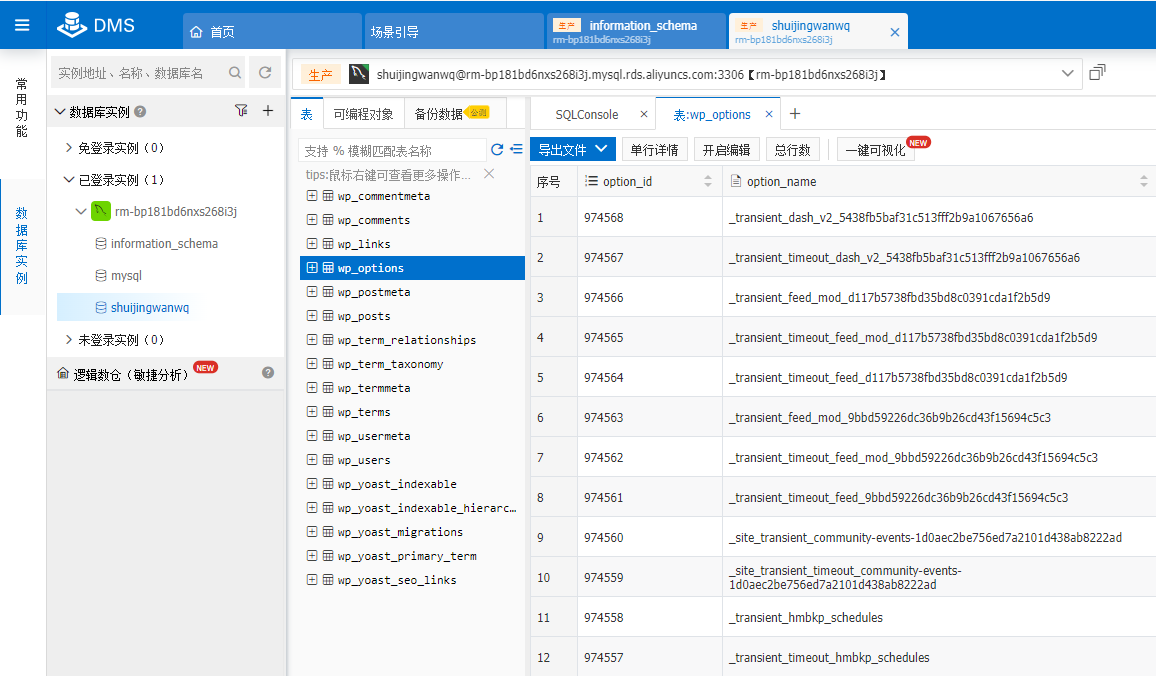
6. Back up the database first, and then operate the data. Open the table wp_options, as shown in Figure 2
Figure 2
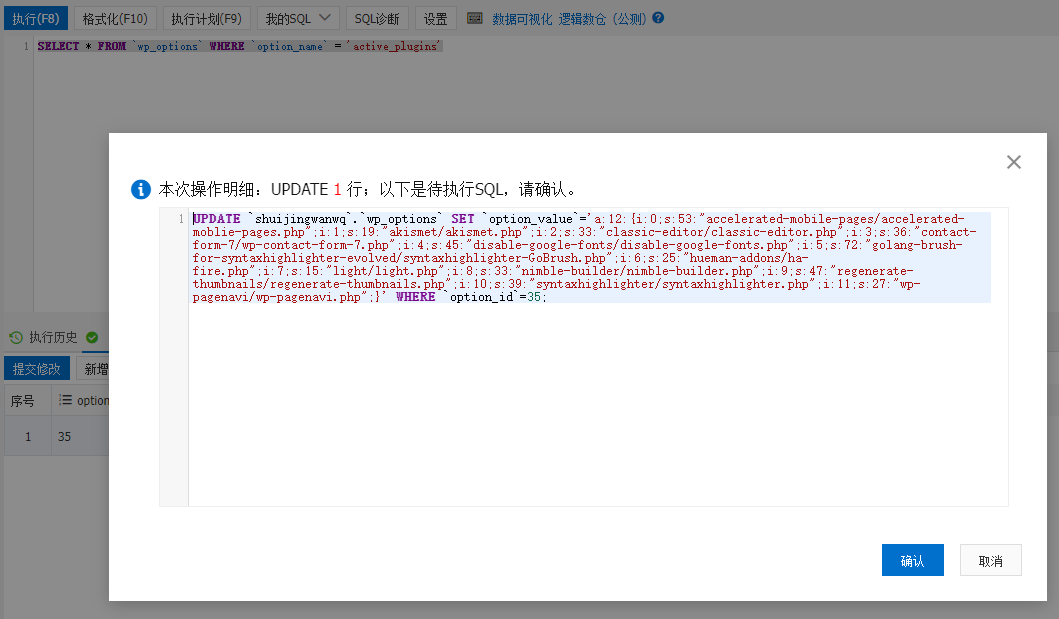
7. In the Options table, look for the active_plugins entry in the option_name column. Execute the following query SQL. as shown in Figure 3
Figure 3
SELECT * FROM `wp_options` WHERE `option_name` = 'active_plugins'
8. Copy the value of the column OPTION_VALUE in the query result record, and use the PHP online deserialization tool.
9. Remove the plugin in the result of deserialization: backupwordpress/backupwordpress.php, wp-cumulus/wp-cumulus.php, and then php The serialized result is stored in the value of the column Option_VALUE. The PHP code is implemented as follows
UPDATE `shuijingwanwq`.`wp_options` SET `option_value`='a:12:{i:0;s:53:"accelerated-mobile-pages/accelerated-moblie-pages.php";i:1;s:19:"akismet/akismet.php";i:2;s:33:"classic-editor/classic-editor.php";i:3;s:36:"contact-form-7/wp-contact-form-7.php";i:4;s:45:"disable-google-fonts/disable-google-fonts.php";i:5;s:72:"golang-brush-for-syntaxhighlighter-evolved/syntaxhighlighter-GoBrush.php";i:6;s:25:"hueman-addons/ha-fire.php";i:7;s:15:"light/light.php";i:8;s:33:"nimble-builder/nimble-builder.php";i:9;s:47:"regenerate-thumbnails/regenerate-thumbnails.php";i:10;s:39:"syntaxhighlighter/syntaxhighlighter.php";i:11;s:27:"wp-pagenavi/wp-pagenavi.php";}' WHERE `option_id`=35;
10. After restoring the changes in step 2, refresh the page again, and the display is normal.
Leave a Reply