
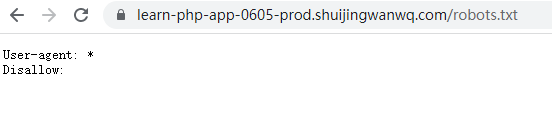
1. The current domain name is:https://learn-php-app-0605-prod.shuijingwanwq.com. Plan to switch to:https://learn-php-app-0605-prod.wangqiang.store. as shown in Figure 1
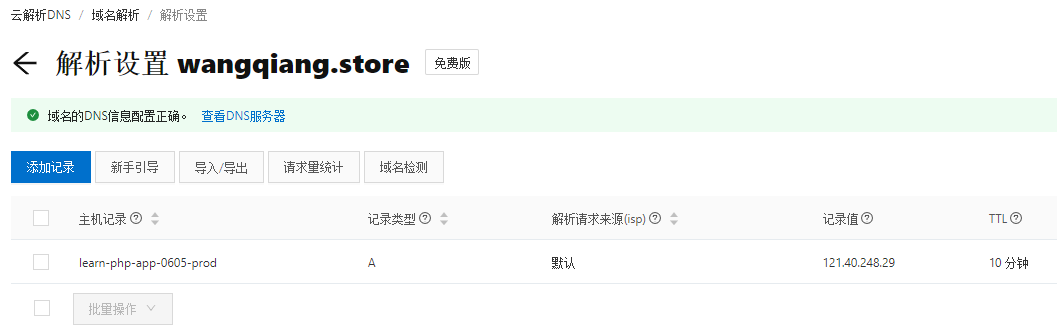
2. Add the DNS resolution of learn-php-app-0605-prod.wangqiang.store. as shown in Figure 2
3. Based on the virtual host before OneInStack delete: learn-php-0605-prod.shuijingwanwq.com, the directory should not be deleted.
[root@iZ23wv7v5ggZ ~]# ~/oneinstack/vhost.sh --del

#######################################################################
#       OneinStack for CentOS/RedHat 7+ Debian 9+ and Ubuntu 16+      #
#       For more information please visit https://oneinstack.com      #
#######################################################################

Virtualhost list:
learn-php-app-0605-prod.shuijingwanwq.com www.shuijingwanwq.com

Please input a domain you want to delete: learn-php-app-0605-prod.shuijingwanwq.com

Do you want to delete Virtul Host directory? [y/n]: n

Domain: learn-php-app-0605-prod.shuijingwanwq.com has been deleted.
4. Based on OneInstack Add a new virtual host: learn-php-app-0605-prod.wangqiang.store, the directory still uses the previous virtual Directory of the host: /data/wwwroot/learn-php-app-0605-prod.shuijingwanwq.com
[root@iZ23wv7v5ggZ ~]# ~/oneinstack/vhost.sh

#######################################################################
#       OneinStack for CentOS/RedHat 7+ Debian 9+ and Ubuntu 16+      #
#       For more information please visit https://oneinstack.com      #
#######################################################################

What Are You Doing?
        1. Use HTTP Only
        2. Use your own SSL Certificate and Key
        3. Use Let's Encrypt to Create SSL Certificate and Key
        q. Exit
Please input the correct option: 3

Please input domain(example: www.example.com): learn-php-app-0605-prod.wangqiang.store
domain=learn-php-app-0605-prod.wangqiang.store

Please input the directory for the domain:learn-php-app-0605-prod.wangqiang.store :
(Default directory: /data/wwwroot/learn-php-app-0605-prod.wangqiang.store): /data/wwwroot/learn-php-app-0605-prod.shuijingwanwq.com

Create Virtul Host directory......
set permissions of Virtual Host directory......

Do you want to add more domain name? [y/n]: n

Do you want to redirect all HTTP requests to HTTPS? [y/n]: y

Please select domain cert key length.
Enter one of 2048, 3072, 4096, 8192 will issue a RSA cert.
Enter one of ec-256, ec-384, ec-521 will issue a ECC cert.

Please enter your cert key length (default 2048):
[Thu Jun 15 05:07:11 PM CST 2023] Using CA: https://acme.zerossl.com/v2/DV90
[Thu Jun 15 05:07:11 PM CST 2023] Creating domain key
[Thu Jun 15 05:07:11 PM CST 2023] The domain key is here: /root/.acme.sh/learn-php-app-0605-prod.wangqiang.store/learn-php-app-0605-prod.wangqiang.store.key
[Thu Jun 15 05:07:11 PM CST 2023] Single domain='learn-php-app-0605-prod.wangqiang.store'
[Thu Jun 15 05:07:11 PM CST 2023] Getting domain auth token for each domain
[Thu Jun 15 05:07:17 PM CST 2023] Getting webroot for domain='learn-php-app-0605-prod.wangqiang.store'
[Thu Jun 15 05:07:17 PM CST 2023] Verifying: learn-php-app-0605-prod.wangqiang.store
[Thu Jun 15 05:07:19 PM CST 2023] Processing, The CA is processing your order, please just wait. (1/30)
[Thu Jun 15 05:07:23 PM CST 2023] Success
[Thu Jun 15 05:07:23 PM CST 2023] Verify finished, start to sign.
[Thu Jun 15 05:07:23 PM CST 2023] Lets finalize the order.
[Thu Jun 15 05:07:23 PM CST 2023] Le_OrderFinalize='https://acme.zerossl.com/v2/DV90/order/HvpQ_zj63S9ys7pI8RtvAw/finalize'
[Thu Jun 15 05:07:25 PM CST 2023] Order status is processing, lets sleep and retry.
[Thu Jun 15 05:07:25 PM CST 2023] Retry after: 15
[Thu Jun 15 05:07:41 PM CST 2023] Polling order status: https://acme.zerossl.com/v2/DV90/order/HvpQ_zj63S9ys7pI8RtvAw
[Thu Jun 15 05:07:42 PM CST 2023] Downloading cert.
[Thu Jun 15 05:07:42 PM CST 2023] Le_LinkCert='https://acme.zerossl.com/v2/DV90/cert/34xe1tRFLIZFO436TLz-7Q'
[Thu Jun 15 05:07:44 PM CST 2023] Cert success.
-----BEGIN CERTIFICATE-----
**********************************
-----END CERTIFICATE-----
[Thu Jun 15 05:07:44 PM CST 2023] Your cert is in: /root/.acme.sh/learn-php-app-0605-prod.wangqiang.store/learn-php-app-0605-prod.wangqiang.store.cer
[Thu Jun 15 05:07:44 PM CST 2023] Your cert key is in: /root/.acme.sh/learn-php-app-0605-prod.wangqiang.store/learn-php-app-0605-prod.wangqiang.store.key
[Thu Jun 15 05:07:44 PM CST 2023] The intermediate CA cert is in: /root/.acme.sh/learn-php-app-0605-prod.wangqiang.store/ca.cer
[Thu Jun 15 05:07:44 PM CST 2023] And the full chain certs is there: /root/.acme.sh/learn-php-app-0605-prod.wangqiang.store/fullchain.cer

Do you want to add hotlink protection? [y/n]: y

Allow Rewrite rule? [y/n]: y

Please input the rewrite of programme :
wordpress,opencart,magento2,drupal,joomla,codeigniter,laravel
thinkphp,pathinfo,discuz,typecho,ecshop,nextcloud,zblog,whmcs rewrite was exist.
(Default rewrite: other): laravel
You choose rewrite=laravel

Allow Nginx/Tengine/OpenResty access_log? [y/n]: y
You access log file=/data/wwwlogs/learn-php-app-0605-prod.wangqiang.store_nginx.log

nginx: the configuration file /usr/local/nginx/conf/nginx.conf syntax is ok
nginx: configuration file /usr/local/nginx/conf/nginx.conf test is successful
Reload Nginx......

#######################################################################
#       OneinStack for CentOS/RedHat 7+ Debian 9+ and Ubuntu 16+      #
#       For more information please visit https://oneinstack.com      #
#######################################################################
Your domain:                  learn-php-app-0605-prod.wangqiang.store
Virtualhost conf:             /usr/local/nginx/conf/vhost/learn-php-app-0605-prod.wangqiang.store.conf
Directory of:                 /data/wwwroot/learn-php-app-0605-prod.shuijingwanwq.com
Rewrite rule:                 /usr/local/nginx/conf/rewrite/laravel.conf
Let's Encrypt SSL Certificate:/usr/local/nginx/conf/ssl/learn-php-app-0605-prod.wangqiang.store.crt
SSL Private Key:              /usr/local/nginx/conf/ssl/learn-php-app-0605-prod.wangqiang.store.key
5. After editing the nginx configuration file as needed, restart the nginx service.
[root@iZ23wv7v5ggZ ~]# vi /usr/local/nginx/conf/vhost/learn-php-app-0605-prod.wangqiang.store.conf
[root@iZ23wv7v5ggZ ~]# service nginx restart
Redirecting to /bin/systemctl restart nginx.service
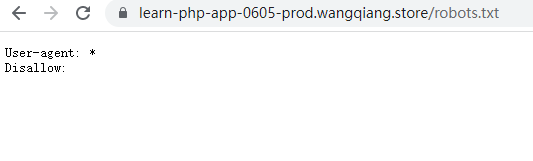
6. Open:https://learn-php-app-0605-prod.wangqiang.store/robots.txt. Confirm that the domain name has been switched successfully. as shown in Figure 3
Linux Server Operations, Deployment & Production Troubleshooting
If your website or backend service runs on a Linux server and you are facing unstable access, Nginx configuration issues, MySQL / Redis errors, Docker service failures, full disk usage, or high CPU / memory usage, feel free to contact me for remote troubleshooting.
Ideal For:
✅ Website downtime or unstable access
✅ Nginx / PHP-FPM configuration issues
✅ MySQL / Redis performance or connection problems
✅ Docker service deployment and maintenance
✅ Server migration and environment setup
✅ CPU / memory / disk usage investigation
What I Offer:
✅ Linux environment inspection
✅ Website migration and deployment
✅ Nginx / PHP-FPM / MySQL / Redis troubleshooting
✅ Docker configuration and maintenance
✅ Server performance analysis
✅ Long-term remote operations support
Please contact me and mention: Linux Operations Consultation.
Contact Me:
Telegram: @shuijingwan
WeChat: 13980074657
Email: shuijingwanwq@gmail.com
Leave a Reply