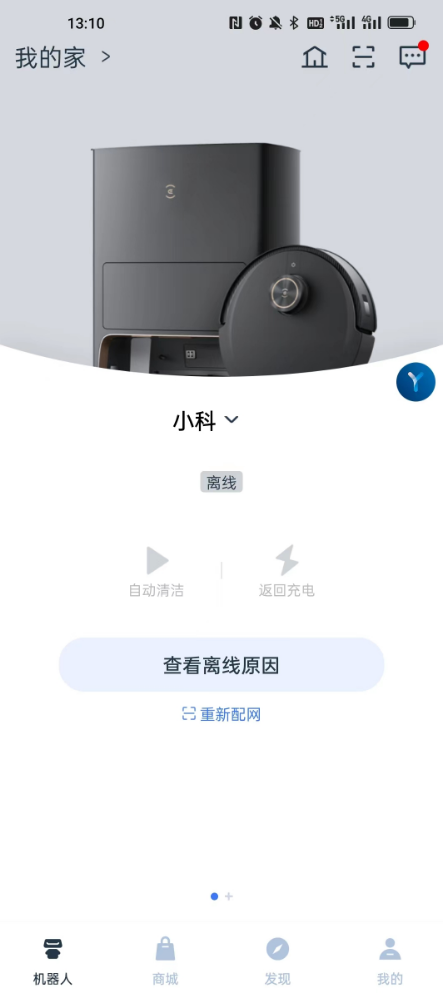
1. When using the Ecovacs sweeping robot, the APP prompts: offline, redistribute the network. as shown in Figure 1
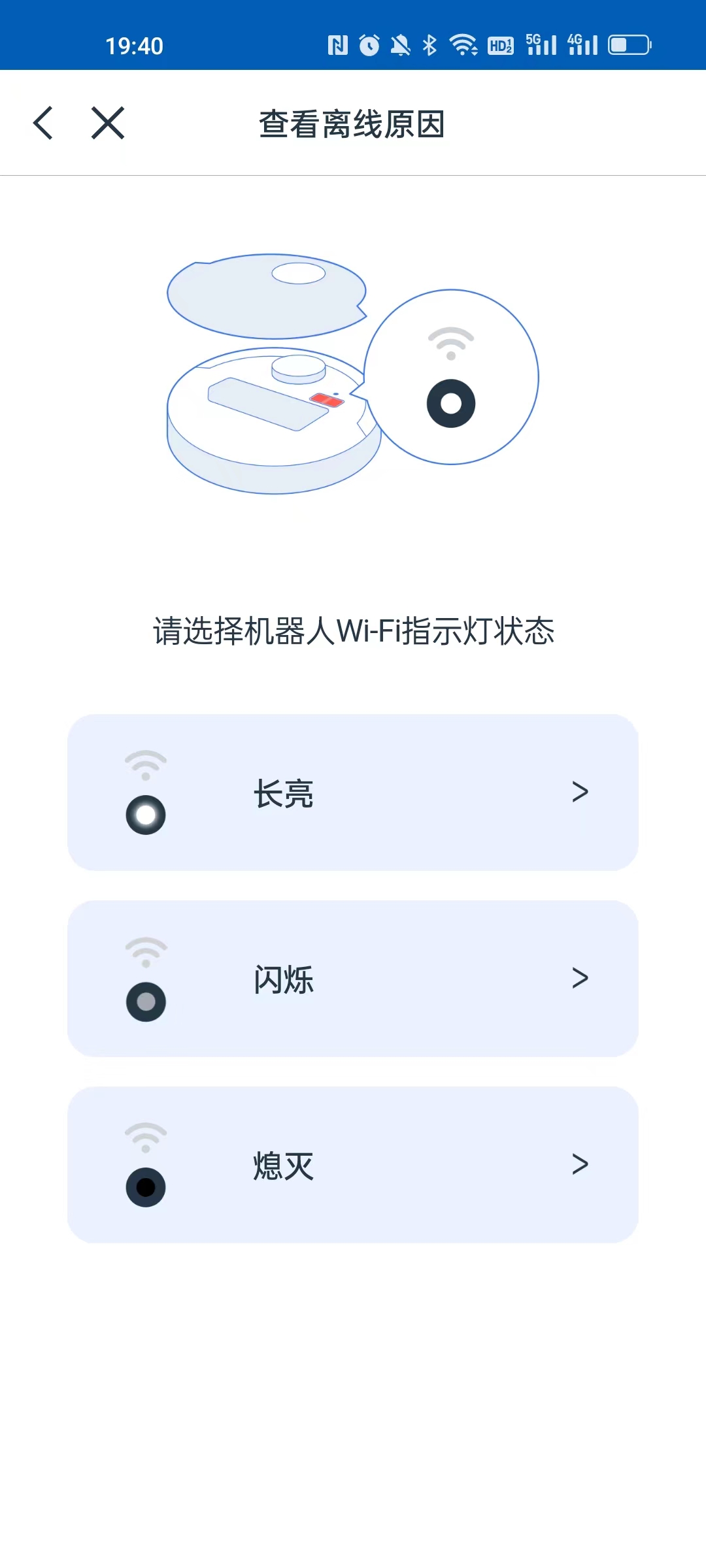
2. To check the offline reasons, please select the status of the robot Wi-Fi indicator. as shown in Figure 2
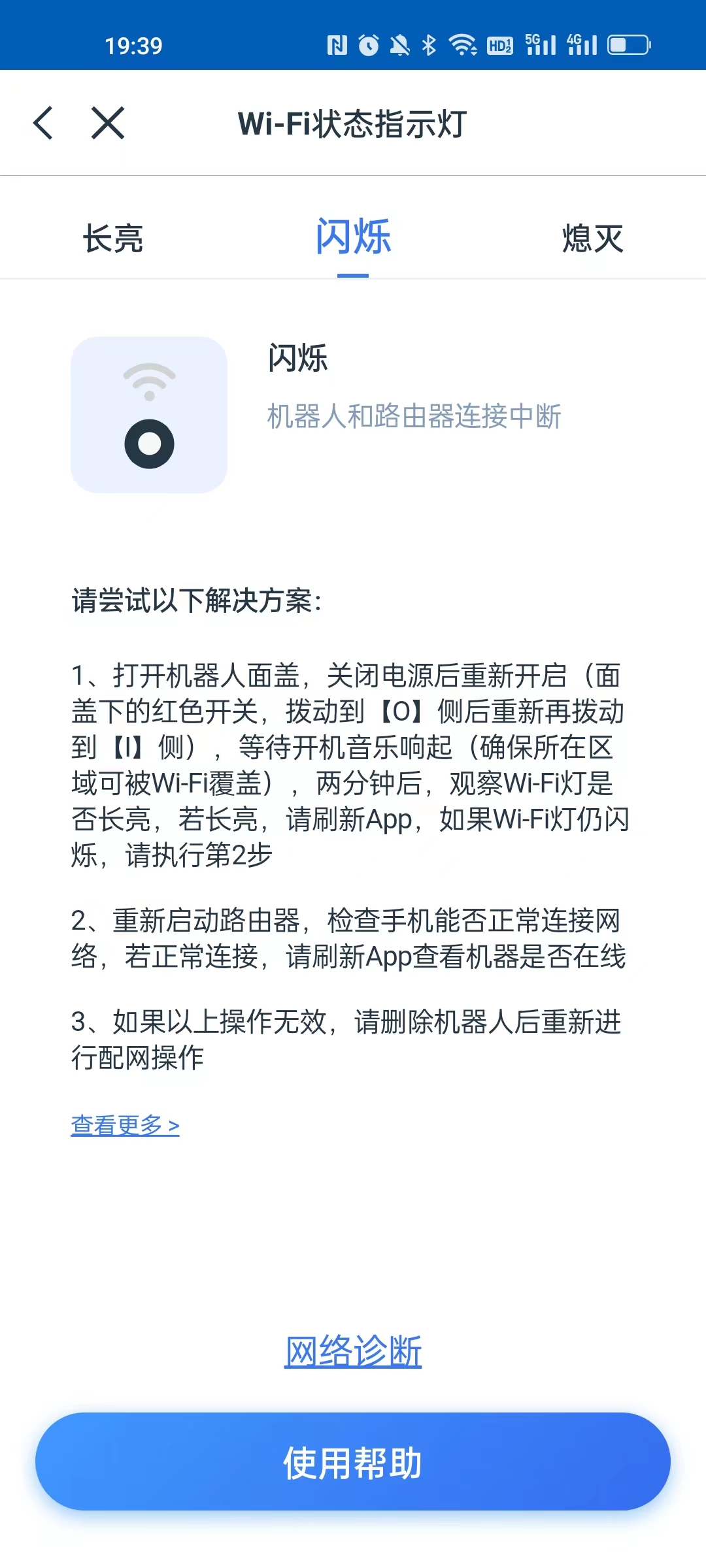
3. Select the flash, the connection between the robot and the router is interrupted. as shown in Figure 3
Please try the following solutions
1. Open the cover of the robot, turn off the power and reopen it (the red switch under the cover, move to[O]Side back to move back to[]Side), wait for the boot music to sound (make sure that the area is covered by Wi-Fi), after two minutes, observe whether the Wi-Fi light is always on, if it is always on, please refresh the APP, if the Wi-Fi light is still flashing, please perform step 2
2. Restart the router to check whether the mobile phone can connect to the network normally. If it is connected normally, please refresh the APP to check whether the machine is online
4. Open the cover of the robot, turn off the power and reopen it (the red switch under the cover, move to[O]Side back to move back to[]Side), wait for the boot music to sound (make sure that the area is covered by Wi-Fi), after two minutes, observe whether the Wi-Fi light is always on, if it is always on, please refresh the APP. Already normal, enter smart cleaning. as shown in Figure 4
![打开机器人面盖,关闭电源后重新开启 (面盖下的红色开关,拨动到[O] 侧后重新再拨动到[]侧),等待开机音乐响起 (确保所在区域可被Wi-Fi覆盖),两分钟后,观察Wi-Fi灯是否长亮,若长亮,请刷新App。已经正常,进入智能清洁](https://www.shuijingwanwq.com/wp-content/uploads/2023/08/4.jpg)
Leave a Reply