
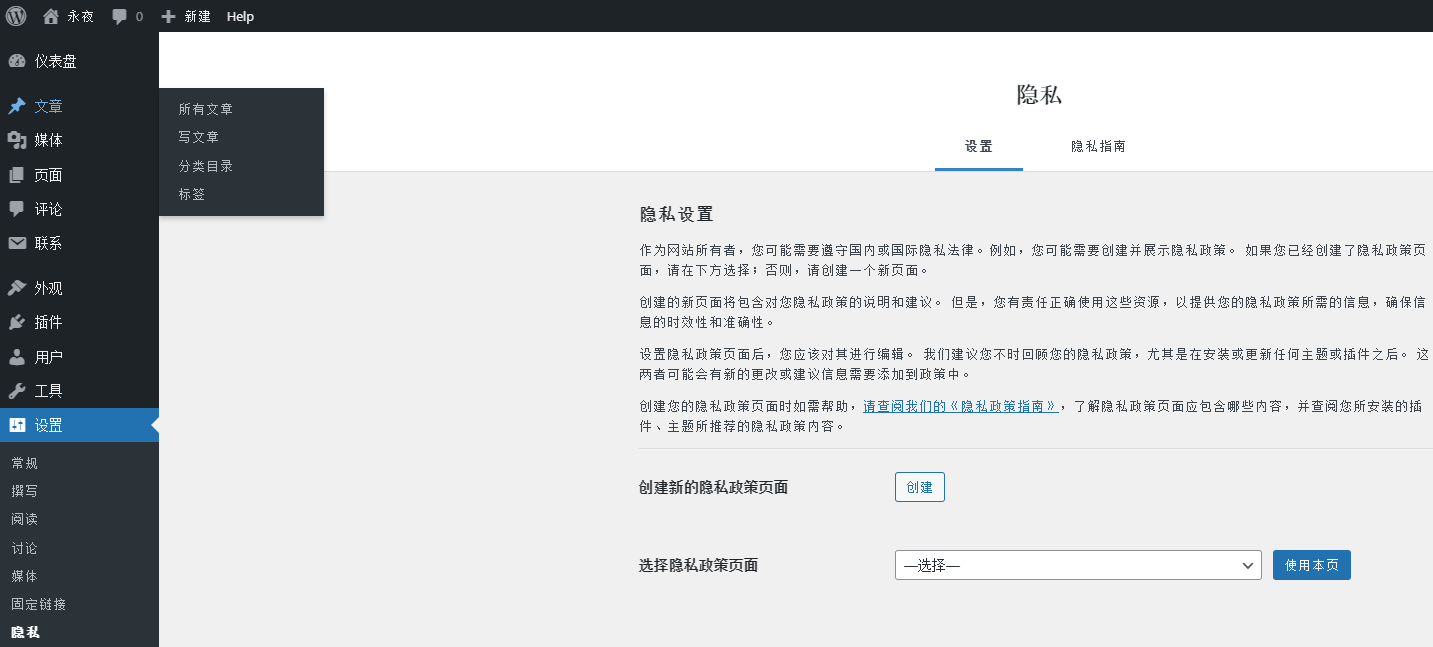
1. Because the website needs to use Google-certified CMP to solicit users’ opinions. So you need to create a privacy policy page in the website. Dashboard – Settings – Privacy. as shown in Figure 1
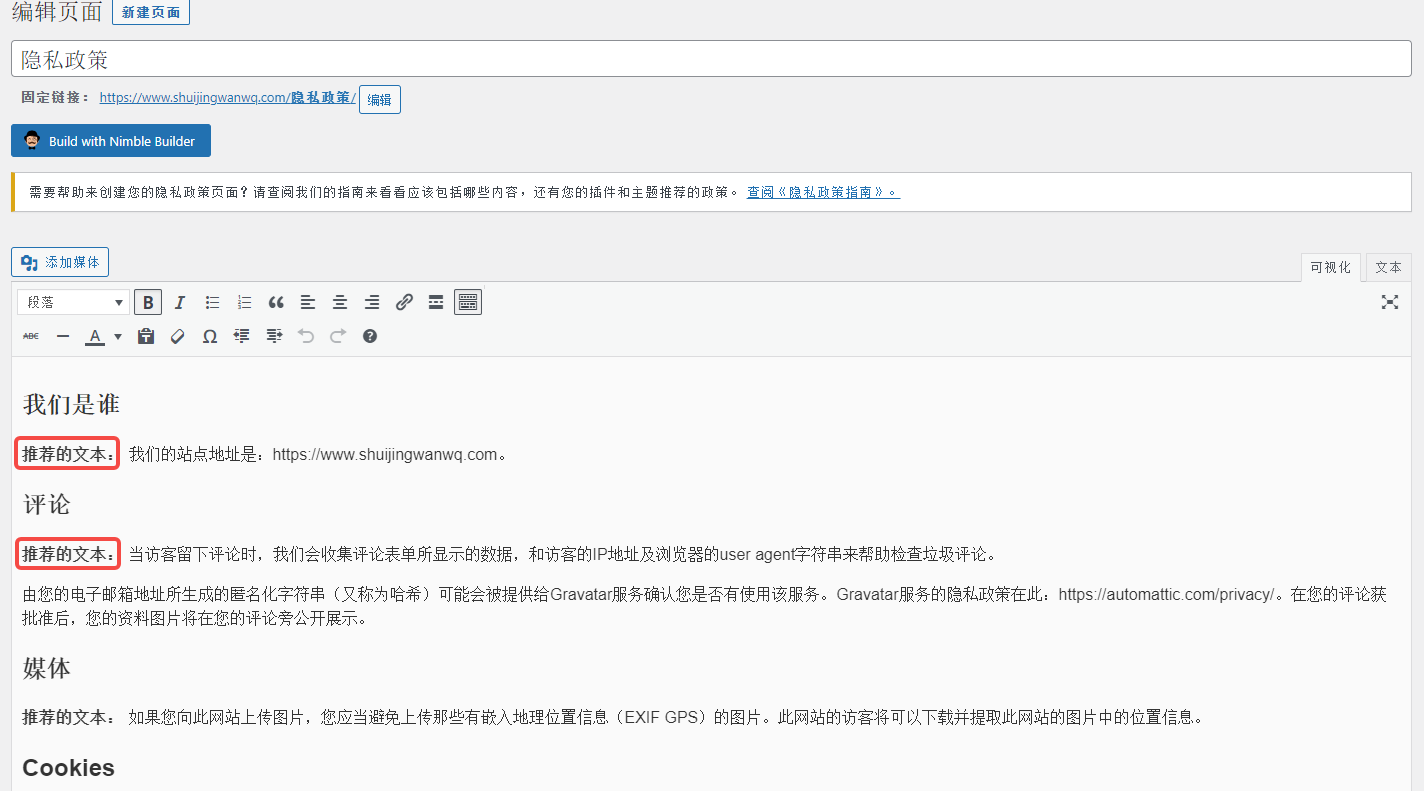
2. Create a new privacy policy page, enter the editor, delete (recommended text:) and publish. as shown in Figure 2
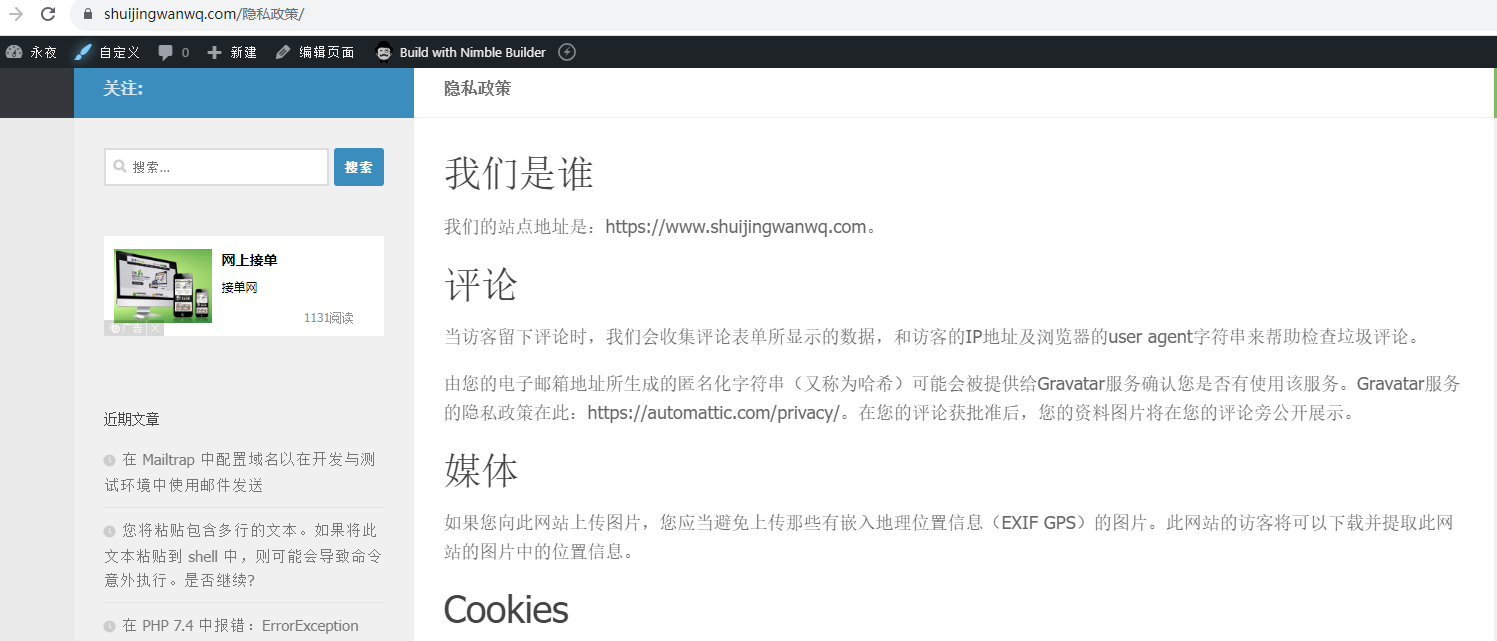
3. Check the URL:https://www.shuijingwanwq.com/隐私政策/. in line with expectations. as shown in Figure 3
Need long-term technical maintenance or remote troubleshooting?
I am a PHP / Go backend engineer with 15+ years of experience, focused on existing system maintenance, bug fixing, performance optimization, server troubleshooting, WordPress maintenance, and small feature iterations.
If your project is facing any of the following issues, we can start with a small troubleshooting task first:
- ✅ PHP / Laravel / Yii2 legacy systems without active maintenance
- ✅ Go / Gin backend APIs that need troubleshooting or optimization
- ✅ Slow, broken, or unstable WordPress websites
- ✅ Nginx / MySQL / Redis / Linux server issues
- ✅ CDN / Cloudflare / DNS / HTTPS configuration problems
- ✅ Long-term remote technical support or part-time maintenance
More details: About Me & Collaboration
WeChat: 13980074657
Email: shuijingwanwq@gmail.com
Telegram: @shuijingwan
GitHub: https://github.com/shuijingwan
Leave a Reply