
1. Received email: Make sure that after January 16, 2024, your AdSense ad can continue to be delivered to users in the European Economic Area (EEA) and the UK. as shown in Figure 1
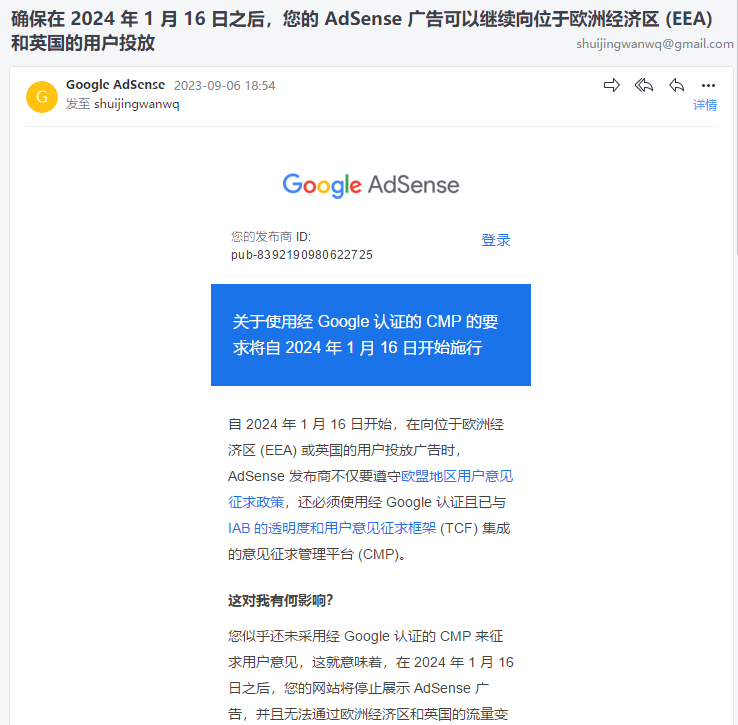
2. How does this affect me? You don’t seem to have a Google-certified CMP to solicit comments, which means that after January 16, 2024, your website will stop showing AdSense advertising, and cannot be monetized through the European Economic Area and the UK.
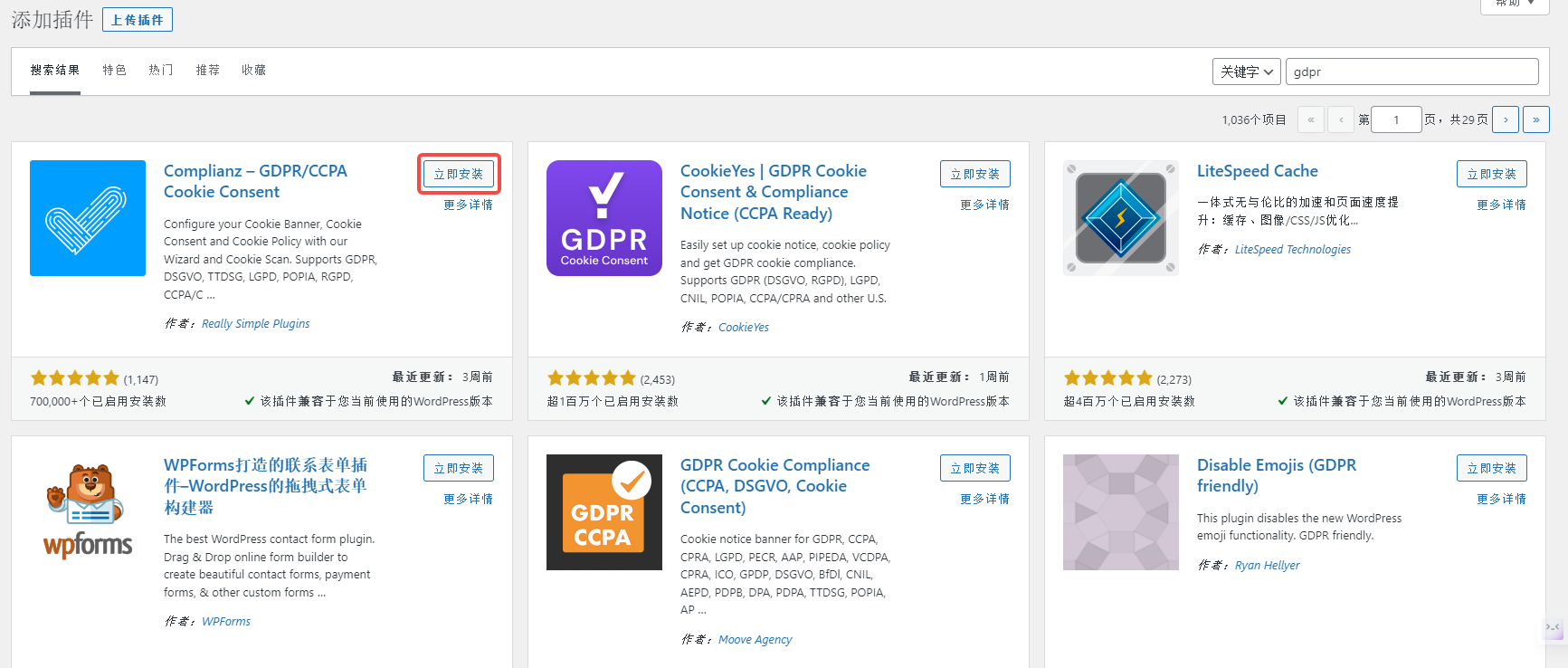
3. What should I do next? Use a Google-certified CMP. Install the plugin in WordPress, search: GDPR (EU and UK), install the first plugin: Complianz – GDPR/CCPA cookie consent. as shown in Figure 2
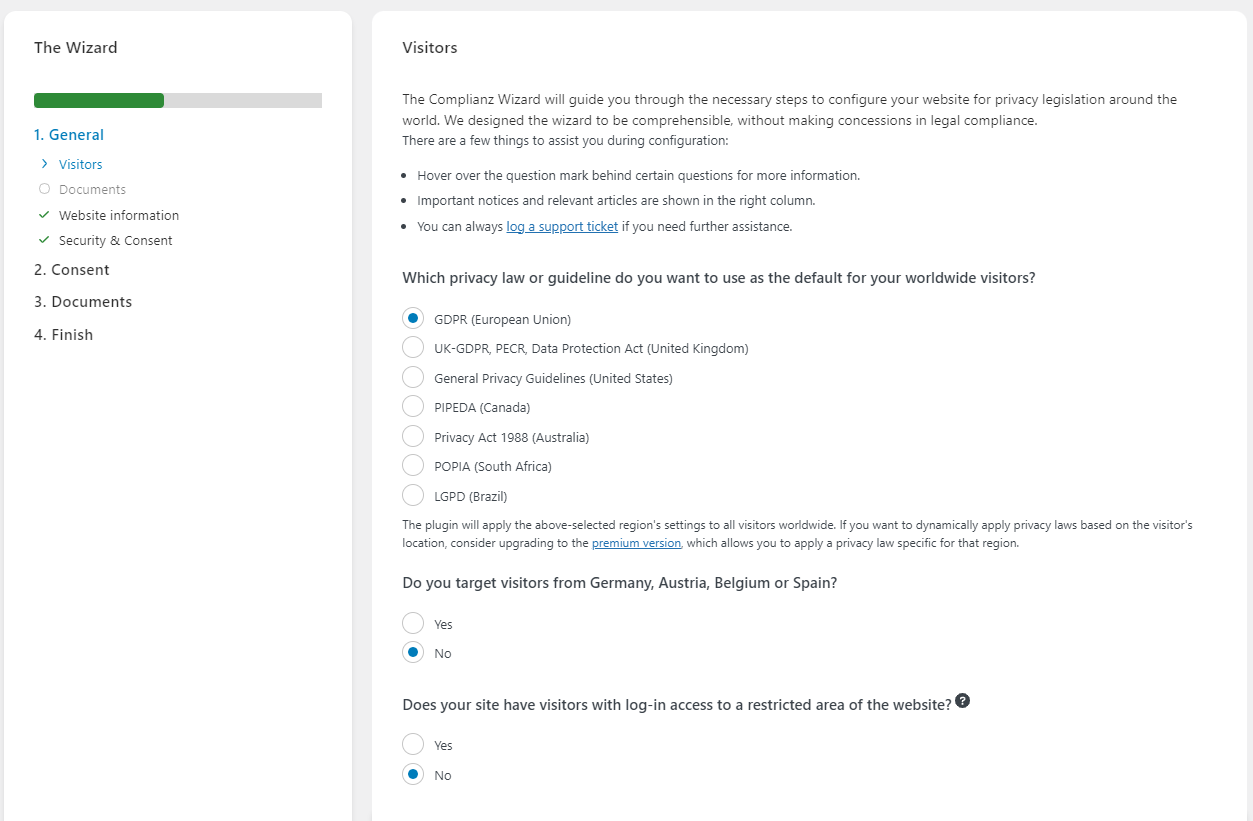
4. Then configure the plugin Complianz, which privacy law or guide would you like to use as the default rule for global visitors? GDPR (European Union). as shown in Figure 3
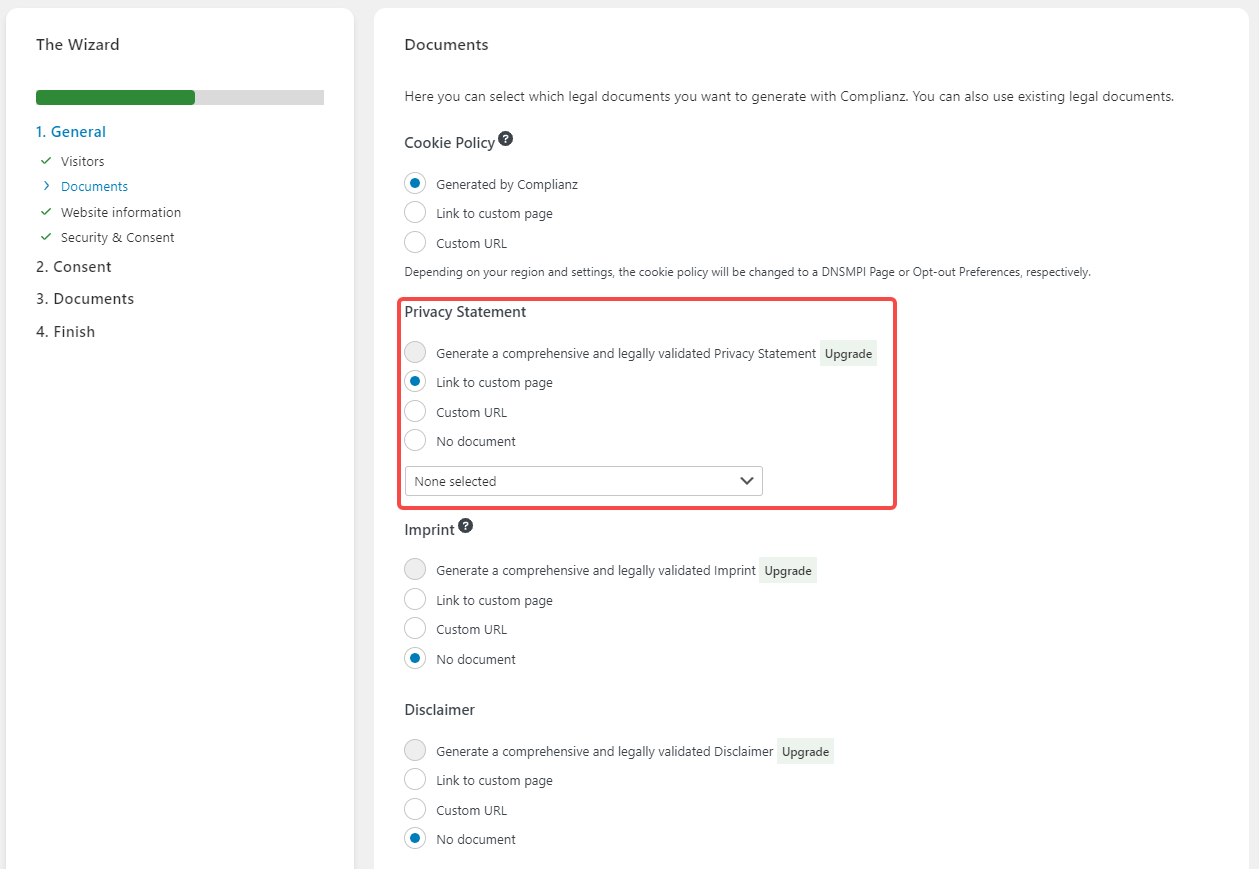
5. In the end, I decided to give up the use of this plugin Complianz. The reason is: the privacy statement generates a comprehensive and legally verified privacy statement. Need to upgrade, that is, pay. as shown in Figure 4
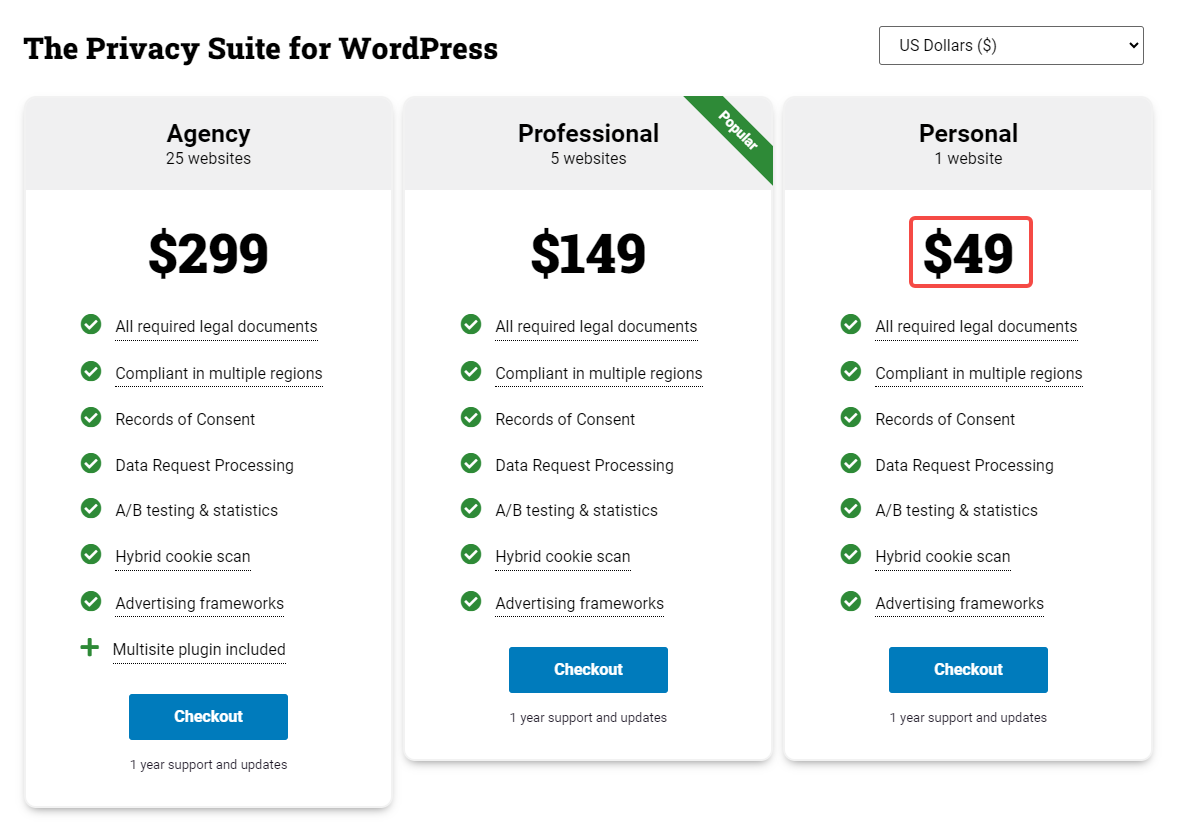
6. The cost of a website is as high as $49 a year. as shown in Figure 5
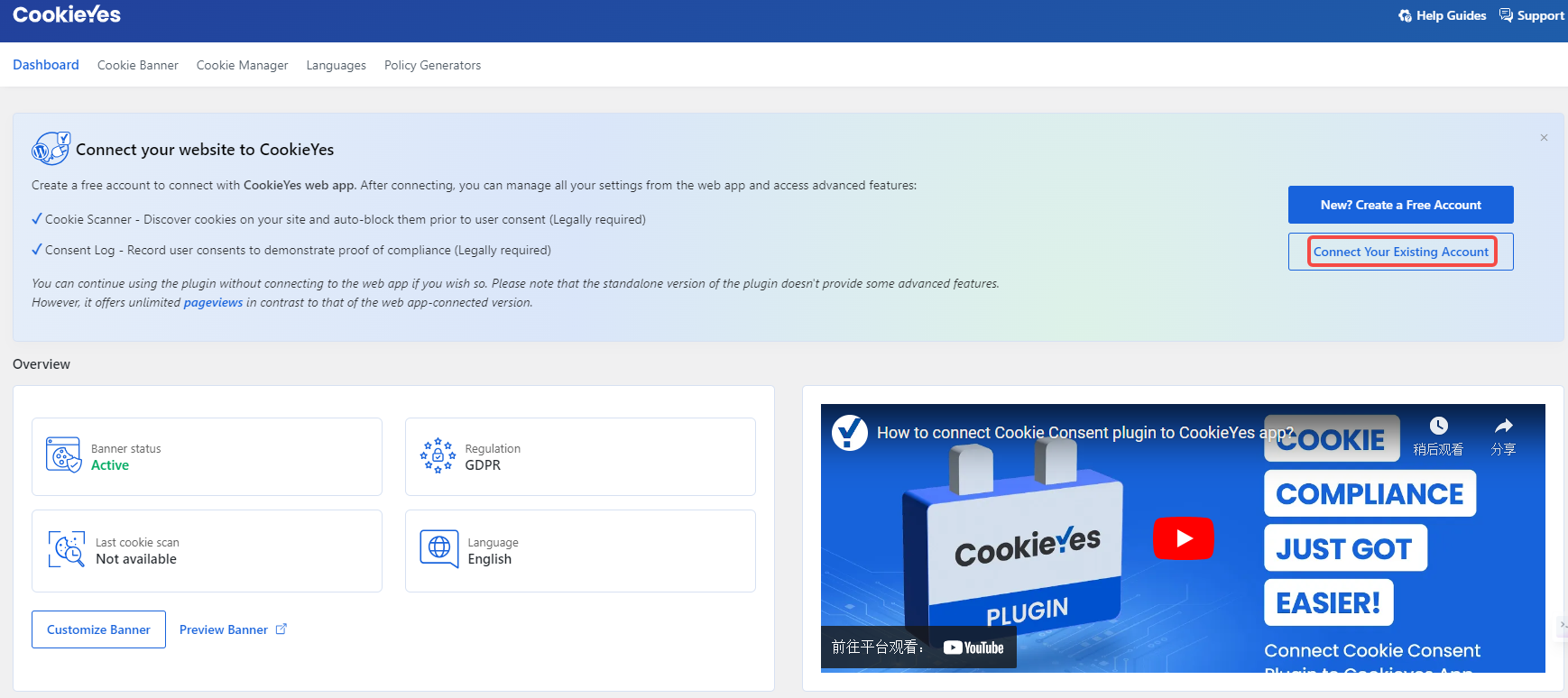
7. Select the second plugin in the search results: cookieyes | GDPr cookie consent & compliance notice (ccpa ready). Connect your website to cookieyes. Create a free account to connect to the cookieyes web app. Once connected, you can manage all settings and access advanced features from your web application. Not currently connected. as shown in Figure 6
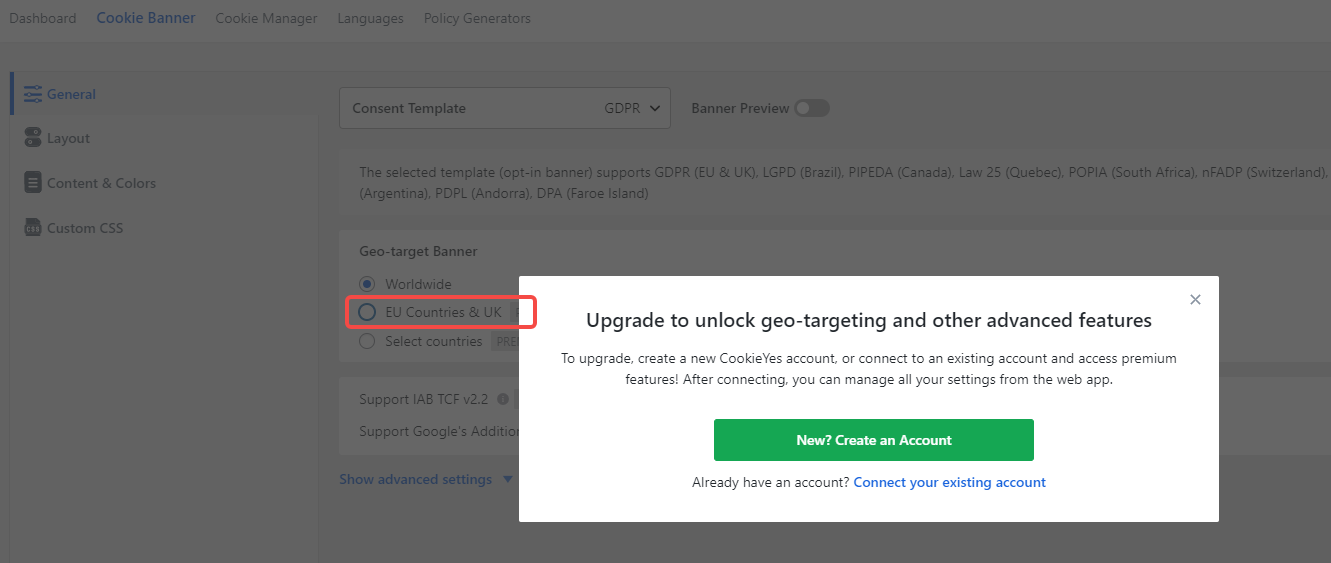
8. When Geo-Target Banner selects: EU Countries & UK, you need to upgrade to unlock geolocation and other advanced functions, and you need to connect to cookieyes. as shown in Figure 7
9. The most decision is to enable the plugin only: cookieyes, all configuration items are all default. In the end, the effect on the website page is as follows, which is in line with expectations. as shown in Figure 8
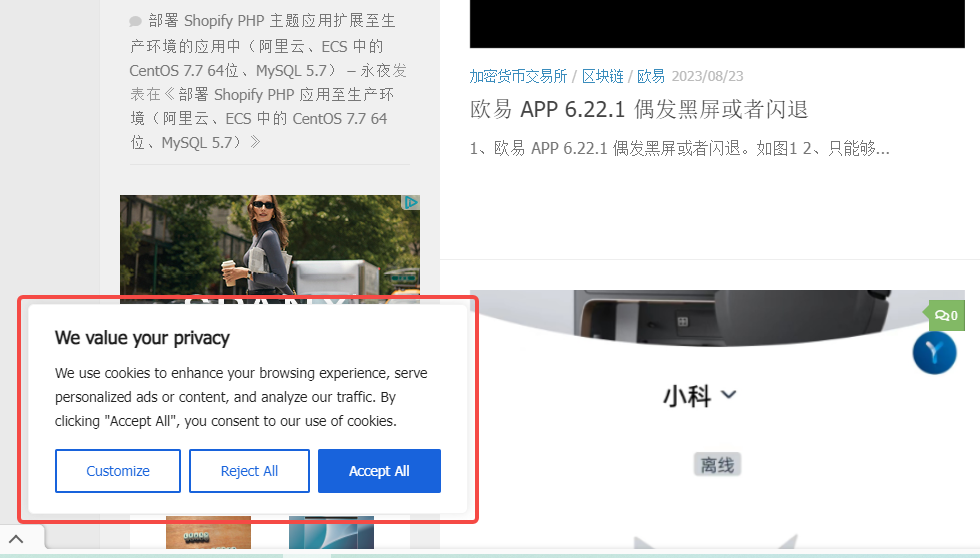
10. Because cookieyes is not connected, the privacy prompt will pop up in all regions to open the website. Finally decided to disable this plugin.
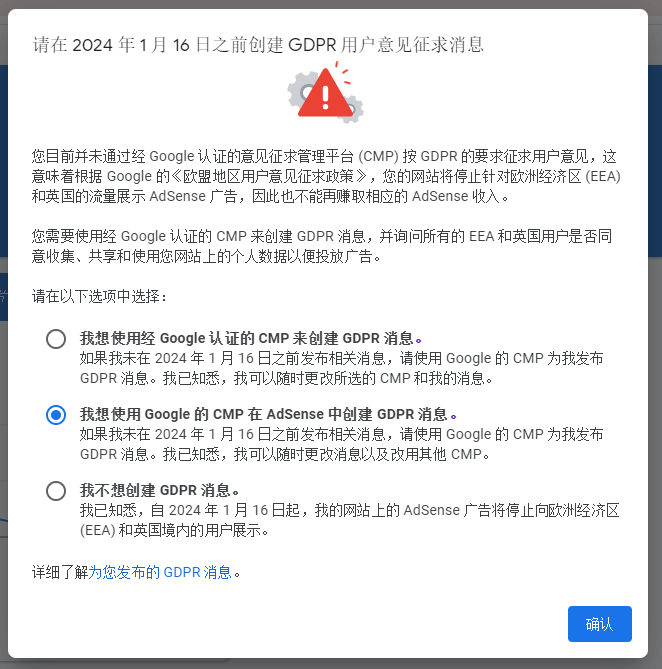
11. Decide to use the messages that come with Google. Open Google AdSense and a prompt pops up: Please create a GDPR user comment message before January 16, 2024. Option: I want to create a GDPR message in AdSense using Google’s CMP. as shown in Figure 9
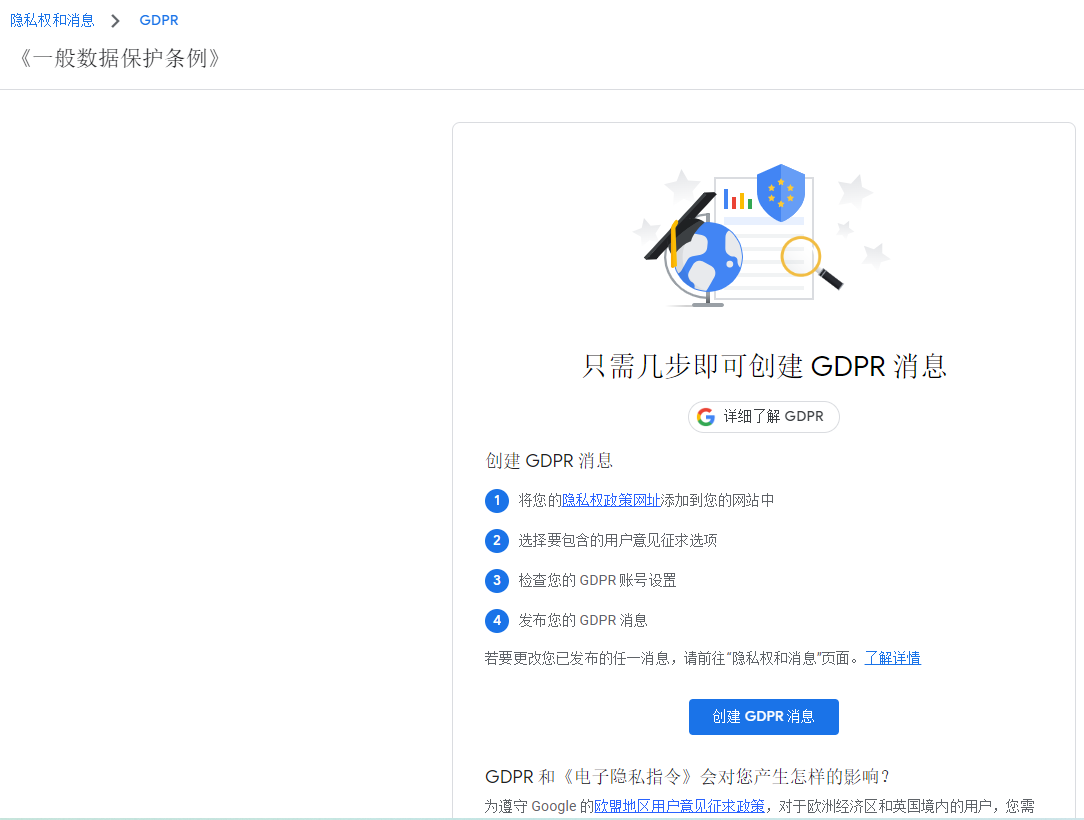
12. Create a GDPR message in just a few steps. As shown in Figure 10
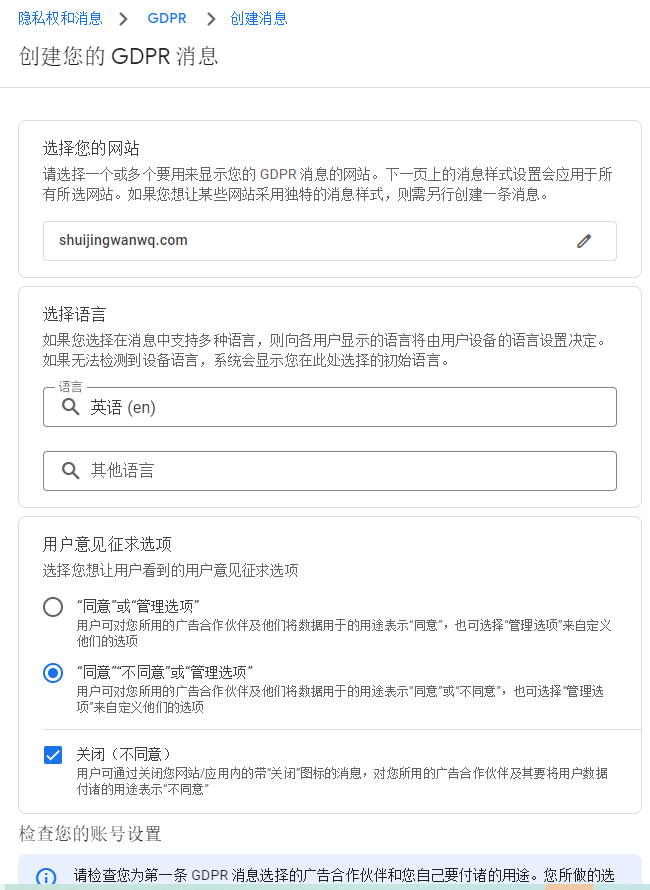
13. Select your website, select language, etc., and click Continue. as shown in Figure 11
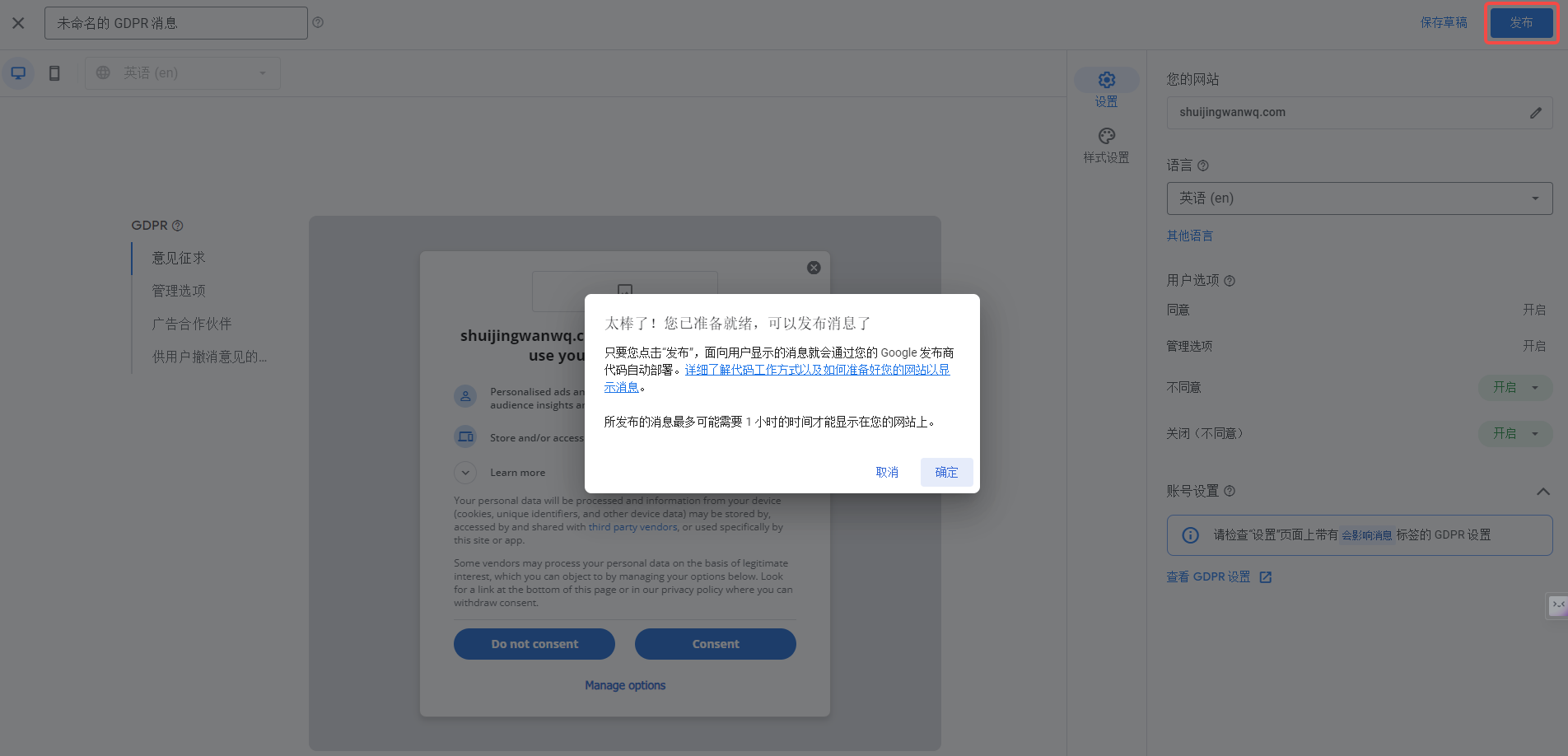
14. Click Publish. as shown in Figure 12
15. Your message is only one step away from being able to publish. You need to add a logo in order to post a message. You can upload a logo and link it to your website. This logo is displayed in these messages when a website message is displayed on your website. as shown in Figure 13
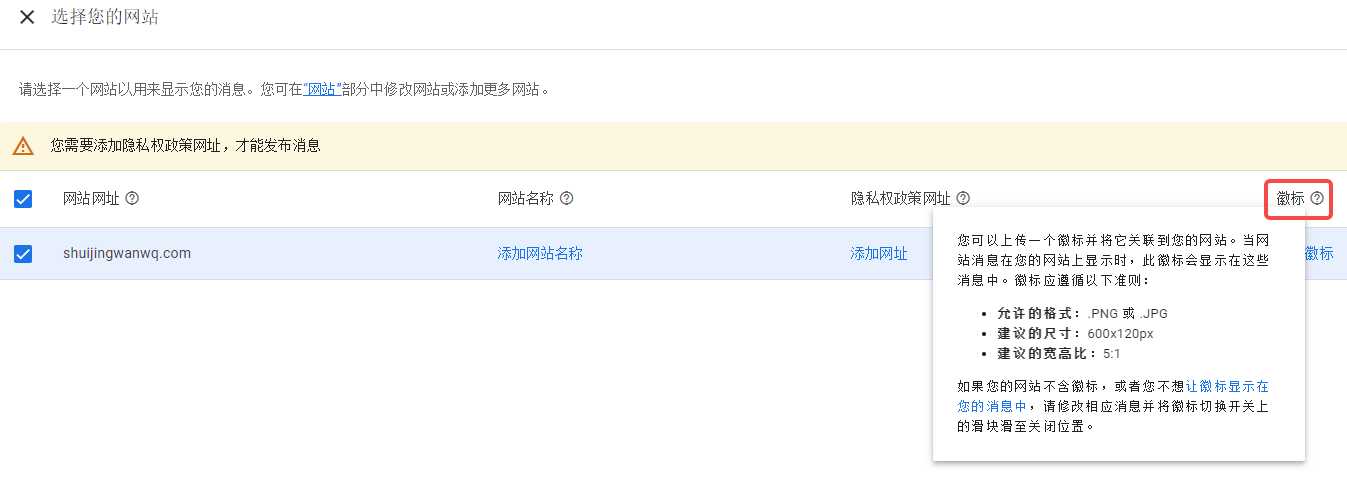
17. You need to add a Privacy Policy URL to publish GDPR messages. Reference: Create a privacy policy page in the WordPress site. Figure 14
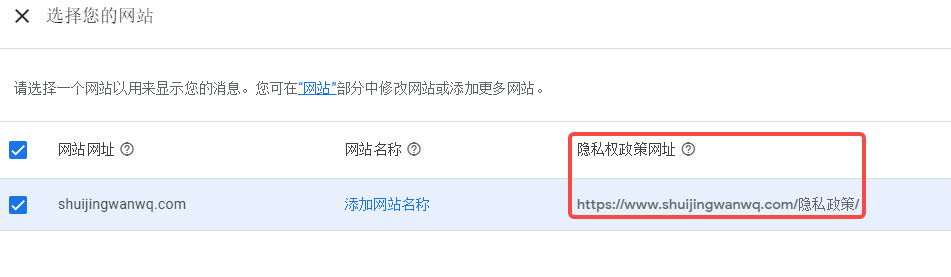
18. The post GDPR message was successfully released. as shown in Figure 15
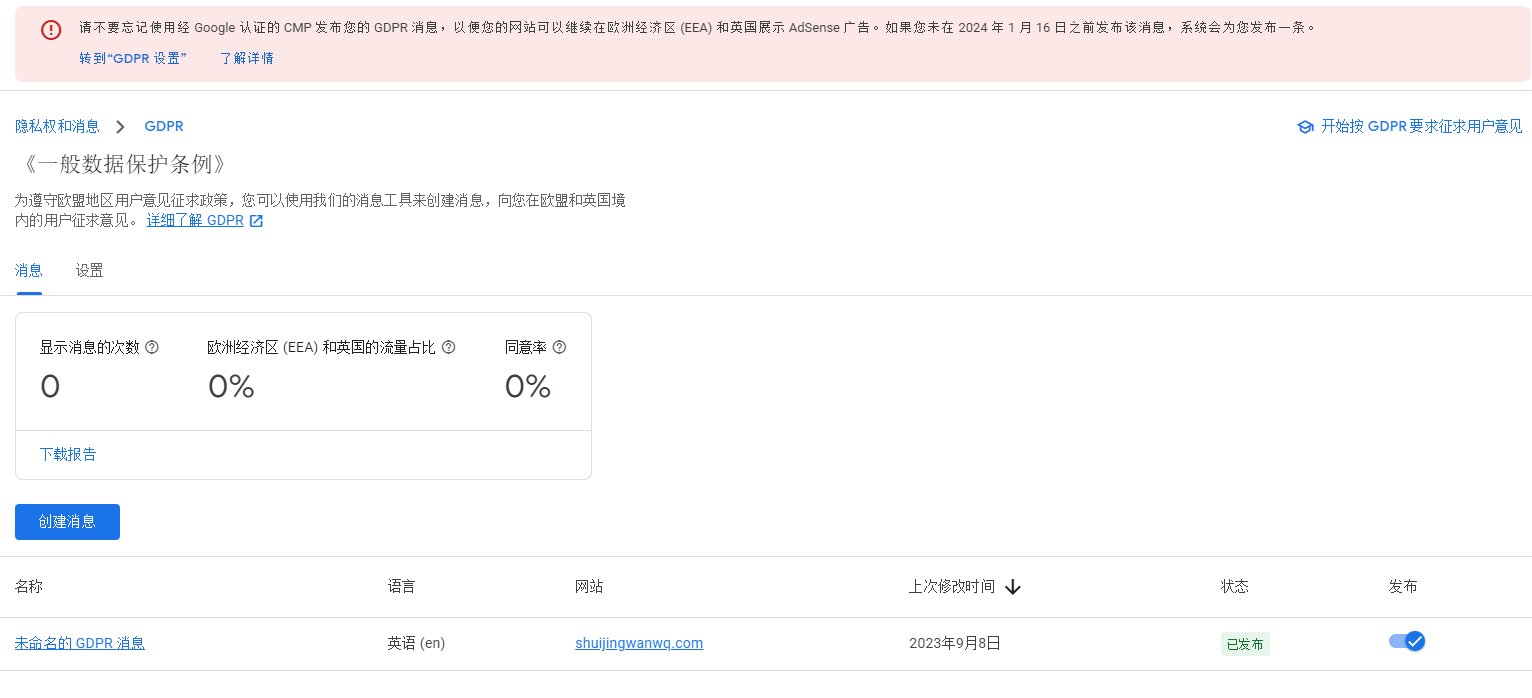
19. However, still tips: Please do not forget to use Google Certified CMP to post your GDPR message so that your website can continue to display AdSense ads in the European Economic Area (EEA) and the UK. If you do not post the message before January 16, 2024, the system will post one for you. There is no solution for the time being, and the system will automatically release it. as shown in Figure 16

Need long-term technical maintenance or remote troubleshooting?
I am a PHP / Go backend engineer with 15+ years of experience, focused on existing system maintenance, bug fixing, performance optimization, server troubleshooting, WordPress maintenance, and small feature iterations.
If your project is facing any of the following issues, we can start with a small troubleshooting task first:
- ✅ PHP / Laravel / Yii2 legacy systems without active maintenance
- ✅ Go / Gin backend APIs that need troubleshooting or optimization
- ✅ Slow, broken, or unstable WordPress websites
- ✅ Nginx / MySQL / Redis / Linux server issues
- ✅ CDN / Cloudflare / DNS / HTTPS configuration problems
- ✅ Long-term remote technical support or part-time maintenance
More details: About Me & Collaboration
WeChat: 13980074657
Email: shuijingwanwq@gmail.com
Telegram: @shuijingwan
GitHub: https://github.com/shuijingwan
Leave a Reply