Requesting the HTTPS interface in Postman is successful, the requesting HTTPS interface in the front-end page is unresponsive, and an error is reported in the console: net::err_cert_authority_invalid
1. The request for the HTTPS interface in Postman is successful, the request for the HTTPS interface in the front-end page is unresponsive, and an error is reported in the console: net::ERR_cert_authority_invalid. as shown in Figure 1
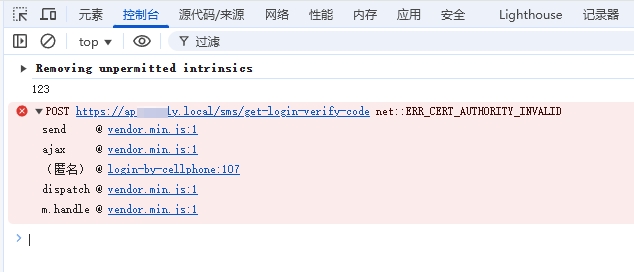
Figure 1
2. Reason: The browser does not trust the MKCERT certificate, because it is issued by the local CA (Certificate Authority), and is not trusted by the operating system or the browser by default. Check if the CA certificate is installed using the following command: Confirm that it is not installed. as shown in Figure 2

Figure 2
PS C:\wwwroot> certutil -store -user root "mkcert development CA"
root "受信任的根证书颁发机构"
CertUtil: -store 失败: 0x80090011 (-2146893807 NTE_NOT_FOUND)
CertUtil: 找不到对象。
PS C:\wwwroot>
3. Run certlm.msc (local computer certificate manager). Under Trusted Root Certificate Authority, check for MKCERT Development CA certificates. does not exist. as shown in Figure 3
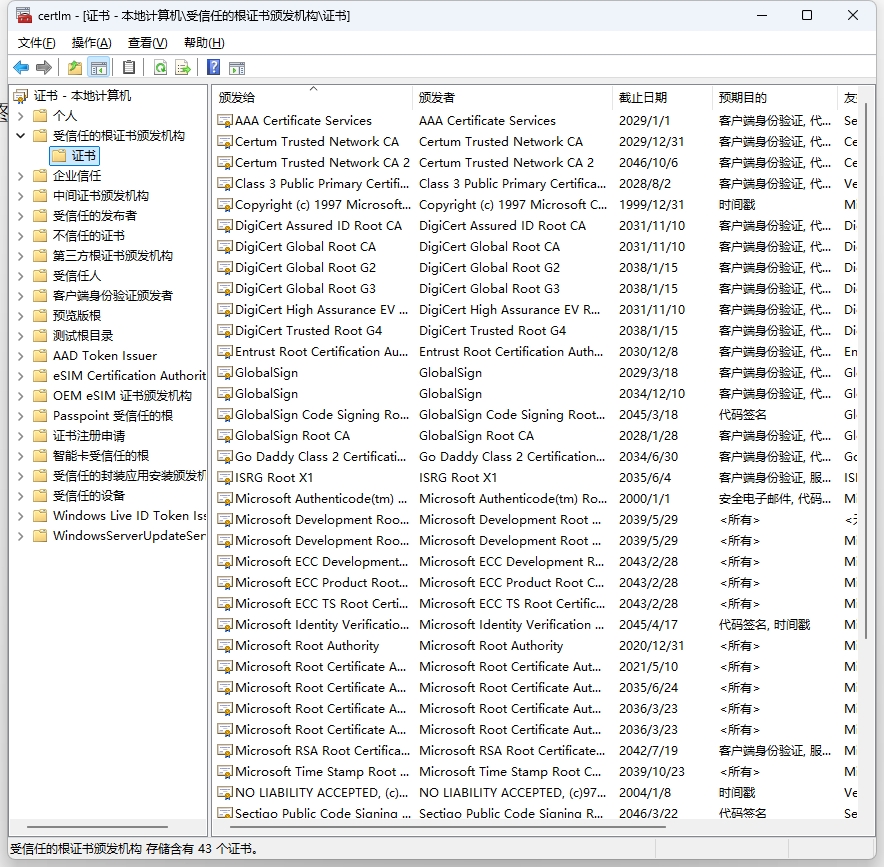
Figure 3
4. Import the C:\Users\Wangqiang\AppData\Local\MkCert\Rootca.pem certificate to the trusted root certificate authority. as shown in Figure 4
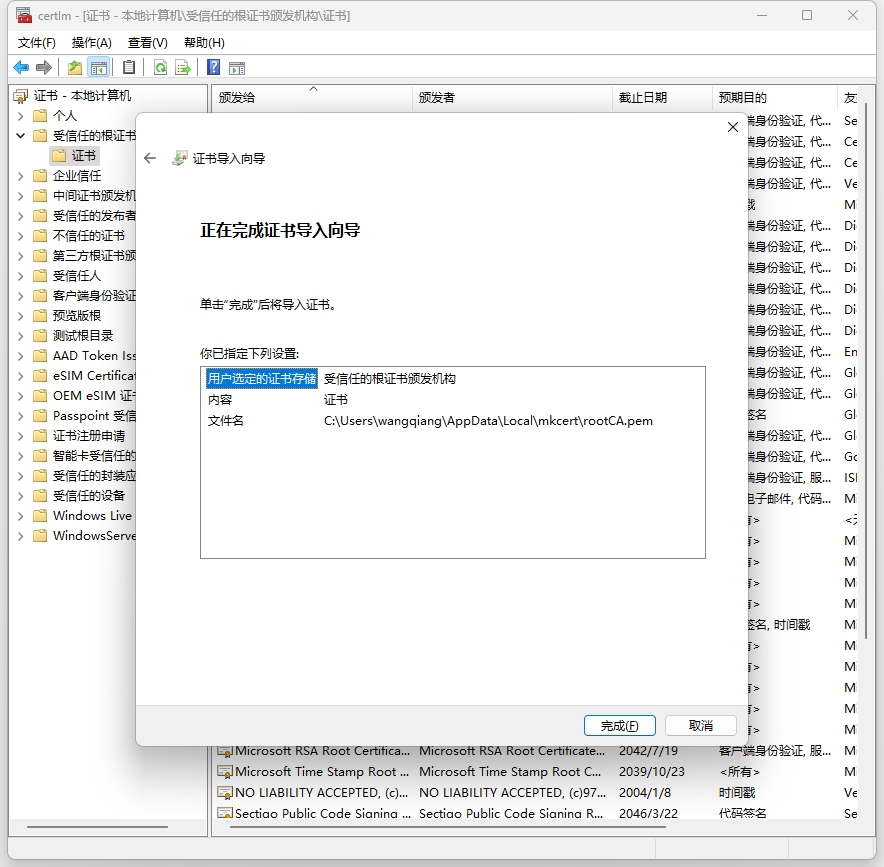
Figure 4
5. Trust the CA certificate chrome / edge to enter chrome://settings/certificates. Select the Local Certificate tab – View the certificates imported from Windows to see if the CA certificates generated by MKCERT are included. Already included, restart the browser. as shown in Figure 5
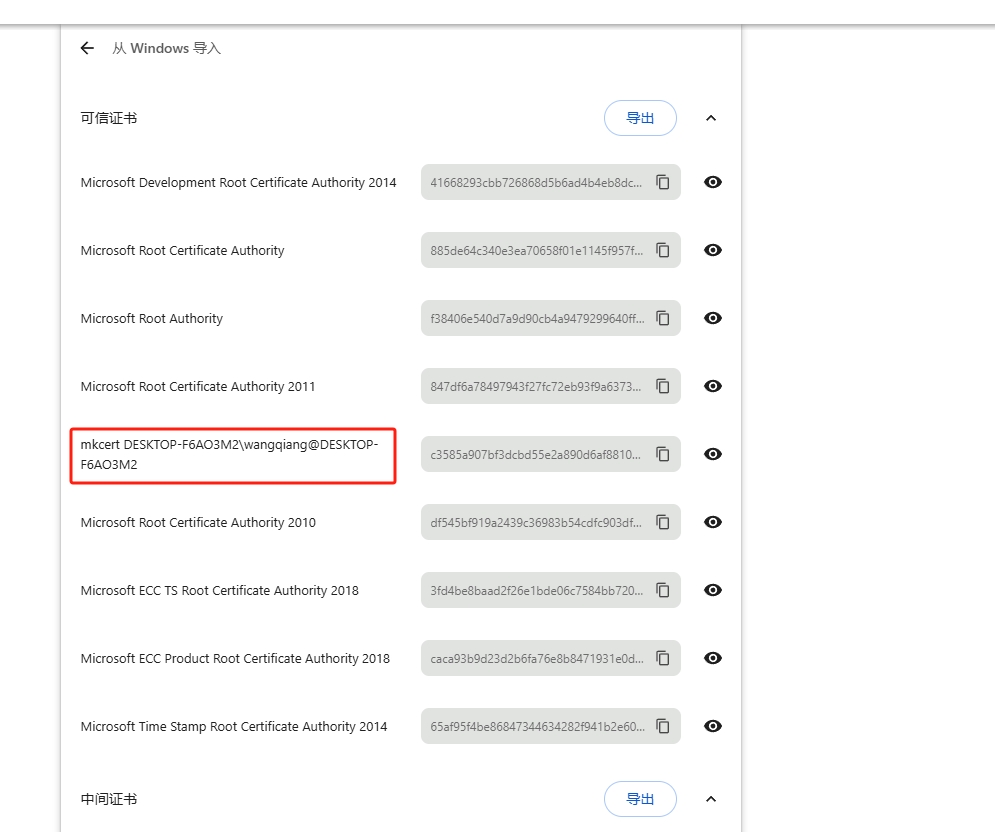
Figure 5
6. Request again, error: access to xmlHttpRequest athttps://api.apply.local/sms/get-login-verify-codefrom originhttps://console.apply.localHas Been Blocked by Cors Policy: Noaccess-control-allow-originHeader is present on the requested resource.

Figure 6
7. From the source”https://console.apply.local”访问“https://api.apply.local/sms/get-login-verify-code”处的The XMLHttpRequest has been blocked by the CORS policy: the “Access-Control-Allow-Origin” header does not exist on the requested resource. as shown in Figure 7
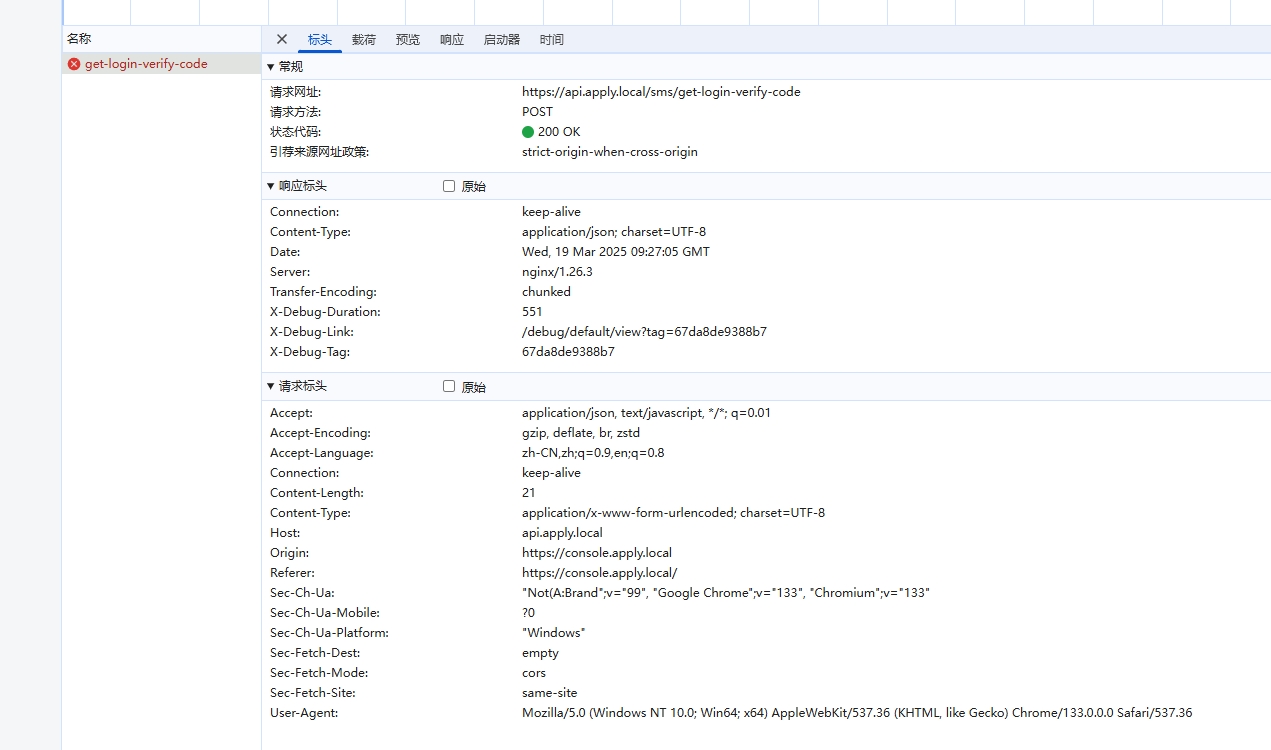
Figure 7
8. Set the response on the server access-control-allow-originhttps://console.apply.local, no more errors are reported in the console. as shown in Figure 8
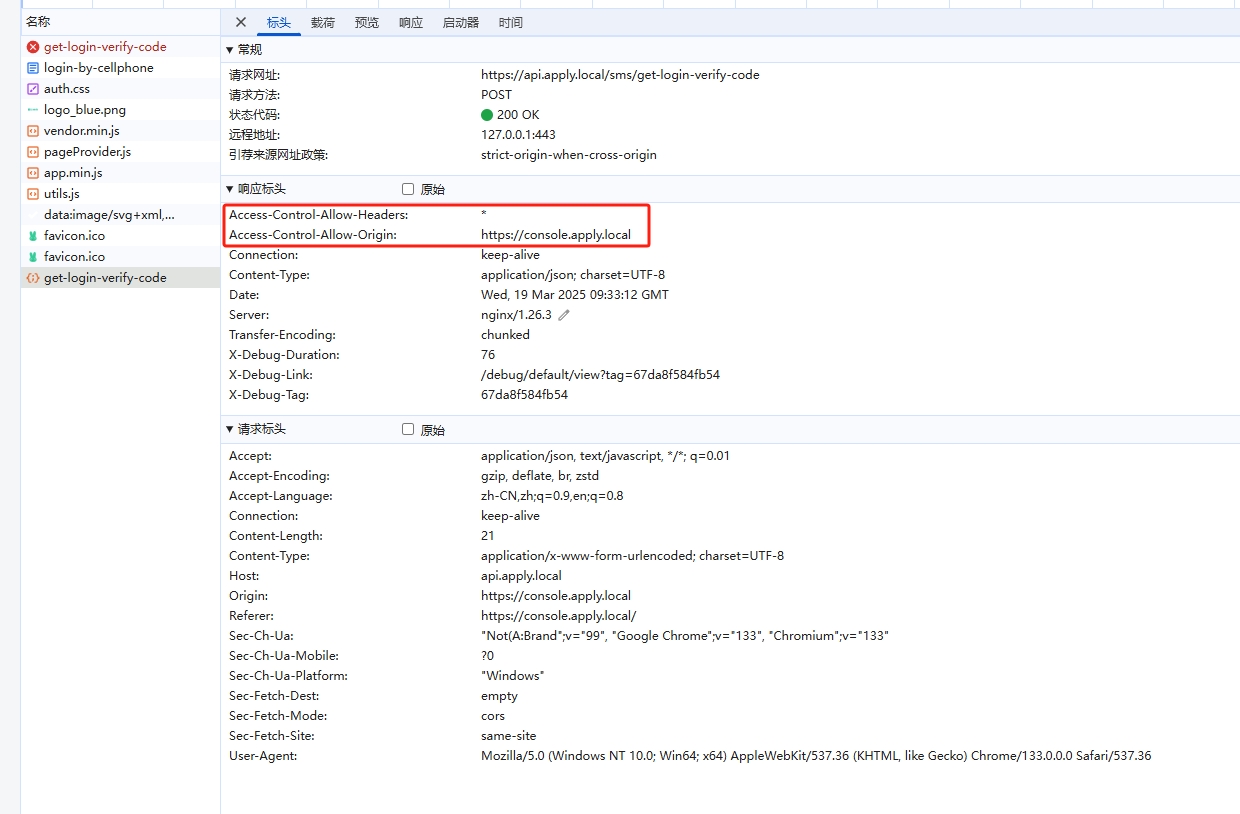
8