In Yii2, the troubleshooting analysis of the query cache is not valid
1. The code is implemented as follows
    /**
     * 获取热门标签
     *
     * @param int $limit 获取数量,默认10个
     * @return UseCaseTag[]
     * @throws \Throwable
     */
    public static function getHotTags(int $limit = 30): array
    {
        Yii::info(
            [
                '获取热门标签',
                self::getDb()->enableQueryCache
            ]
        );
        return self::getDb()->cache(function ($db) use ($limit) {
            return self::find()
                ->where(['status' => self::STATUS_NORMAL])
                ->orderBy(['case_count' => SORT_DESC])
                ->limit($limit)
                ->all();
        }, 300); // 缓存 300 秒
    }
2. It has been confirmed that the value of self::getdb()->EnableQueryCache is true, but every time this method is executed, the corresponding sql will still be executed, as shown in Figure 1
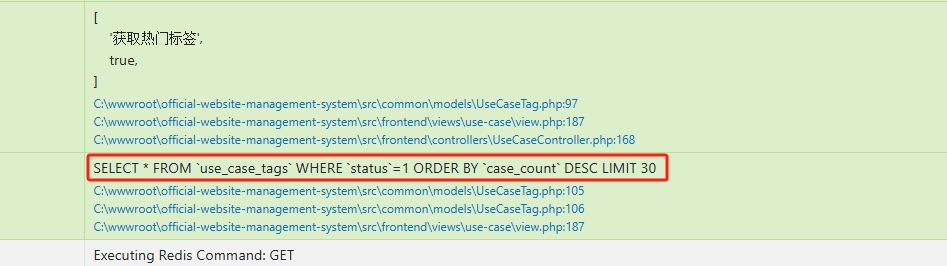
Figure 1
SELECT * FROM `use_case_tags` WHERE `status`=1 ORDER BY `case_count` DESC LIMIT 30
3. In the Debug Bar, there are 3 logs. Decided to analyze whether the cache has taken effect, but there are still SQL statements in the log
yii\db\Command::query	SELECT * FROM use_case_tags WHERE status=1 ORDER BY case_count DESC LIMIT 30

yii\redis\Connection::executeCommand	Executing Redis Command: GET

yii\db\Command::query	Query result served from cache
4. In the Debug Bar of Yii2, even if the query cache is hit and the cached result is returned, you may still see log entries like this. This is because: yii2 builds and prepares the SQL command object in order to determine whether the cache already exists when yii2 executes ->cache() . Then just check. Decide to clear all keys in Redis, then check the Debug Bar again, and make sure that the first time is a write cache, the second time is a read cache, and the cache is effective. Figure 2, Figure 3
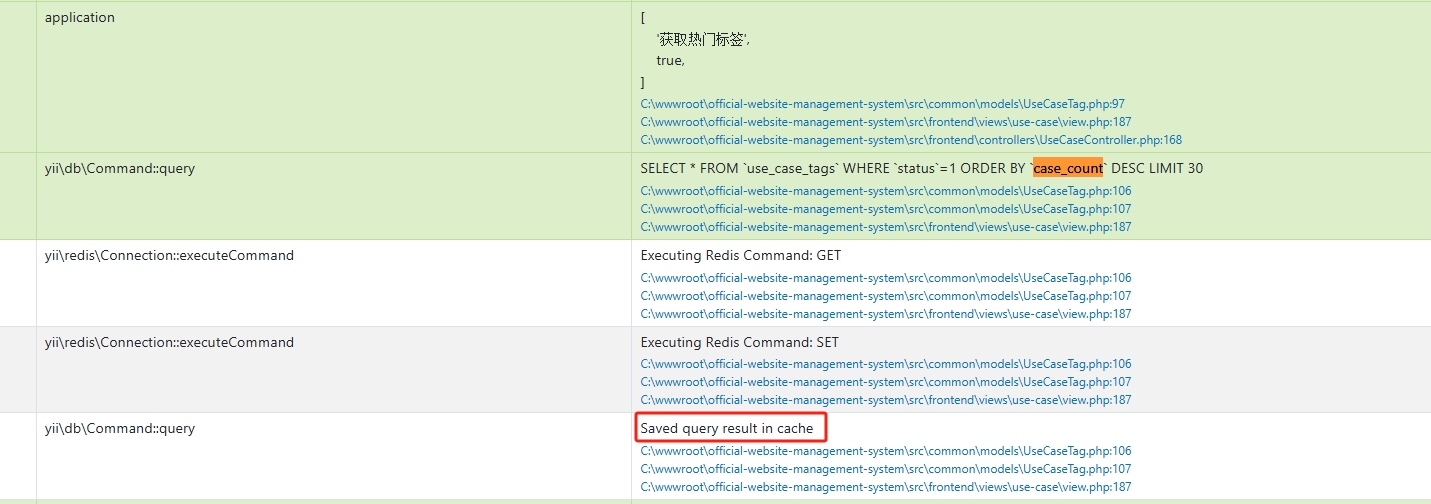
Figure 2
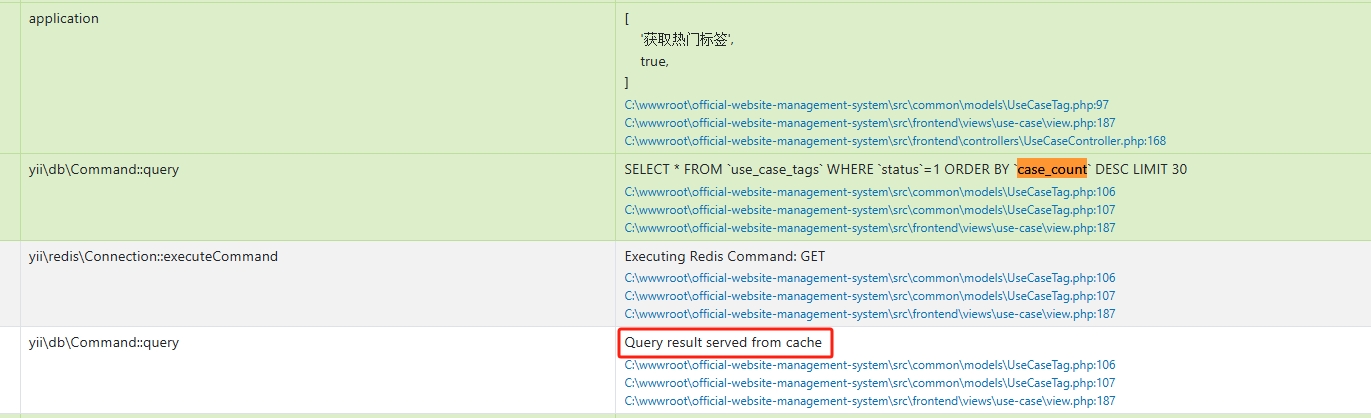
Figure 3
Saved query result in cache

Query result served from cache
![重启 PHP 后,再次报错:[ERROR] workbook_close(): Error creating 'E:\wwwroot\object\storage\app\export/order/订单导出任务2024-02-19 10:24:06.xls'. Error = No error](https://www.shuijingwanwq.com/wp-content/uploads/2024/03/2-1-520x90.png)