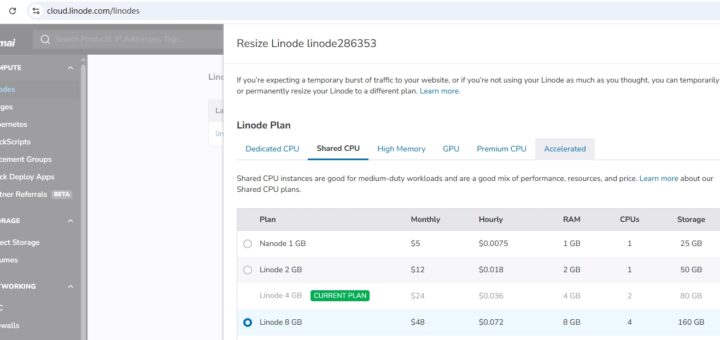
Troubleshooting Analysis of Linode Instance Upgrade Configuration Failed
Post Views: 75 1. It is found that the Linode instance can be resized. The current Linode 4 GB is found, and the storage is 80GB. It can be adjusted to Linode 8 GB...
Post Views: 75 1. It is found that the Linode instance can be resized. The current Linode 4 GB is found, and the storage is 80GB. It can be adjusted to Linode 8 GB...
Redis / Laravel / Laravel 6 / Laravel Cache / Web Application Development / Database / Web Framework
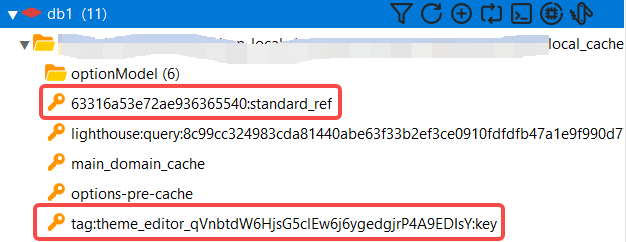
Post Views: 16 1. Now store the cached data that is tagged, and have 1 tag: Theme_Editor_qvnbtdw6hjsg5clew6j6ygedgjrp4a9edisy After running the program, a total of 3 keys are generated, as shown in Figure 1 3....
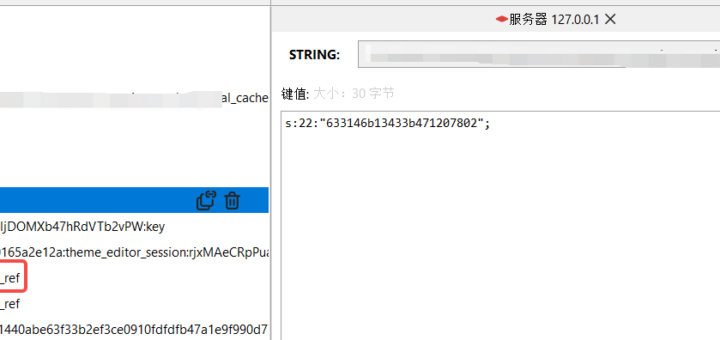
Post Views: 20 1. Now store the cached data that is tagged, and have 2 tags: THEME_EDITOR, THEME_EDITOR_RJXMAECRPPUAD4LLLJLLJLLJDOMXB47HRDVTB2VPW 2. After running the program, check the data structure in GUI for Redis. Expand the tag....
Cloud Vendors / Linux / HTTP Server / PHP / Alibaba Cloud / CentOS / Nginx / Cloud Computing / PHP 7.4 / Operating System / NAS / Server / CentOS 7 / Programming Language
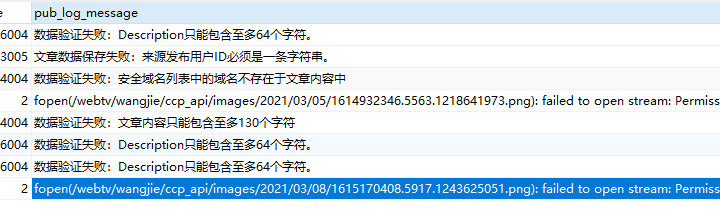
Post Views: 12 1. When running a command line script, use root User-created directory: /webtv/wangjie/ccp_api/images/2021/03/08, create file: 1615170036.5115.2027450777.png. The owner of the directory and the group to which it belongs are root. as shown...
Web Framework / CakePHP 2.x / PaaS / NAS / Cloud Vendors / Rancher 1.6.18 / Cloud Server / PHP / Shell / CakePHP / Web Application Development / Docker / Cloud Computing / Alibaba Cloud / Server / Rancher / Programming Language / PHP 5.6
Post Views: 13 1. At this stage, there is a new requirement, and it is necessary to do some initial data work for the product when deploying the product. Prepare the corresponding SQL file,...
Cloud Computing / Server / PaaS / Cloud Vendors / Cloud Server / Docker / Alibaba Cloud / Rancher / NAS / Rancher 1.6.18
Post Views: 11 1. In Rancher’s volume, add: /webtv:/data. as shown in Figure 1 2. Check the log of the container, and report an error: log_name: unbound variable. as shown in Figure 2 3....
Post Views: 12 1. Open the URL of the variable and environment variable:https://learning.postman.com/docs/postman/variables-and-environments/variables/, variables and environment variables. With variables, variables allow you to store and reuse values in requests and scripts. as shown in...
Web Framework / PHP 7.2 / PaaS / Yii 2 / Linux / CentOS 6 / Cloud Server / Rancher 1.6.18 / Version Control System / PHP / Yii / Web Application Development / Docker / Operating System / CentOS / Server / Rancher / Programming Language / Git
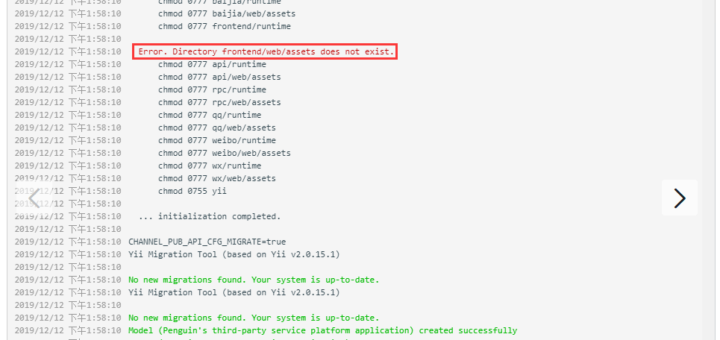
Post Views: 15 1. When the advanced template is initialized, an error is reported: Error. Directory Frontend/Web/Assets does not exist, as shown in Figure 1 2. Enter the directory in the container: /mcloud/www/channel-pub-api/frontend/web, and...
关注:
更多
Recent Comments