Alibaba Cloud DMS large data set export complete solution: break through the page limit, one-click export CSV
1. Problem background
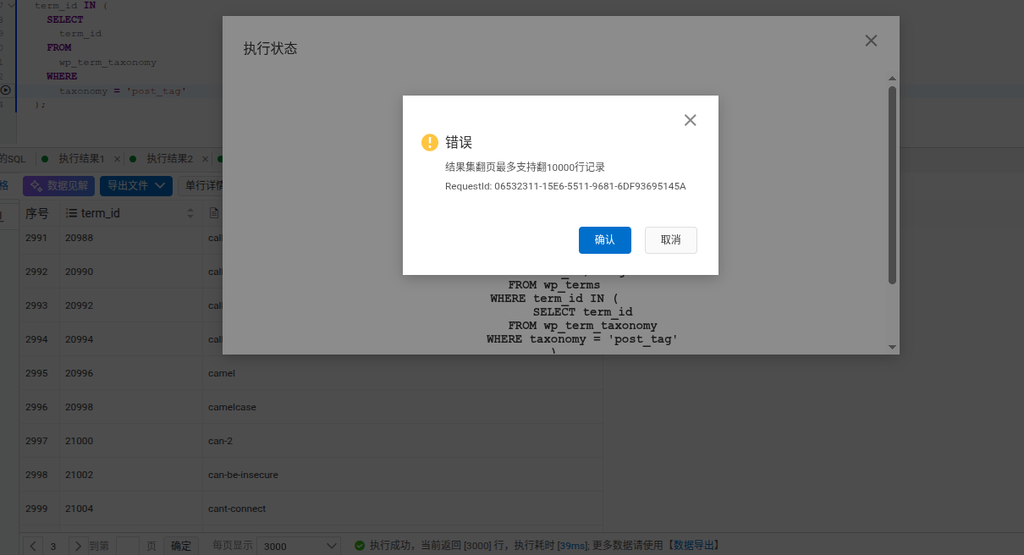
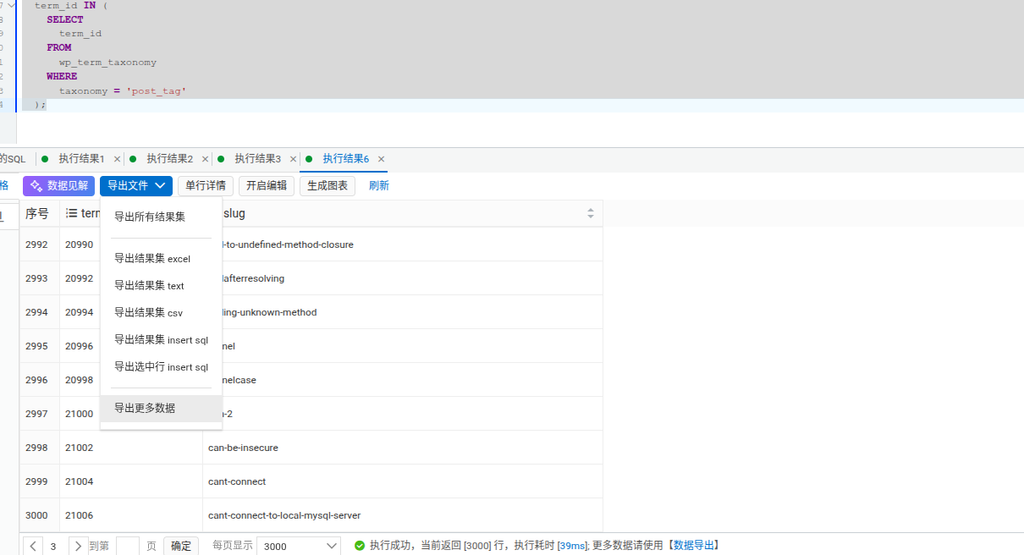
When querying large data sets in Alibaba Cloud DMS, the problem of page turning restrictions is often encountered. When the amount of data exceeds 10,000 rows, the system will prompt ‘The result set page turning page supports up to 10,000 row records’. For example, the user displays 3,000 pieces of data per page, and the limit is triggered when the page 4 is turned (as shown in Figure 1). The traditional ‘export all result sets’ function will generate multiple Excel files (as shown in Figure 4), which does not meet the needs of merging into a single CSV.
2. Solutions
Through the ‘Data Export’ work order system of DMS, you can break through the page turning limit and directly export the complete CSV file. The specific operation process is as follows:
3. Detailed operation steps
Step 1: Execute the basic query
Execute SQL queries in DMS, such as getting WordPress tag data:
SELECT term_id, slug
FROM wp_terms
WHERE term_id IN (
  SELECT term_id
  FROM wp_term_taxonomy
  WHERE taxonomy='post_tag'
)
The system returns the first 3,000 pieces of data, and prompts ‘For more data, please use [Data Export]’ (as shown in Figure 2).
Step 2: Create Data Export Tickets
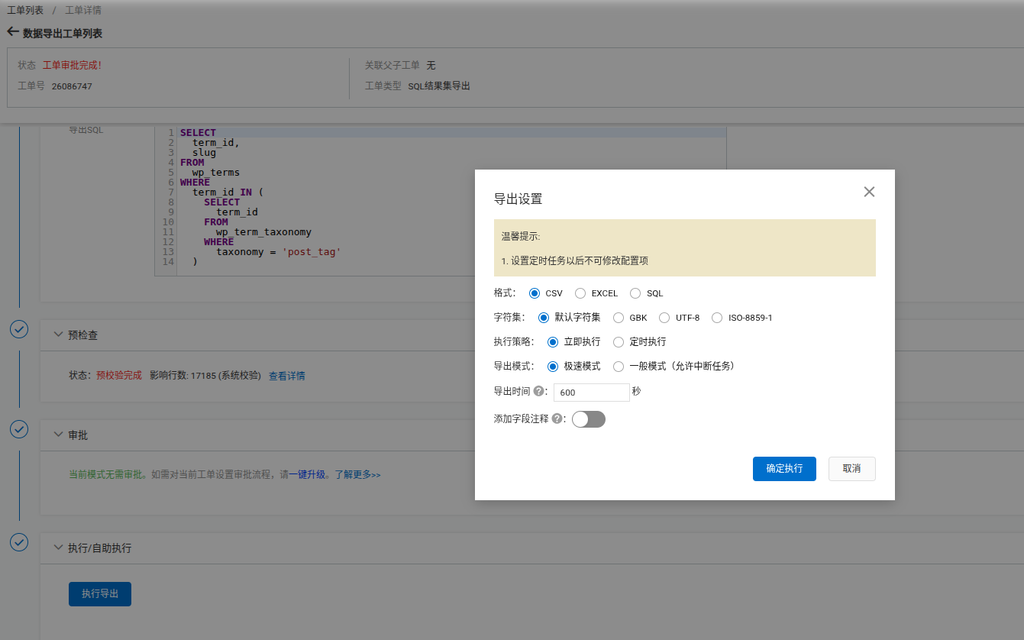
- Click ‘Export File’ → ‘Data Export Ticket’
- The system automatically fills the query sql (as shown in Figure 3)
- Select the export format as CSV
- Set the execution policy to ‘Execute Now’
- Click ‘OK’
Step 3: Download the full csv file
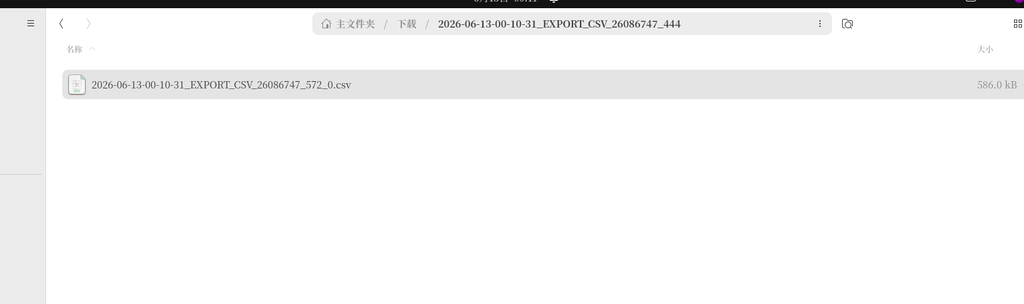
After the execution of the ticket is completed, a single CSV file is generated in the ‘main folder’ (as shown in Figure 4), and the file name format is2026-06-13-00-10-31_export_csv_26086747_572_0.csv, the size is 586KB, containing all 17,185 pieces of data.
4. Key Benefits
- Break through the page turning limit: Full result set of more than 10,000 rows can be exported through the ticket system
- single file export: Generate a single csv file directly, without manual merge
- efficient processing: Extreme speed mode exports 17,185 pieces of data only 39ms
- Format customization: Support GBK/UTF-8/ISO-8859-1 character set
5. Notes
- The configuration items cannot be modified after the work order is submitted, please confirm the export settings in advance
- It is recommended to use ‘extreme speed mode’ in large data sets (general mode allows interrupt tasks)
- The number of affected rows can be viewed through ‘pre-check’ before export (17,185 in the example)
This solution perfectly solves the problems of DMS page turning restrictions and export format, and realizes the efficient processing and standardized export of large data sets.