
Adding sidebar ads to WordPress 2025 themes has been a challenge, but with the WPCode plugin, we can achieve precise advertising. This article will detail how to successfully add AdSense display ads to the sidebar of the 2025 theme.
problem background
The WordPress 2025 theme is designed with a new block editor, and the traditional PHP hook insertion method is no longer applicable. In WPCode, since there is no fixed insertion position, we need to use shortcode (ShortCode) to achieve accurate advertising.
Solution: Use WPCode shortcodes
Step 1: Create a WPCode ad clip
First, we need to create an ad code snippet in WPCode:
Create a new code snippet in wpcode named ”[AdSense]Display Ads – Blog Home Sidebar Ads’ and paste AdSense code into the code preview area.
![Create a new code snippet in wpcode named ""[AdSense]Display Ads - Blog Home Sidebar Ads" and paste AdSense code into the code preview area.](https://www.shuijingwanwq.com/wp-content/uploads/2026/06/1-86-1024x686.png)
Step 2: Set the insertion method to short code
In the ‘Insert Method’ section, select ‘Shortcode’ mode: copy the generated shortcode:
Step 3: Insert the short code block in the sidebar
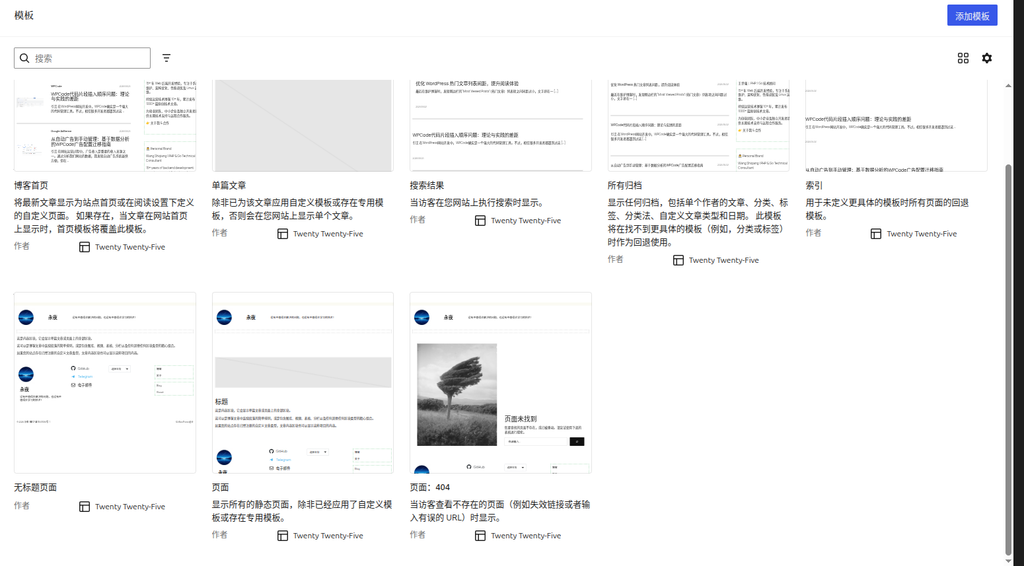
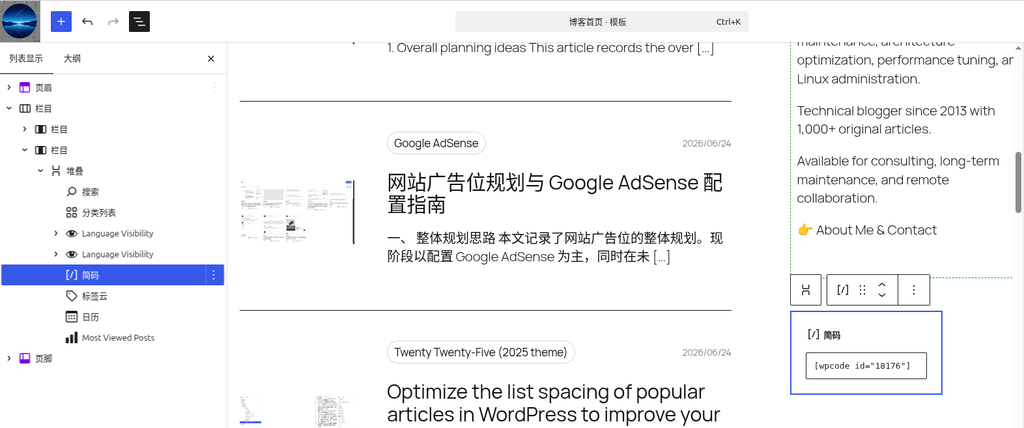
Enter the WordPress editor, add a ‘shortcode’ block in the sidebar area of the blog homepage template, and paste the copied shortcode into it:
Problems and solutions encountered
Problem 1: Ads are not displayed
Initially, although the ad code exists, the ad is not displayed.
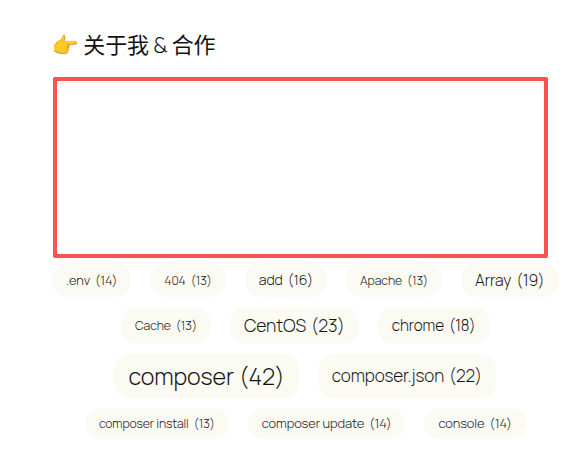
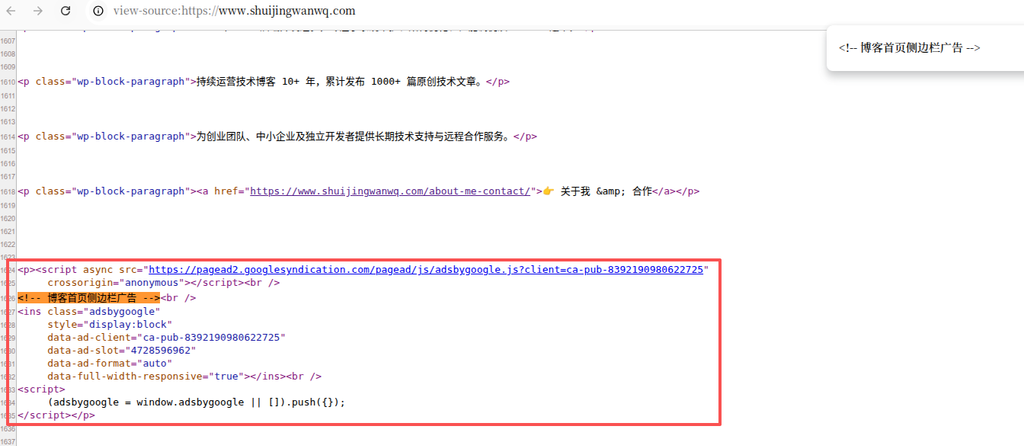
By looking at the source code, we found that WordPress automatically added<p>tags, but this is not the root cause of ads not showing:
The real problem: the console reports an error
Through the console of the browser developer tools, we found that the real error message is:
Uncaught TagError: adsbygoogle.push() error: No slot size for availableWidth=0This error indicates that AdSense cannot measure the width of the ad container, so it is impossible to determine what size ad should be displayed.
Solution: Modify the ad code style
In the WPCode snippet, we modified the style of the ad code and added the width setting:
style="display:block; width:300px; max-width:100%;"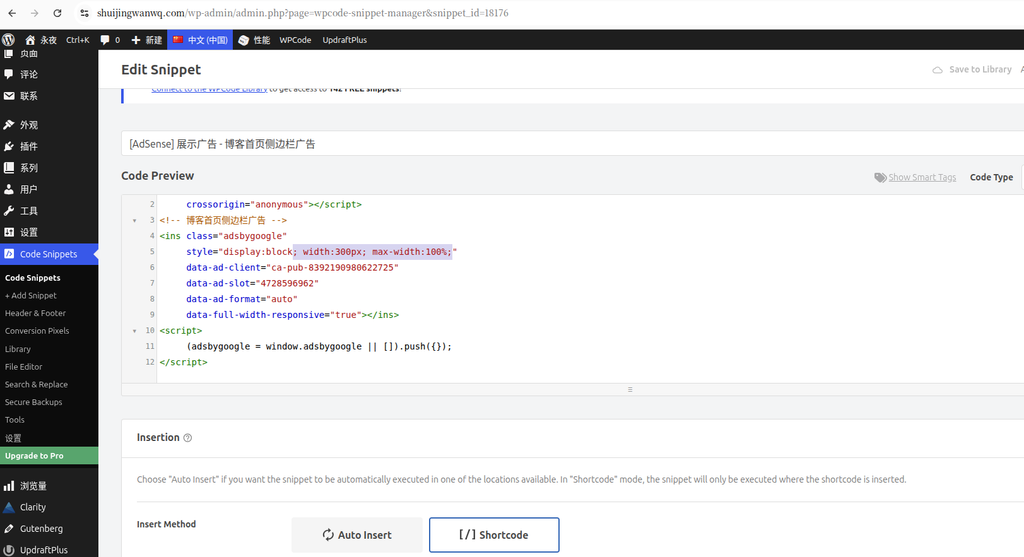
This modification is solvedNo slot size for availableWidth=0error, make sure the ad can correctly measure the width of the container and display it.
final result
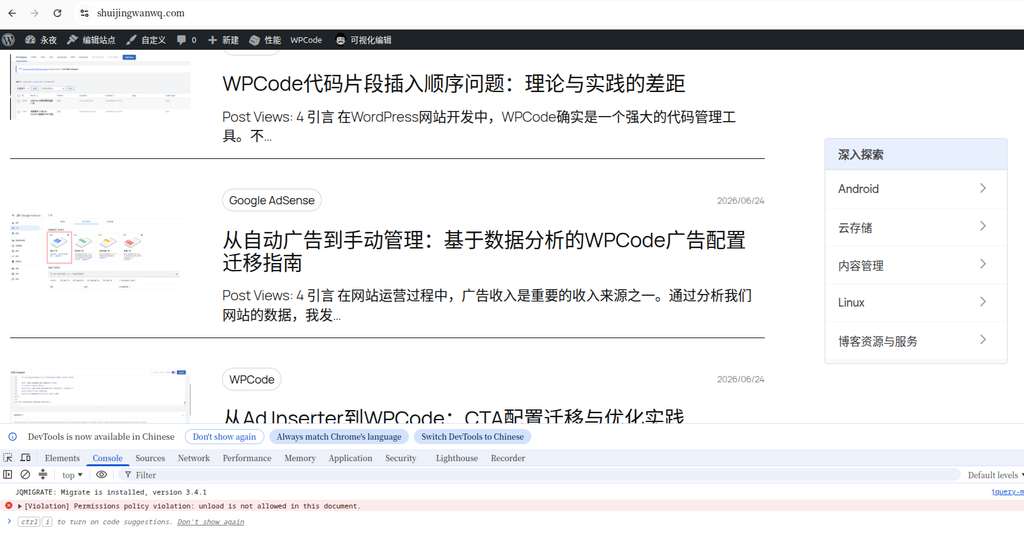
desktop effect
On the desktop side, the ad is successfully displayed in the sidebar.
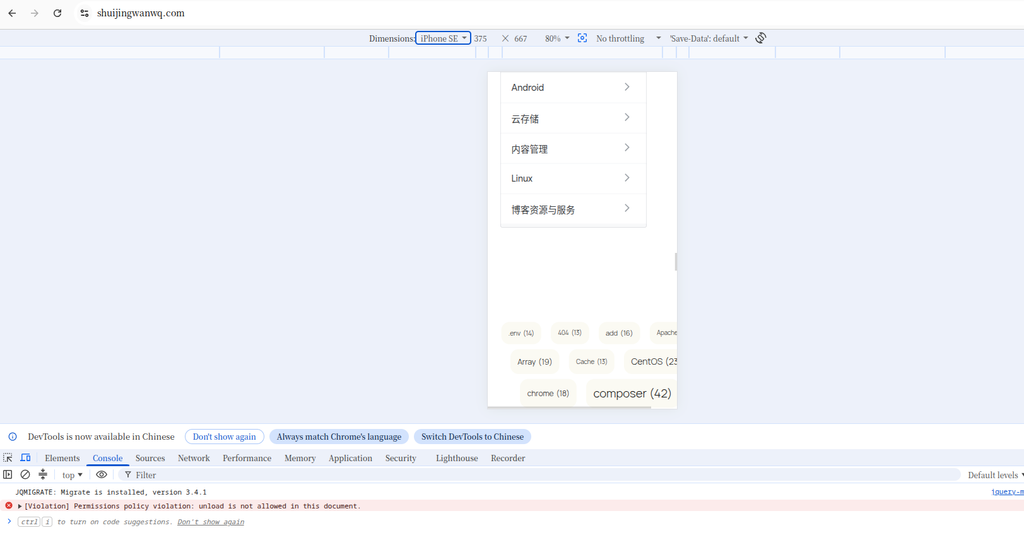
Mobile Effects
On the mobile terminal, the advertisement can adapt to the screen width, but there is a horizontal scroll bar on the page. After the ad code fragment is disabled, the horizontal scroll bar still appears. It is preliminarily confirmed that the horizontal scroll bar is not caused by advertisements and will not be dealt with for the time being.
Summary
We successfully added AdSense display ads to the sidebar of WordPress 2025 themes via WPCode shortcodes. The key is:
- Use WPCode’s shortcode pattern instead of auto insert
- Accurately locate the root cause of the problem through the console error
- Set the appropriate width and maximum width limit for your ad
- Fully tested on mobile
This method is not only suitable for AdSense, but also can be generalized to other scenarios where code needs to be inserted at a specific location.
Technical Blog Growth & Monetization Consulting
I have been running my personal technology blog for more than 10 years and have published over 1,000 original articles covering WordPress optimization, multilingual websites, Google SEO, content strategy, and website monetization. All insights shared on this site come from real-world operation and long-term experimentation. If you are building a blog, developer website, SaaS project, or content-driven platform, I would be happy to share practical experience and optimization suggestions.
Ideal For:
✅ Technical bloggers
✅ Independent developers
✅ SaaS website owners
✅ Content creators seeking organic traffic growth
✅ Website owners interested in monetization opportunities
What I Offer:
✅ WordPress Performance Optimization
✅ SEO Consulting
✅ Multilingual Website Setup
✅ Ad Revenue Optimization
✅ Blog Growth & Monetization Consulting
If you would like to discuss your website, traffic growth strategy, or monetization opportunities, please contact me and mention: Blog Growth Consultation.
Contact Me:
Telegram: @shuijingwan
WeChat: 13980074657
Email: shuijingwanwq@gmail.com
Leave a Reply