
Introduction
In the process of website operation, advertising revenue is one of the important sources of revenue. By analyzing the data of our website, I found that the automatic advertising system is convenient, but in some cases, it does not achieve the best results. The data shows that automatic ads are not displayed well on certain pages, and they cannot accurately control ad position and type. Therefore, I decided to turn off automatic advertising, and instead use manual management to achieve more refined advertising control through WPCode plugin.
Data analytics-driven decisions
Limitations of Automated Ads
By analyzing the website data, I found the following problems with automatic ads:
- Ad placements are not ideal enough to affect the user experience
- Advertisement type and content are not well matched
- Advertising revenue fluctuates greatly and is difficult to predict
- Failed to optimize ad policies for specific pages
Advantages of manual management
Based on data analytics, manually managing ads can bring the following benefits:
- Precisely control ad placements to enhance user experience
- Choose the most suitable ad type according to the content of the page
- Optimize your advertising revenue and increase CTR and conversion rates
- Flexible Advertising Strategies
Ad configuration process
Step 1: Ad Unit Settings
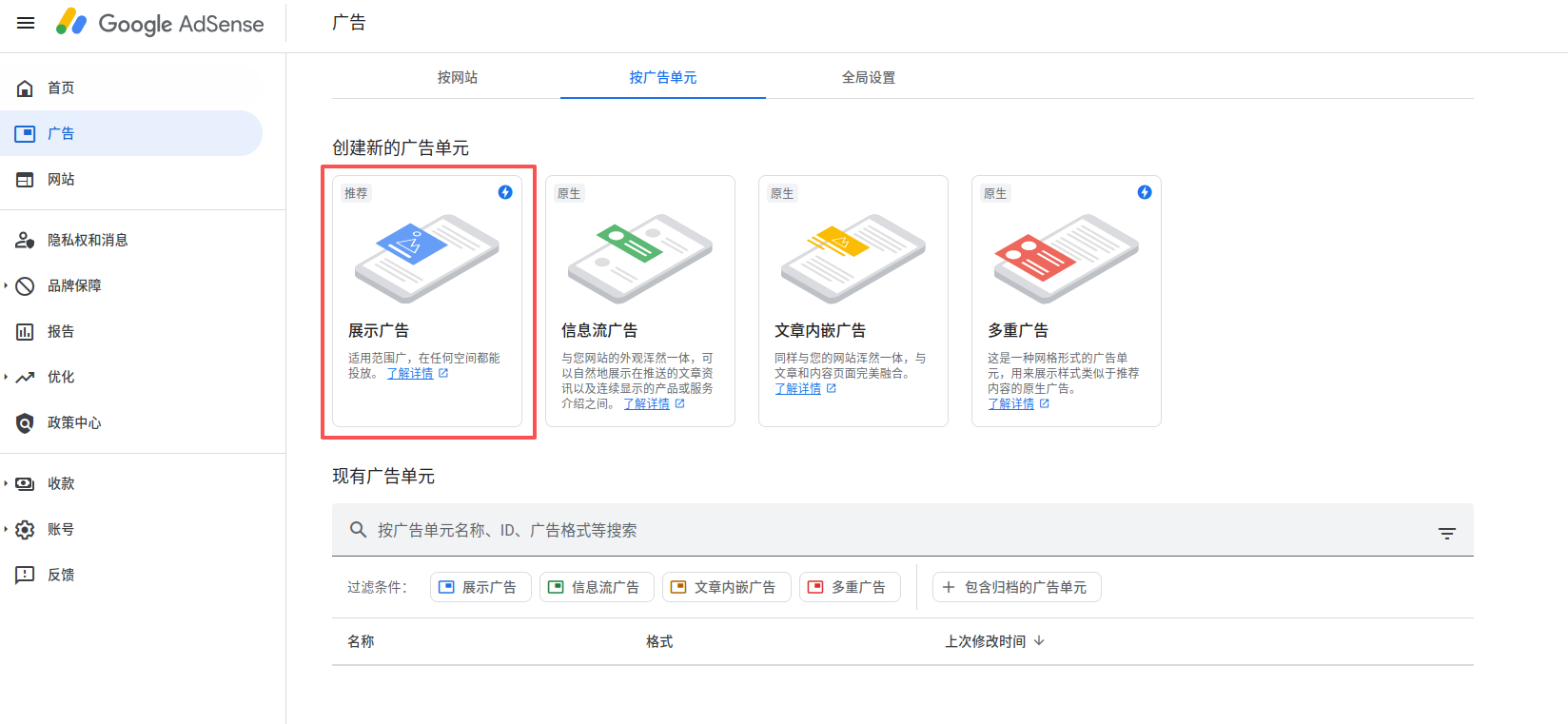
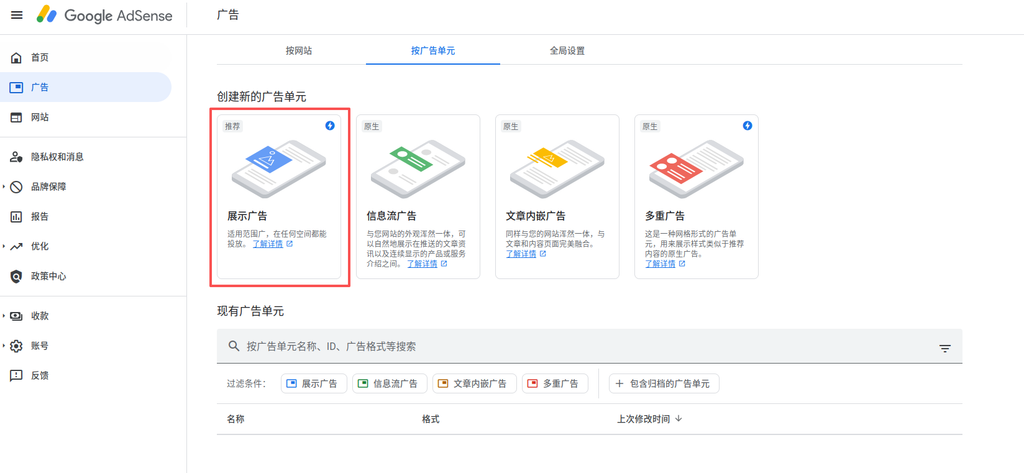
First, configure ad units in Google AdSense. Figure 1 shows the ad management interface, we choose the ‘display ad’ type, which is the most commonly used advertisement form, suitable for display at the bottom of the article.
Step 2: Select the ad format
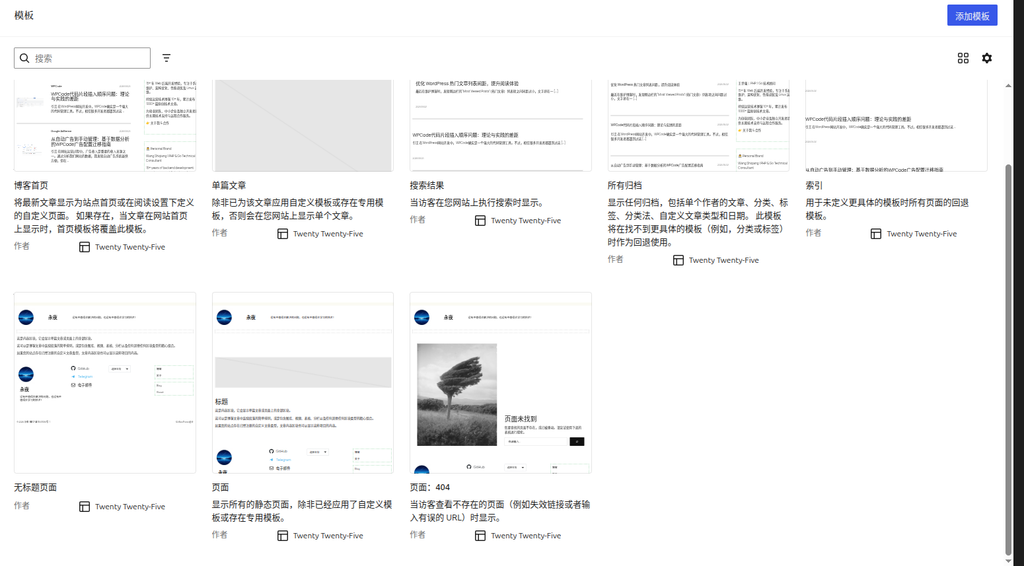
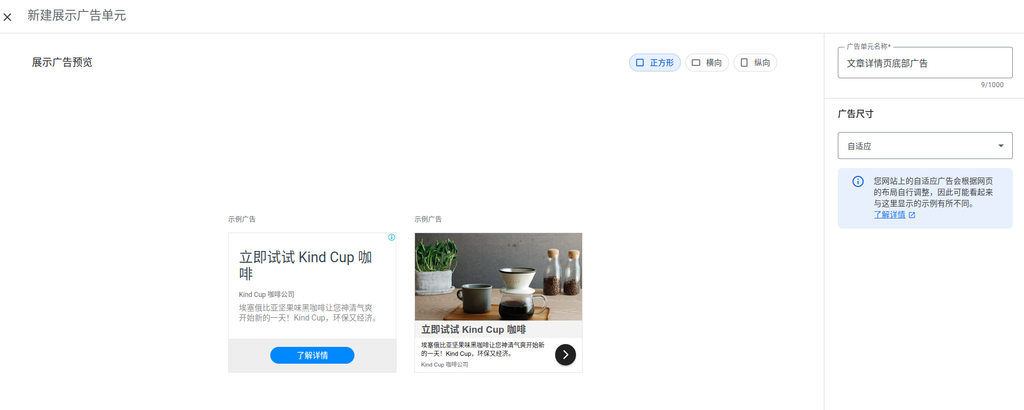
Figure 2 shows the choice of square adaptive ad format. This format has the following advantages:
- Responsive design, adapt to various device screens
- Maintain advertising ratio and enhance the visual experience
- Suitable for mobile and desktop display needs
Step 3: Get the ad code
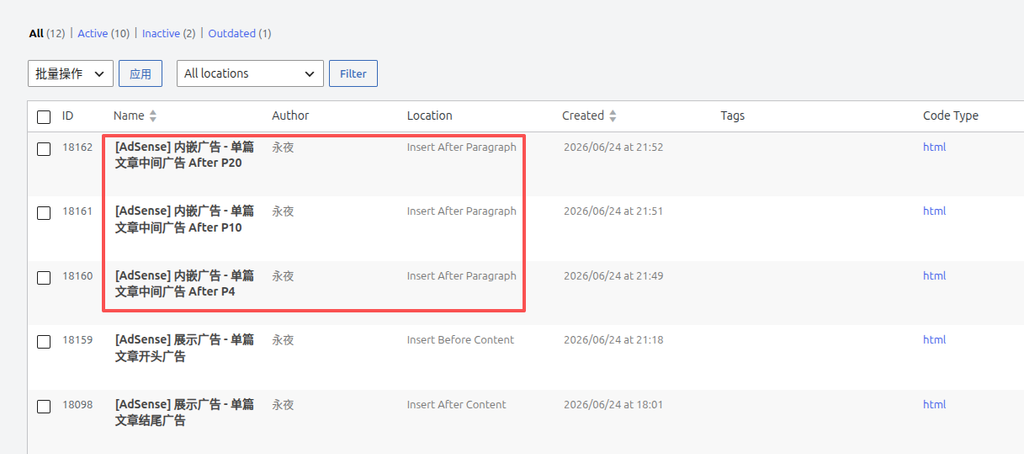
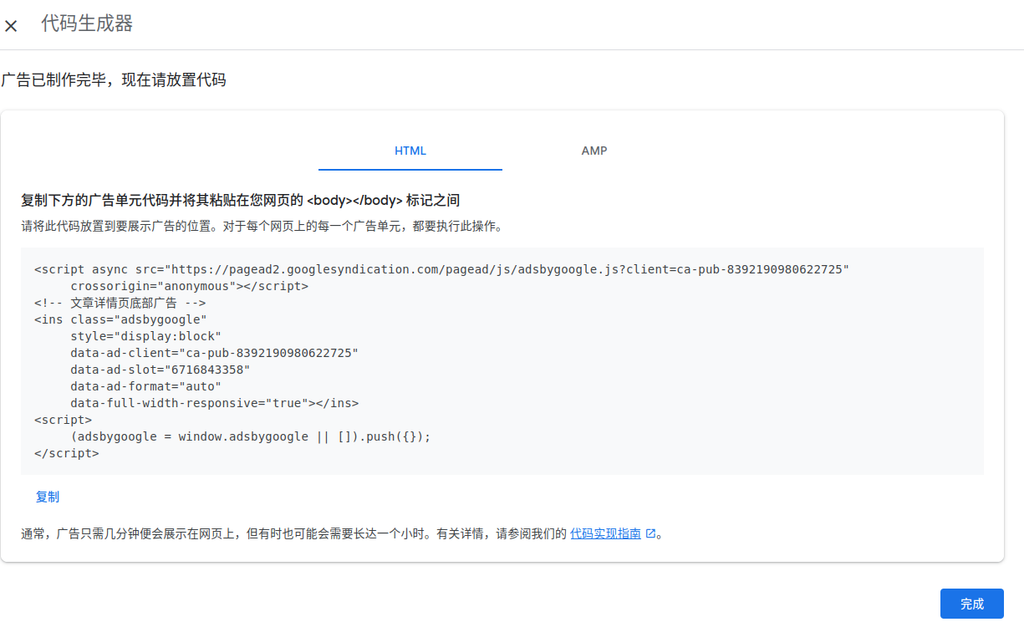
Figure 3 shows the steps to copy the HTML code. This step is the key to manually managing your ads:
- Copy generated HTML code from ad platform
- Make sure the code contains the correct tracking and presentation logic
- Save the code for later use in wpcode
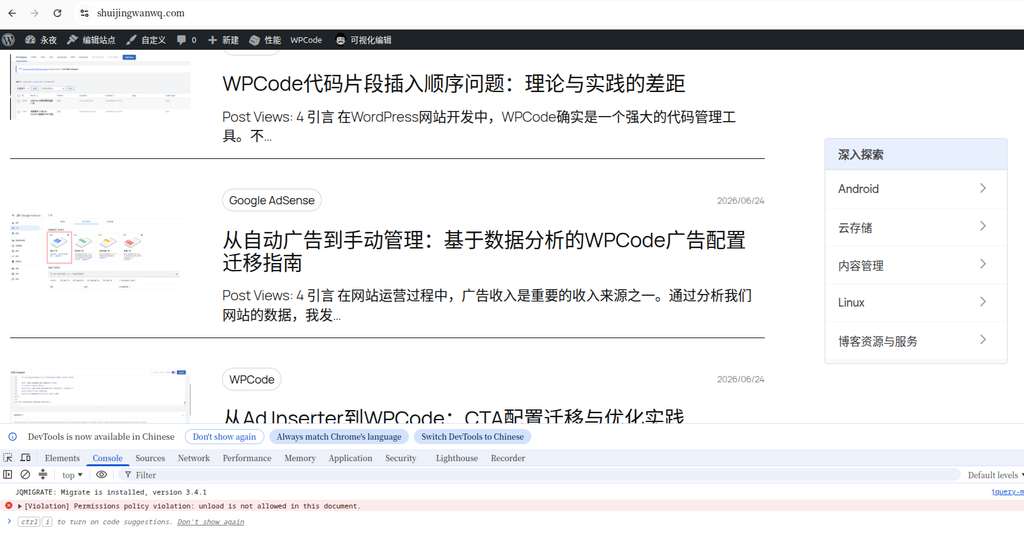
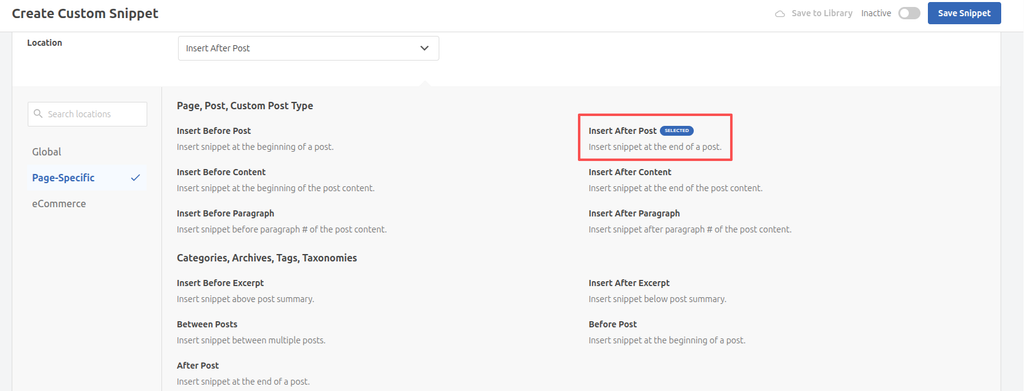
Step 4: Configure in WPCode (Figure 4)
The last step is to set up the ad code in WPCode:
- Select ‘HTML fragment’ as code type
- Set the insertion position to ‘insert after post’
- Configure the presentation conditions and priorities of the ad
Detailed explanation of wpcode configuration
Create HTML fragment
Create a new HTML fragment in WPCode and paste the copied ad code into it.
Set the insertion position
As shown in Figure 4, select the ‘insert after post’ position to ensure that the advertisement is displayed after the content of the article, without affecting the reading experience.
Optimize ad display
Through WPCode’s advanced settings, you can further optimize your ad display:
- Set the display conditions of the ad (such as specific categories, tags)
- Advances to Advertising
- Add lazy loading to improve page performance
Data-driven optimization strategy
Adjustment based on user behavior
By analyzing user behavior data, we can:
- Add ad display to high traffic pages
- Adjust ad types on low conversion pages
- Optimize your ad format according to user device type
Revenue Maximization Strategies
Manual ads allow us to:
- Test different ad locations and formats
- Optimize ad fill rate
- Increase revenue per thousand impressions (CPM)
implementation proposal
code optimization
When configuring ad tags in WPCode, it is recommended to:
- Add appropriate conditional judgments to ensure that ads are only displayed on specific pages
- Optimize the order of code loading to avoid blocking page rendering
- Consider using asynchronous loading to improve user experience
test verification
After implementation, be sure to conduct adequate testing:
- Verify ad display performance on different devices and browsers
- Check ad load performance and tracking accuracy
- Monitor ad revenue and user feedback
Summary
From automatic advertising to manual management is a smart decision based on data analysis. Through the WPCode plugin, we can achieve more detailed advertising control, improve advertising performance and user experience. Although this process requires more manual operations, in the long run, it can bring better advertising management and website performance.
By precisely controlling ad position, type and display conditions, we can maximize advertising revenue while maintaining a good user experience. This is a worthy of consideration for any website owner who wishes to optimize the Monetization strategy of the website.
Technical Blog Growth & Monetization Consulting
I have been running my personal technology blog for more than 10 years and have published over 1,000 original articles covering WordPress optimization, multilingual websites, Google SEO, content strategy, and website monetization. All insights shared on this site come from real-world operation and long-term experimentation. If you are building a blog, developer website, SaaS project, or content-driven platform, I would be happy to share practical experience and optimization suggestions.
Ideal For:
✅ Technical bloggers
✅ Independent developers
✅ SaaS website owners
✅ Content creators seeking organic traffic growth
✅ Website owners interested in monetization opportunities
What I Offer:
✅ WordPress Performance Optimization
✅ SEO Consulting
✅ Multilingual Website Setup
✅ Ad Revenue Optimization
✅ Blog Growth & Monetization Consulting
If you would like to discuss your website, traffic growth strategy, or monetization opportunities, please contact me and mention: Blog Growth Consultation.
Contact Me:
Telegram: @shuijingwan
WeChat: 13980074657
Email: shuijingwanwq@gmail.com
Leave a Reply