在 Yii 2.0 中添加了多个 DB 应用组件时,Gii 的生成流程
1、在 Yii 2.0 中添加了多个数据库连接组件时
    'components' => [
        'db' => [
            'class' => 'yii\db\Connection',
            'dsn' => 'mysql:host=62.234.135.47;dbname=pcs_api',
            'username' => 'sq_pcs',
            'password' => '',
            'tablePrefix' => 'pa_',
            'charset' => 'utf8mb4',
            'enableSchemaCache' => false,
            'schemaCacheDuration' => 3600,
            'schemaCache' => 'redisCache',
        ],
        'statDb' => [
            'class' => 'yii\db\Connection',
            'dsn' => 'mysql:host=62.234.135.47;dbname=pcs_stat',
            'username' => 'sq_pcs',
            'password' => '',
            'tablePrefix' => 'ps_',
            'charset' => 'utf8mb4',
        ],
    ],
2、数据库连接ID选择 statDb 时,表名的下拉列表中,仅会出现 statDb 下的数据表,如图1
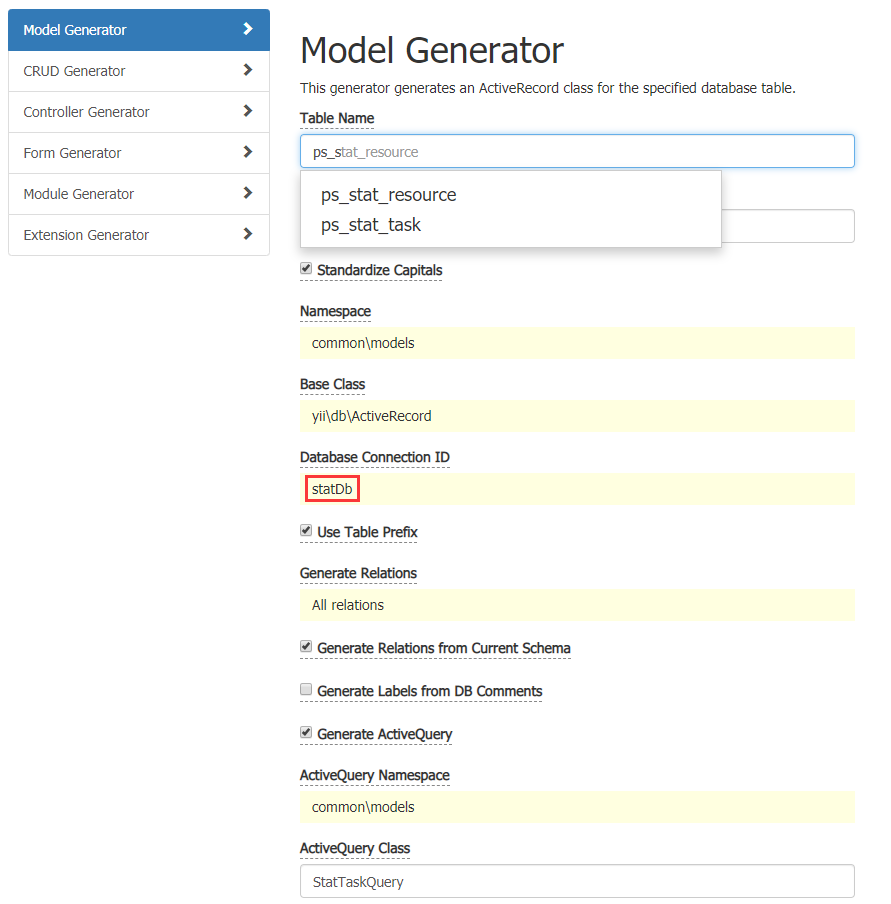
图1
3、当生成 statDb 下的模型文件时,会额外生成 getDb() ,如图2
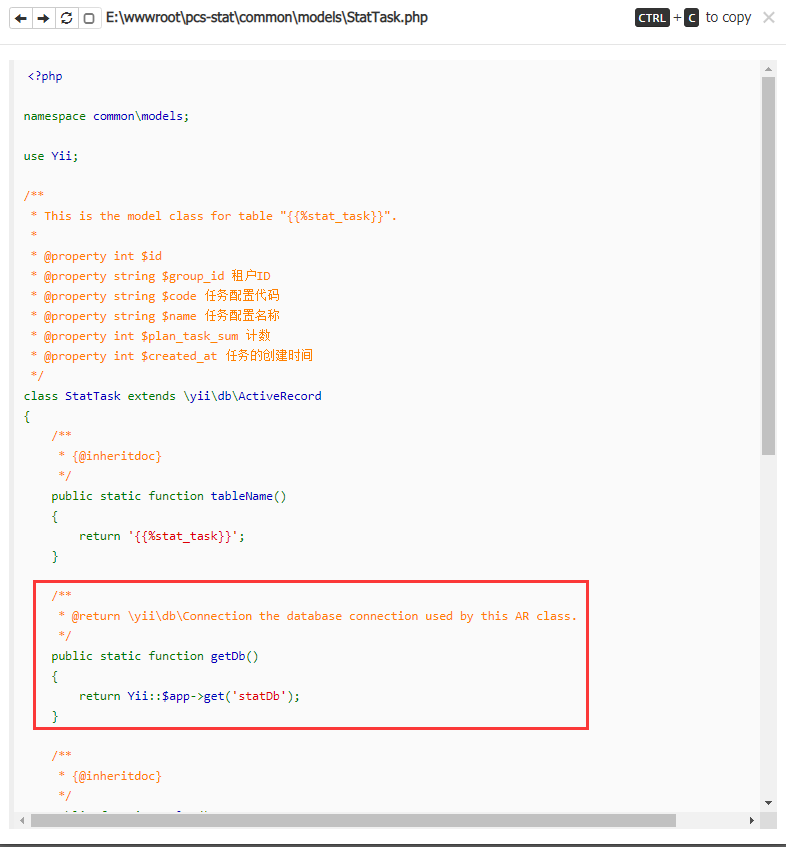
图2
    /**
     * @return \yii\db\Connection the database connection used by this AR class.
     */
    public static function getDb()
    {
        return Yii::$app->get('statDb');
    }
4、数据库连接ID选择 db 时,表名的下拉列表中,未出现 db 下的数据表,因此,需要手动填写相应的信息。如图3
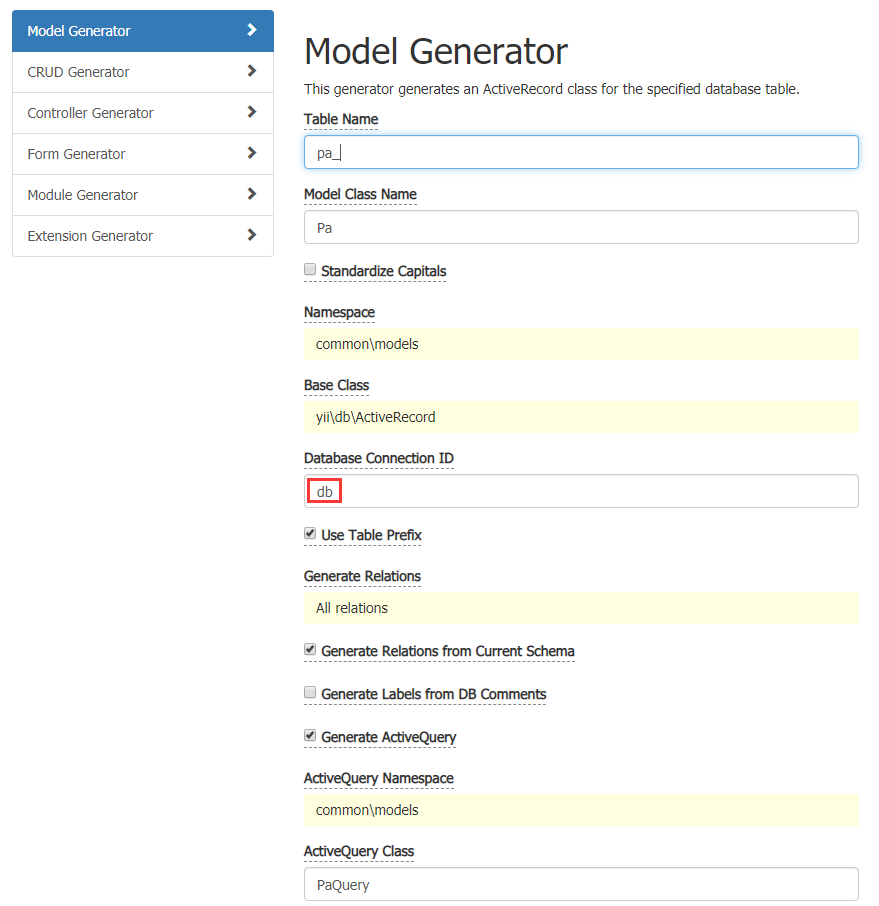
图3
5、当生成 db 下的模型文件时,不会生成 getDb() ,因为 db 是默认的。如图4
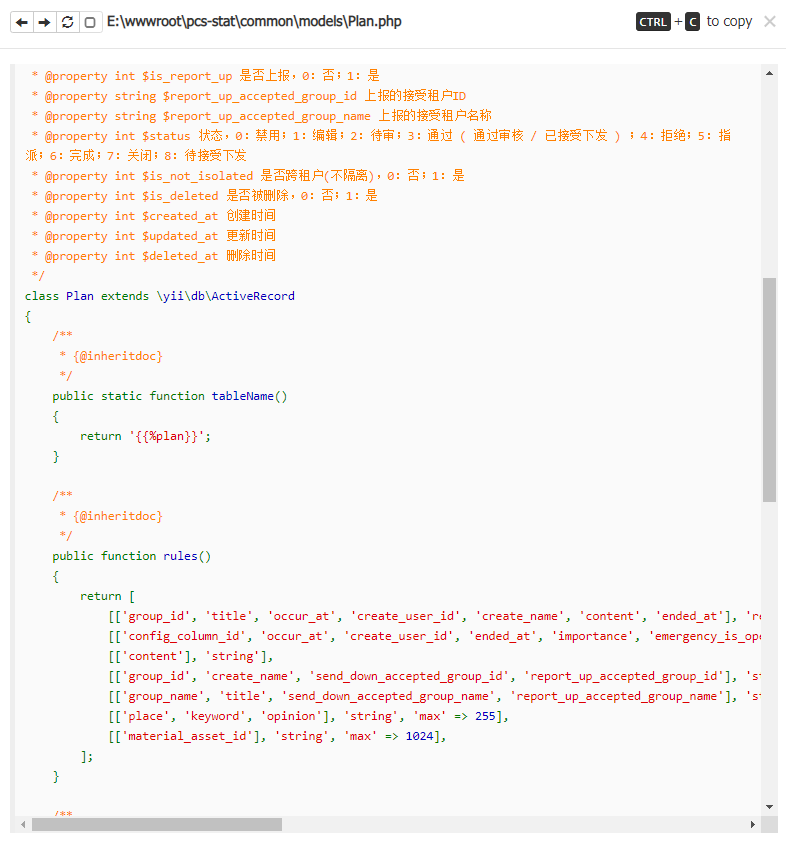
图4
6、当 Preview 或者 Generate 后,数据库连接ID选择 db 时,表名的下拉列表中,仅会出现 db 下的数据表。如图5
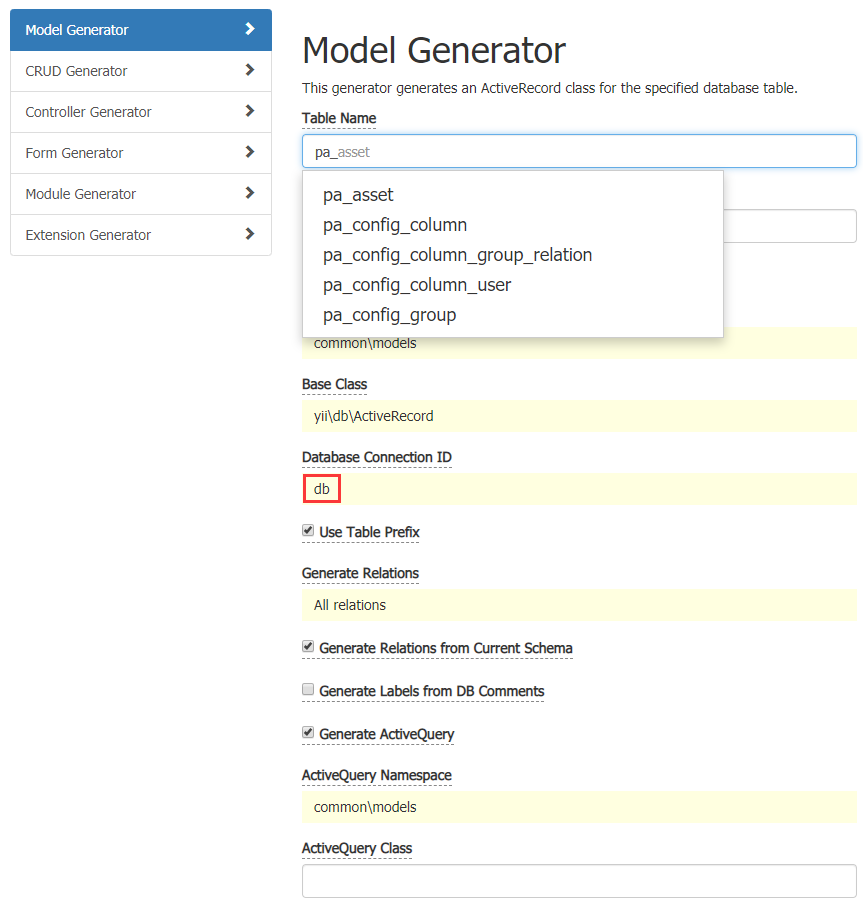
图5

近期评论