在 Windows 10 中,一个 Shell 脚本 替换为 PHP 脚本的实现(从另一个 PHP 脚本执行 PHP 脚本)
1、参考:在 Windows 10 中使用 WSL 运行 .sh 或 Shell 脚本文件 。由于运行 .sh 文件,文件中所有环境配置必须依赖于 Ubuntu 中的配置项。但是 Ubuntu 中的环境配置不完善。最终决定将 Shell 脚本 替换为 PHP 脚本
2、Shell 脚本 的代码实现如下
#!/bin/sh

for i in $(seq 1 200);
do
    echo "Install theme $i times"
    php artisan theme-store-db:theme:install C:/Users/Lenovo/Downloads/theme "theme$i" blade --force
done
3、现在的需求是需要在一个 PHP 脚本中执行 PHP 的命令行
<?php
$i = 1;
while ($i <= 200) {
    echo "Install theme $i times\n";
    exec("php artisan theme-store-db:theme:install C:/Users/Lenovo/Downloads/theme theme$i blade --force");
    $i++;
}
?>
4、执行命令:php themes.php,执行成功。如图1
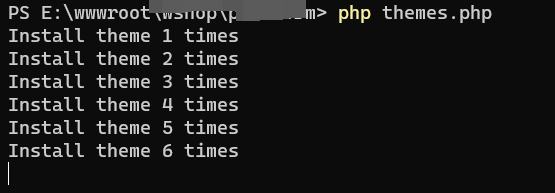
图1
PS E:\wwwroot\object> php themes.php
Install theme 1 times
Install theme 2 times
Install theme 3 times
Install theme 4 times
Install theme 5 times
5、确认执行结果,查看数据库中写入的数据,符合预期。如图2
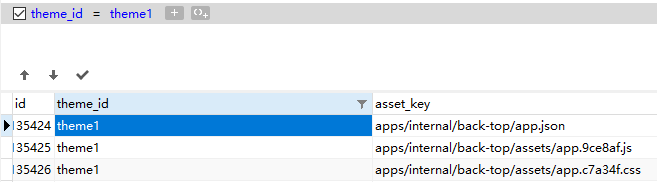
图2
近期评论