
A practical theme switching guide, backed by backups and centered on multilingual menu configuration.
1. Why Change the Theme?
My blog shuijingwanwq.com has been using the Hueman theme, a classic, stable, and feature-rich theme that has served me well for a long time. However, as my blog content grew and visitor devices changed, I gradually noticed some issues.
The most critical data comes from website analytics: over 35% of visitors have a screen width greater than 1680px. The Hueman theme’s support for ultra-wide screens is less than ideal; the maximum width of the content area is limited, resulting in large empty margins and a less comfortable reading experience.
In addition, WordPress has entered the era of Block Themes, and Full Site Editing (FSE) offers a more flexible and visual way to customize. I wanted to switch the blog to a theme that is more wide-screen friendly, modern, and actively maintained.
After some research, I chose Twenty Twenty-Five — the latest official WordPress default theme (2025), optimized for blogs and content creation, with native support for Full Site Editing and excellent adaptation for wide screens.
2. Preparations Before Switching
For any theme switch, the first step must always be backup.
I used the UpdraftPlus plugin to perform a complete backup of the website’s files and database.
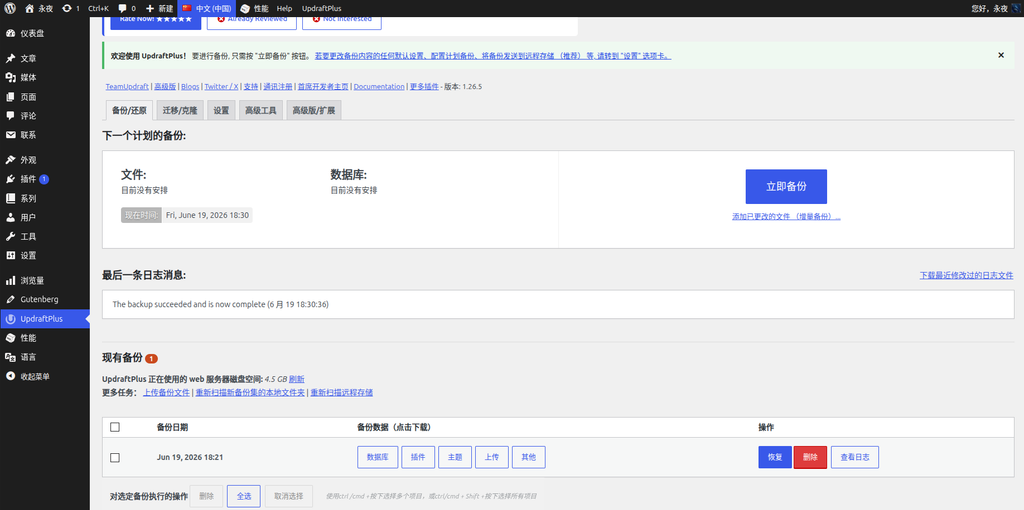
Besides backing up, I also did a few other things:
- Document the old theme’s custom code: Hueman’s
functions.phpcontains quite a bit of custom functional code I added myself, which needs to be migrated later. - Take screenshots of widget and menu settings: Although I decided to abandon the old widget layout, the menu structure needs to be preserved.
- Plan the new theme’s configuration: Clarify what needs to be adjusted, such as content width, homepage display style, and multilingual menus.
3. Reasons for Choosing Twenty Twenty-Five
Twenty Twenty-Five is the default theme for WordPress 6.7 and later versions, and it offers the following advantages:
- Full support for Full Site Editing: All layout adjustments can be done visually in the Site Editor.
- Blog-friendly: Refined typography and an excellent reading experience.
- Good wide-screen adaptation: Content width and wide width can be freely adjusted in the style settings.
- Lightweight and fast: No unnecessary dependencies and outstanding performance.
- Official long-term maintenance: As a default theme, updates are guaranteed.
Of course, it also has a learning curve — for users accustomed to classic themes (like Hueman), the menu management, widgets, and template structure of a block theme all require readjustment. This is exactly what this blog post will document.
4. Future Plans for the Old Theme’s Custom Code
In Hueman’s functions.php, I added the following custom code snippets (see the screenshot of the old theme’s file editor):
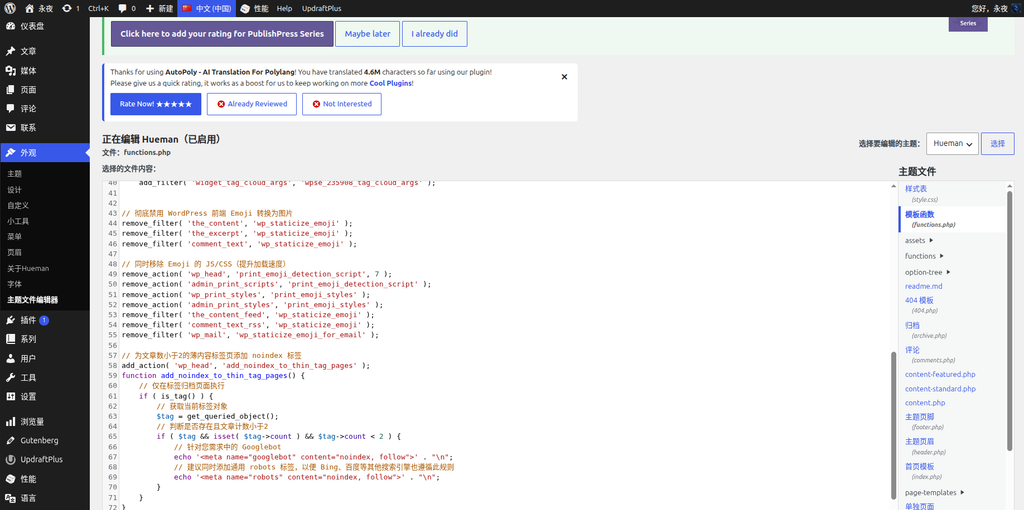
This code includes:
- Disable WordPress Emoji functionality: Removes Emoji JS/CSS to improve loading speed.
- Add noindex to thin content tag pages: When a tag has fewer than 2 posts, it automatically outputs
<meta name="robots" content="noindex, follow">to prevent low-quality pages from being indexed. - Adjust the tag cloud display count: Changes the maximum number of tags displayed in the tag widget to 300.
These functions are independent of the theme itself; they are site-level features. Therefore, the best practice is to decouple them from the theme and place them in a site-specific plugin, or manage them using the Code Snippets plugin.
I plan to use the Code Snippets plugin going forward, separating each function into an independent code snippet and setting it to “Only run on site front-end”. This way, no matter what theme I switch to in the future, these features will not be lost.
Note: The
load_template( get_template_directory() . '/functions/init-core.php' );and version check code built into the Hueman theme are internal theme dependencies and cannot be migrated.
5. Configuring the Homepage Display
After activating Twenty Twenty-Five, the homepage might default to showing a static page or a specific template, but what I need is a list of the latest posts, displaying only excerpts instead of full text.
I went to Settings > Reading, selected “Your latest posts” under “Your homepage displays”, and changed “For each article in a feed” to “Excerpt”.
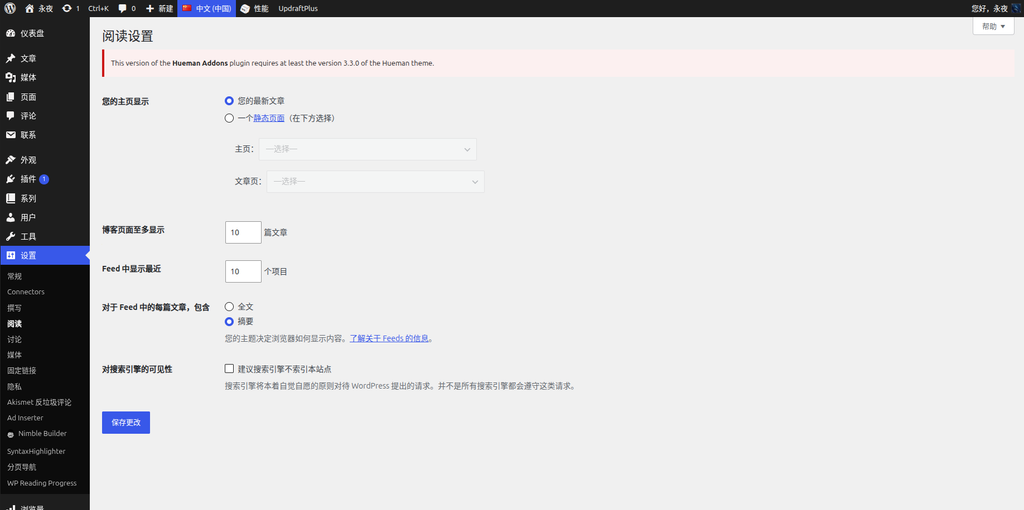
Now the homepage displays as a post list, with each post showing only an excerpt, which fits the reading habits of a technical blog.
6. Multilingual Menu Configuration Process (Key Focus)
My blog supports both Chinese and English, implemented using the free version of Polylang. In Hueman (a classic theme), I could specify a display language for each menu under Appearance > Menus, which was very straightforward.
But in Twenty Twenty-Five (a block theme), things became more complicated:
- In block themes, menu display locations are no longer controlled by the “Appearance > Menus” page, but rather by the “Navigation” block in the Site Editor.
- Under a block theme, the free version of Polylang does not display the “Language assignment” dropdown on the menu editing page.
- This means I cannot directly tell Polylang which language corresponds to the “Chinese Main Menu” and the “English Main Menu”.
I evaluated several approaches:
- Create two navigation blocks in the Site Editor, bind them to different menus, and try to use conditional display — but the block theme’s navigation block does not have built-in “display by language” conditional logic.
- Conditional Menus plugin — but user feedback indicates known compatibility issues with Polylang, and it cannot recognize “language” as a condition, so I did not use it.
- Site Editor Classic Features plugin recommended by Polylang officially — it can restore classic widgets in a block theme, but the operation is somewhat cumbersome, so I did not use it either.
Ultimately, I found a lightweight plugin: TMS Extensions for Polylang. It provides a block called “Menu by Language”, specifically designed to display different navigation menus for each language in a block theme, and it is completely free.
Steps:
- Install and activate TMS Extensions for Polylang.
- Go to Appearance > Editor and edit the “Header” template.
- Find the “Menu by Language” block in the block inserter and add it to an appropriate position in the header.
- Click on the block, and in the settings panel on the right, select the corresponding menus (Chinese Main Menu, English Main Menu) for “中文(中国)” and “ENGLISH” respectively.
- Save the template.
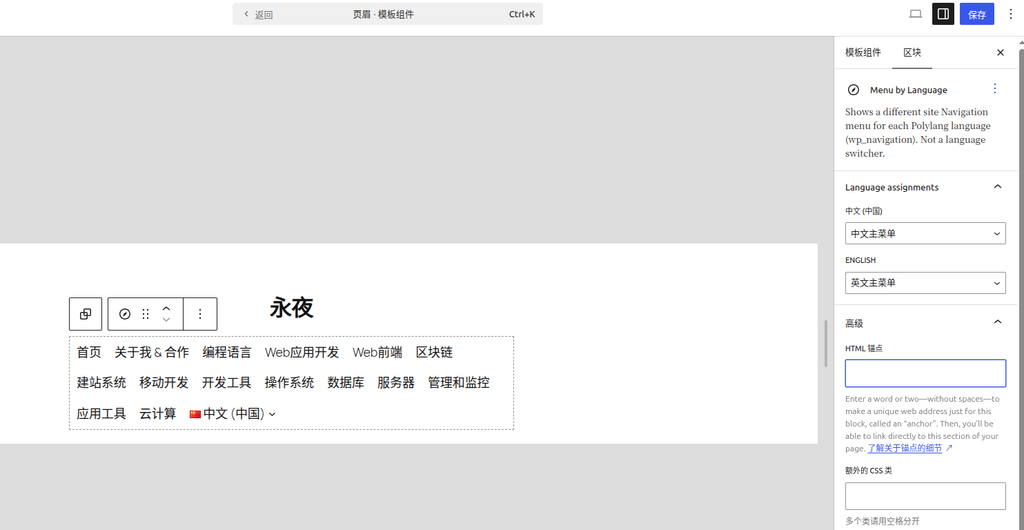
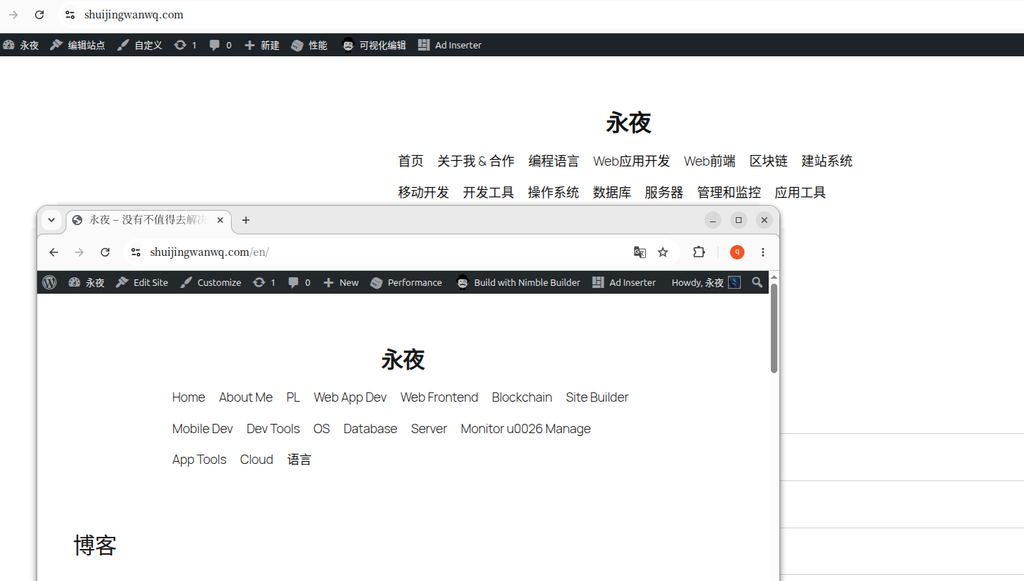
After completing these configurations, the front-end header will automatically switch menus based on the current page language.
7. Summary
The core work of this theme switch can be summarized in three points:
- Backup: Used UpdraftPlus to complete a full site backup, ensuring a rollback option.
- Theme selection: Chose Twenty Twenty-Five based on the high proportion of wide-screen visitors.
- Multilingual menu configuration: Solved the issue where the free version of Polylang cannot assign menus to different languages under a block theme by using the TMS Extensions for Polylang plugin.
This experience also made me realize that decoupling functional code from the theme (such as by using Code Snippets) is worth investing time in, and I will gradually improve this going forward.