Delete themes in WorePress
1. In Appearance – Theme, when the mouse is placed on the corresponding theme, there are only enable and real-time preview buttons, no delete button, as shown in Figure 1
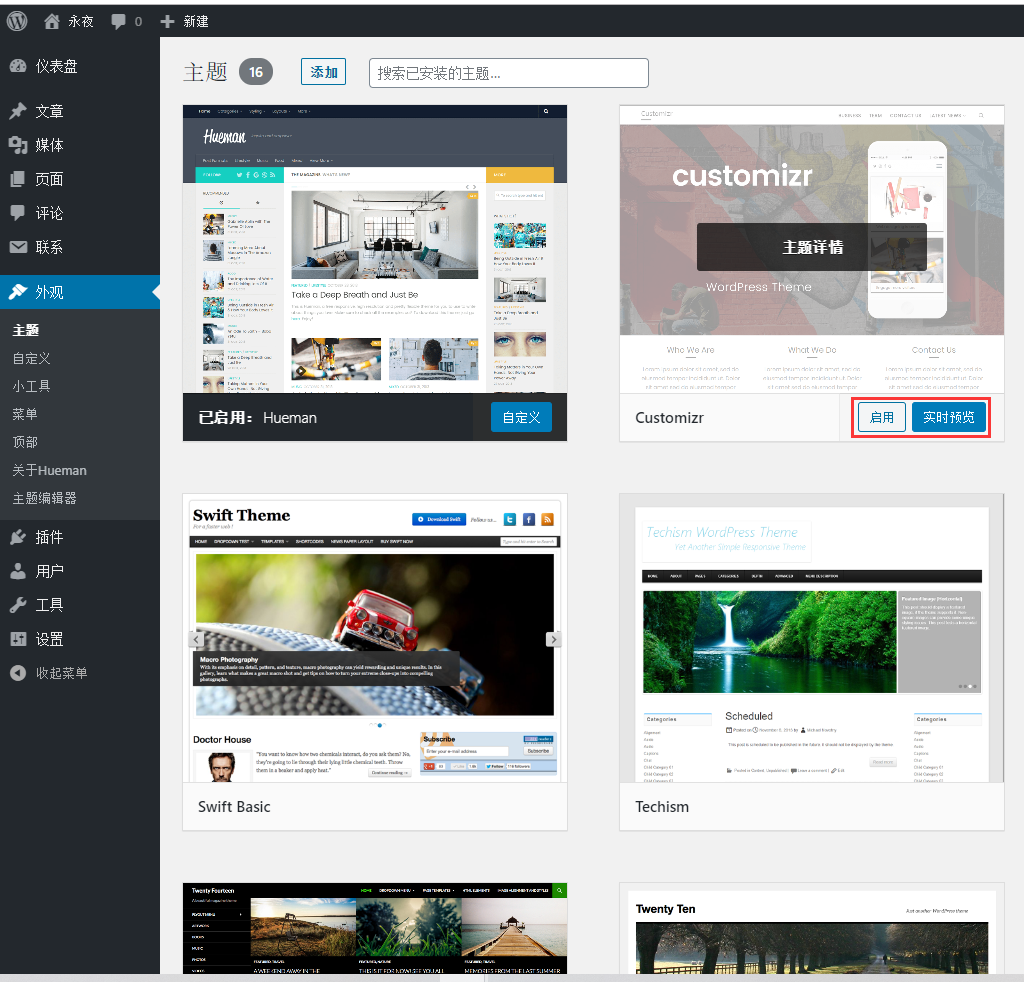
Figure 1
2. Click the subject details to enter, there is a delete button in the lower right corner of the topic. as shown in Figure 2
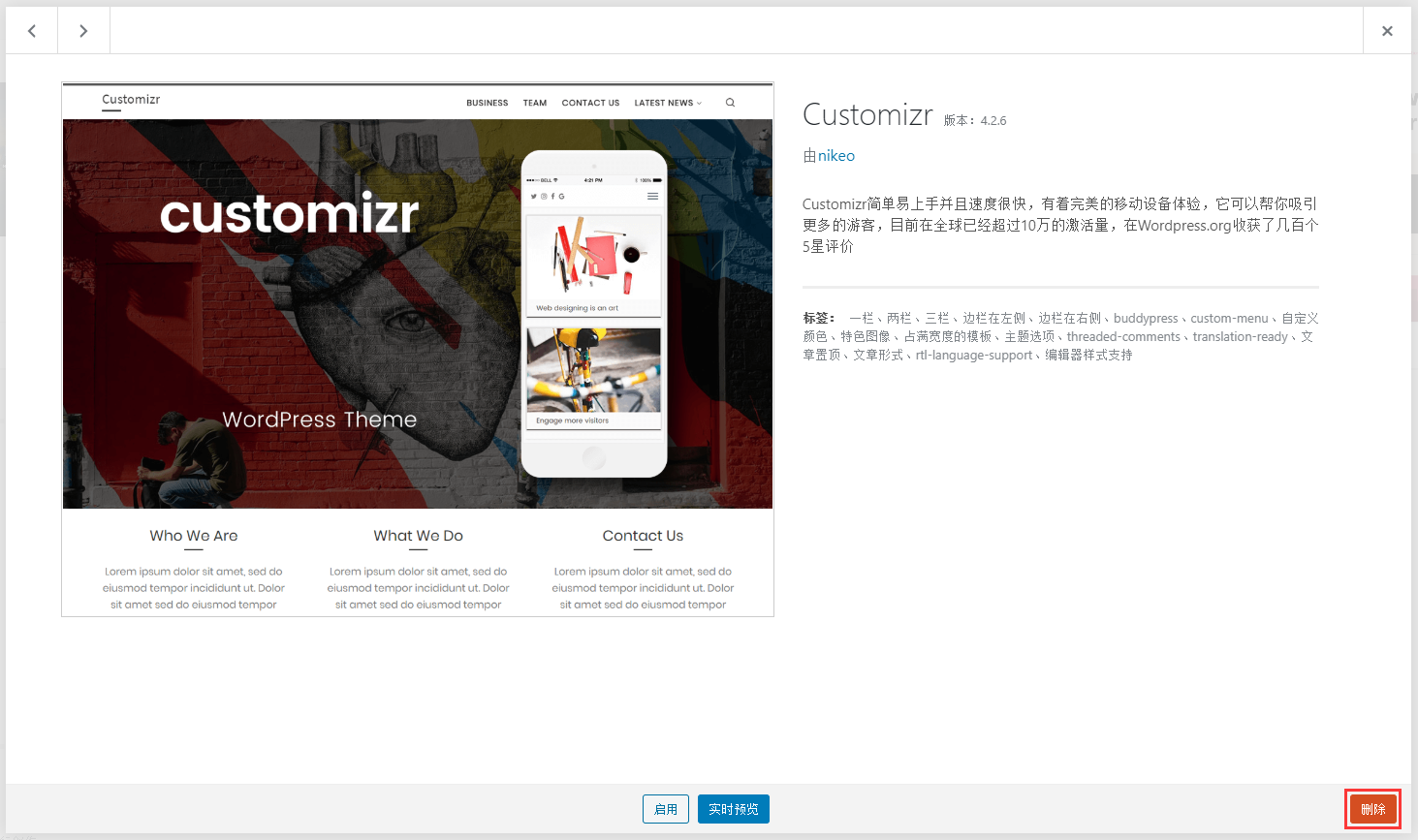
Figure 2
3. Click the Delete button, and click OK to delete. as shown in Figure 3
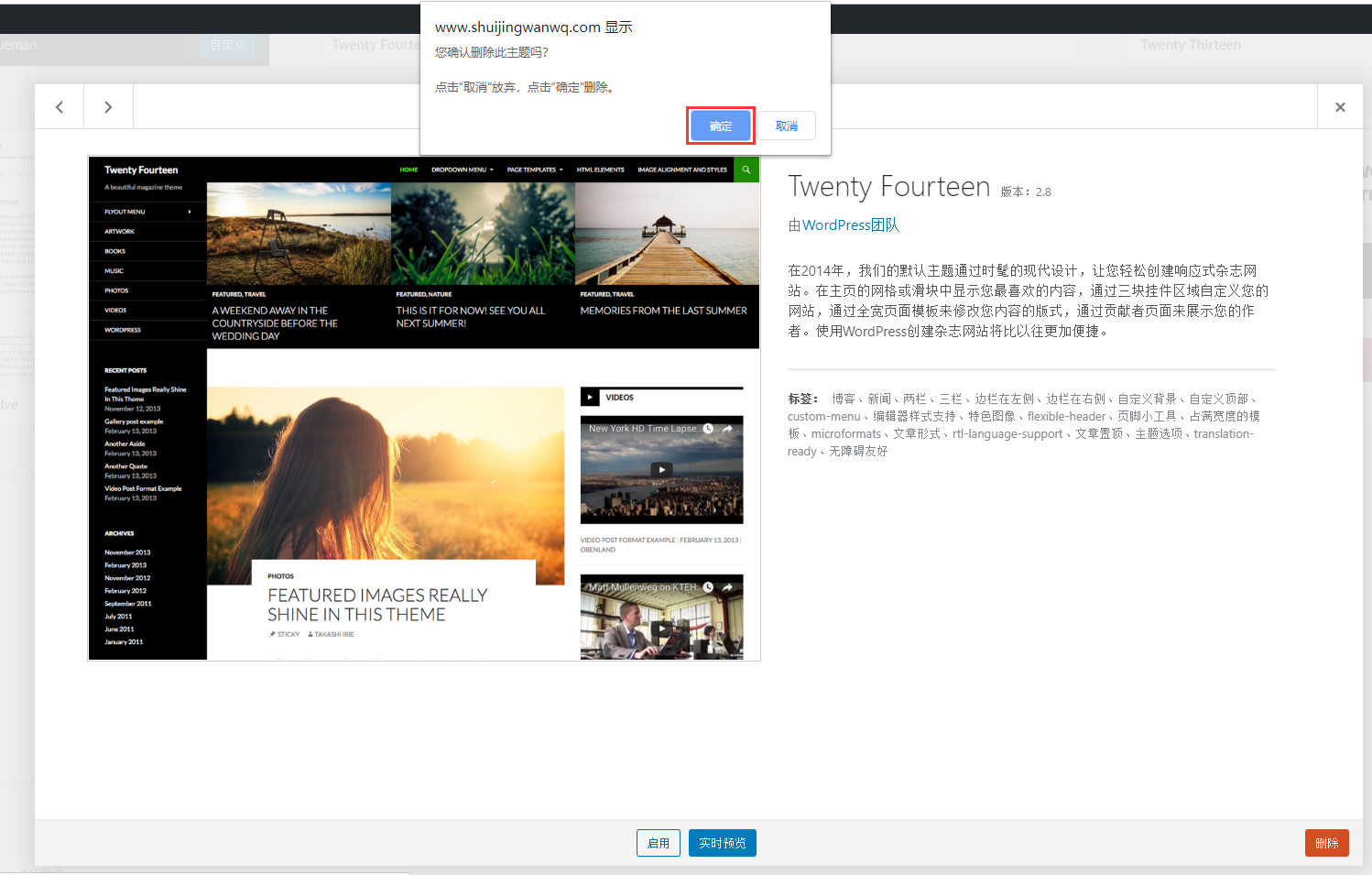
Figure 3
4. In Appearance – Topic, only the topics in the activation are left, and all other topics have been deleted. as shown in Figure 4
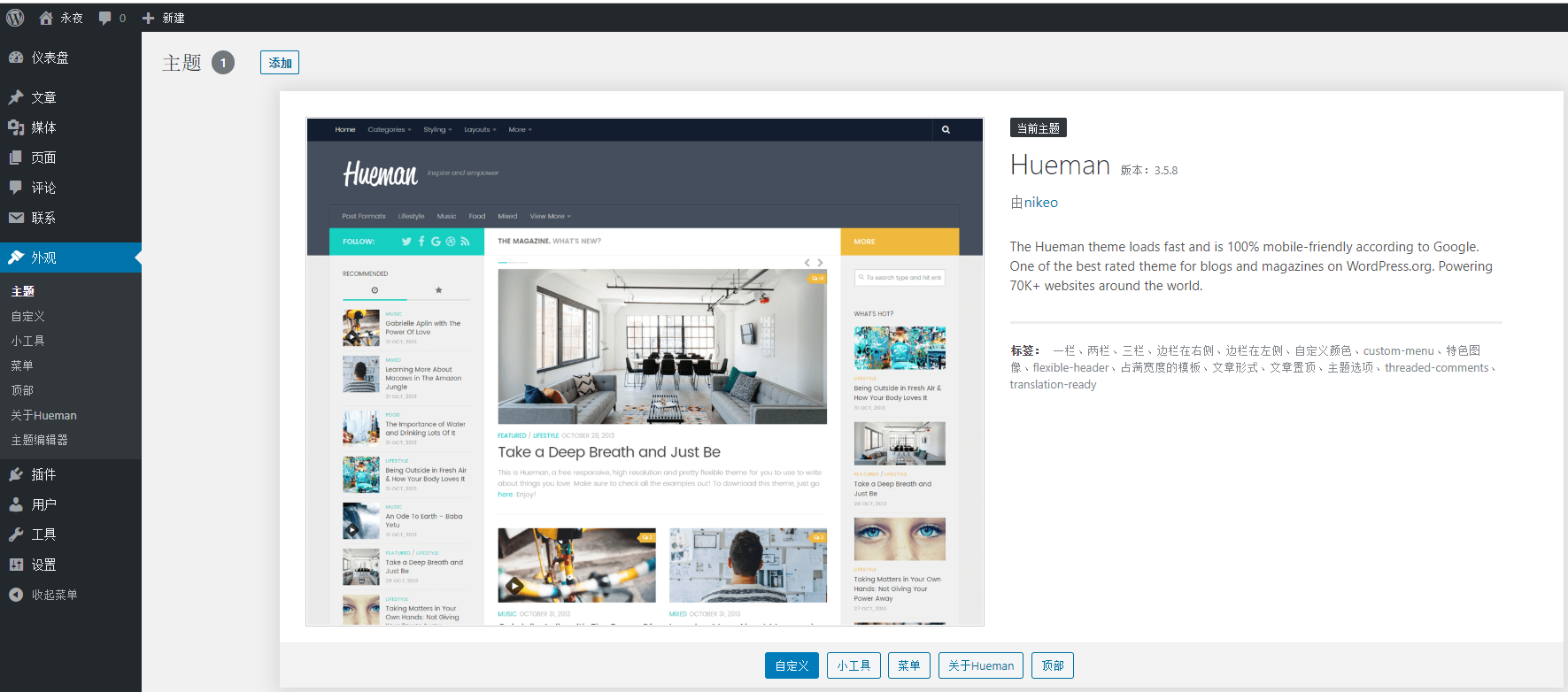
Figure 4